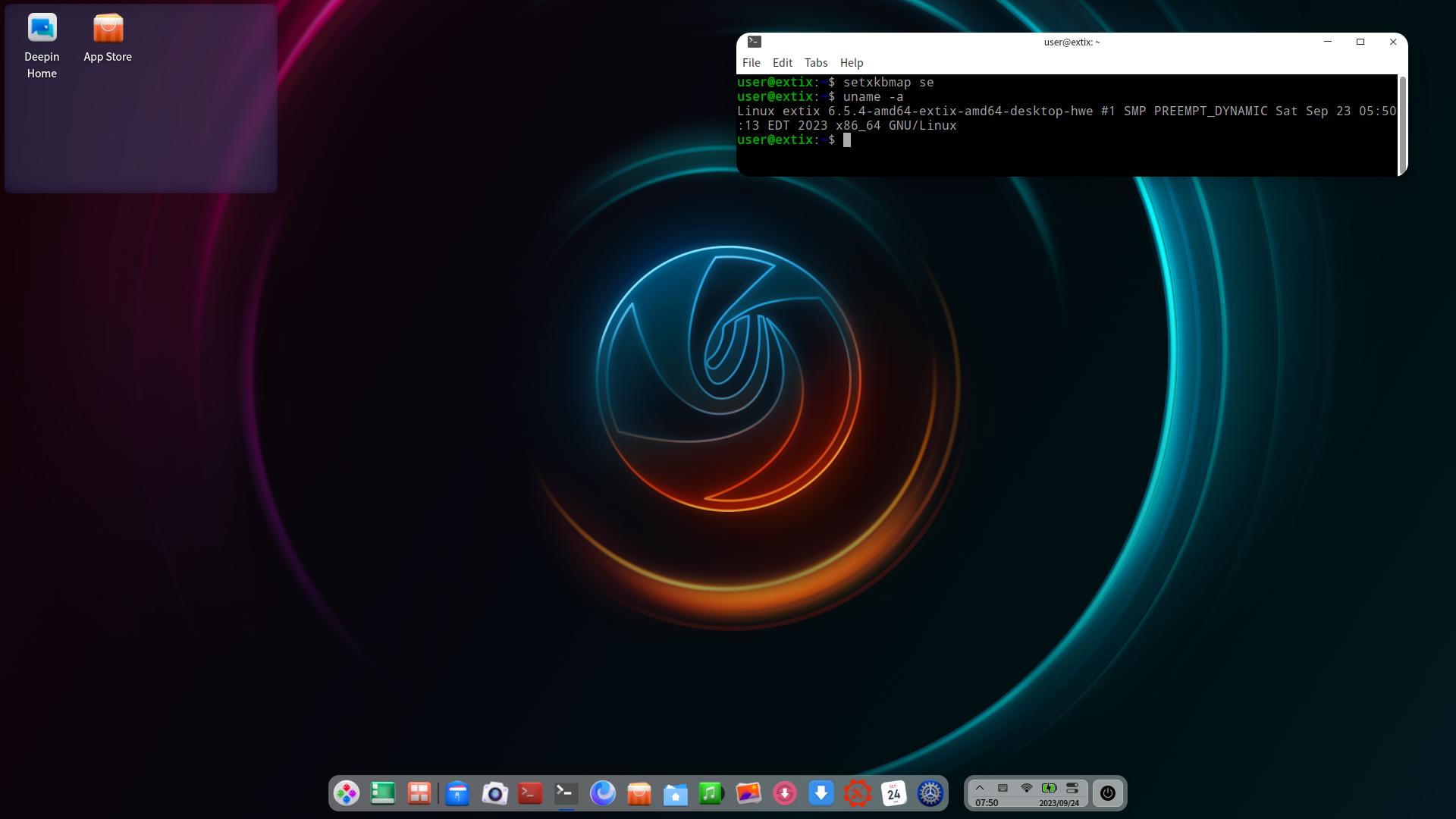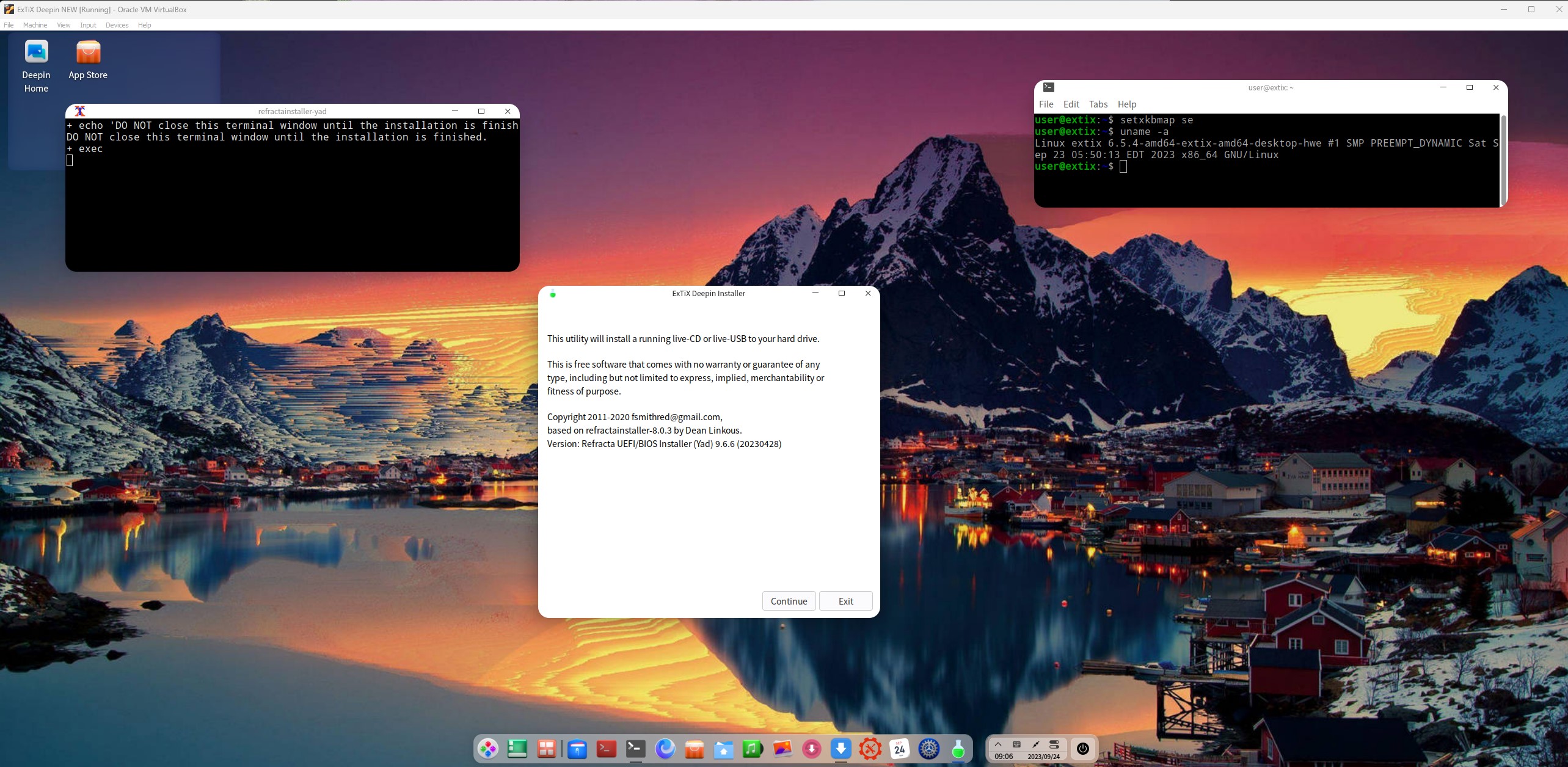
Tag: create a new ISO with Refracta Snapshot

Run latest Slackware 64 bit live and create your own live installable Slackware system with Refracta Snapshot! :: Build 260325

About SlackEX 15.0 Current (testing/development) 64 bit Build 260325
Slackware is the first widely-used Linux system, which is still developing. Slackware has existed since 1993. In comparison with for example Ubuntu and Linux Mint, many people believe that Slackware is “difficult”. Any novice can quickly learn to use Ubuntu they say. My remaster of Slackware Current (15.0), which I call SlackEX 15.0 Current 64 bit Linux Live System, is however just as easy to use as Ubuntu and/or Linux Mint. Some tend to complain that the Program Management in Slackware is awkward. That was perhaps earlier the case, but not anymore.

NEWS ABOUT SlackEX BUILD 260325 with the Xfce4 DESKTOP (DE)
A new version of SlackEX is ready. It is based on Slackware 15.0 Stable/Current released 220202 with Xfce4 as DE. The most important package installed is Refracta Snapshot. With that you can build your own Slackware 15.0 distribution. Xfce4 is one of Slackware’s official Desktop environments. The other one is KDE. Kernel 6.19.8-amd64-exton is used in this SlackEX Build. To be able to use Refracta Snapshot you’ll have to use said kernel. Otherwise you can (of course) replace “my” kernel with Slackware’s original kernel. Study the list of upgraded packages.
NOTE1: You’ll run SlackEX Build 260325 as the normal user user or as root. The password for root is root. The password for user is live.
NOTE2: You can run SlackEX Build 260325 on UEFI and non-Uefi computers.

ABOUT running SlackEX in RAM
You can run SlackEX from RAM also when starting SlackEX in UEFI mode. The previous SlackEX versions could only run from RAM if they started in Legacy mode. So my advice is to run this version SUPER FAST from RAM! The best way to run a Linux Live System! When SlackEX has booted up you can remove/eject the USB stick or the DVD.

SCREENSHOTS
Screenshot 1 – user’s Desktop – Xfce4
Screenshot 2 – root’s Desktop – Xfce4
Screenshot 3 – using Refracta Installer – keeping the user account
Screenshot 4 – using Refracta Installer – installing Grub in VirtualBox
Screenshot 5 – Refracta Snapshot is starting

Why Slackware?
Slackware is grossly underestimated (in my opinion).

READ MORE…

Read about my Android-x86 Systems – 11, 10, Pie, Oreo, Nougat, Marshmallow, Lollipop and KitKat at andex.exton.net – latest is AndEX 11 (with GAPPS), AndEX 10 (with GAPPS) and AndEX Pie 9.0 (also with GAPPS)!
and
about my Android 16, 15, 14, 13, 12, 11, 10, Pie, Oreo, Nougat, Marshmallow and Lollipop versions for Raspberry Pi 5, Pi 4 and  Pi 3/2 at raspex.exton.se – latest is RaspAnd 16 (with GAPPS), RaspAnd 15 (also with GAPPS), RaspAnd 14 (also with GAPPS), 13 and 12 (without GAPPS), RaspAnd 11 (with GAPPS) and RaspAnd Oreo 8.1 (also with GAPPS)

Follow me on Facebook…

No Comments extonExton Linux Systems

ExTiX 25.12-2 Mini – a live remix of upcoming Ubuntu 26.04 LTS – with LXDE, Refracta Snapshot and kernel 6.17.8-amd64-exton ::: Build 251205

NEWS 251205 ABOUT ExTiX 25.12-2 Mini with LXDE and Refracta Snapshot ::: Build 251205
I have made a new version of ExTiX (The Ultimate Linux System). I call it ExTiX 25.12-2 LXDE Mini Live System. (The previous ExTiX Mini version was 23.5 from 230510). ExTiX 25.12-2 is a VERY PREMATURE remix of Ubuntu 26.04 LTS (Resolute Raccoon). Ubuntu 26.04 LTS will be supported until July 2031.

ABOUT Build 25.12-2
I was aiming to build a really light version of ExTiX (as a remix of upcoming Ubuntu 26.04). I therefore started “from scratch” using the Debootstrap method. Debootstrap is a low-level tool that installs a basic Ubuntu system into a directory, giving you complete control over every package from the ground up. This method is often used to create a custom installation in a virtual machine (using QEMU, VirtualBox, etc.) or onto a specific disk partition. No matter how hard I tried I could not make a smaller ISO than the current one of 1870 MB. Many big packages are necessary to make the system usable. As an example I can mention the linux-firmware package. It is of 650 MB. Without it the System is useless. A small ISO is of importance if you want to run the system from RAM on older computers with low RAM. To run from RAM is the best way to run any Linux system. Super fast! I decided to use LXDE (Lightweight X11 Desktop Environment) as DE instead of LXQt in the hope that it would hold down the size of the System. It did not help much though.

FEATURES
The best thing with ExTiX 25.12-2 is that while running the system live (from a DVD/USB) or from hard drive you can use Refracta Snapshot (pre-installed) to create your own live installable Ubuntu 26.04 LTS system. So easy that a ten year child can do it! One other very good thing with this version of ExTiX is that it is quite light. The ISO file is of only 1870 MB, which means that you can run the system super fast from RAM. When the boot process is ready you can eject the DVD or USB stick. Watch this screenshot. Use Boot alternative 2 or Advanced options >> load to RAM. LXDE is used as Desktop Environment (DE). Kernel 6.17.8-amd64-exton is used (as in ExTiX 25.12). You can use Refracta Installer to install ExTiX 25.12-2 to hard drive. It works very well. Read more about Refracta Installer…

STUDY all pre-installed packages in ExTiX 25.12-2…
And this list showing the size of installed packages in KB…
(Not much to gain from uninstalling some packages).

THE IMPORTANCE OF ExTiX 25.12-2 Build 251205 being based on UPCOMING Ubuntu 26.04 LTS
Programs won’t “crash” or anything like that. And I haven’t noticed any important “bugs”. That said you should of course be a bit careful. Version 251205 of ExTiX is for people who like to use “cutting-edge” software and the latest kernels etc. You will always have the latest Ubuntu software installed if you regularly run the command sudo apt update && sudo apt upgrade. If you do that for example every week you can be among the first to have Ubuntu 26.04 STABLE installed.

SCREENSHOTS
1. Refracta Installer is ready
2. Showing that you can eject the USB stick when running ExTiX from RAM

READ MORE…

Read about my Android-x86 Systems – 11, 10, Pie, Oreo, Nougat, Marshmallow, Lollipop and KitKat at andex.exton.net – latest is AndEX 11 (with GAPPS), AndEX 10 (with GAPPS) and AndEX Pie 9.0 (also with GAPPS)!
and
about my Android 16, 15, 14, 13, 12, 11, 10, Pie, Oreo, Nougat, Marshmallow and Lollipop versions for Raspberry Pi 5, Pi 4 and  Pi 3/2 at raspex.exton.se – latest is RaspAnd 16 (with GAPPS), RaspAnd 15 (also with GAPPS), RaspAnd 14 (also with GAPPS), 13 and 12 (without GAPPS), RaspAnd 11 (with GAPPS) and RaspAnd Oreo 8.1 (also with GAPPS)!


Follow me on Facebook…

No Comments extonExton Linux Systems

EXTON OpSuS (openSUSE) Tumbleweed with KDE Plasma 6.5.2, Refracta Snapshot and kernel 6.17.4-amd64-exton :: Build 251122

EXTON OpSuS Tumbleweed is based on openSUSE Tumbleweed, which is a rolling distribution. I.e. no need for new installations. Just run the command sudo zypper dup and you will always get the latest stable packages/kernels. The ISO files are of 2640MB (GNOME version) respectively 3030 MB (KDE version). Both versions will thus run very fast from a DVD or a USB stick. Even in VirtualBox/VMware directly from the ISO file.

ABOUT Tumbleweed
With Tumbleweed you don’t have to take difficult decisions about things you value, either freedom or safety, either control or security, technology or stability — Tumbleweed lets you have your cake and eat it too.
READ MORE…

EXTON OpSuS Tumbleweed with KDE Plasma 6.5.2 Desktop Environment Build 251122
This OpSuS version uses kernel 6.17.4-amd64-exton. Installed programs: Among many other programs, Firefox, NetworkManager, GParted and a lot of special KDE packages. You’ll run the system as the normal user user or as root. The password for user is live. Root’s password is root. EXTON OpSuS KDE can easily be installed to hard drive (of those who so desire). For that you shall use Refracta Installer. All packages have been updated to the latest available version as of November 22, 2025.
NOTE1
:  When the boot process is ready you will end up at LightDM’s login screen. You can log in to the KDE Plasma Desktop as user with password live or as root with password root. You will see this first screen when logged in to KDE as the normal user user.
NOTE2: When logged in as root you won’t have sound. Watch a screenshot of the KDE Desktop for root.
NOTE3: Version 251122 of EXTON OpSuS can run on really old computers. As an example I could run it on my 19 years old laptop Acer Aspire 5102 WLMi.
NOTE4: Use Refracta Snapshot to build your very own version of EXTON OpSuS/openSUSE. I.e. you can change everything to you liking and quickly create a new ISO file. Your own.
NOTE5:
Kernel 6.17.4-amd64-exton is used when running EXTON OpSuS LIVE. When running the System from hard drive you can use openSUSE’s kernel. Right now version 6.17.8.
NOTE6: To be able to use Refracta Snapshot you’ll have to keep “my” kernel 6.17.4-amd64-exton in /boot and also the links to said kernel in /. (/vmlinuz and /initrd.img).
NOTE7: The KDE version 251122 works very well in VirtualBox and VMware. Version 251120 did not work so well in VirtualBox. That is the main reason for the new Build of 251122.
NOTE8: The KDE version works very well on all “normal” computers. I could run the system on my six different computers. If you have at least 6GB RAM (maybe just 4GB) you can choose boot alternative 2 – “Load to RAM”. (The best way to run any Linux system). Watch this screenshot.
NOTE9: EXTON OpSuS is a LIVE system, which means that you can try it before you install it. The official openSUSE distribution must be installed immediately.
NOTE 10: When logging in to the KDE Plasma Desktop you can choose between the X11 server and Wayland – screenshot. Wayland is the modern, more secure, and efficient replacement for the older X11 display server.

SCREENSHOTS
1. The Desktop for the normal user user
2. The Desktop for root
3. Refracta Installer has started
4. Refracta Installer has completed
5. Setting screen resolution in VirtualBox
6. Using Samba

READ MORE…

Read about my Android-x86 Systems – 11, 10, Pie, Oreo, Nougat, Marshmallow, Lollipop and KitKat at andex.exton.net – latest is AndEX 11 (with GAPPS), AndEX 10 (with GAPPS) and AndEX Pie 9.0 (also with GAPPS)!
and
about my Android 16, 15, 14, 13, 12, 11, 10, Pie, Oreo, Nougat, Marshmallow and Lollipop versions for Raspberry Pi 5, Pi 4 and  Pi 3/2 at raspex.exton.se – latest is RaspAnd 16 (with GAPPS), RaspAnd 15 (also with GAPPS), RaspAnd 14 (also with GAPPS), 13 and 12 (without GAPPS), RaspAnd 11 (with GAPPS) and RaspAnd Oreo 8.1 (also with GAPPS)!


Follow me on Facebook…

No Comments extonExton Linux Systems

EXTON OpSuS (openSUSE) Tumbleweed with GNOME 49, Refracta Snapshot and kernel 6.17.4-amd64-exton :: Build 251115

EXTON OpSuS GNOME  is based on openSUSE Tumbleweed, which is a rolling distribution. I.e. no need for new installations. Just run the command sudo zypper dup and you will always get the latest stable packages/kernels. The ISO file is of 2640MB. This GNOME 49 version will thus run very fast from a DVD or a USB stick. Even in VirtualBox/VMware directly from the ISO file.

ABOUT Tumbleweed
With Tumbleweed you don’t have to take difficult decisions about things you value, either freedom or safety, either control or security, technology or stability — Tumbleweed lets you have your cake and eat it too. READ MORE…

NOTE ABOUT EXTON OpSuS Deepin from 240807
The Deepin DE is no longer maintained by openSUSE due to packaging policy violations and various security issues. I have therefore deleted the ISO file from 240807, which used Deepin 20.6 as Desktop Environment.

ABOUT EXTON OpSuS for PC’s – Build 251115
I’ve made a new version of EXTON OpSuS with GNOME 49 as the only DE. The ISO is therefore rather small (2640MB), which means that you can run the system from RAM really fast even if you have for example only 8GB RAM. This new EXTON OpSuS build is made from “scratch” following the Wiki “openSUSE:Expert Installation“. If you want to do the same you can study my packages LIST first. Be sure to install all necessary kernel-firmware. For example kernel-firmware-nvidia. If you “forget” to do that and try to run the system on a computer with an Nvidia graphics card it won’t work. To be on the safe side you might want to run the command sudo zypper in kernel-firmware*.

Study all installed packages in EXTON OpSuS GNOME…

NOTES
NOTE1
: Kernel 6.17.4-amd64-exton is used when running EXTON OpSuS LIVE. When running the System from hard drive you can use openSUSE’s original kernel. Right now version 6.17.7.
NOTE2: When the boot process is ready you will end up at GDM’s login screen. You can log in to the GNOME Desktop as user with password live or as root with password root.
NOTE3: Use Refracta Snapshot to build your very own version of EXTON OpSuS/openSUSE. I.e. you can change everything and quickly create a new ISO file. Your own. The new is ISO found in /home/snapshot.
NOTE4: You be able to use Refracta Snapshot you’ll have to keep “my” kernel 6.17.4-amd64-exton in /boot and also the links to said kernel in /. (/vmlinuz and /initrd.img).
NOTE5: Version 251115 of EXTON OpSuS can run on really old computers. As an example I could run it on my 19 years old laptop Acer Aspire 5102 WLMi.

SCREENSHOTS
1. Showing a Samba connection
2. The Desktop for root
3. The Desktop for the ordinary user user
4. Installing Grub while running in VirtualBox
5. Showing how to set the screen resolution

READ MORE…

Read about my Android-x86 Systems – 11, 10, Pie, Oreo, Nougat, Marshmallow, Lollipop and KitKat at andex.exton.net – latest is AndEX 11 (with GAPPS), AndEX 10 (with GAPPS) and AndEX Pie 9.0 (also with GAPPS)!
and
about my Android 16, 15, 14, 13, 12, 11, 10, Pie, Oreo, Nougat, Marshmallow and Lollipop versions for Raspberry Pi 5, Pi 4 and  Pi 3/2 at raspex.exton.se – latest is RaspAnd 16 (with GAPPS), RaspAnd 15 (also with GAPPS), RaspAnd 14 (also with GAPPS), 13 and 12 (without GAPPS), RaspAnd 11 (with GAPPS) and RaspAnd Oreo 8.1 (also with GAPPS)!


Follow me on Facebook…

No Comments extonExton Linux Systems

Exton|Defender fc43 (stable) with Cinnamon 6.4.1-4.fc43, Calamares Installer and Refracta Snapshot :: Build 251102

Exton|Defender SRS  (Super Rescue System) is a Linux system available as a Live System based on Fedora 43, 64bit. Fedora 43 was released on October 28, 2025. Exton|Defender is for administrating or repairing your system and data after a crash. Exton|Defender aims to provide an easy way to carry out admin tasks on your computer, such as creating and editing the hard disk partitions. It comes with a lot of Linux software such as system tools and basic tools (editors, Midnight Commander, network tools). Exton|Defender can, however, also be used as a normal Linux Desktop System. It requires no hard drive installation, but can easily be installed to hard drive if you want. Desktop environment: A special version of Cinnamon 6.4.1-4.fc43 developed by Fedora. NOTE: Just two days after I had released Exton|Defender – based on Fedora 42 stable – I found out that Fedora 43 was released (251028). I therefore simply HAD TO make an Exton|Defender version based on fc43.

SCREENSHOTS
Screenshot 1 – Exton|Defender while logged in as root
Screenshot 2 – The liveuser’s Desktop
Screenshot 3 – Running Samba

READ MORE…

Read about my Android-x86 Systems – 11, 10, Pie, Oreo, Nougat, Marshmallow, Lollipop and KitKat at andex.exton.net – latest is AndEX 11 (with GAPPS), AndEX 10 (with GAPPS) and AndEX Pie 9.0 (also with GAPPS)!
and
about my Android 16, 15, 14, 13, 12, 11, 10, Pie, Oreo, Nougat, Marshmallow and Lollipop versions for Raspberry Pi 5, Pi 4 and  Pi 3/2 at raspex.exton.se – latest is RaspAnd 16 (with GAPPS), RaspAnd 15 (also with GAPPS), RaspAnd 14 (also with GAPPS), 13 and 12 (without GAPPS), RaspAnd 11 (with GAPPS) and RaspAnd Oreo 8.1 (also with GAPPS)!


Follow me on Facebook…

No Comments Exton Linux Systems

Exton|Defender Rawhide (upcoming fc44) with GNOME 49 as DE, Calamares Installer, Refracta Snapshot and kernel 6.17.4-amd64-exton :: Build 251029

ABOUT Exton|Defender Build 251029
Exton|Defender, based on Fedora Rawhide (upcoming Fedora 44), 64 bit, is an extra version built mainly because I finally found a way to install Calamares Installer in Fedora and make it work. This build is not really a “Defender SRS” system. You can, however, install all the rescue tools you may need also when running this version live. (I.e. from a USB stick or a DVD). GNOME 49 is used as DE. Fedora 43 was released in a stable version on October 28, 2025 (yesterday). So Exton|Defender fc44 (being based on upcoming Fedora 44) should be very “unstable”. I have, however, not noticed anything special. I.e. programs won’t crash or anything like that. One “bug” though: You can’t change wallpaper the “normal” way. I.e. by clicking on the Desktop. You can, however, open your desired image with gThumb and set your image as wallpaper.

REFRACTA SNAPSHOT
You can create your own Fedora Rawhide system using Refracta Snapshot, which is pre-installed. I.e. change everything to your liking and then create a new ISO. That can be done after a hard drive installation. If you have plenty of RAM it is also possible to create a new ISO while running Exton|Defender fc44 live. NOTE: For Refracta Snapshot to work you will need to run “my” kernel 6.17.4-amd64-exton. It won’t work with Fedora’s original kernel. Actually you can run another kernel when starting Refracta Snapshot, but you must keep the links /vmlinuz and /initrd.img pointing to my kernel.
NOTE: When you start up Refracta Snapshot you will get a message saying that your ISO won’t boot on UEFI computers. Don’t worry. I’ve arranged so that it will.

Study all installed packages in Exton|Defender Build 251029…

Runs from RAM
Exton|Defender can run live from RAM. Running any Linux system in RAM means that it runs very fast.

KERNELS
While running live “my” kernel 6.17.4-amd64-exton will be used. After a hard drive installation you can use Fedora’s original kernel, which right now is 6.18.0.rc3.30.fc44.x86_64.

CALAMARES INSTALLER

Calamares is very simple to use. Just start it from the menu and follow the instructions. If you are installing Exton|Defender on a UEFI computer you should read my general install instructions in advance. If you want to make your own Fedora distribution (with Refracta Snapshot) you should install Exton|Defender on a partition of about 40 GB and use a SWAP space of about 2 GB. Do not create special home or boot partitions. When Calamares runs in VirtualBox it can look like this. If you want to use Calamares in your own distribution you’ll have to reinstall it. That is done with the command sudo dnf install calamares

LOGIN
Log in to the GNOME 49 Desktop as the normal user liveuser with password live or as Super User (root) with password root

DNF – Fedora Package Management
DNF is a software package manager that installs, updates, and removes packages on RPM-based Linux distributions. Used by Fedora. Basically you’ll only need two commands: dnf upgrade and dnf install MyGreatProgram. Read more about DNF. You can also use the Package Manager DnfDragora, which isn’t pre-installed. It can be compared with Debian’s Synaptic. However, right now DnfDragora doesn’t work so well in Fedora Rawhide (and also in Fedora 43). I have therefore excluded DnfDragora. You can later on install it with sudo dnf install dnfdragora.

THE IMPORTANCE OF Exton|Defender Build 251029 being based on UPCOMING fc44
Programs won’t “crash” or anything like that. And I haven’t noticed any important “bugs”. That said you should of course be a bit careful. Version 251029 of Exton|Defender is for people who like to use “cutting-edge” software and the latest kernels etc. You will always have the latest Linux/Fedora software installed if you regularly run the command sudo dnf upgrade.

IMPORTANT NOTE
After a hard drive installation you should boot up Exton|Defender using my kernel 6.17.4-amd64-exton. After a full upgrade of the system (sudo dnf upgrade) you can switch to Fedora’s kernel 6.18.0-rc3.30.fc44.x86_64.

SCREENSHOTS
1. Calamares is running
2. Calamares is ready
3. The liveuser Desktop
4. Showing a Samba connection
5. First screen after boot logged in as root

DOWNLOAD

Exton|Defender can be downloaded from SourceForge.netFast, secure and free downloads from the largest Open Source applications and software directory

md5sum for exton-defender-fc44-gnome-calamares-refractasnapshot-3080mb-251029.iso

Read about my Android-x86 Systems – 11, 10, Pie, Oreo, Nougat, Marshmallow, Lollipop and KitKat at andex.exton.net – latest is AndEX 11 (with GAPPS), AndEX 10 (with GAPPS) and AndEX Pie 9.0 (also with GAPPS)!
and
about my Android 16, 15, 14, 13, 12, 11, 10, Pie, Oreo, Nougat, Marshmallow and Lollipop versions for Raspberry Pi 5, Pi 4 and  Pi 3/2 at raspex.exton.se – latest is RaspAnd 16 (with GAPPS), RaspAnd 15 (also with GAPPS), RaspAnd 14 (also with GAPPS), 13 and 12 (without GAPPS), RaspAnd 11 (with GAPPS) and RaspAnd Oreo 8.1 (also with GAPPS)!


Follow me on Facebook…

No Comments extonExton Linux Systems

DebEX Gnome – based on Debian “trixie” (upcoming Debian 13) – with GNOME 48, Calamares Installer and Refracta Snapshot :: Build 250709

NEWS 250709 about DebEX Gnome – a Refracta efi Build
I have made a new extra version of DebEX, which I call DebEX Gnome Live System. It’s a pure Debian system using the testing (trixie – upcoming Debian 13) repositories. GNOME 48 is used as Desktop Environment. I have removed the Mate Desktop, since Gnome now can be used on all kind of computers. Also when running DebEX Gnome in VirtualBox and VMware. No need for Nvidia’s proprietary graphics drivers when running this new version of DebEX. You can of course install such drivers if you want to. Furthermore I have replaced Google Chrome with Firefox ESR. It is now possible to watch Netflix movies using Firefox ESR in Linux. I have also replaced Refracta Installer with Calamares Installer, which makes it possible to install DebEX Gnome in any language. You can even use Calamares in VirtualBox and VMware – i.e. non-efi computers. All installed packages have been updated to the latest version as of 250709. DebEX Gnome uses kernel 6.15.5-amd64-exton.
NOTE: Refracta Installer is not really “replaced” by Calamares. You can/should use Refracta Installer in VirtualBox/VMware.

Important about Refracta Snapshot
You can use Refracta Snapshot (pre-installed in three versions of DebEX) to create your own installable Debian Live System once you have installed DebEX to hard drive. I mean change everything and then create a new ISO. Your own.

THE REAL McCoy
DebEX is a pure Debian system. I.e. no traces of Ubuntu, Kubuntu etc. New releases of Ubuntu are always based on Debian Sid. So is DebEX.

SCREENSHOTS
1. The Desktop for the ordinary user user
2. The Desktop for root – Calamares is running
3. Running in full screen in VirtualBox

READ MORE…

Read about my Android-x86 Systems – 11, 10, Pie, Oreo, Nougat, Marshmallow, Lollipop and KitKat at andex.exton.net – latest is AndEX 11 (with GAPPS), AndEX 10 (with GAPPS) and AndEX Pie 9.0 (also with GAPPS)!
and
about my Android 15, 14, 13, 12, 11, 10, Pie, Oreo, Nougat, Marshmallow and Lollipop versions for Raspberry Pi 5, Pi 4 and  Pi 3/2 at raspex.exton.se – latest is RaspAnd 15 (with GAPPS), RaspAnd 14 (also with GAPPS), 13 and 12 (without GAPPS), RaspAnd 11 (with GAPPS) and RaspAnd Oreo 8.1 (also with GAPPS)!


Follow me on Facebook…

No Comments Exton Linux Systems

ExTiX Deepin 25.7 Live based on Deepin 25 STABLE (latest) with Refracta Snapshot and kernel 6.15.3-amd64-exton :: Build 250701

NEWS 250701 ABOUT ExTiX with Deepin 25 STABLE (released 250626)
I’ve released a new version of ExTiX Deepin today (250701). The previous ExTiX Deepin version with Deepin 23 STABLE is from 240816. This ExTiX Build is based on Deepin 25 STABLE (latest version) released by Deepin Technology on June 26, 2025. Please read the Release Notes. ExTiX 25.7 uses kernel 6.15.3-amd64-exton. ExTiX 25.7 works in the same way as all other ExTiX versions. I.e. you can install it to hard drive while running the system live. Use Refracta Installer for that. Deepin Installer doesn’t work in ExTiX. You can also create your own live installable Deepin 25 system with Refracta Snapshot. (Using ExTiX 25.7 as a “base system/template”). So easy that a ten year old child can do it!

Study all installed packages in ExTiX Deepin 25.7.

NEW FUNCTIONS etc. in ExTiX 25.7 Deepin
1. VirtualBox Guest Additions are NOT pre-installed. No real need for them since you can run ExTiX in full screen in VirtualBox by just changing the screen resolution.
2. You can run ExTiX from RAM. Use boot alternative 2 (load to RAM) or Advanced. A wonderful way to run Linux if you have enough RAM. Everything will be super fast. When ExTiX has booted up you can remove the DVD or USB stick. Please note that you’ll need a lot om RAM. Probably at least 10GB. The ISO file is of 5370MB. That is a lot, but the original Deepin 25 ISO is even bigger – 5880 MB.
3. You can ONLY use Refracta Installer for hard drive installations. You can not use Deepin Installer. You may be able to start the program after a reinstallation (sudo apt install ‐‐reinstall Deepin-installer), but the installation to hard drive will fail. That’s because my build of Deepin 25 differ from the original in some respects.
4. I have installed Firefox as a replacement for Deepin’s Browser, which suddenly can be in Chinese(!?).
5. I’ve added Synaptic Package Manager. A must I think.
6. You can watch Netflix while running Firefox.
7. You can install ExTiX Deepin also in VirtualBox/VMware using Refracta Installer. Before doing any hard drive installation you should read my instruction How-to dual-boot, triple-boot or multi-boot Linux with Windows in a simple way and be happy…

UNIQUE?
Previous versions of ExTiX Deepin (for example ExTiX Deepin 23 STABLE) were unique since the original Deepin System wasn’t a LIVE System. As regards Deepin 25 STABLE you can also test run the System Live before installing to hard drive. You can, however, not make your own Deepin 25 System from the original using Refracta Snapshot. That’s because it is impossible to install Refracta Snapshot (and Refracta Installer) according to my experience. Even if you manage to install those apps you can’t use them properly, since the original Deepin 25 System is Read-Only. I.e System directories are mounted as read-only (and you can’t change that). This means (among other things) that you can’t create the necessary links /initrd.img and /vmlinuz. Read this article about it.

SCREENSHOTS
1. ExTiX 25.7 running in VirtualBox after changing the screen resolution
2. Running Refracta Installer
3. Showing the Desktop for user
4. Showing a Samba connection
5. Running a movie
6. Refracta Snapshot is running

READ MORE…

Read about my Android-x86 Systems – 11, 10, Pie, Oreo, Nougat, Marshmallow, Lollipop and KitKat at andex.exton.net – latest is AndEX 11 (with GAPPS), AndEX 10 (with GAPPS) and AndEX Pie 9.0 (also with GAPPS)!
and
about my Android 15, 14, 13, 12, 11, 10, Pie, Oreo, Nougat, Marshmallow and Lollipop versions for Raspberry Pi 5, Pi 4 and  Pi 3/2 at raspex.exton.se – latest is RaspAnd 15 (with GAPPS), RaspAnd 14 (also with GAPPS), 13 and 12 (without GAPPS), RaspAnd 11 (with GAPPS) and RaspAnd Oreo 8.1 (also with GAPPS)!


Follow me on Facebook…

2 Comments extonExton Linux Systems

EXTON OpSuS Tumbleweed LXQt 2.2.0-1.1 64 bit UEFI Linux Live System with Refracta Snapshot – Build 250621

EXTON OpSuS Tumbleweed is based on openSUSE Tumbleweed, which is a rolling distribution. I.e. no need for new installations. Just run the command sudo zypper dup and you will always get the latest stable packages/kernels. The ISO file is of 1850mb.  This LXQt version will thus run very fast from a DVD or a USB stick. Even faster from RAM if you have at least about 4GB RAM. You can (of course) run EXTON OpSuS in VirtualBox/VMware directly from the ISO file.

ABOUT Tumbleweed
With Tumbleweed you don’t have to take difficult decisions about things you value, either freedom or safety, either control or security, technology or stability — Tumbleweed lets you have your cake and eat it too. READ MORE…

ABOUT EXTON OpSuS for PC’s – Build 250621
I’ve made a new version of EXTON OpSuS with LXQt 2.2.0-1.1 as the only DE. The ISO is therefore rather small (1850MB), which means that you can run the system from RAM really fast even if you have for example only 4GB RAM. This new EXTON OpSuS build is made from “scratch” following the Wiki “openSUSE:Expert Installation“. If you want to do the same you can study my packages LIST first. Be sure to install all necessary kernel-firmware. For example kernel-firmware-nvidia. If you “forget” to do that and try to run the system on a computer with an Nvidia graphics card it won’t work. To be on the safe side you might want to run the command sudo zypper in kernel-firmware*.
NOTE1: Kernel 6.14.6-amd64-exton is used when running EXTON OpSuS LIVE. When running the System from hard drive you can use openSUSE’s original kernel. Right now version 6.15.2.
NOTE2: When the boot process is ready you will end up at LightDM’s login screen. You can log in to the LXQt Desktop as user with password live or as root with password root.
NOTE3: Use Refracta Snapshot to build your very own version of EXTON OpSuS/openSUSE. I.e. you can change everything and quickly create a new ISO file. Your own. The new is ISO found in /home/snapshot.
NOTE4: You be able to use Refracta Snapshot you’ll have to keep “my” kernel 6.14.6-amd64-exton in /boot and also the links to said kernel in /. (/vmlinuz and /initrd.img).
NOTE5: Version 250621 of EXTON OpSuS can run on really old computers. As an example I could run it on my 17 years old laptop Acer Aspire 5102 WLMi.

SCREENSHOTS
1. Running YaST2
2. Running Refracta Installer
3. Running Refracta Installer and installing Grub
4. LightDM’s login screen

READ MORE…

Read about my Android-x86 Systems – 11, 10, Pie, Oreo, Nougat, Marshmallow, Lollipop and KitKat at andex.exton.net – latest is AndEX 11 (with GAPPS), AndEX 10 (with GAPPS) and AndEX Pie 9.0 (also with GAPPS)!
and
about my Android 15, 14, 13, 12, 11, 10, Pie, Oreo, Nougat, Marshmallow and Lollipop versions for Raspberry Pi 5, Pi 4 and  Pi 3/2 at raspex.exton.se – latest is RaspAnd 15 (with GAPPS), RaspAnd 14 (also with GAPPS), 13 and 12 (without GAPPS), RaspAnd 11 (with GAPPS) and RaspAnd Oreo 8.1 (also with GAPPS)!


Follow me on Facebook…

No Comments extonExton Linux Systems

CruxEX 3.8 Linux Live System based on CRUX 3.8 released 250421 :: Build 250427

CruxEX 2025 64 bit Linux Live System is based on CRUX 3.8 (latest version, released 250421), which is all Linux enthusiasts/nerds favorite OS. (CRUX is a lightweight Linux distribution for the x86_64 architecture targeted at experienced Linux users. The primary focus of this distribution is keep it simple, which is reflected in a straightforward tar.gz-based package system, BSD-style initscripts, and a relatively small collection of trimmed packages. The secondary focus is utilization of new Linux features and recent tools and libraries. CRUX also has a ports system which makes it easy to install and upgrade applications). CruxEX 3.8 2025 uses the LXDE Desktop environment. I have replaced the original CRUX kernel with “my” special kernel 6.14.2-amd64-exton with support for “extra everything”.

Unique
CruxEX 3.8 Build 250427 is – as my previous CRUX-remasters – unique in the world. I.e. there is no other CRUX Live CD/USB (as far as I know). In any case, not for downloading. The good thing with CruxEX is that it is a live system (which CRUX original isn’t) and that you can run CruxEX super fast from RAM. Also that you can install CruxEX to hard drive in about 5 minutes and then have a ready-to-go CRUX desktop system. You can after that install any (extra) desktop environment you like. Note also: To make CRUX original ready for everyday use will normally take 2 – 3 days!

ABOUT Refracta Snapshot
With Refracta Snapshot you can very easy create you own CRUX Live Installable System. I mean change everything to your liking and then create a new ISO. That can be done after a hard drive installation using Refracta Installer. If you have plenty of RAM you can even create a new ISO while running CruxEX live!

Study ALL INSTALLED packages in CruxEX 3.8.

Watch this enthusiastic YouTube VIDEO ABOUT CruxEX 3.7…

SCREENSHOTS
1. The LXDE Desktop for the live user in Build 250427
2. The LXDE Desktop for root in Build 250427
3. Installing Grub in VirtualBox
4. The Live boot screen

READ MORE

Read about my Android-x86 Systems – 11, 10, Pie, Oreo, Nougat, Marshmallow, Lollipop and KitKat at andex.exton.net – latest is AndEX 11 (with GAPPS), AndEX 10 (with GAPPS) and AndEX Pie 9.0 (also with GAPPS)!
and
about my Android 15, 14, 13, 12, 11, 10, Pie, Oreo, Nougat, Marshmallow and Lollipop versions for Raspberry Pi 5, Pi 4 and  Pi 3/2 at raspex.exton.se – latest is RaspAnd 15 (with GAPPS), RaspAnd 14 (also with GAPPS), 13 and 12 (without GAPPS), RaspAnd 11 (with GAPPS) and RaspAnd Oreo 8.1 (also with GAPPS)!


Follow me on Facebook…

No Comments extonExton Linux Systems