Tag: exton

Exton|Defender fc43 (stable) with Cinnamon 6.4.1-4.fc43, Calamares Installer and Refracta Snapshot :: Build 251102

Exton|Defender SRS  (Super Rescue System) is a Linux system available as a Live System based on Fedora 43, 64bit. Fedora 43 was released on October 28, 2025. Exton|Defender is for administrating or repairing your system and data after a crash. Exton|Defender aims to provide an easy way to carry out admin tasks on your computer, such as creating and editing the hard disk partitions. It comes with a lot of Linux software such as system tools and basic tools (editors, Midnight Commander, network tools). Exton|Defender can, however, also be used as a normal Linux Desktop System. It requires no hard drive installation, but can easily be installed to hard drive if you want. Desktop environment: A special version of Cinnamon 6.4.1-4.fc43 developed by Fedora. NOTE: Just two days after I had released Exton|Defender – based on Fedora 42 stable – I found out that Fedora 43 was released (251028). I therefore simply HAD TO make an Exton|Defender version based on fc43.

SCREENSHOTS
Screenshot 1 – Exton|Defender while logged in as root
Screenshot 2 – The liveuser’s Desktop
Screenshot 3 – Running Samba

READ MORE…

Read about my Android-x86 Systems – 11, 10, Pie, Oreo, Nougat, Marshmallow, Lollipop and KitKat at andex.exton.net – latest is AndEX 11 (with GAPPS), AndEX 10 (with GAPPS) and AndEX Pie 9.0 (also with GAPPS)!
and
about my Android 16, 15, 14, 13, 12, 11, 10, Pie, Oreo, Nougat, Marshmallow and Lollipop versions for Raspberry Pi 5, Pi 4 and  Pi 3/2 at raspex.exton.se – latest is RaspAnd 16 (with GAPPS), RaspAnd 15 (also with GAPPS), RaspAnd 14 (also with GAPPS), 13 and 12 (without GAPPS), RaspAnd 11 (with GAPPS) and RaspAnd Oreo 8.1 (also with GAPPS)!


Follow me on Facebook…

No Comments Exton Linux Systems

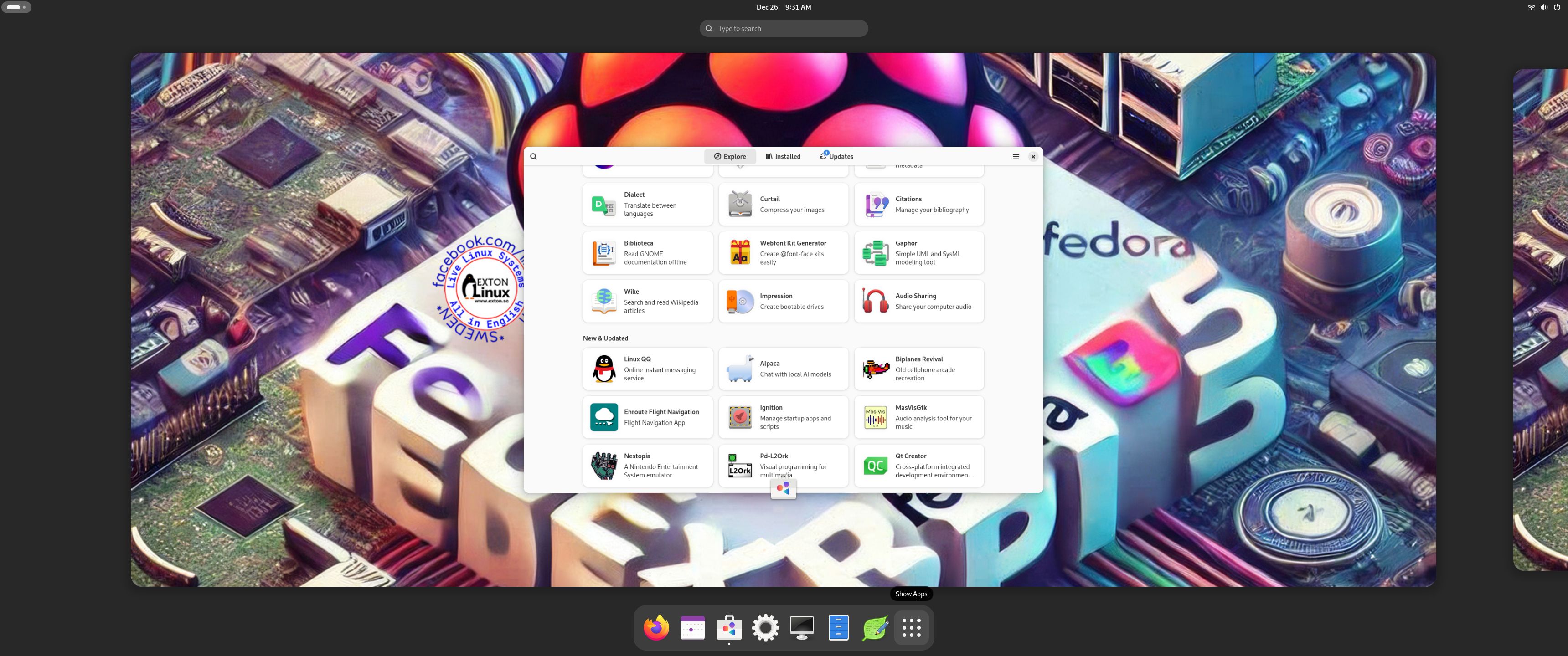
Exton|Defender Rawhide (upcoming fc44) with GNOME 49 as DE, Calamares Installer, Refracta Snapshot and kernel 6.17.4-amd64-exton :: Build 251029

ABOUT Exton|Defender Build 251029
Exton|Defender, based on Fedora Rawhide (upcoming Fedora 44), 64 bit, is an extra version built mainly because I finally found a way to install Calamares Installer in Fedora and make it work. This build is not really a “Defender SRS” system. You can, however, install all the rescue tools you may need also when running this version live. (I.e. from a USB stick or a DVD). GNOME 49 is used as DE. Fedora 43 was released in a stable version on October 28, 2025 (yesterday). So Exton|Defender fc44 (being based on upcoming Fedora 44) should be very “unstable”. I have, however, not noticed anything special. I.e. programs won’t crash or anything like that. One “bug” though: You can’t change wallpaper the “normal” way. I.e. by clicking on the Desktop. You can, however, open your desired image with gThumb and set your image as wallpaper.

REFRACTA SNAPSHOT
You can create your own Fedora Rawhide system using Refracta Snapshot, which is pre-installed. I.e. change everything to your liking and then create a new ISO. That can be done after a hard drive installation. If you have plenty of RAM it is also possible to create a new ISO while running Exton|Defender fc44 live. NOTE: For Refracta Snapshot to work you will need to run “my” kernel 6.17.4-amd64-exton. It won’t work with Fedora’s original kernel. Actually you can run another kernel when starting Refracta Snapshot, but you must keep the links /vmlinuz and /initrd.img pointing to my kernel.
NOTE: When you start up Refracta Snapshot you will get a message saying that your ISO won’t boot on UEFI computers. Don’t worry. I’ve arranged so that it will.

Study all installed packages in Exton|Defender Build 251029…

Runs from RAM
Exton|Defender can run live from RAM. Running any Linux system in RAM means that it runs very fast.

KERNELS
While running live “my” kernel 6.17.4-amd64-exton will be used. After a hard drive installation you can use Fedora’s original kernel, which right now is 6.18.0.rc3.30.fc44.x86_64.

CALAMARES INSTALLER

Calamares is very simple to use. Just start it from the menu and follow the instructions. If you are installing Exton|Defender on a UEFI computer you should read my general install instructions in advance. If you want to make your own Fedora distribution (with Refracta Snapshot) you should install Exton|Defender on a partition of about 40 GB and use a SWAP space of about 2 GB. Do not create special home or boot partitions. When Calamares runs in VirtualBox it can look like this. If you want to use Calamares in your own distribution you’ll have to reinstall it. That is done with the command sudo dnf install calamares

LOGIN
Log in to the GNOME 49 Desktop as the normal user liveuser with password live or as Super User (root) with password root

DNF – Fedora Package Management
DNF is a software package manager that installs, updates, and removes packages on RPM-based Linux distributions. Used by Fedora. Basically you’ll only need two commands: dnf upgrade and dnf install MyGreatProgram. Read more about DNF. You can also use the Package Manager DnfDragora, which isn’t pre-installed. It can be compared with Debian’s Synaptic. However, right now DnfDragora doesn’t work so well in Fedora Rawhide (and also in Fedora 43). I have therefore excluded DnfDragora. You can later on install it with sudo dnf install dnfdragora.

THE IMPORTANCE OF Exton|Defender Build 251029 being based on UPCOMING fc44
Programs won’t “crash” or anything like that. And I haven’t noticed any important “bugs”. That said you should of course be a bit careful. Version 251029 of Exton|Defender is for people who like to use “cutting-edge” software and the latest kernels etc. You will always have the latest Linux/Fedora software installed if you regularly run the command sudo dnf upgrade.

IMPORTANT NOTE
After a hard drive installation you should boot up Exton|Defender using my kernel 6.17.4-amd64-exton. After a full upgrade of the system (sudo dnf upgrade) you can switch to Fedora’s kernel 6.18.0-rc3.30.fc44.x86_64.

SCREENSHOTS
1. Calamares is running
2. Calamares is ready
3. The liveuser Desktop
4. Showing a Samba connection
5. First screen after boot logged in as root

DOWNLOAD

Exton|Defender can be downloaded from SourceForge.netFast, secure and free downloads from the largest Open Source applications and software directory

md5sum for exton-defender-fc44-gnome-calamares-refractasnapshot-3080mb-251029.iso

Read about my Android-x86 Systems – 11, 10, Pie, Oreo, Nougat, Marshmallow, Lollipop and KitKat at andex.exton.net – latest is AndEX 11 (with GAPPS), AndEX 10 (with GAPPS) and AndEX Pie 9.0 (also with GAPPS)!
and
about my Android 16, 15, 14, 13, 12, 11, 10, Pie, Oreo, Nougat, Marshmallow and Lollipop versions for Raspberry Pi 5, Pi 4 and  Pi 3/2 at raspex.exton.se – latest is RaspAnd 16 (with GAPPS), RaspAnd 15 (also with GAPPS), RaspAnd 14 (also with GAPPS), 13 and 12 (without GAPPS), RaspAnd 11 (with GAPPS) and RaspAnd Oreo 8.1 (also with GAPPS)!



Follow me on Facebook…

No Comments extonExton Linux Systems

RaspAnd 16 (Android 16) for Raspberry Pi 5 with GAPPS (Google Play Store), Spotify and Bluetooth pre-installed ::: Build 250716

ABOUT RaspAnd 16 – Build 250716 – with GAPPS
RaspAnd 16 runs very well on a Raspberry Pi 5. I.e. the system is pretty responsive if you use a micro SD card of good quality. RaspAnd 16 has the following apps pre-installed: GAPPS (Google Play Store and other Google apps) and Spotify.  Once you have configured Google Play Store you can install the apps you want/prefer.

RASPBERRY Pi 5
RaspAnd 16 is made especially for the new Raspberry Pi 5 released on October 23, 2023 (4GB and 8GB). You can’t run RaspAnd 16 on another Raspberry Pi model than Pi 5.
NOTE: A Raspberry Pi 5 is about twice as fast as the Raspberry Pi 4.

ABOUT Android 16, which was released 250610…
Read also an article about The Evolution of Android  – List of Android Versions and Release Dates. As you can see Android 16 is the latest stable version of Android.

PLEASE NOTE that you must be aware of the fact that the Raspberry Pi 5 computer has its limitations and that Android 16 is a very advanced Linux system. Having said that I must also say that the apps I have included in this Build (see above) work very well. The max screen resolution is 1920×1080. I think.

PERFORMANCE

Everything works! The System is responsive and quite fast.

SCREENSHOTS
1. The Desktop with GAPPS (Google Play Store) – first screen after boot
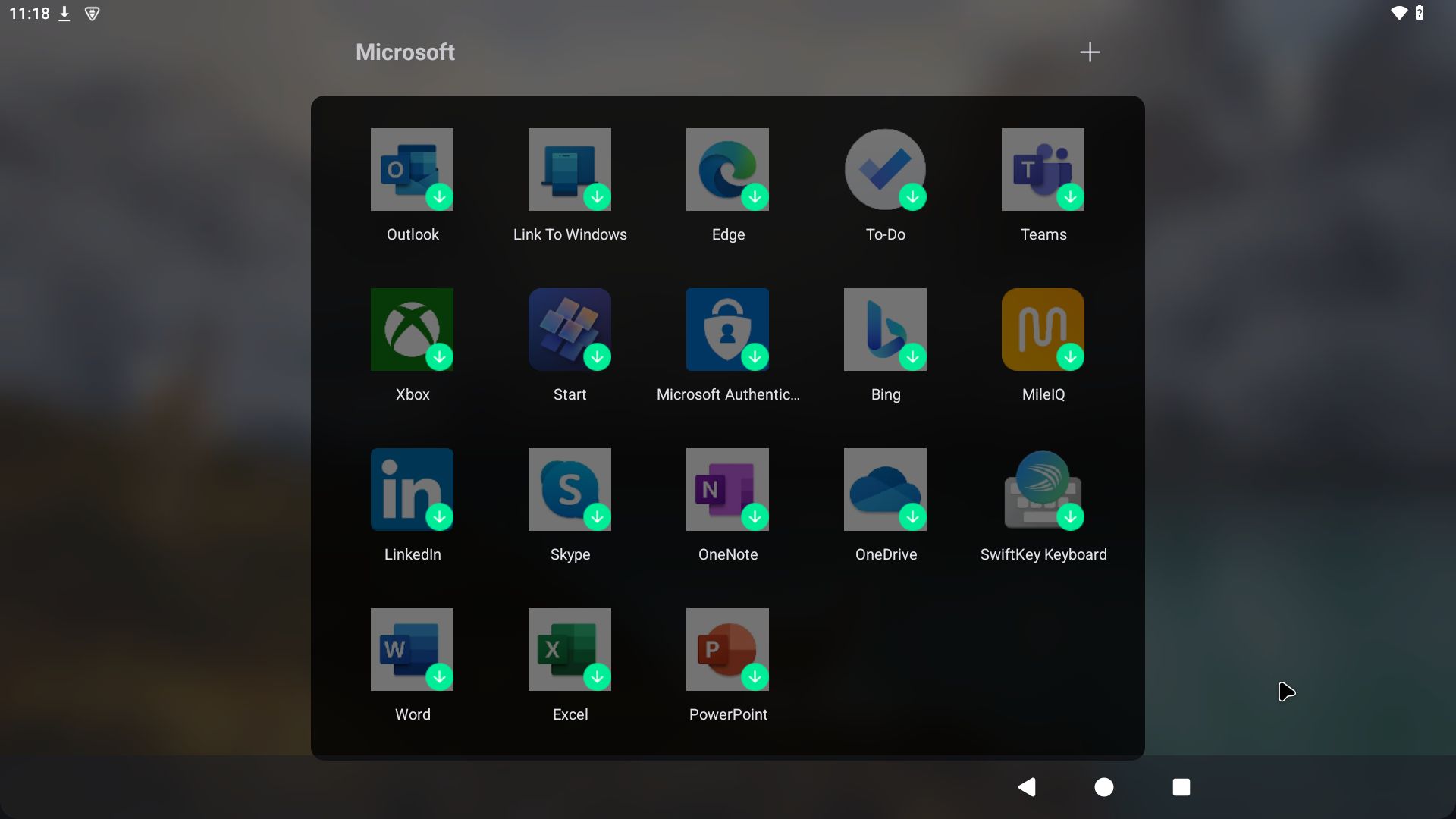
2. The Desktop using Microsoft Launcher – not pre-installed
3. Asphalt8 running – not preinstalled
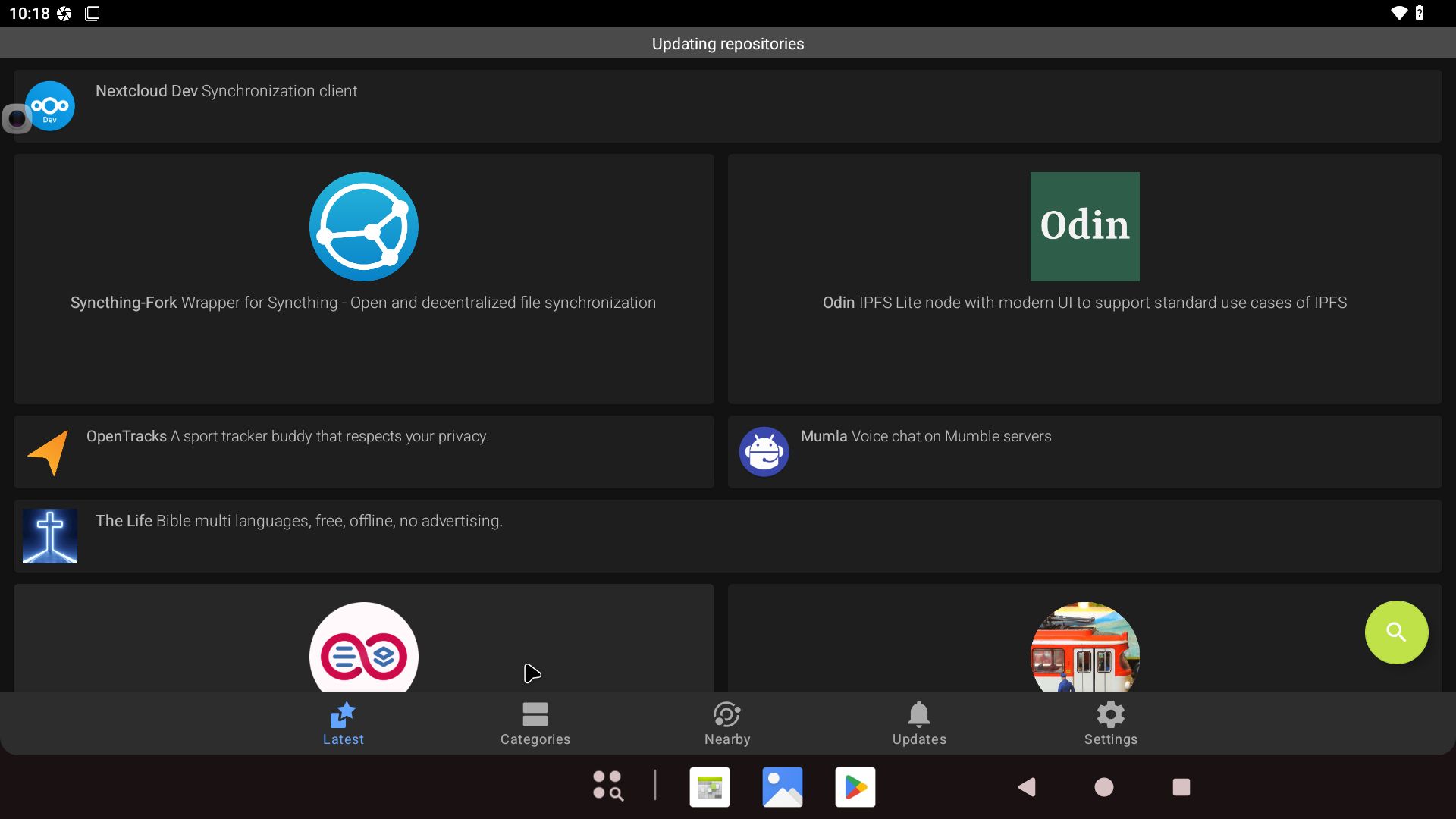
4. Google Play Store running
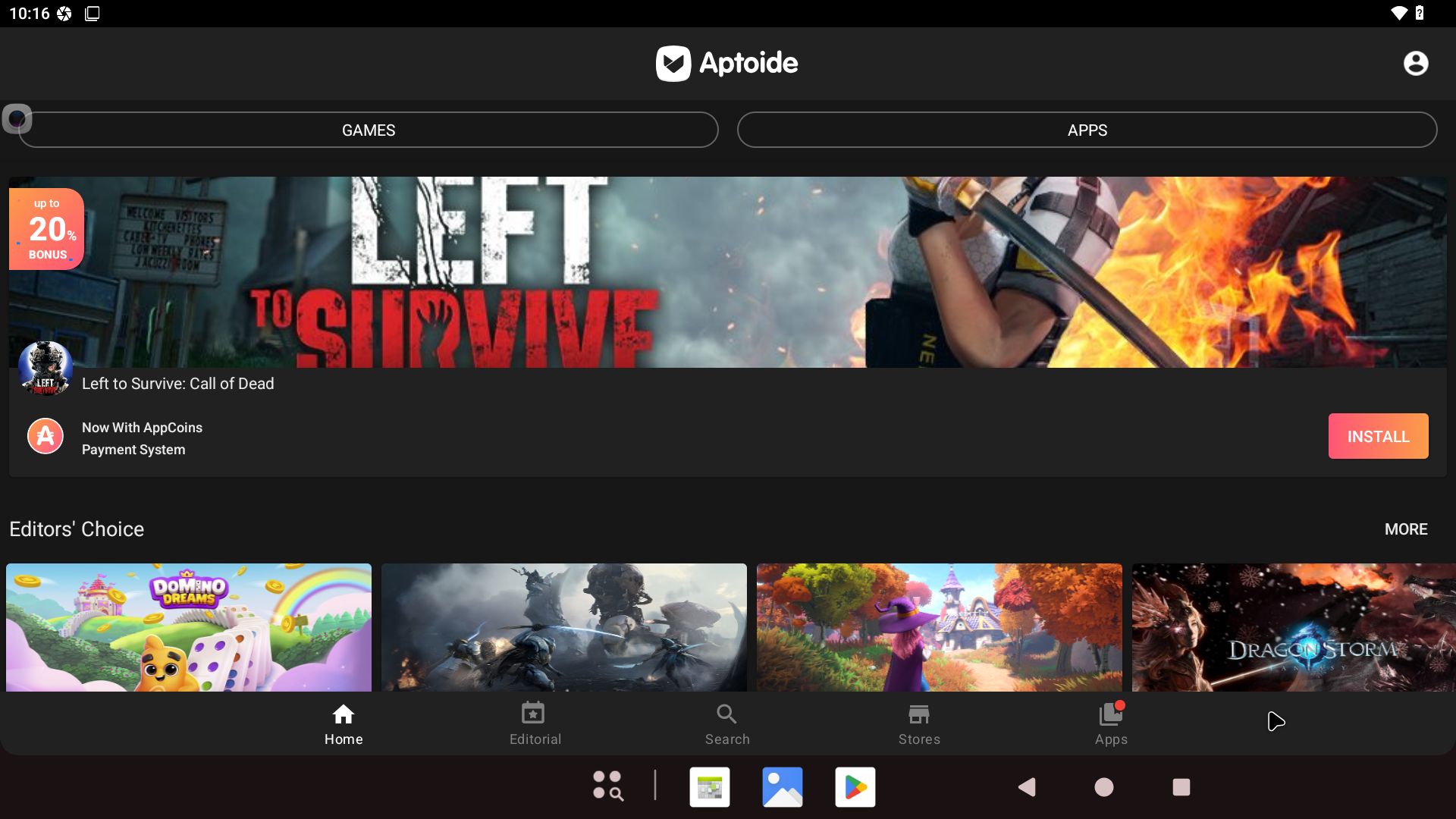
5. Spotify running
6. YouTube running showing the video quality

READ MORE…

Read about my Android-x86 Systems – 11, 10, Pie, Oreo, Nougat, Marshmallow, Lollipop and KitKat at andex.exton.net – latest is AndEX 11 (with GAPPS), AndEX 10 (with GAPPS) and AndEX Pie 9.0 (also with GAPPS)!
and
about my Android 16, 15, 14, 13, 12, 11, 10, Pie, Oreo, Nougat, Marshmallow and Lollipop versions for Raspberry Pi 5, Pi 4 and  Pi 3/2 at raspex.exton.se – latest is RaspAnd 16 (with GAPPS), RaspAnd 15 (also with GAPPS, RaspAnd 14 (also with GAPPS), 13 and 12 (without GAPPS), RaspAnd 11 (with GAPPS) and RaspAnd Oreo 8.1 (also with GAPPS)!


Follow me on Facebook…

No Comments extonExton Linux SystemsRaspberry Pi

About all Exton Linux distributions at DistroWatch.com ::: 250711

DistroWatch

Finally, DistroWatch.com has noticed all my Linux distributions. Not just ExTiX (The Ultimate Linux Distribution). Right now (250711) Exton Linux and ExTiX are on the front page at DistroWatch.com. See below.

A short description of all Exton Linux distros…

READ MORE about DistroWatch.com…

Read about my Android-x86 Systems – 11, 10, Pie, Oreo, Nougat, Marshmallow, Lollipop and KitKat at andex.exton.net – latest is AndEX 11 (with GAPPS), AndEX 10 (with GAPPS) and AndEX Pie 9.0 (also with GAPPS)!
and
about my Android 15, 14, 13, 12, 11, 10, Pie, Oreo, Nougat, Marshmallow and Lollipop versions for Raspberry Pi 5, Pi 4 and  Pi 3/2 at raspex.exton.se – latest is RaspAnd 15 (with GAPPS), RaspAnd 14 (also with GAPPS), 13 and 12 (without GAPPS), RaspAnd 11 (with GAPPS) and RaspAnd Oreo 8.1 (also with GAPPS)!


Follow me on Facebook…

No Comments extonExton Linux SystemsLinux

DebEX Gnome – based on Debian “trixie” (upcoming Debian 13) – with GNOME 48, Calamares Installer and Refracta Snapshot :: Build 250709

NEWS 250709 about DebEX Gnome – a Refracta efi Build
I have made a new extra version of DebEX, which I call DebEX Gnome Live System. It’s a pure Debian system using the testing (trixie – upcoming Debian 13) repositories. GNOME 48 is used as Desktop Environment. I have removed the Mate Desktop, since Gnome now can be used on all kind of computers. Also when running DebEX Gnome in VirtualBox and VMware. No need for Nvidia’s proprietary graphics drivers when running this new version of DebEX. You can of course install such drivers if you want to. Furthermore I have replaced Google Chrome with Firefox ESR. It is now possible to watch Netflix movies using Firefox ESR in Linux. I have also replaced Refracta Installer with Calamares Installer, which makes it possible to install DebEX Gnome in any language. You can even use Calamares in VirtualBox and VMware – i.e. non-efi computers. All installed packages have been updated to the latest version as of 250709. DebEX Gnome uses kernel 6.15.5-amd64-exton.
NOTE: Refracta Installer is not really “replaced” by Calamares. You can/should use Refracta Installer in VirtualBox/VMware.

Important about Refracta Snapshot
You can use Refracta Snapshot (pre-installed in three versions of DebEX) to create your own installable Debian Live System once you have installed DebEX to hard drive. I mean change everything and then create a new ISO. Your own.

THE REAL McCoy
DebEX is a pure Debian system. I.e. no traces of Ubuntu, Kubuntu etc. New releases of Ubuntu are always based on Debian Sid. So is DebEX.

SCREENSHOTS
1. The Desktop for the ordinary user user
2. The Desktop for root – Calamares is running
3. Running in full screen in VirtualBox

READ MORE…

Read about my Android-x86 Systems – 11, 10, Pie, Oreo, Nougat, Marshmallow, Lollipop and KitKat at andex.exton.net – latest is AndEX 11 (with GAPPS), AndEX 10 (with GAPPS) and AndEX Pie 9.0 (also with GAPPS)!
and
about my Android 15, 14, 13, 12, 11, 10, Pie, Oreo, Nougat, Marshmallow and Lollipop versions for Raspberry Pi 5, Pi 4 and  Pi 3/2 at raspex.exton.se – latest is RaspAnd 15 (with GAPPS), RaspAnd 14 (also with GAPPS), 13 and 12 (without GAPPS), RaspAnd 11 (with GAPPS) and RaspAnd Oreo 8.1 (also with GAPPS)!


Follow me on Facebook…

No Comments Exton Linux Systems

MeX Linux based on Debian “Sid” and Ubuntu 24.04 LTS with Ubuntu/GNOME 46/LXQt DE, kernel 6.12.8-amd64-mex and Kodi 21.1 “Omega” :: Build 250110

ABOUT MeX Linux 250110
I’ve uploaded a new version of MeX, in which I’ve included Kodi Omega 21.1 – latest version, released 240910. Kodi is an award-winning free and open source (GPL) software media player and entertainment hub that can be installed on Linux, OSX, Windows, iOS, tvOS and Android. It is designed around a “10-foot user interface” for use with televisions and remote controls.

NOTE about Kodi
I have installed Kodi 21.1 using Flatpak. Kodi from the Ubuntu repositories does not work in Ubuntu 24.04. Kodi 21.1 runs very well in MeX. On a web site called FireStickTricks you can find instructions how to install 30 (?!) extra Kodi Builds with their own repositories and skins. The article is called Best Kodi Builds for 2025. I’ve tried Doomzday today. Works very well. Otherwise MeX version 250110 works in the same way as previous versions.

NEWS/CHANGES 250110
Mex Linux is no longer based on Linux Mint. MeX Build 250110 is based only on Debian Sid and Ubuntu 24.04 LTS Noble Numbat. I have replaced the original kernel (6.8) with “my” special kernel 6.12.8-amd64-mex. All installed packages in MeX Linux have been upgraded to the latest version by 250110. This version of MeX uses the Ubuntu Desktop Minimal. I.e. GNOME 46 Kathmandu. Also Kodi 21.1 Omega and LXQt 1.4. Use the DE you prefer.

Used KERNEL 
Kernel 6.12.8-amd64-mex
NOTE:
I’ve kept the original Ubuntu kernel 6.8 (so that you can switch to that one if you like).

SCREENSHOTS
Screenshot 1 – Calamares Installer running
Screenshot 2 – The user Desktop
Screenshot 3 – The boot screen live
Screenshot 4 – System Info
Screenshot 5 – Showing some Kodi pre-installed addons
Screenshot 6 – MeX GDM3 Screen

READ MORE…

Read about my Android-x86 Systems – 11, 10, Pie, Oreo, Nougat, Marshmallow, Lollipop and KitKat at andex.exton.net – latest is AndEX 11 (with GAPPS), AndEX 10 (with GAPPS) and AndEX Pie 9.0 (also with GAPPS)!
and
about my Android 15, 14, 13, 12, 11, 10, Pie, Oreo, Nougat, Marshmallow and Lollipop versions for Raspberry Pi 5, Pi 4 and  Pi 3/2 at raspex.exton.se – latest is RaspAnd 15 (with GAPPS), RaspAnd 14 (also with GAPPS), 13 and 12 (without GAPPS), RaspAnd 11 (with GAPPS) and RaspAnd Oreo 8.1 (also with GAPPS)!


Follow me on Facebook…

No Comments extonExton Linux Systems

FedEX Rpi5 (Fedora 41 ARM64) for Raspberry Pi 5 and Pi 4 with GNOME 47 :: Build 250105

FedEX Rpi5 for Raspberry Pi 5 and 4 is a “remaster” of the Fedora Project’s Fedora 41 Workstation build for ARM64 (aarch64).

ABOUT
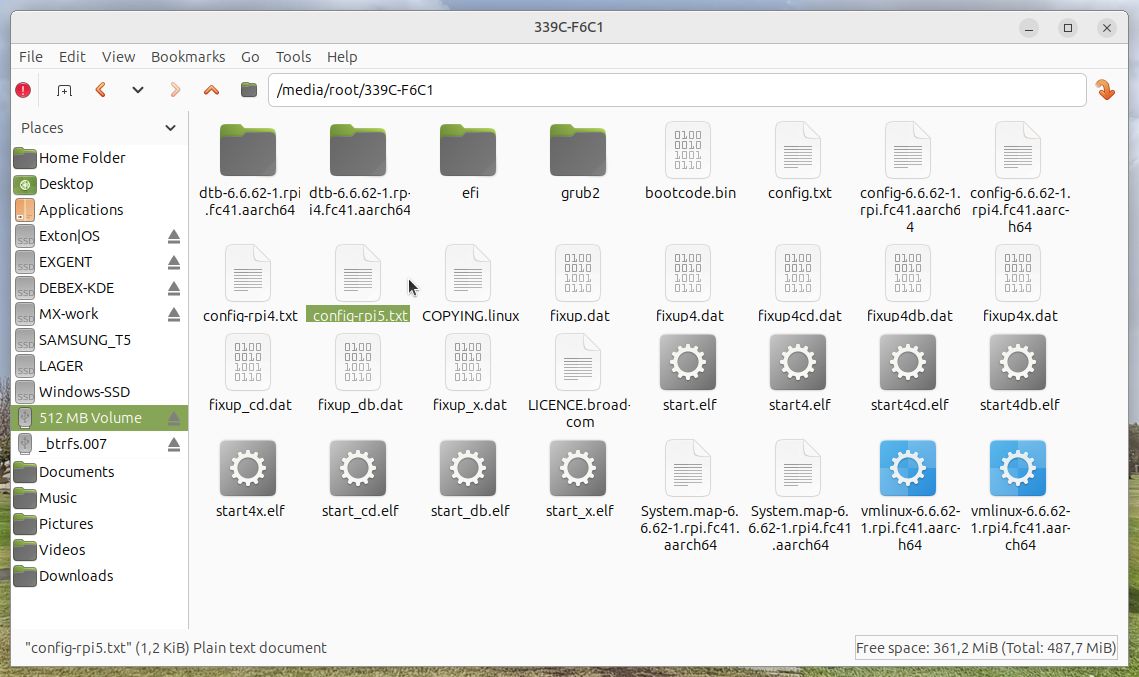
FedEX Rpi5 uses the GNOME 47 Desktop. (As the original system does). The original Fedora 41 ARM64 system can only run a Raspberry Pi 4 computer. You may be able to start it on a Rpi 5, but you can’t make the keyboard and mouse work. My Build works very well on a Raspberry Pi 5 computer though. You can also run FedEX Rpi5 on a Rpi 4 computer if you switch /boot/config.txt to /boot/config-rpi4.txt. Watch this screenshot…

PERFORMANCE
The system is quite fast and responsive. All included applications work very well.

WHO SHOULD RUN FedEX Rpi5 for Raspberry Pi 5 and 4?
My answer: The system fits the “advanced” Linux user/enthusiast, who would be willing to run an occasional command from time to time.

SCREENSHOTS
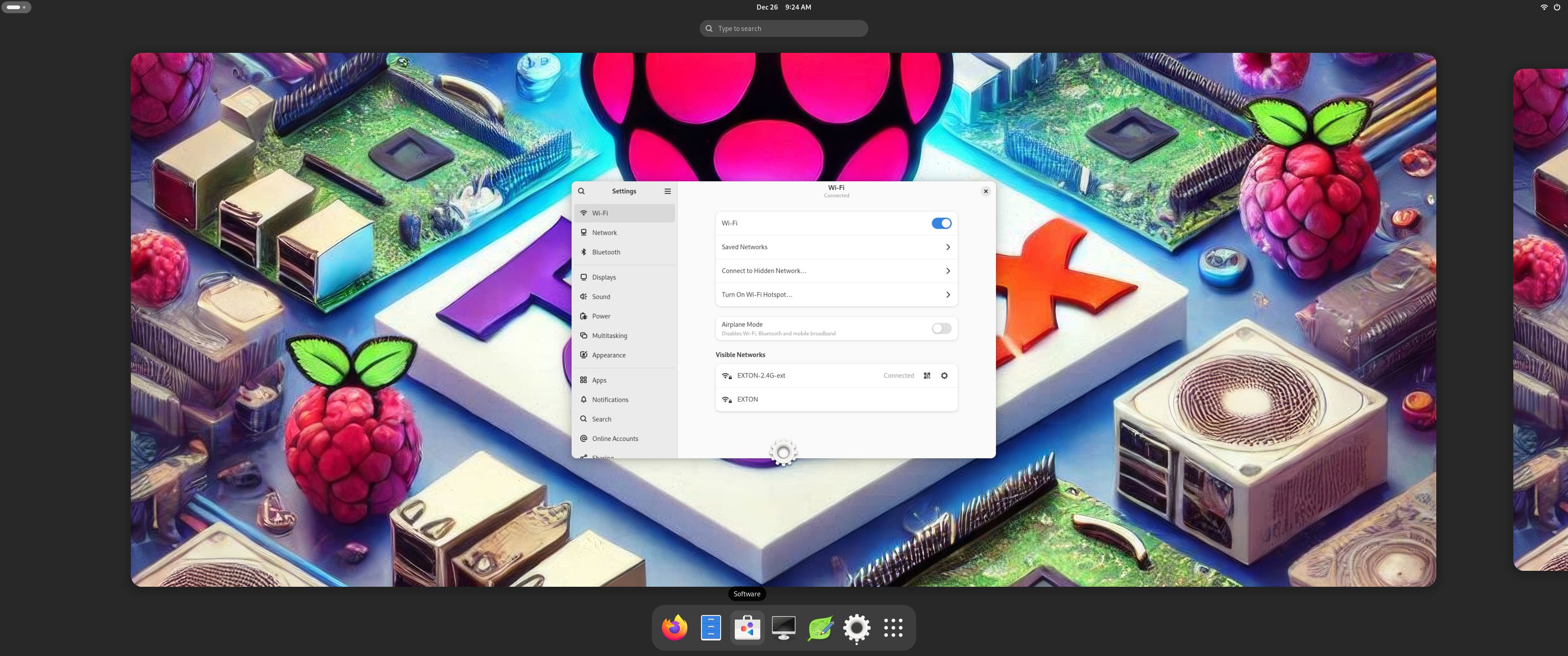
1. The Desktop for the ordinary user pi
2. The Desktop for root
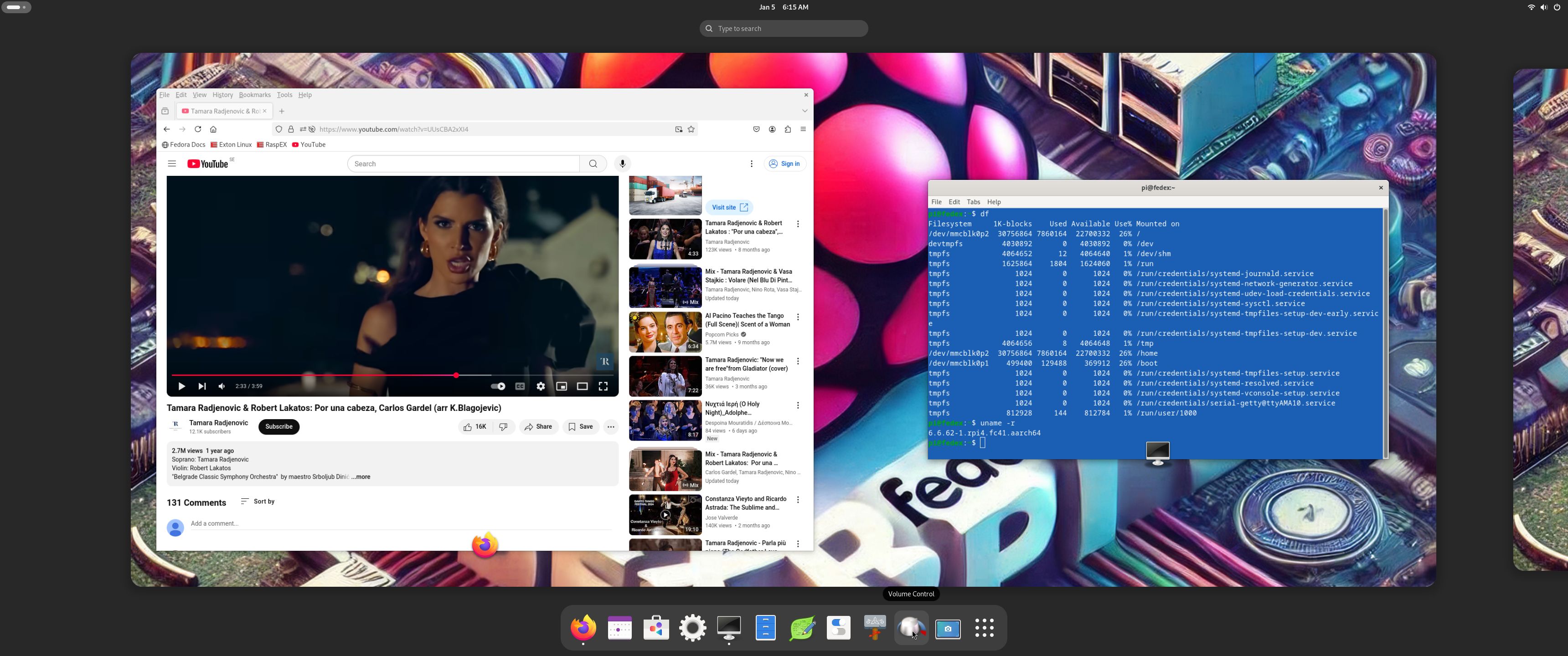
3. Running YouTube showing very good video quality
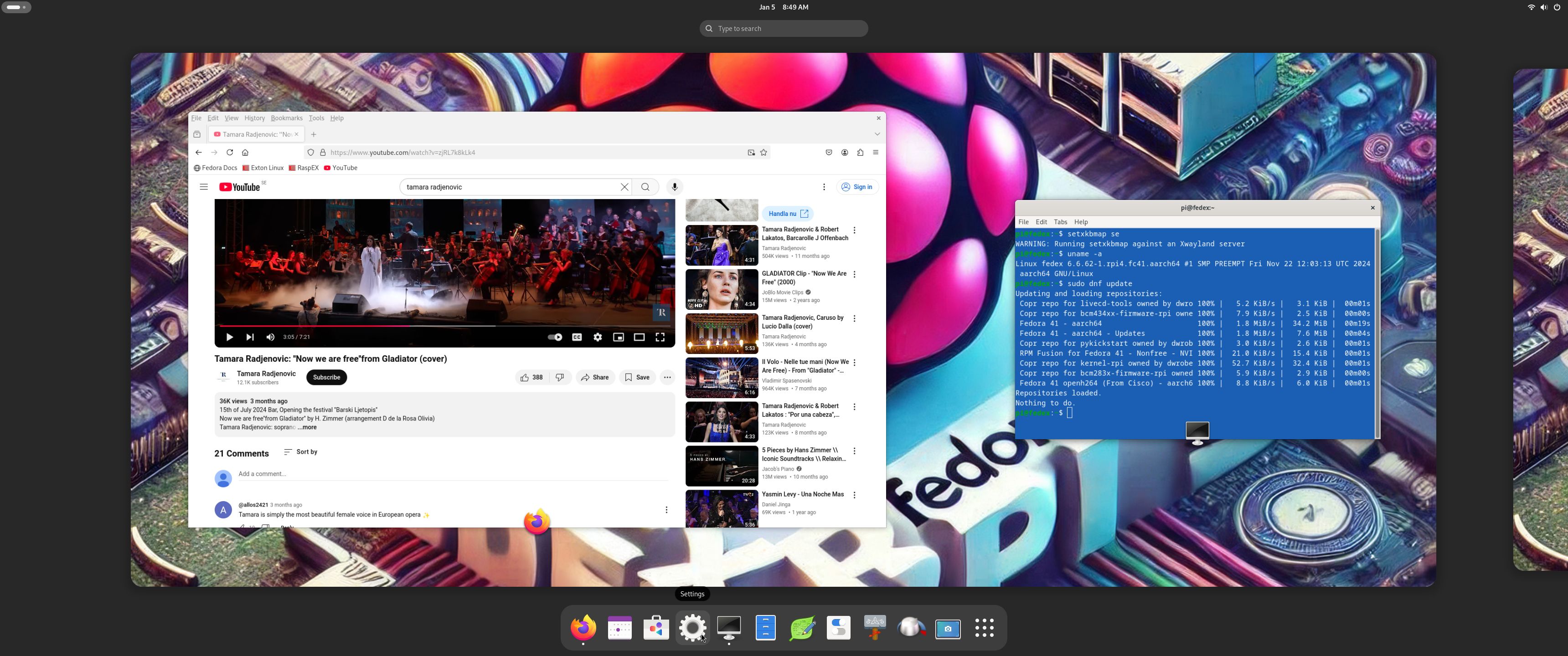
4. Running dnf update 250105

READ MORE…

Read about my Android-x86 Systems – 11, 10, Pie, Oreo, Nougat, Marshmallow, Lollipop and KitKat at andex.exton.net – latest is AndEX 11 (with GAPPS), AndEX 10 (with GAPPS) and AndEX Pie 9.0 (also with GAPPS)!
and
about my Android 15, 14, 13, 12, 11, 10, Pie, Oreo, Nougat, Marshmallow and Lollipop versions for Raspberry Pi 5, Pi 4 and  Pi 3/2 at raspex.exton.se – latest is RaspAnd 15 (with GAPPS), RaspAnd 14 (also with GAPPS), 13 and 12 (without GAPPS), RaspAnd 11 (with GAPPS) and RaspAnd Oreo 8.1 (also with GAPPS)!


Follow me on Facebook…

No Comments extonExton Linux SystemsRaspberry Pi

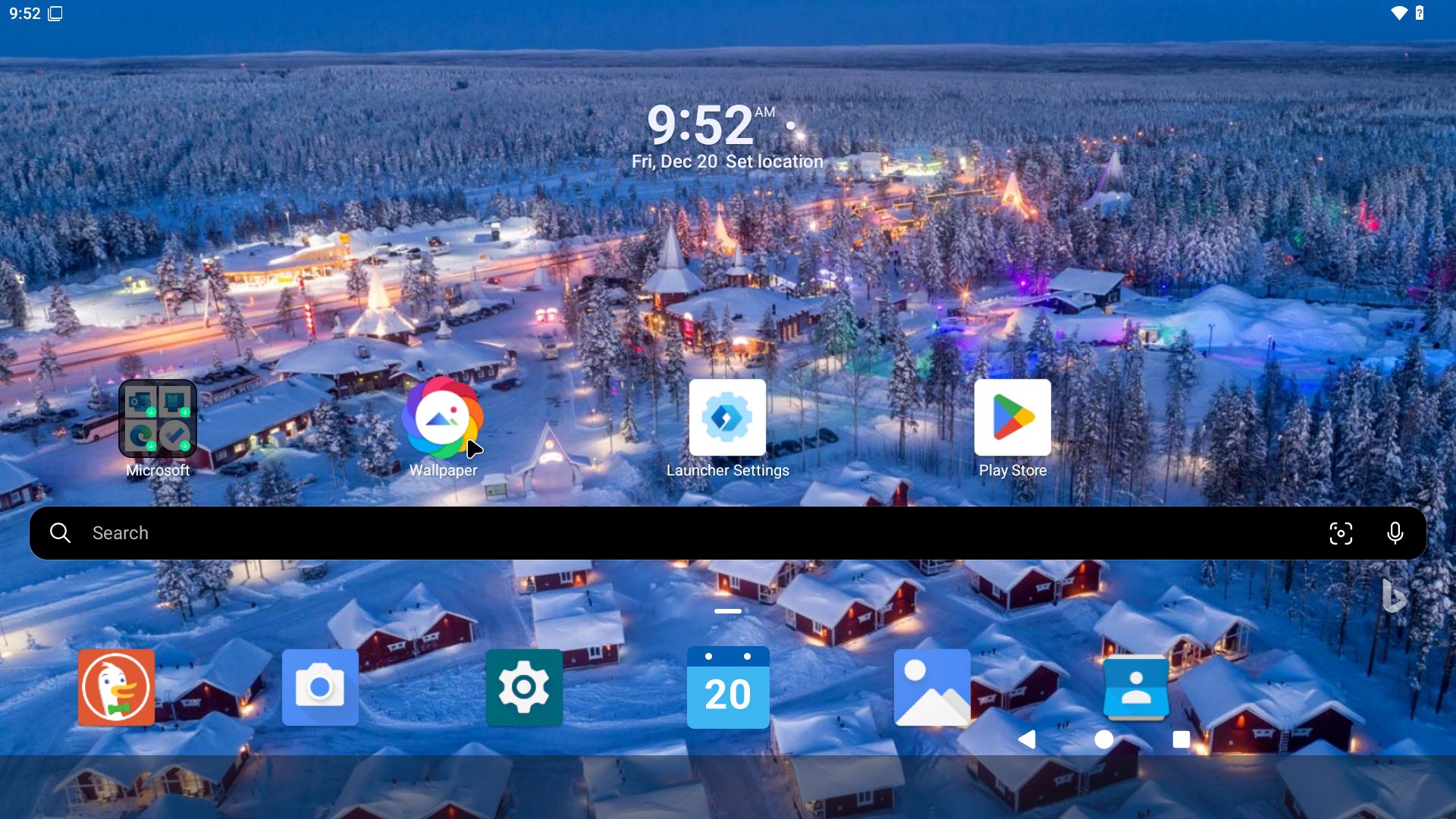
RaspAnd 15 (Android 15) for Raspberry Pi 5 with GAPPS (Google Play Store), Spotify, Bluetooth, Aptoide App Store, F-Droid and Microsoft Launcher pre-installed :: Build 241221

ABOUT RaspAnd 15 – Build 241221 – with GAPPS
RaspAnd 15 runs very well on a Raspberry Pi 5. I.e. the system is pretty responsive if you use a micro SD card of good quality. RaspAnd 15 has the following apps pre-installed: GAPPS (Google Play Store and other Google apps), Spotify, Aptoide App Store, Microsoft Launcher, Duck Duck Go Private Browser and F-Droid.

RASPBERRY Pi 5
RaspAnd 15 is made especially for the new Raspberry Pi 5 released on October 23, 2023 (4GB and 8GB). You can’t run RaspAnd 15 on another Raspberry Pi model than Pi 5.
NOTE: A Raspberry Pi 5 is about twice as fast as the Raspberry Pi 4.

ABOUT Android 15, which was released 240903…
Read also an article about The Evolution of Android  – List of Android Versions and Release Dates. As you can see Android 15 is the latest stable version of Android.

PERFORMANCE
Everything works! The System is responsive and quite fast.

SCREENSHOTS
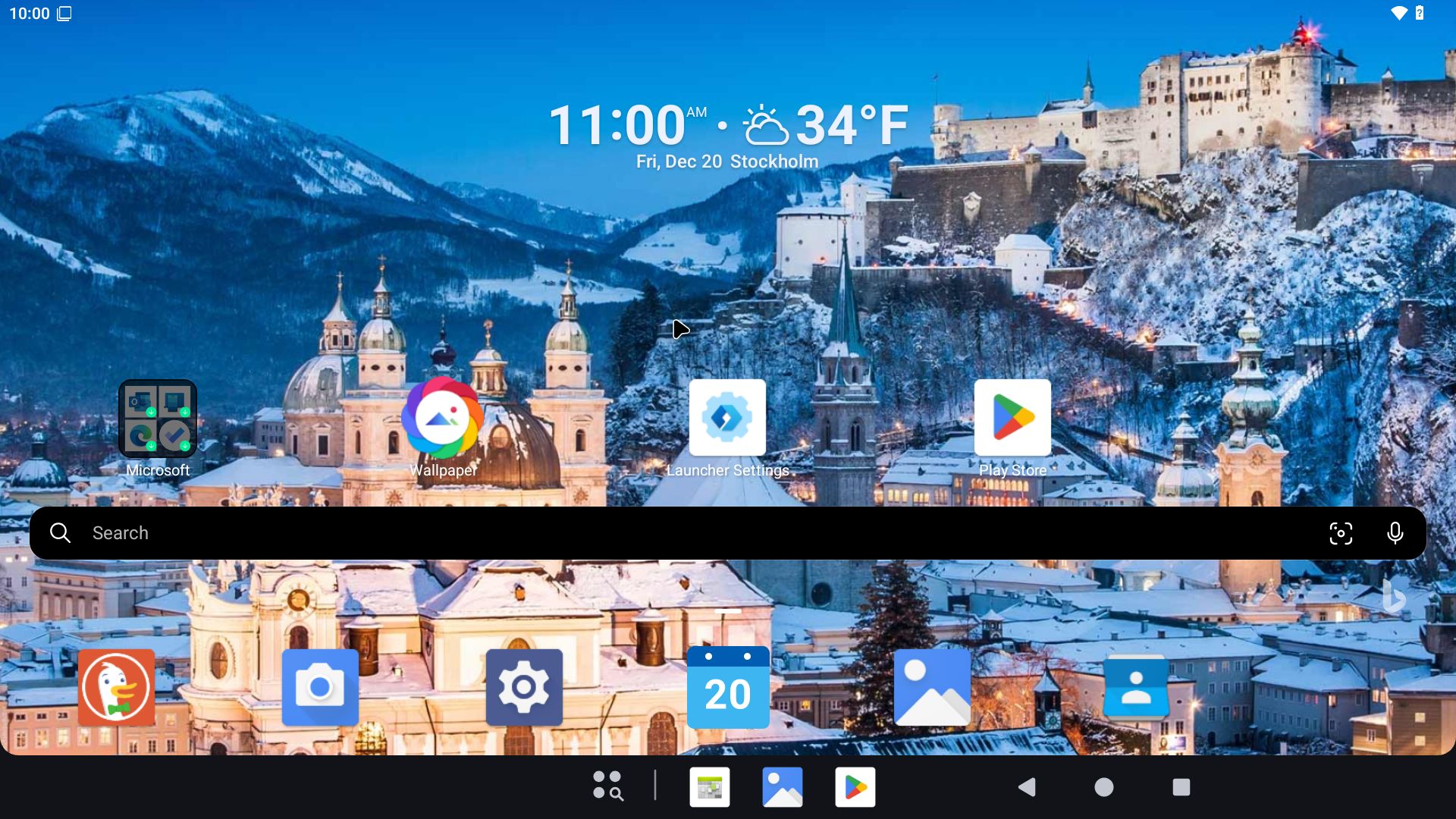
1. The Desktop with GAPPS (Google Play Store), Aptoide App Store, F-Droid and Spotify pre-installed
2. The Desktop using Microsoft Launcher – pre-installed
3. Asphalt 8 running – not pre-installed
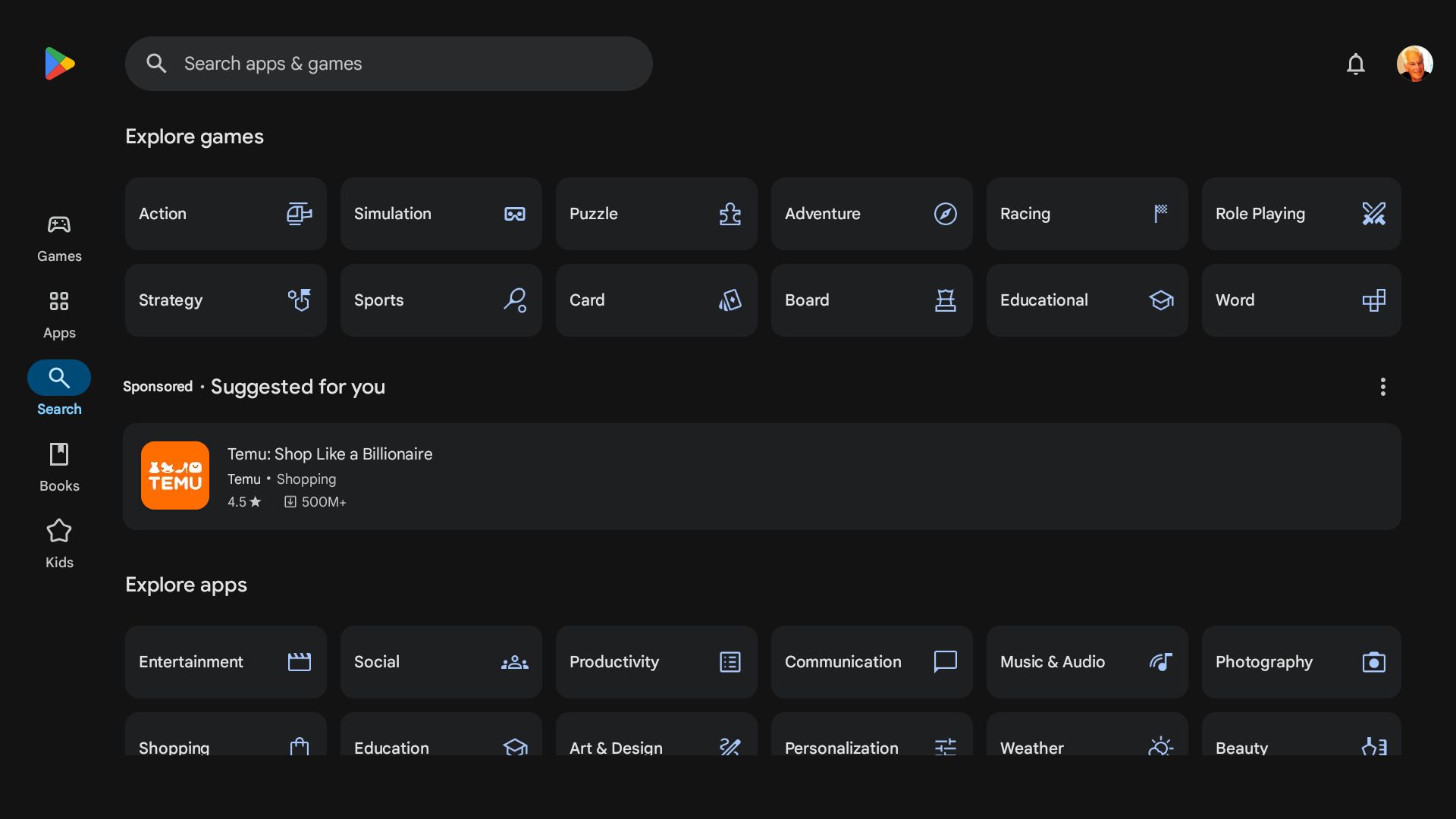
4. Google Play Store running
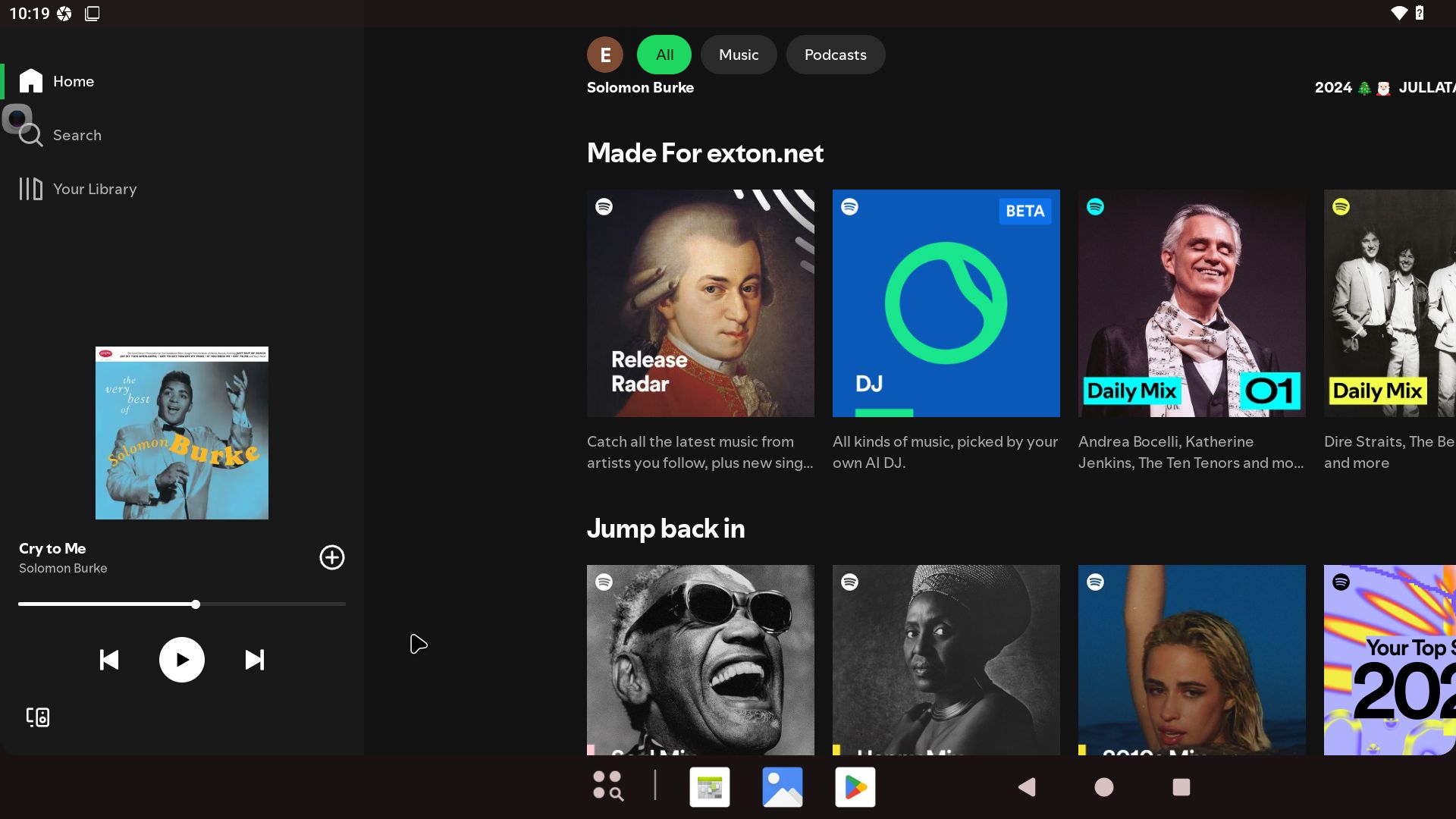
5. Spotify running
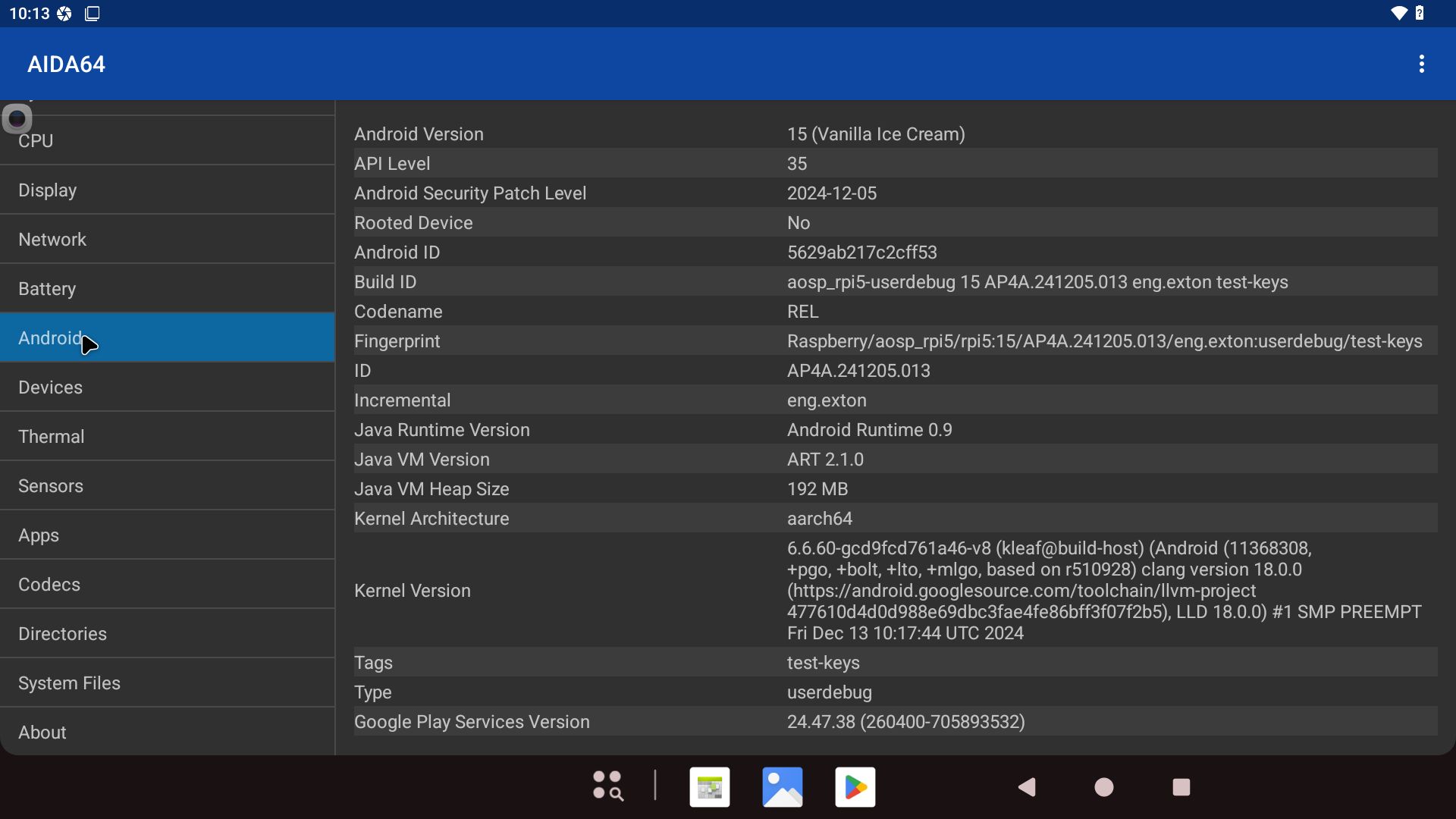
6. AIDA64 running showing the System specifications
7. F-Droid running
8. Aptoide running
9. Microsoft Launcher possibilities
10. Running YouTube in Duck Duck Go Private Browser (pre-installed)
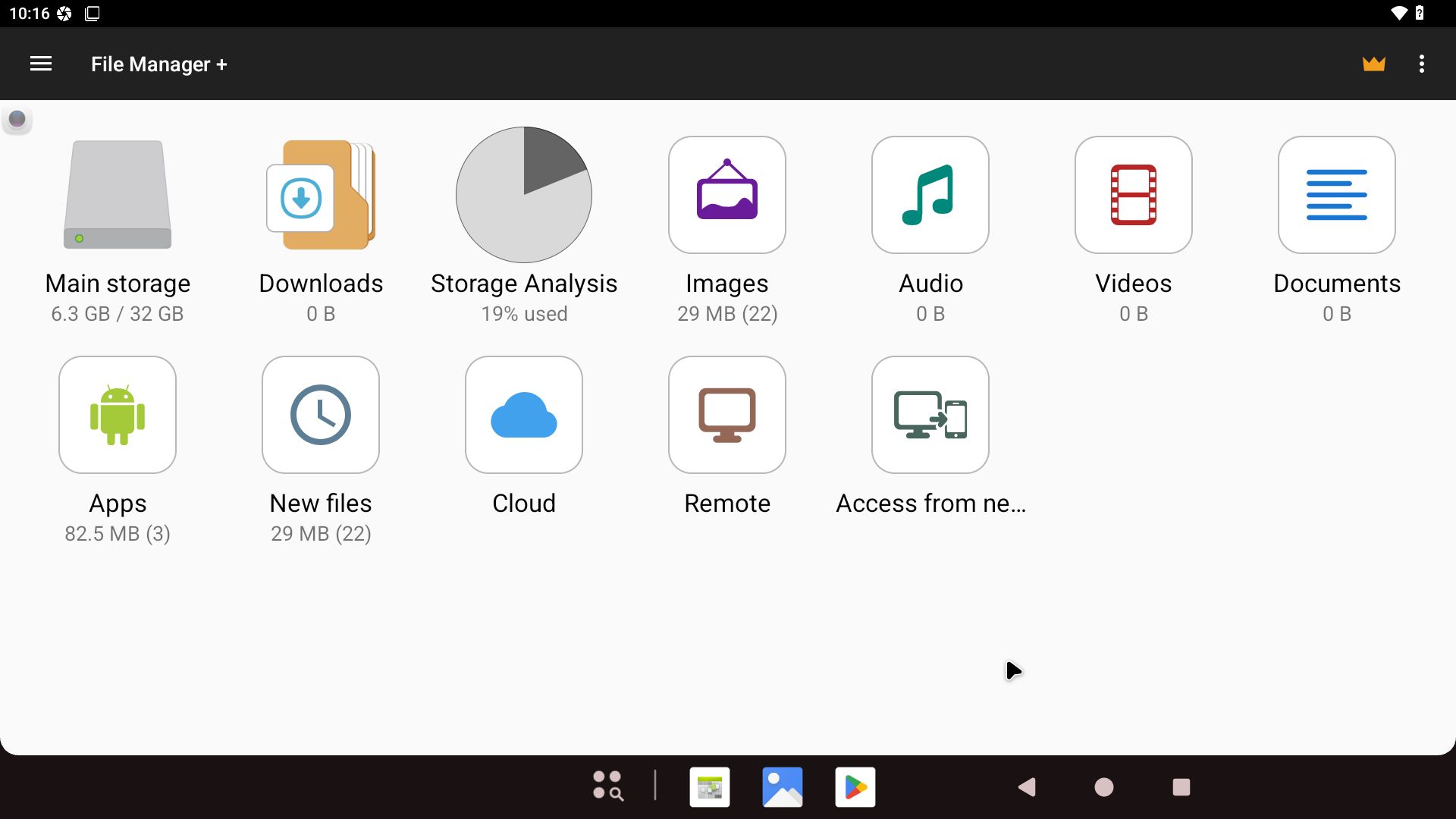
11. Showing the File Manager

READ MORE…

Read about my Android-x86 Systems – 11, 10, Pie, Oreo, Nougat, Marshmallow, Lollipop and KitKat at andex.exton.net – latest is AndEX 11 (with GAPPS), AndEX 10 (with GAPPS) and AndEX Pie 9.0 (also with GAPPS)!
and
about my Android 15, 14, 13, 12, 11, 10, Pie, Oreo, Nougat, Marshmallow and Lollipop versions for Raspberry Pi 5, Pi 4 and  Pi 3/2 at raspex.exton.se – latest is RaspAnd 15 (with GAPPS), RaspAnd 14 (also with GAPPS), 13 and 12 (without GAPPS), RaspAnd 11 (with GAPPS) and RaspAnd Oreo 8.1 (also with GAPPS)!


Follow me on Facebook…

No Comments extonExton Linux SystemsRaspberry Pi

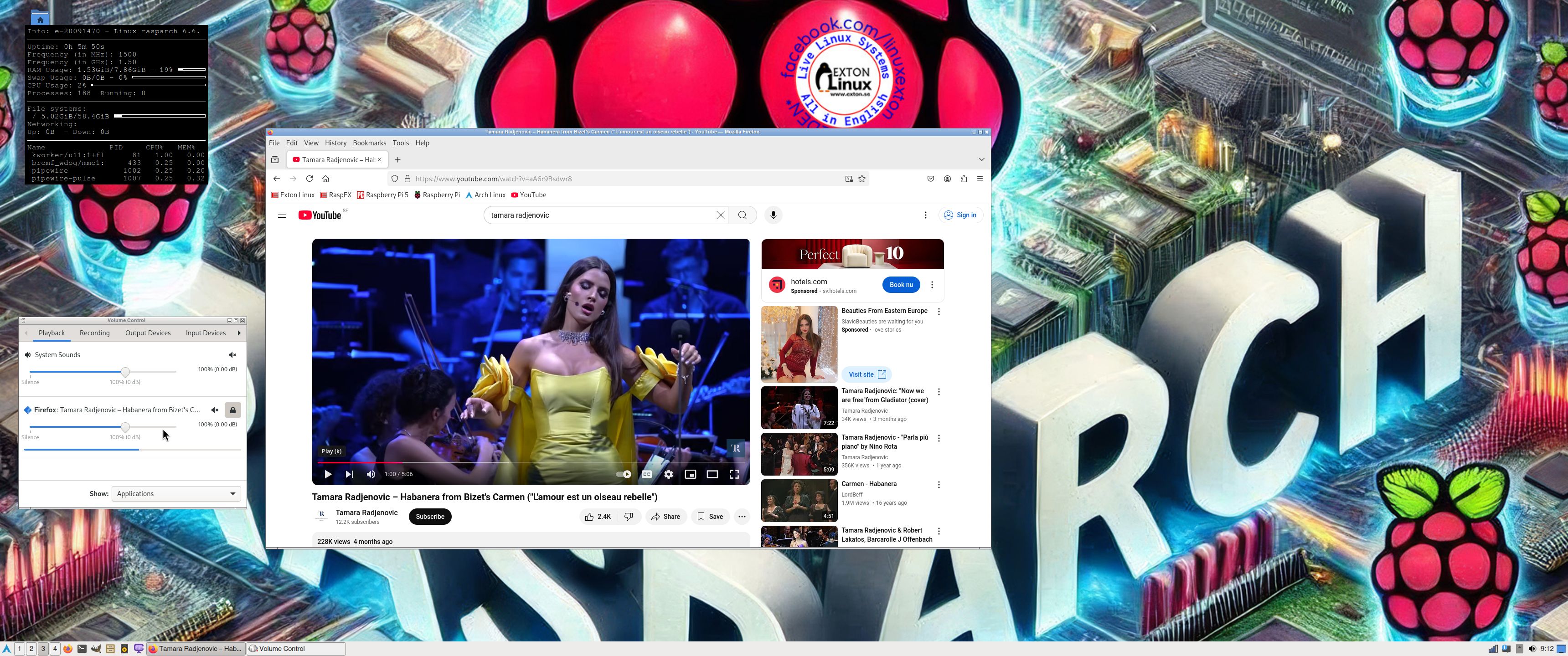
RaspArch Rpi5 Build 241218 :: Run Arch Linux (aarch64) with the LXQt 2.1 DE on your new Raspberry Pi 5 computer :: Install using Rufus or Etcher in Windows!

RaspArch Build 241218 for the “new” Raspberry Pi 5 (released on October 23, 2023)

RaspArch Build 241218 is a “ready-to-go” ARM (aarch64/arm64) system. It can only run on a Raspberry Pi 5 computer. RaspArch Build 240302 can also run on a Raspberry Pi 4 computer.  I have therefore kept version 240302 on the server. All included packages have been updated to the latest version as of 241218. The Desktop Environment is LXQt 2.1. You can log in to LXQt from SLiM as the normal user archpi or as root.

RASPBERRY Pi 5
This RaspArch version is made especially for the new Raspberry Pi 5 released on October 23, 2023 (4GB and 8GB).
NOTE: A Raspberry Pi 5 is about twice as fast as the Raspberry Pi 4.

KERNELS
6.6.66-exton-v8-16k+ for Rpi 5.
NOTE: You can use other 64bit kernels – for example linux-rpi-6.12.5-1-aarch64 – but the video performance will be bad and you can’t use a WiFi connection.

More about RaspArch
When you have installed RaspArch to your Micro SD Card you can use the system like any other Arch Linux system. I.e. install new programs etc. Arch motto is KISS (Keep It Simple Stupid).

WHO should run Arch Linux/RaspArch?

My answer: The system fits the “advanced” Linux user/enthusiast, who would be willing to run an occasional command from time to time.

BENEFITS of Arch Linux/RaspArch
“Cutting Edge”-software and speed. A member on this site recently wrote this about RaspArch: I’ve used Slackware, Debian, Gentoo, Ubuntu & Arch. I prefer Arch. Ubuntu is easier to install, Arch is easier to keep up to date. You do not go through big, painful, changes every year instead you just update, once in a while, make changes if instructed. Arch has most of the benefits of Gentoo without the pain of recompiling _everything_. When you do need to build a package in Arch its painless especially if you use one of the tools that support AUR (I like Yay). Arch avoids the politics of Debian and Ubuntu and delivers a great Linux distribution. RaspArch now brings these advantages to the Pi 4. I.e. that was before Raspberry Pi 5 was released…

Study all installed packages in RaspArch…

PERFORMANCE
Everything works! The System is responsive and quite fast. The sound and video performance is very good.

UNIQUE
There is no other (good) Arch Linux ARM System for Raspberry Pi 5 (as far as I know). Not for downloading anyhow.

SCREENSHOTS
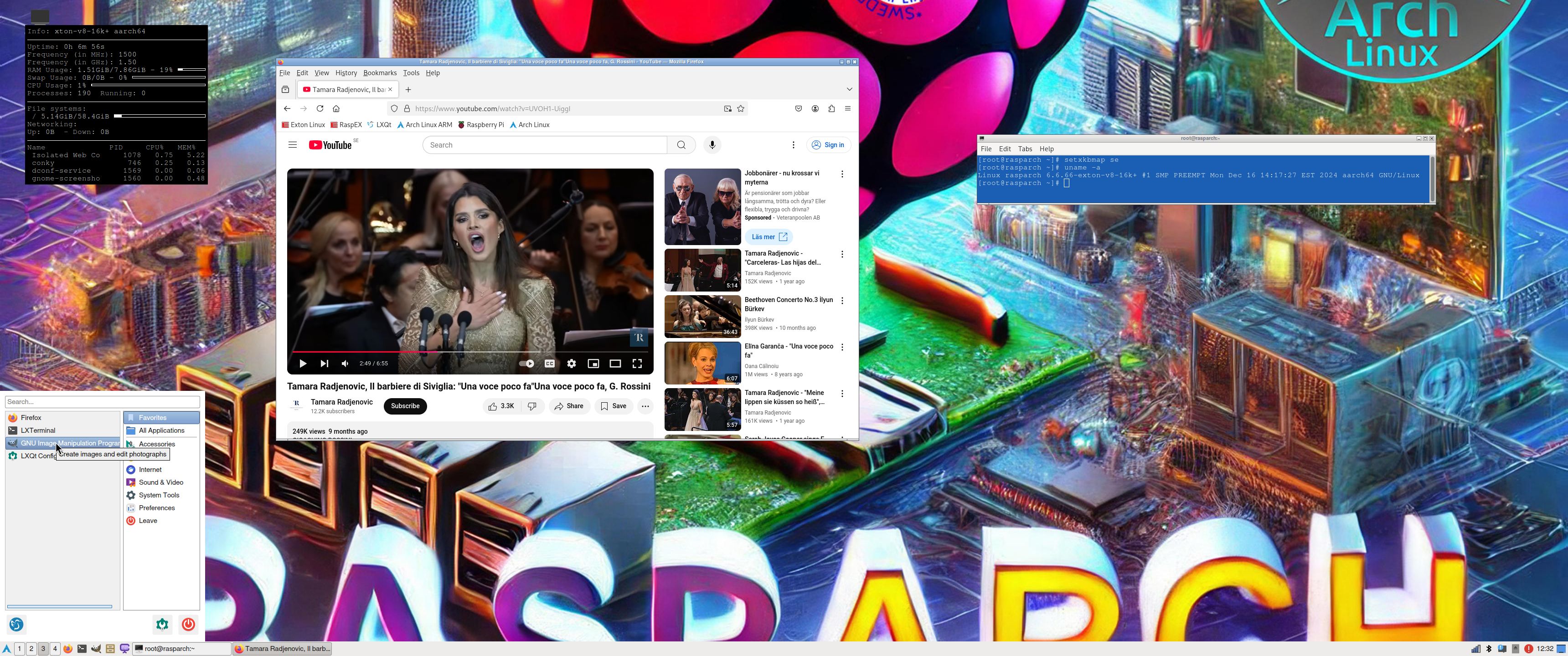
Screenshot 1 of RaspArch’s Desktop – logged in as archpi
Screenshot 2 of RaspArch’s Desktop – logged in as root
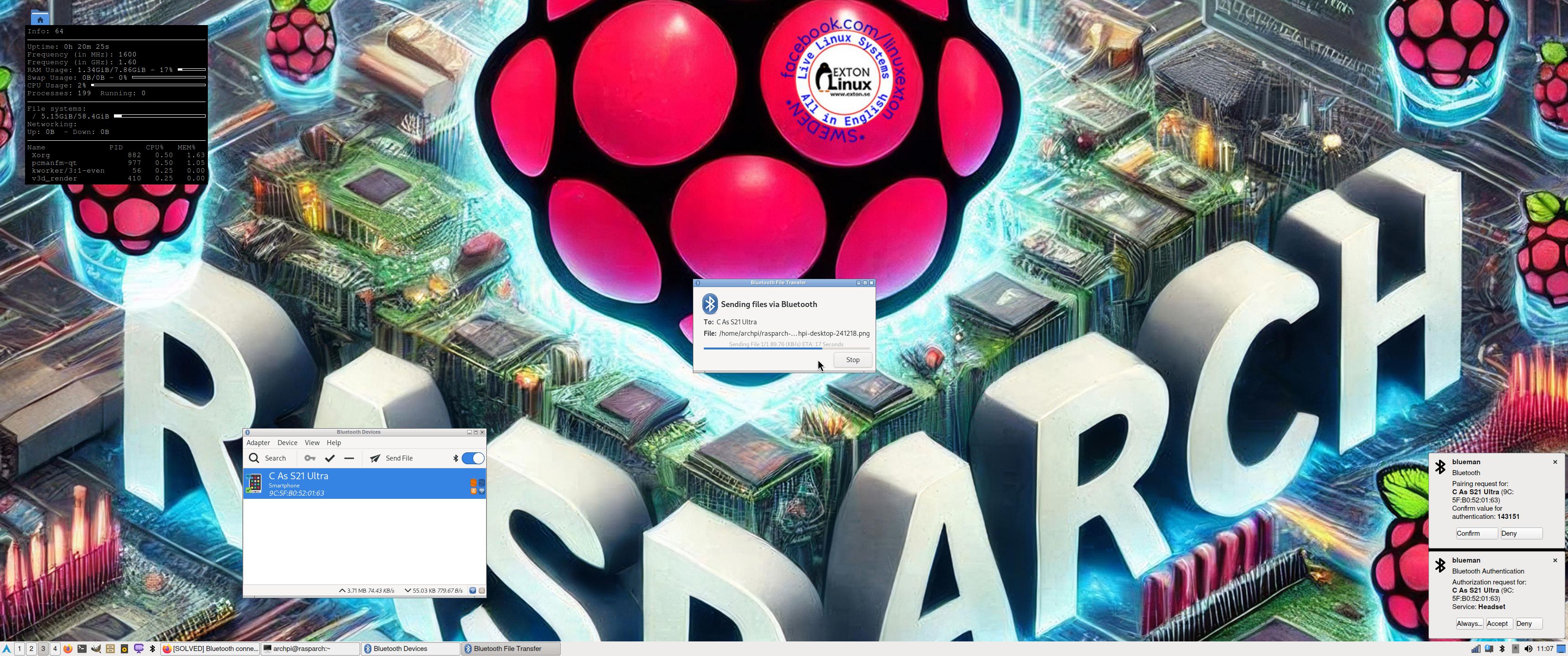
Screenshot 3 – showing a Bluetooth connection
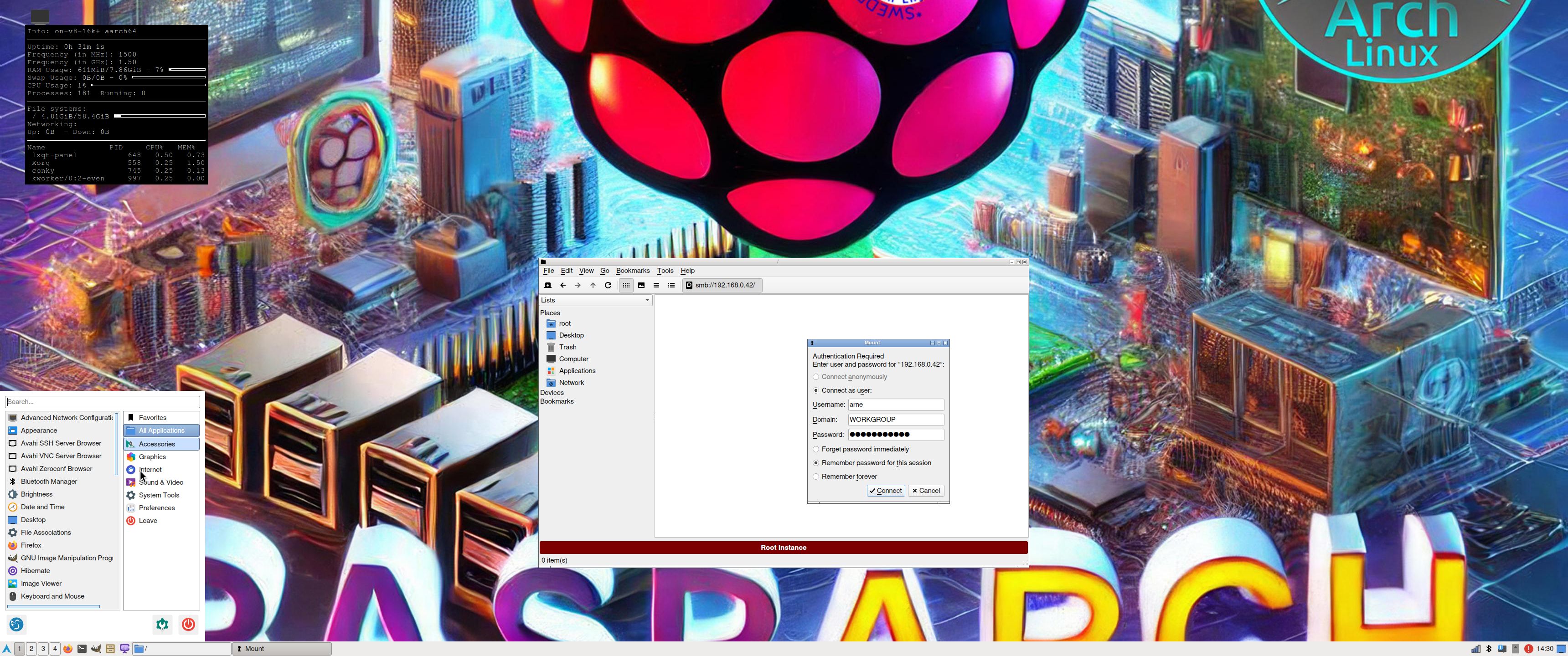
Screenshot 4 – Samba connection to a Windows computer

READ MORE...

Read about my Android-x86 Systems – 11, 10, Pie, Oreo, Nougat, Marshmallow, Lollipop and KitKat at andex.exton.net – latest is AndEX 11 (with GAPPS), AndEX 10 (with GAPPS) and AndEX Pie 9.0 (also with GAPPS)!
and
about my Android 15, 14, 13, 12, 11, 10, Pie, Oreo, Nougat, Marshmallow and Lollipop versions for Raspberry Pi 5, Pi 4 and  Pi 3/2 at raspex.exton.se – latest is RaspAnd 15 (with GAPPS), RaspAnd 14 (also with GAPPS), 13 and 12 (without GAPPS), RaspAnd 11 (with GAPPS) and RaspAnd Oreo 8.1 (also with GAPPS)!


Follow me on Facebook…

No Comments extonExton Linux SystemsRaspberry Pi

Exton|Defender fc41 (stable) with Cinnamon 6.2, Gnome 47, Calamares Installer and Refracta Snapshot :: Build 241210

Exton|Defender SRS  (Super Rescue System) is a Linux system available as a Live System based on Fedora 41, 64bit. Fedora 41 was released on October 29, 2024. Exton|Defender is for administrating or repairing your system and data after a crash. Exton|Defender aims to provide an easy way to carry out admin tasks on your computer, such as creating and editing the hard disk partitions. It comes with a lot of Linux software such as system tools and basic tools (editors, Midnight Commander, network tools). Exton|Defender can, however, also be used as a normal Linux Desktop System. It requires no hard drive installation, but can easily be installed to hard drive if you want. Desktop environments: Special versions of Gnome 47 and Cinnamon 6.2 developed by Fedora.

Installing Exton|Defender fc41 to a USB stick and achieve persistence
You can install Exton|Defender Build 241210 to a USB stick with persistence! I.e. all your system changes will be saved directly on the USB stick. Even big system upgrades! That will make it unnecessary to install Exton|Defender to hard drive (which can be a bit tricky). Just run the System from a big enough USB stick and be happy!

CALAMARES INSTALLER
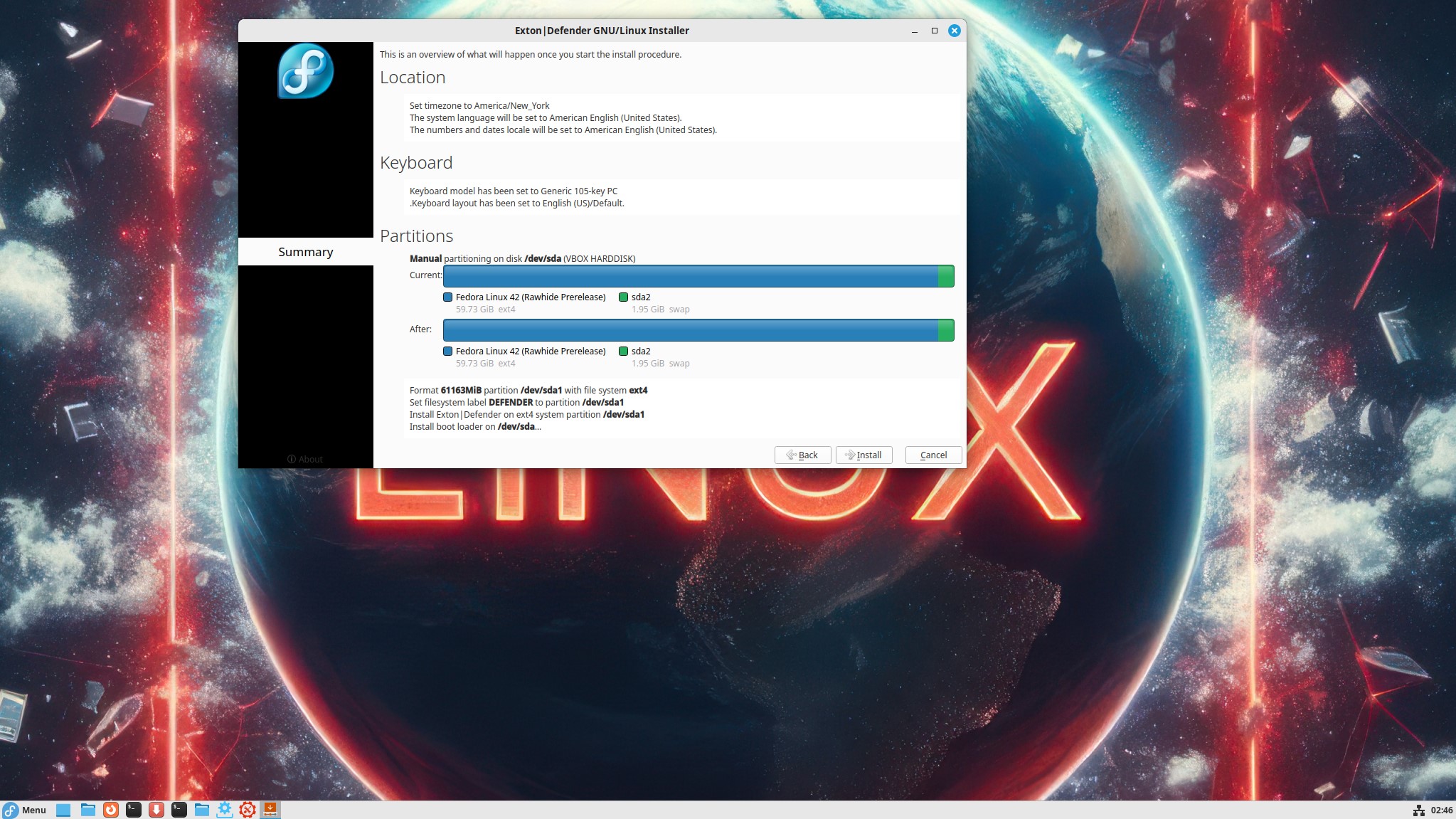
Calamares is very simple to use. Just start it from the menu and follow the instructions. If you are installing Exton|Defender on a UEFI computer you should read my general install instructions in advance. If you want to make your own Fedora distro (with Refracta Snapshot) you should install Exton|Defender on a partition of about 30 GB and use a SWAP space of about 2 GB. Do not create special home or boot partitions. When Calamares is running it will look like this.

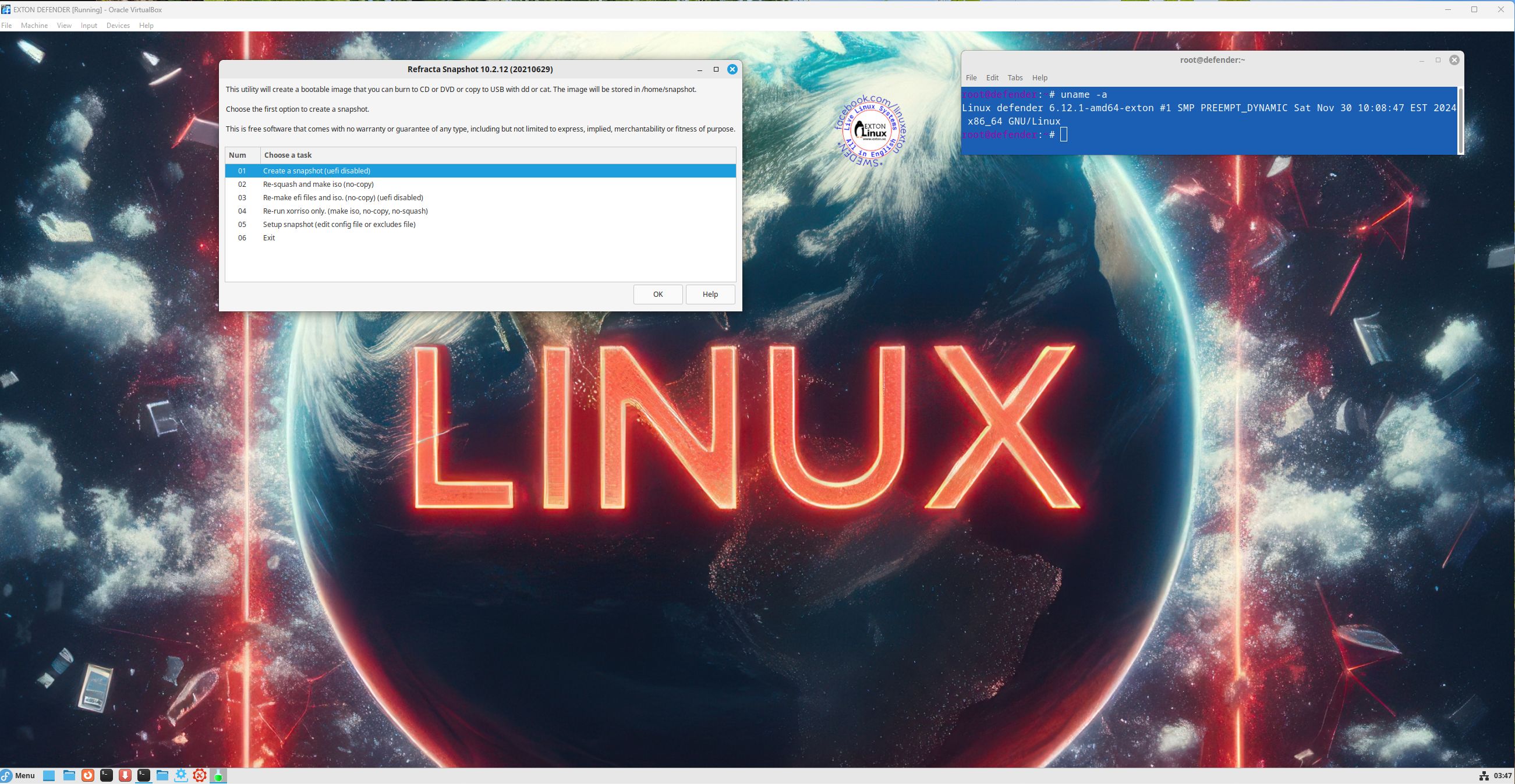
Using Refracta Snapshot
As I said above you can create your own Fedora 41 System once you have installed Exton|Defender to hard drive. That can (of course) also be done in VirtualBox. Do it like this:
1. Be sure to run “my” kernel 6.12.1-amd64-exton. Refracta Snapshot won’t work with Fedora’s original kernel. IMPORTANT NOTE: Actually you can run Fedora’s original kernel 6.11.10-300.fc41 and still use Refracta Snapshot. Just don’t uninstall/remove “my” kernel 6.12.1-amd64-exton before running Refracta Snapshot. And don’t remove the links /vmlinuz and /initrd.img to my kernel. Your new ISO will then be created without problems. When running your new ISO live (i.e. from a USB stick/DVD or in VirtualBox/VMware) my kernel will be used. If you install your new Fedora/Exton|Defender System to hard drive Fedora’s kernel 6.11.10-300.fc41 can be used as an alternative.
2. Change everything to your liking. I.e. install/remove software, change wallpapers etc…
3. Open up Refracta Snapshot
4. Follow the instructions – watch this screenshot…
5. Sit back and relax. Your new ISO will be ready in a few minutes. You’ll find it in /home/snapshot. You can also use Refracta Snapshot while running Exton|Defender from a USB stick – see above!

SCREENSHOTS
Screenshot 1 – Exton|Defender running in full screen in VirtualBox
Screenshot 2 – Running Calamares
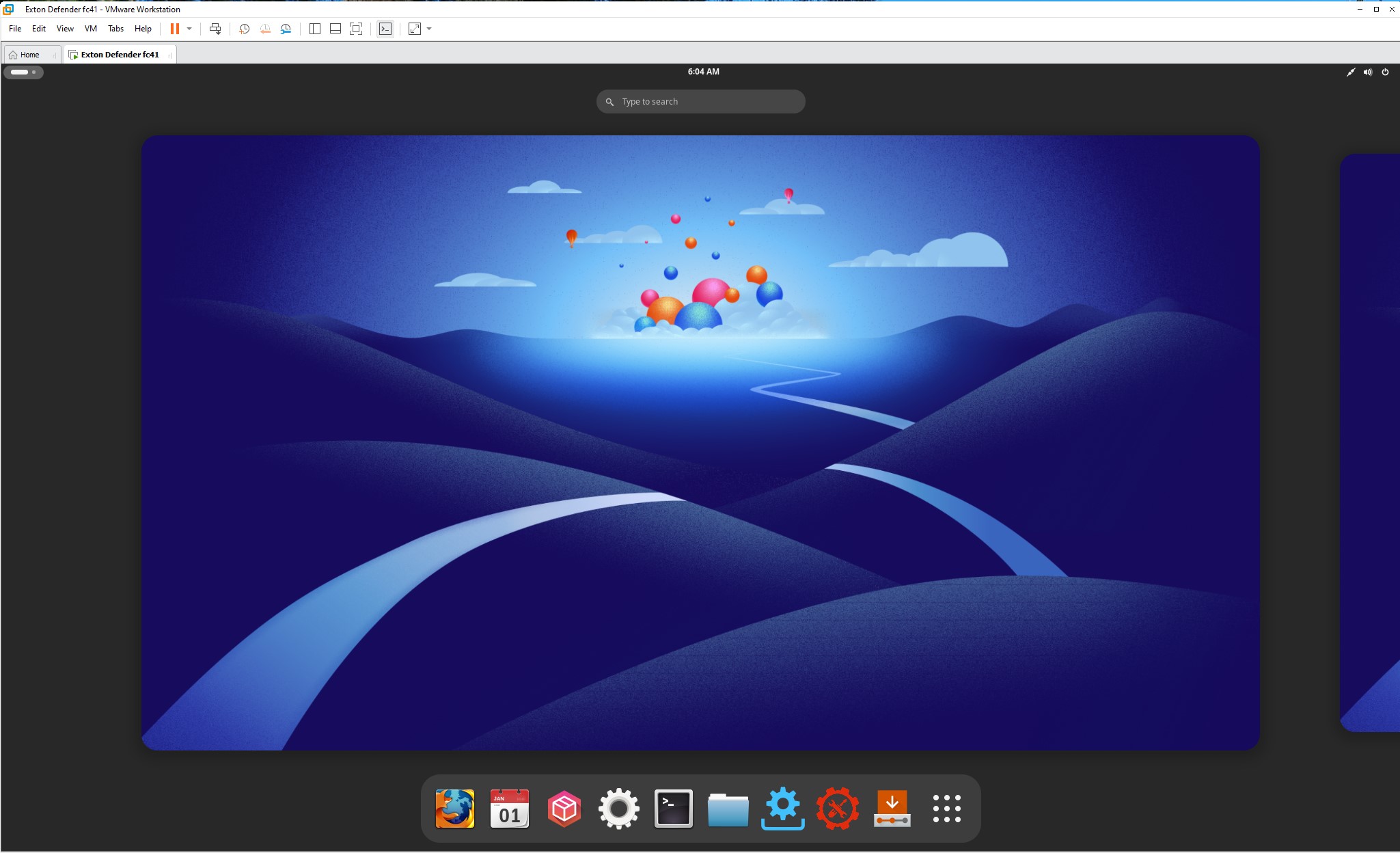
Screenshot 3 – Gnome 47 DE is used
in VMware
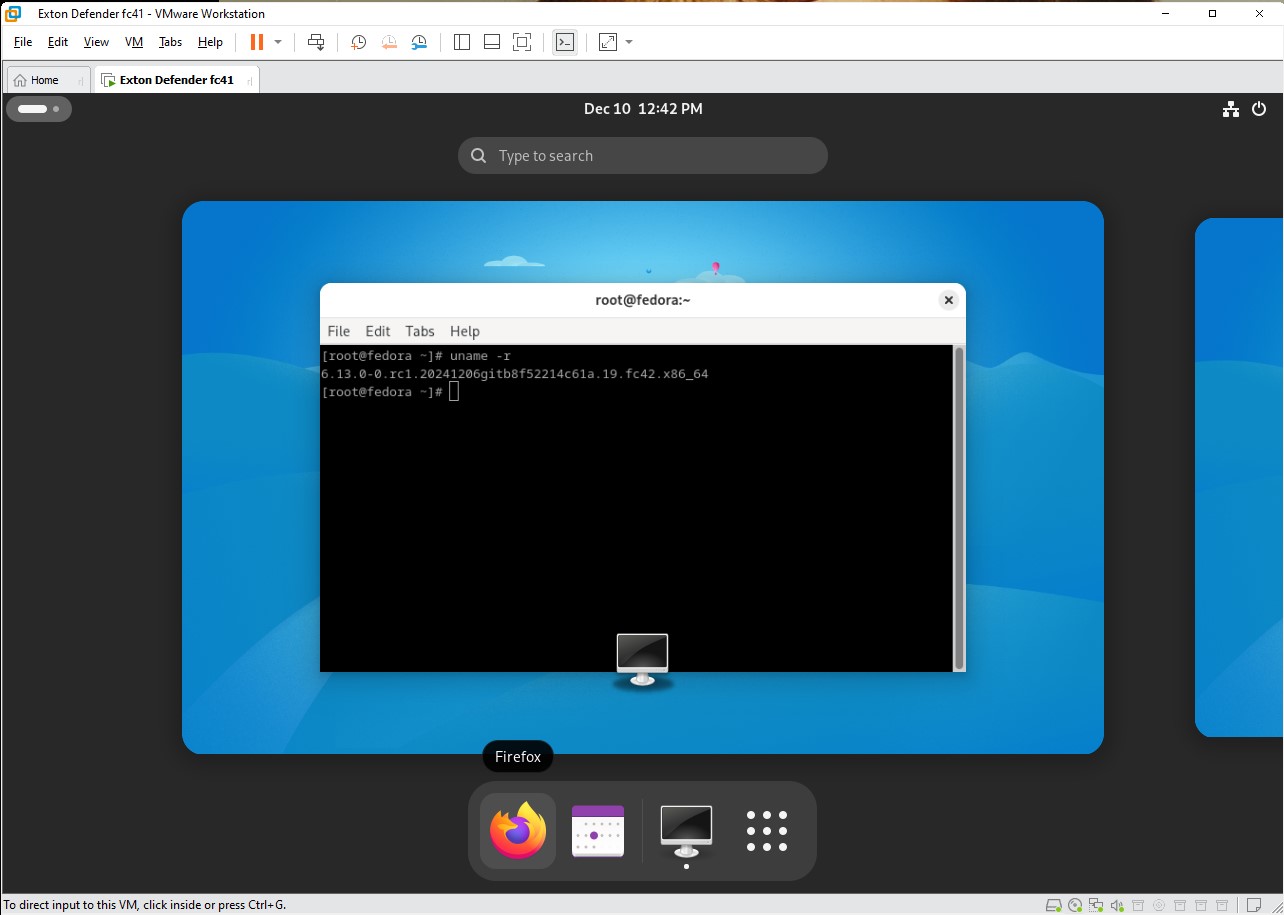
Screenshot 4 – After an installation using Anaconda Installer in VMware

READ MORE…

Read about my Android-x86 Systems – 11, 10, Pie, Oreo, Nougat, Marshmallow, Lollipop and KitKat at andex.exton.net – latest is AndEX 11 (with GAPPS), AndEX 10 (with GAPPS) and AndEX Pie 9.0 (also with GAPPS)!
and
about my Android 14, 13, 12, 11, 10, Pie, Oreo, Nougat, Marshmallow and Lollipop versions for Raspberry Pi 5, Pi 4 and  Pi 3/2 at raspex.exton.se – latest is RaspAnd 14 (with GAPPS), 13 and 12 (without GAPPS), RaspAnd 11 (with GAPPS) and RaspAnd Oreo 8.1 (also with GAPPS)!

Follow me on Facebook…

No Comments extonExton Linux Systems