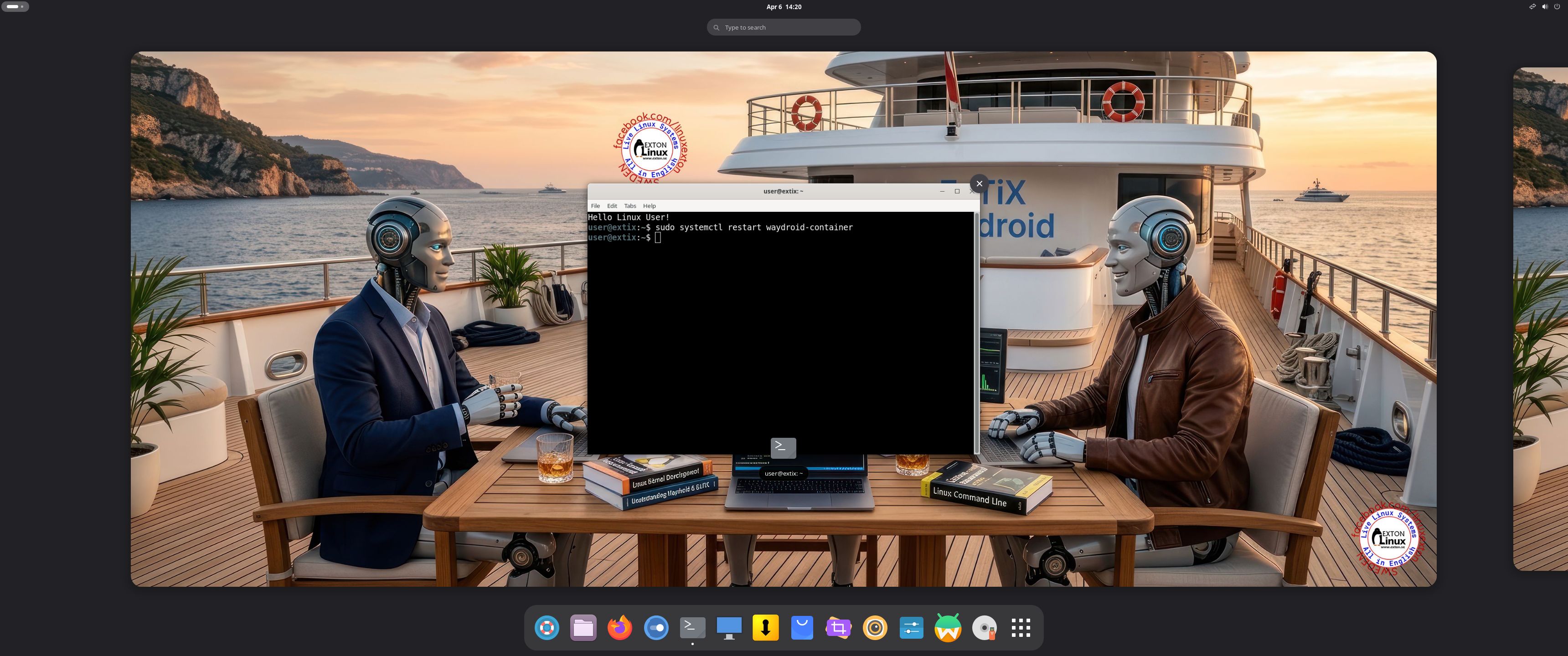
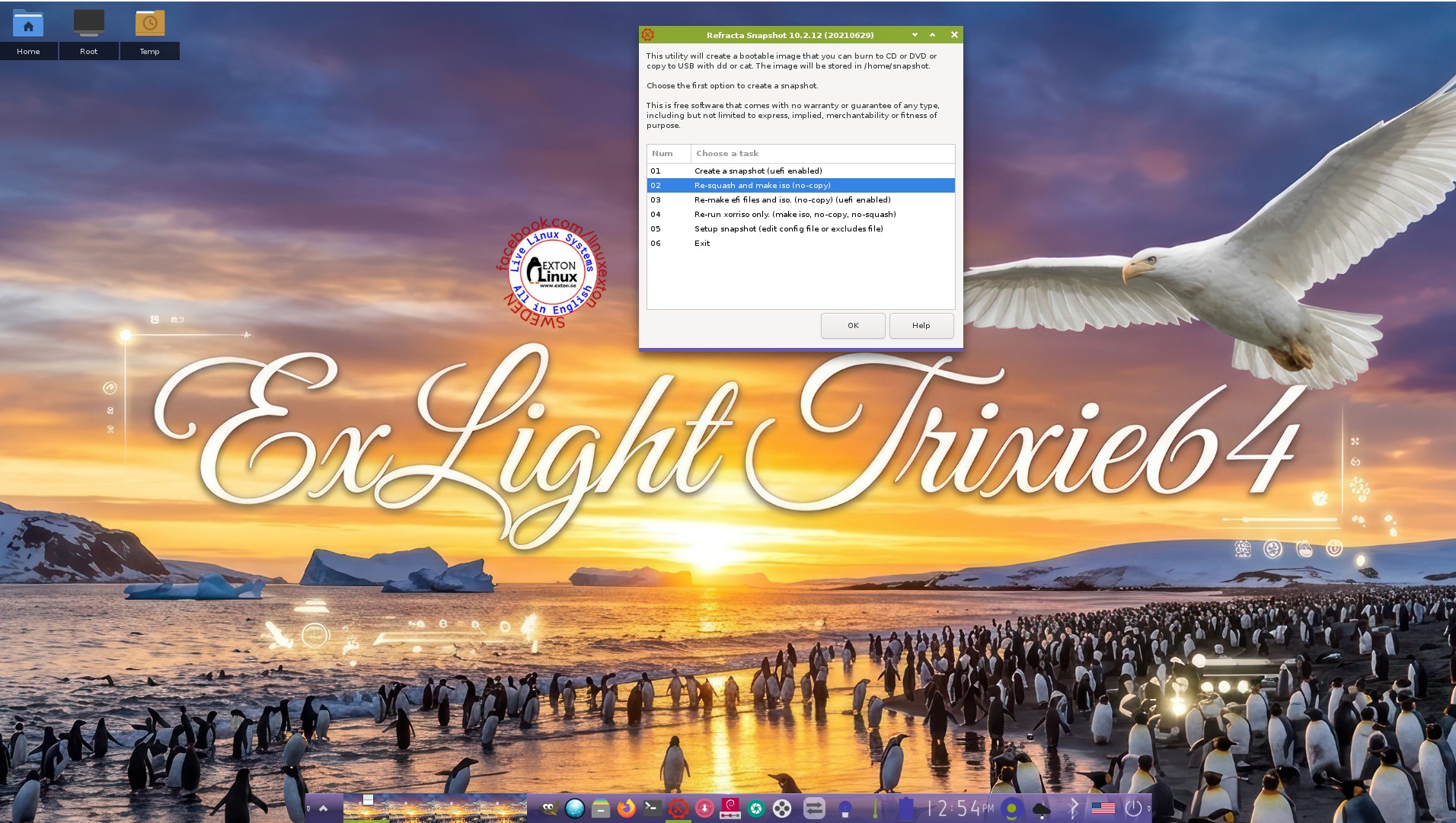
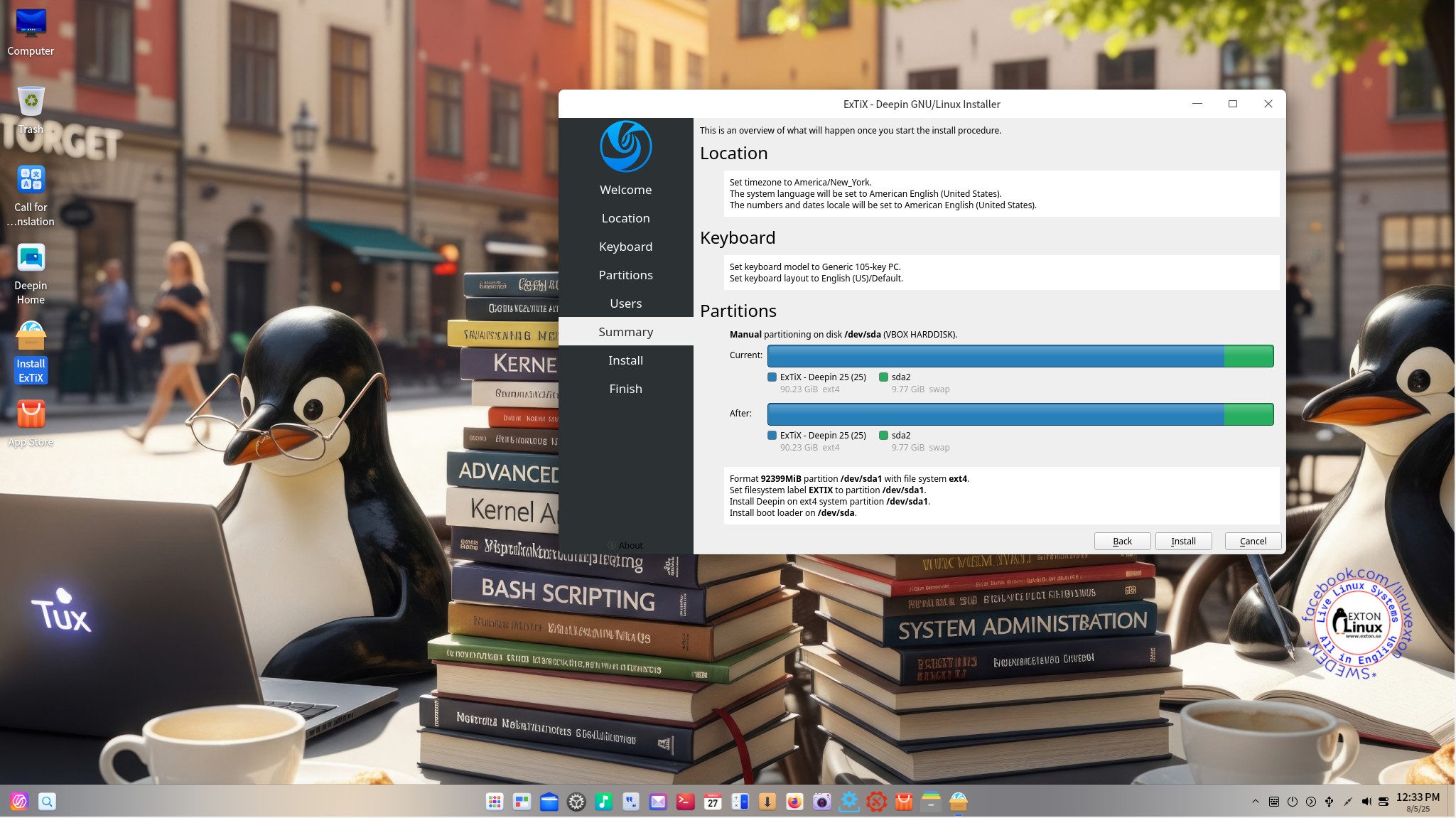
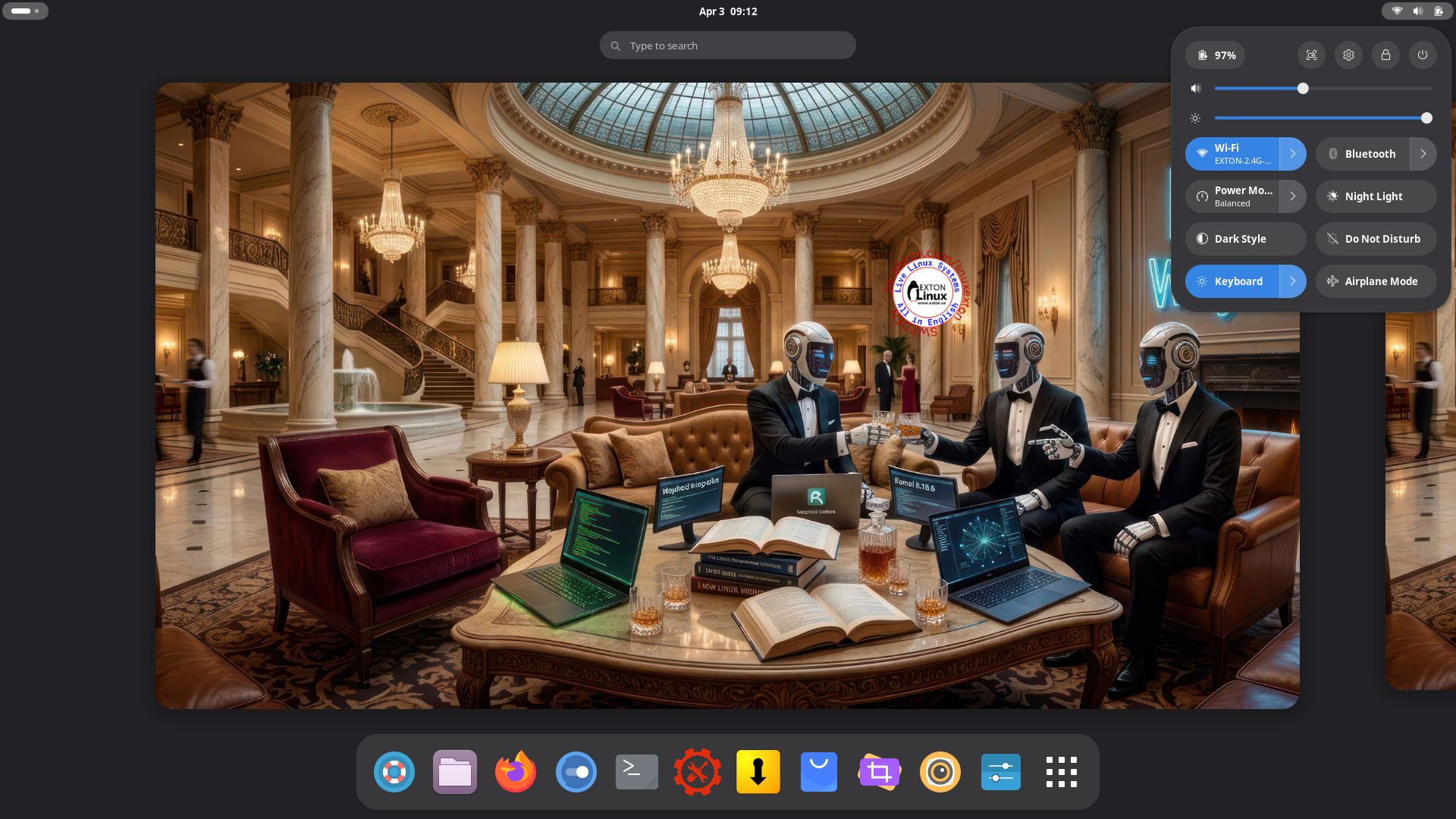
Tag: Calamares Installer

DebEX KDE Plasma based on Debian Forky (upcoming Debian 14) with Refracta Snapshot and Calamares Installer :: Build 260120

NEWS 260120 about DebEX KDE Plasma – a Refracta Build
I have made a new extra version of DebEX KDE Plasma Live System – efi. It’s a pure Debian Sid/Forky (upcoming Debian 14) System. There are no Ubuntu or Kubuntu elements involved in DebEX. DebEX KDE Plasma Sid uses the KDE Plasma Desktop 6.5.4 – latest version, released 251209 – as Desktop environment. Kernel 6.19.0-rc5-amd64-exton is used. All included packages have been updated to the latest version as of 260120.

VirtualBox Guest Additions and VMware Tools are pre-installed, which mean that you can run DebEX KDE in full screen – see the screenshots below.

MOST IMPORTANT CHANGES in DebEX KDE
A) I’ve installed the full KDE Plasma Desktop using the command sudo apt install task-kde-desktop. In order to save space I have removed LibreOffice with the command sudo apt remove libreoffice* B) I have added Calamares 3.3.14-1 Installer Framework. Now you can choose language when the installation starts. When it’s ready everything will be in your chosen language! You can even use Calamares in VirtualBox and VMware – i.e. non-efi computers without problems. It works very well!
NOTE: You can also use Refracta Installer. Preferably in VirtualBox/VMware. NOTE ALSO: When running DebEX KDE in VirtualBox you can do it in full screen since VirtualBox Guest Additions are pre-installed. Watch this screenshot.

THE REAL McCoy
DebEX is a pure Debian system. I.e. no traces of Ubuntu, Kubuntu etc. New releases of Ubuntu are always based on Debian Sid. So is DebEX.

ABOUT Debian “Forky” (upcoming Debian 14)
Forky is currently in a state of “testing“. You should therefore be a bit careful when using DebEX KDE Build 260120. Nevertheless apps won’t “crash” or anything like that (according to my experience). Debian Forky STABLE will be released next year.

SCREENSHOTS
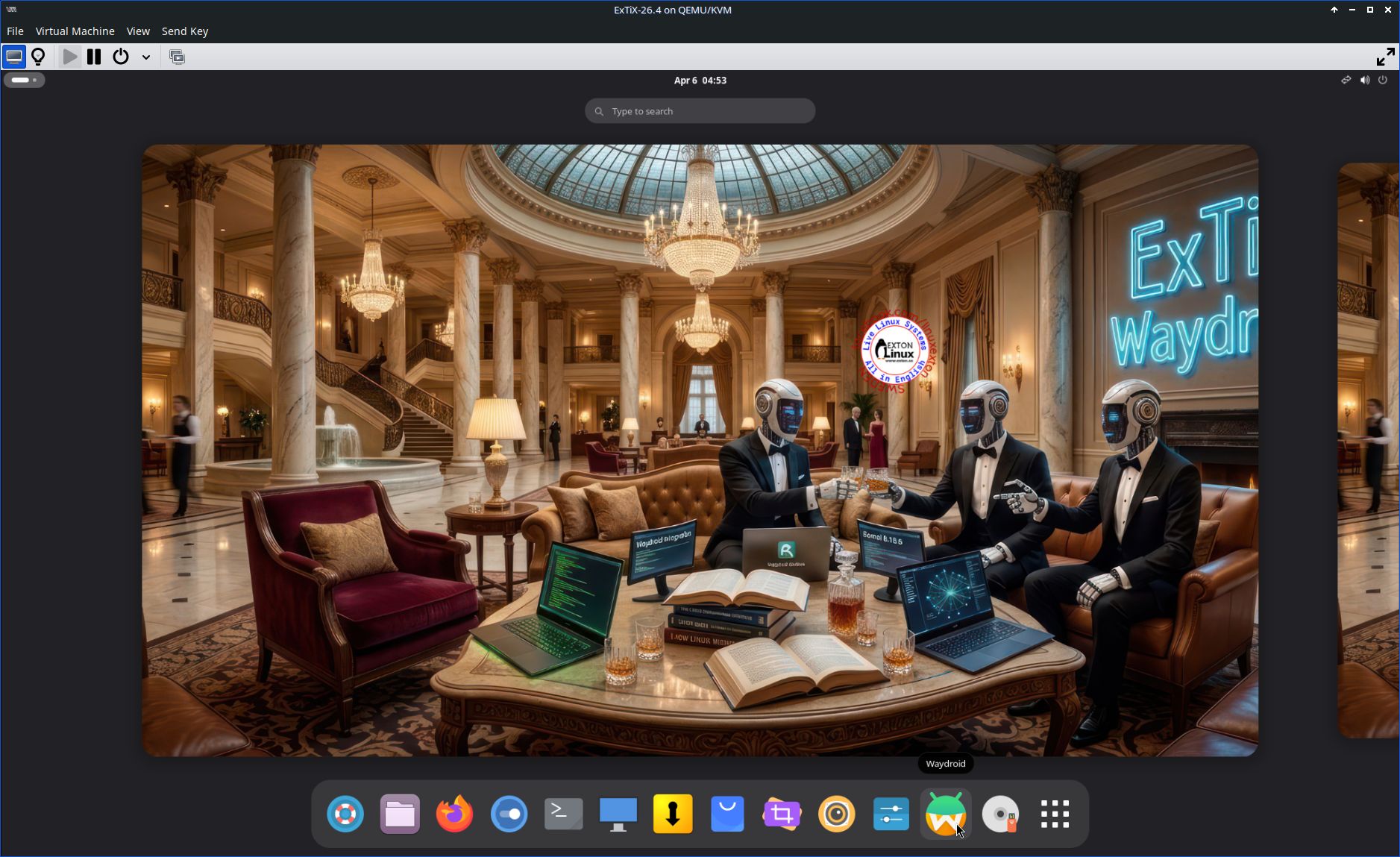
1. The Desktop for the ordinary user user
2. Running in full screen in VirtualBox
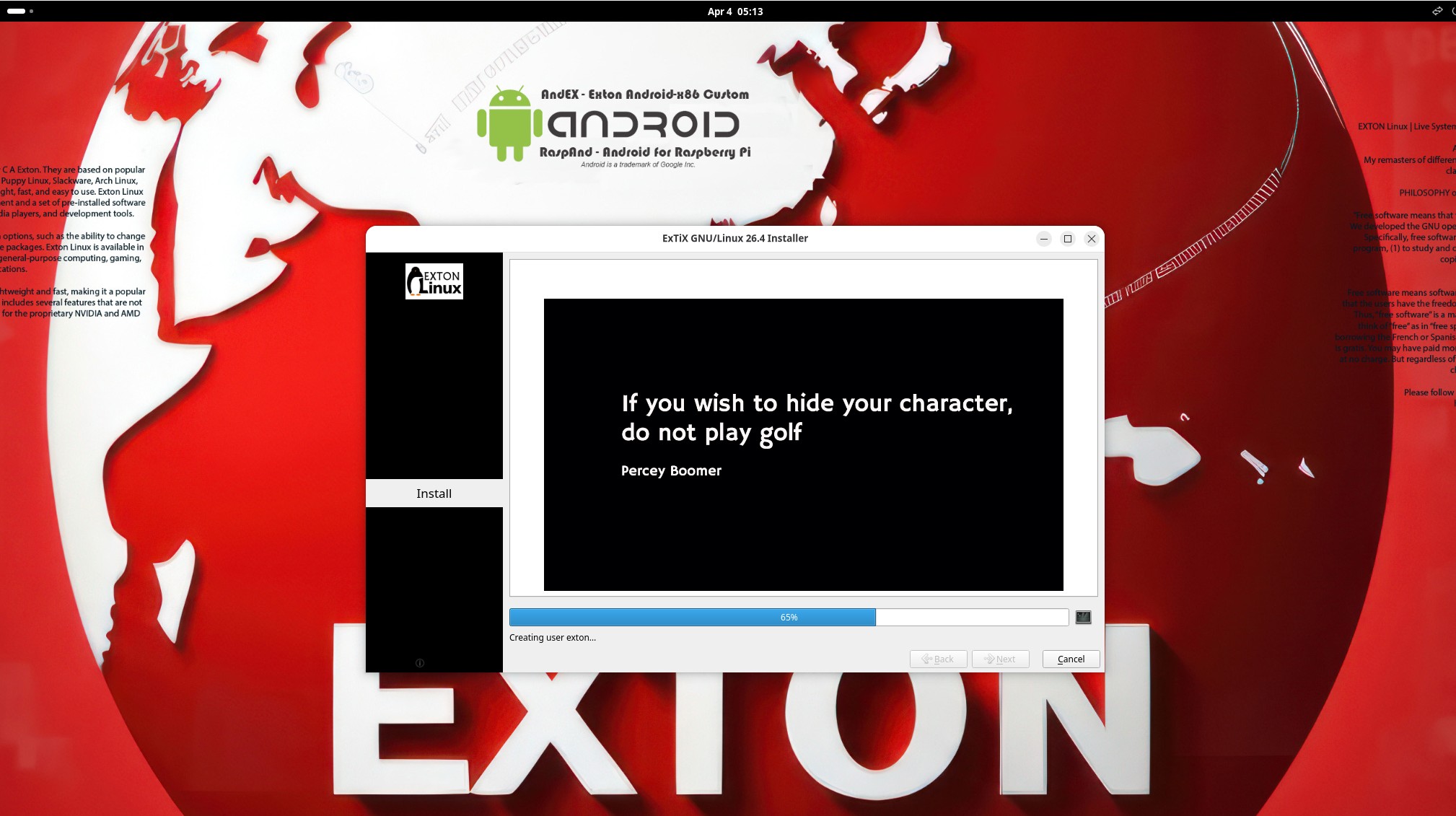
3. Calamares Installer is ready
4. Ejecting the USB stick while running DebEX from RAM

READ MORE…

Read about my Android-x86 Systems – 11, 10, Pie, Oreo, Nougat, Marshmallow, Lollipop and KitKat at andex.exton.net – latest is AndEX 11 (with GAPPS), AndEX 10 (with GAPPS) and AndEX Pie 9.0 (also with GAPPS)!
and
about my Android 16, 15, 14, 13, 12, 11, 10, Pie, Oreo, Nougat, Marshmallow and Lollipop versions for Raspberry Pi 5, Pi 4 and  Pi 3/2 at raspex.exton.se – latest is RaspAnd 16 (with GAPPS), RaspAnd 15 (also with GAPPS), RaspAnd 14 (also with GAPPS), 13 and 12 (without GAPPS), RaspAnd 11 (with GAPPS) and RaspAnd Oreo 8.1 (also with GAPPS)!
Follow me on Facebook…
No Comments Exton Linux Systems

ArchEX (Arch Linux) BUILD 260108 with LXQt 2.3, Calamares Installer 3.4.0 and kernel 6.18.2-arch2-1

I’ve made a new extra version of ArchEX with the LXQt 2.3 Desktop Environment. LXQt 2.3 was released 251105 LXQt is a lightweight Qt desktop environment. It will not get in your way. It will not hang or slow down your system. It is focused on being a classic desktop with a modern look and feel. I’ve also managed to install Calamares Installer from source in ArchEX LXQt. It means that you can install ArchEX LXQt in any language. Everything will then be in your chosen language when the installation has completed.

RUNS from RAM
ArchEX LXQt runs LIVE from RAM. Super fast. When the System has booted up you can remove the USB stick or the DVD.

WAYLAND
Some people think that using Wayland in a Linux System is very important. Wayland is said to be “the modern, simpler, more secure replacement for the aging X11 display server, offering better performance”. You can install Wayland ArchEX LXQt to use it instead of the X11 display server. I “forgot” to do so. Just run the command sudo pacman -S lxqt-wayland-session labwc. You can do it also while running ArchEX live. Watch this screenshot.

Study all installed packages in ArchEX LXQt.

How To dual boot, triple boot or multi boot Linux with Windows in a simple way and be happy
Before installing ArchEX or any other Linux system my general installation instructions may be of interest.

WHO should run Arch Linux?

My answer: The system fits the “advanced” Linux user/enthusiast, who would be willing to run an occasional command from time to time.

BENEFITS of ArchEX/Arch Linux
“Cutting Edge”-software and speed. You will for example always run the latest kernel if you upgrade ArchEX/Arch (for example) every month.

SCREENSHOTS
1. The LXQt Desktop for the ordinary user user
2. Calamares Installer is running
3. Showing a WiFi connection
4. The LightDM Login Screen
5. Running in full screen in VirtualBox
6. The Desktop for root
7. Showing a Samba connection

READ MORE…

Read about my Android-x86 Systems – 11, 10, Pie, Oreo, Nougat, Marshmallow, Lollipop and KitKat at andex.exton.net – latest is AndEX 11 (with GAPPS), AndEX 10 (with GAPPS) and AndEX Pie 9.0 (also with GAPPS)!
and
about my Android 16, 15, 14, 13, 12, 11, 10, Pie, Oreo, Nougat, Marshmallow and Lollipop versions for Raspberry Pi 5, Pi 4 and  Pi 3/2 at raspex.exton.se – latest is RaspAnd 16 (with GAPPS), RaspAnd 15 (also with GAPPS), RaspAnd 14 (also with GAPPS), 13 and 12 (without GAPPS), RaspAnd 11 (with GAPPS) and RaspAnd Oreo 8.1 (also with GAPPS)!
Follow me on Facebook…
No Comments Exton Linux Systems

Exton|Defender fc43 (stable) with Cinnamon 6.4.1-4.fc43, Calamares Installer and Refracta Snapshot :: Build 251102

Exton|Defender SRS  (Super Rescue System) is a Linux system available as a Live System based on Fedora 43, 64bit. Fedora 43 was released on October 28, 2025. Exton|Defender is for administrating or repairing your system and data after a crash. Exton|Defender aims to provide an easy way to carry out admin tasks on your computer, such as creating and editing the hard disk partitions. It comes with a lot of Linux software such as system tools and basic tools (editors, Midnight Commander, network tools). Exton|Defender can, however, also be used as a normal Linux Desktop System. It requires no hard drive installation, but can easily be installed to hard drive if you want. Desktop environment: A special version of Cinnamon 6.4.1-4.fc43 developed by Fedora. NOTE: Just two days after I had released Exton|Defender – based on Fedora 42 stable – I found out that Fedora 43 was released (251028). I therefore simply HAD TO make an Exton|Defender version based on fc43.

SCREENSHOTS
Screenshot 1 – Exton|Defender while logged in as root
Screenshot 2 – The liveuser’s Desktop
Screenshot 3 – Running Samba

READ MORE…

Read about my Android-x86 Systems – 11, 10, Pie, Oreo, Nougat, Marshmallow, Lollipop and KitKat at andex.exton.net – latest is AndEX 11 (with GAPPS), AndEX 10 (with GAPPS) and AndEX Pie 9.0 (also with GAPPS)!
and
about my Android 16, 15, 14, 13, 12, 11, 10, Pie, Oreo, Nougat, Marshmallow and Lollipop versions for Raspberry Pi 5, Pi 4 and  Pi 3/2 at raspex.exton.se – latest is RaspAnd 16 (with GAPPS), RaspAnd 15 (also with GAPPS), RaspAnd 14 (also with GAPPS), 13 and 12 (without GAPPS), RaspAnd 11 (with GAPPS) and RaspAnd Oreo 8.1 (also with GAPPS)!


Follow me on Facebook…

No Comments Exton Linux Systems

Exton|Defender fc42 (stable) with Cinnamon 6.4.1, Calamares Installer and Refracta Snapshot :: Build 251026

Exton|Defender SRS  (Super Rescue System) is a Linux system available as a Live System based on Fedora 42, 64bit. Fedora 42 was released on April 15, 2025. Exton|Defender is for administrating or repairing your system and data after a crash. Exton|Defender aims to provide an easy way to carry out admin tasks on your computer, such as creating and editing the hard disk partitions. It comes with a lot of Linux software such as system tools and basic tools (editors, Midnight Commander, network tools). Exton|Defender can, however, also be used as a normal Linux Desktop System. It requires no hard drive installation, but can easily be installed to hard drive if you want. Desktop environment: A special version of Cinnamon 6.4.1 developed by Fedora.

NEWS 241210 ABOUT Exton|Defender BASED ON Fedora 42
I have discovered a way to run Exton|Defender fc42 from RAM also when starting Exton|Defender in UEFI mode. The previous Exton|Defender fc40 version could only run from RAM if it started up in Legacy mode. So my advice is to run this version SUPER FAST from RAM! The best way to run a Linux Live System! When Exton|Defender has booted up you can remove/eject the USB stick or the DVD. NOTE ALSO: In version 251026 I’ve managed to change Refracta Snapshot to a GUI (Graphical User Interface) app! It is therefore even easier to handle Refracta Snapshot now! IMPORTANT NOTE: On some computers Exton|Defender still can’t run from RAM in UEFI mode. Only in Legacy mode. I don’t know why. Sort of a mystery.

MOST IMPORTANT CHANGE
I’ve finally managed to install Refracta Snapshot in Exton|Defender, which means that you can create your own Fedora 42 System! I mean change everything to your liking and then create a new ISO. NOTE1: For Refracta Snapshot to work you have to run “my” kernel 6.17.4-amd64-exton when Refracta Snapshot is running. (It won’t work with Fedora’s kernel 6.17.4-200.fc42).
IMPORTANT NOTE: Actually you can run Fedora’s original kernel 6.17.4-200.fc42 and still use Refracta Snapshot. Just don’t uninstall/remove “my” kernel 6.17.4-amd64-exton before running Refracta Snapshot. And don’t remove the links /vmlinuz and /initrd.img to my kernel. Your new ISO will then be created without problems. When running your new ISO live (i.e. from a USB stick/DVD or in VirtualBox/VMware) my kernel will be used. If you install your new Fedora/Exton|Defender System to hard drive Fedora’s kernel 6.17.4-200.fc42 will be used.
NOTE2: Version 251026 of Exton|Defender can run on really old computers. As an example I could run it on my 19 years old laptop Acer Aspire 5102 WLMi.

System Tools included
NTFS-3g, GParted, Shred, Sfdisk (util-linux-ng), Rsync, Ddrescue, FSArchiver, TestDisk and Midnight Commander. Other programs (among many others): NetworkManager, Firefox, Parole Media Player, Samba, Java and Java Runtime Environment (JRE), Emacs, Safecopy, kernel headers and many compilation tools. Exton|Defender uses kernel 6.17.4-amd64-exton when running LIVE. After a hard drive installation Fedora’s original kernel 6.17.4-200.fc42.x86_64 can be used (as an alternative).

SCREENSHOTS
Screenshot 1 – Exton|Defender running in VirtualBox
Screenshot 2 – Refracta Snapshot has started
Screenshot 3 – Running in VMware
Screenshot 4 – Showing a WiFi connection
Screenshot 5 – Calamares Installer is ready
Screenshot 6 – Boot from hard drive

READ MORE…

Read about my Android-x86 Systems – 11, 10, Pie, Oreo, Nougat, Marshmallow, Lollipop and KitKat at andex.exton.net – latest is AndEX 11 (with GAPPS), AndEX 10 (with GAPPS) and AndEX Pie 9.0 (also with GAPPS)!
and
about my Android 16, 15, 14, 13, 12, 11, 10, Pie, Oreo, Nougat, Marshmallow and Lollipop versions for Raspberry Pi 5, Pi 4 and  Pi 3/2 at raspex.exton.se – latest is RaspAnd 16 (with GAPPS), RaspAnd 15 (also with GAPPS), RaspAnd 14 (also with GAPPS), 13 and 12 (without GAPPS), RaspAnd 11 (with GAPPS) and RaspAnd Oreo 8.1 (also with GAPPS)!



Follow me on Facebook…

No Comments extonExton Linux Systems

ExTiX Deepin 25.8 Live based on Deepin 25.0.1 STABLE (latest) with Refracta Snapshot and kernel 6.16.0-amd64-exton :: Build 250806

NEWS 250806 ABOUT ExTiX with Deepin 25.0.1 STABLE (released 250702)
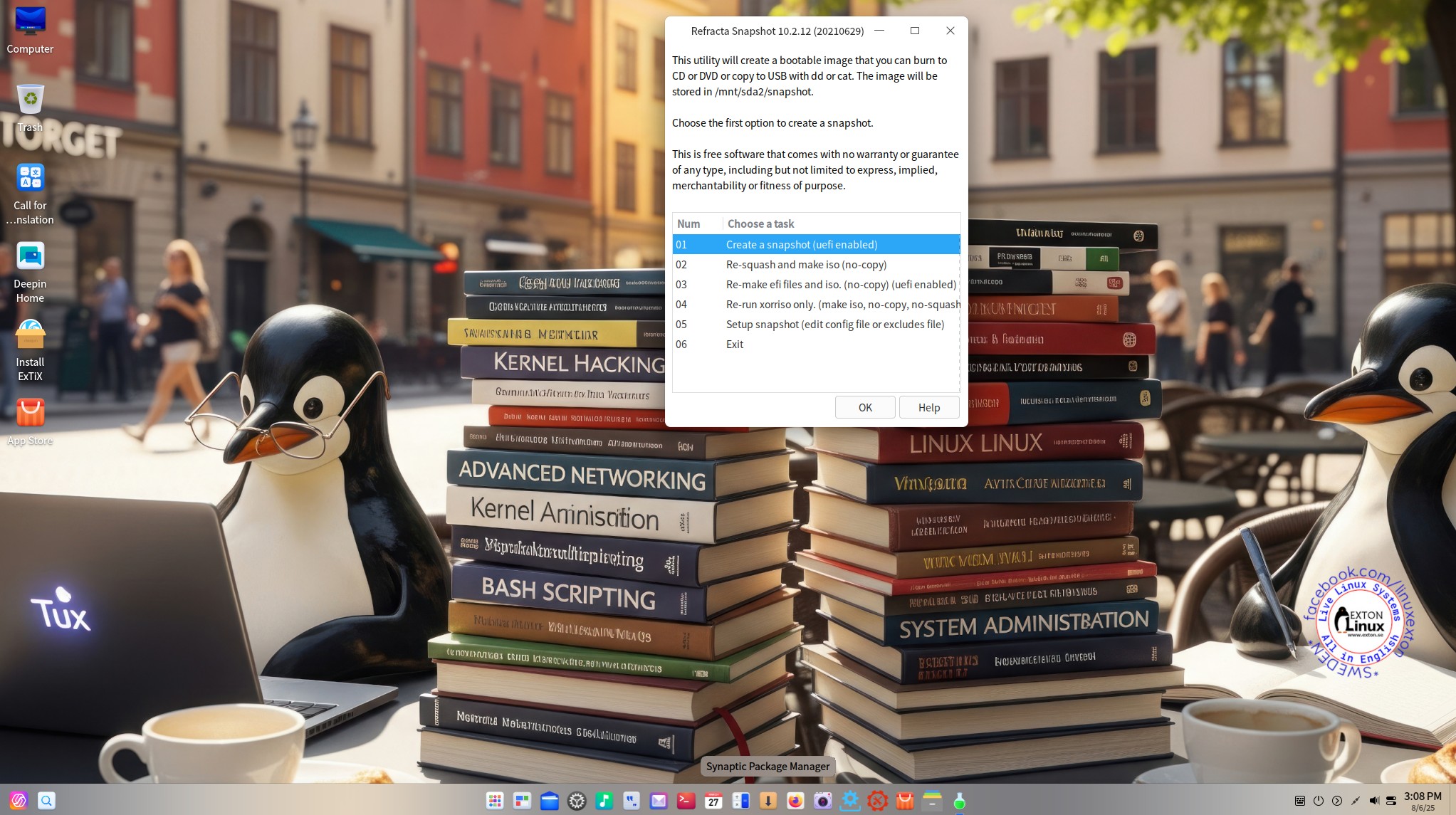
I’ve released a new version of ExTiX Deepin today (250806). The previous ExTiX Deepin version with Deepin 25 STABLE is from 250701.  (I found out yesterday that Deepin 25.0.1 was released 250702. I therefore had to upgrade ExTiX Deepin today). This ExTiX Build is thus based on Deepin 25.0.1 STABLE (latest version) released by Deepin Technology on July 2, 2025. Please read the Release Notes. ExTiX 25.8 uses kernel 6.16.0-amd64-exton. ExTiX 25.8 works in the same way as all other ExTiX versions. I.e. you can install it to hard drive while running the system live. Use Calamares (ExTiX) Installer or Refracta Installer for that. Deepin Installer doesn’t work in ExTiX. You can also create your own live installable Deepin 25.0.1 system with Refracta Snapshot. (Using ExTiX 25.8 as a “base system/template”). So easy that a ten year old child can do it!

Study all installed packages in ExTiX Deepin 25.8.

NEW FUNCTIONS etc. in ExTiX 25.8 Deepin
1. VirtualBox Guest Additions are NOT pre-installed. No real need for them since you can run ExTiX in full screen in VirtualBox by just changing the screen resolution.
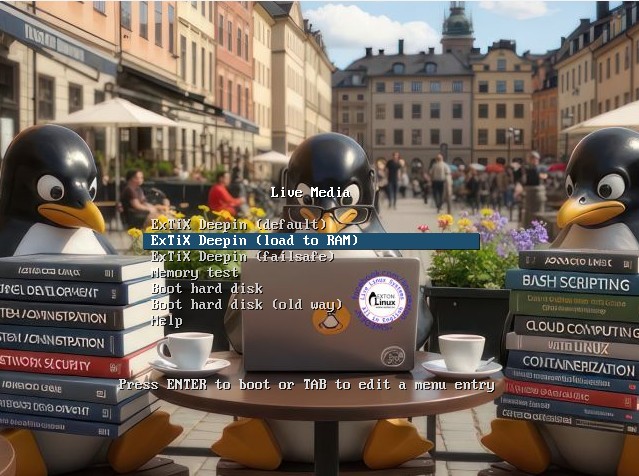
2. You can run ExTiX from RAM. Use boot alternative 2 (load to RAM) or Advanced. A wonderful way to run Linux if you have enough RAM. Everything will be super fast. When ExTiX has booted up you can remove the DVD or USB stick. Please note that you’ll need a lot om RAM. Probably at least 10GB. The ISO file is of 5610MB. That is a lot, but the original Deepin 25 ISO is even bigger – 5880 MB.
3. You can ONLY use ExTiX (Calamares) Installer and Refracta Installer for hard drive installations. You can not use Deepin Installer. You may be able to start the program after installing it with sudo apt install deepin-installer, but the installation to hard drive will fail. That’s because my build of Deepin 25.0.1 differ from the original in some respects.
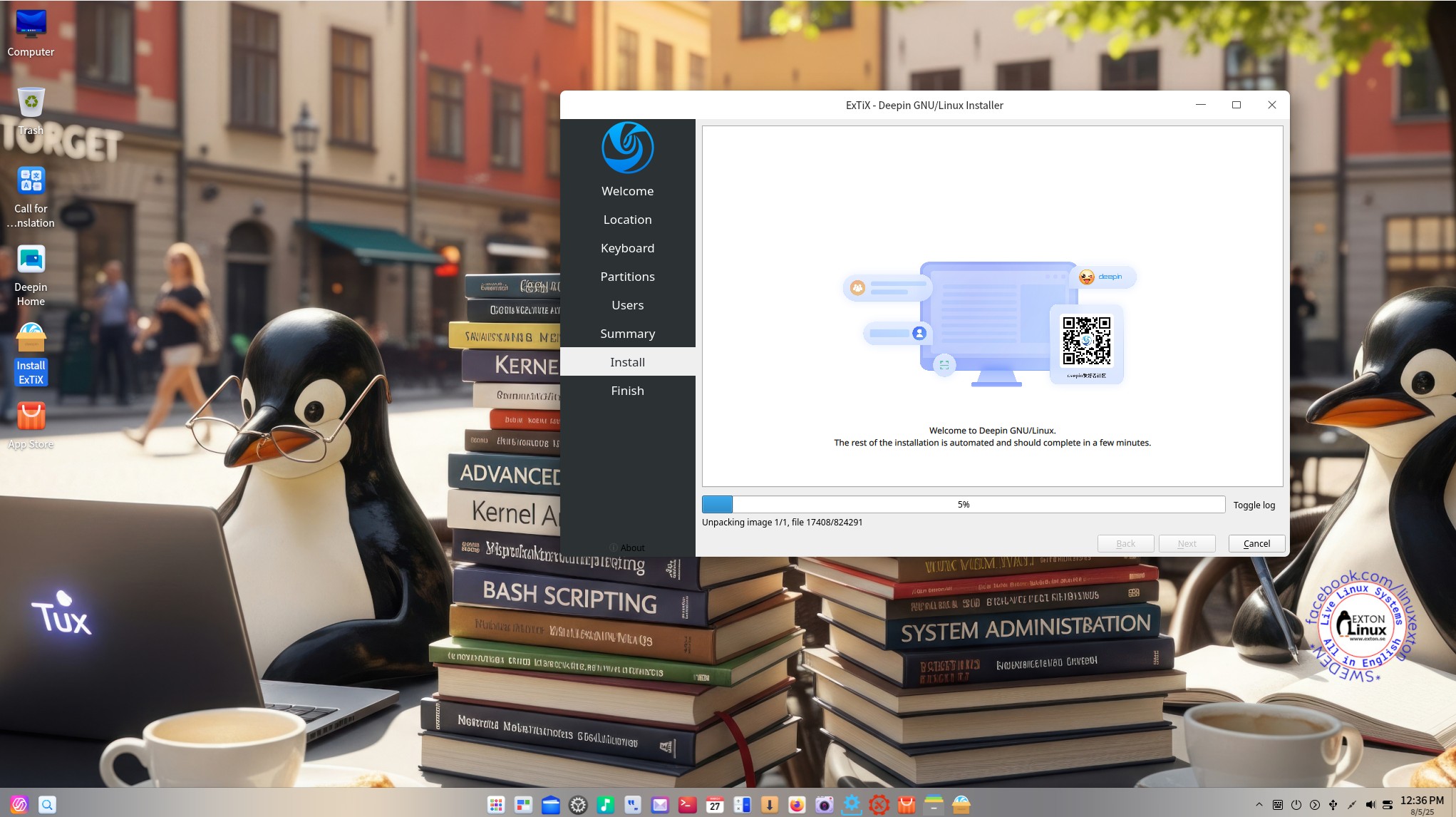
3b. You can, however, use Calamares Installer for your hard drive installation (instead of Refracta Installer) as I just mentioned. About Calamares: Calamares is an installer framework. By design it is very customizable, in order to satisfy a wide variety of needs and use cases. Calamares aims to be easy, usable & beautiful while remaining independent of any particular Linux distribution.
4. I have installed Firefox as a replacement for Deepin’s Browser, which suddenly can be in Chinese(!?).
5. I’ve added Synaptic Package Manager. A must I think.
6. You can watch Netflix while running Firefox.
7. You can install ExTiX Deepin also in VirtualBox/VMware using Calamares Installer or Refracta Installer. Before doing any hard drive installation you should read my instruction How-to dual-boot, triple-boot or multi-boot Linux with Windows in a simple way and be happy…

UNIQUE?
Previous versions of ExTiX Deepin (for example ExTiX Deepin 23 STABLE) were unique since the original Deepin System wasn’t a LIVE System. As regards Deepin 25.0.1 STABLE you can also test run the System Live before installing to hard drive. You can, however, not make your own Deepin 25.0.1 System from the original using Refracta Snapshot. That’s because it is impossible to install Refracta Snapshot (and Refracta Installer) according to my experience.

SCREENSHOTS
1. ExTiX 25.8 running in VMware after changing the screen resolution
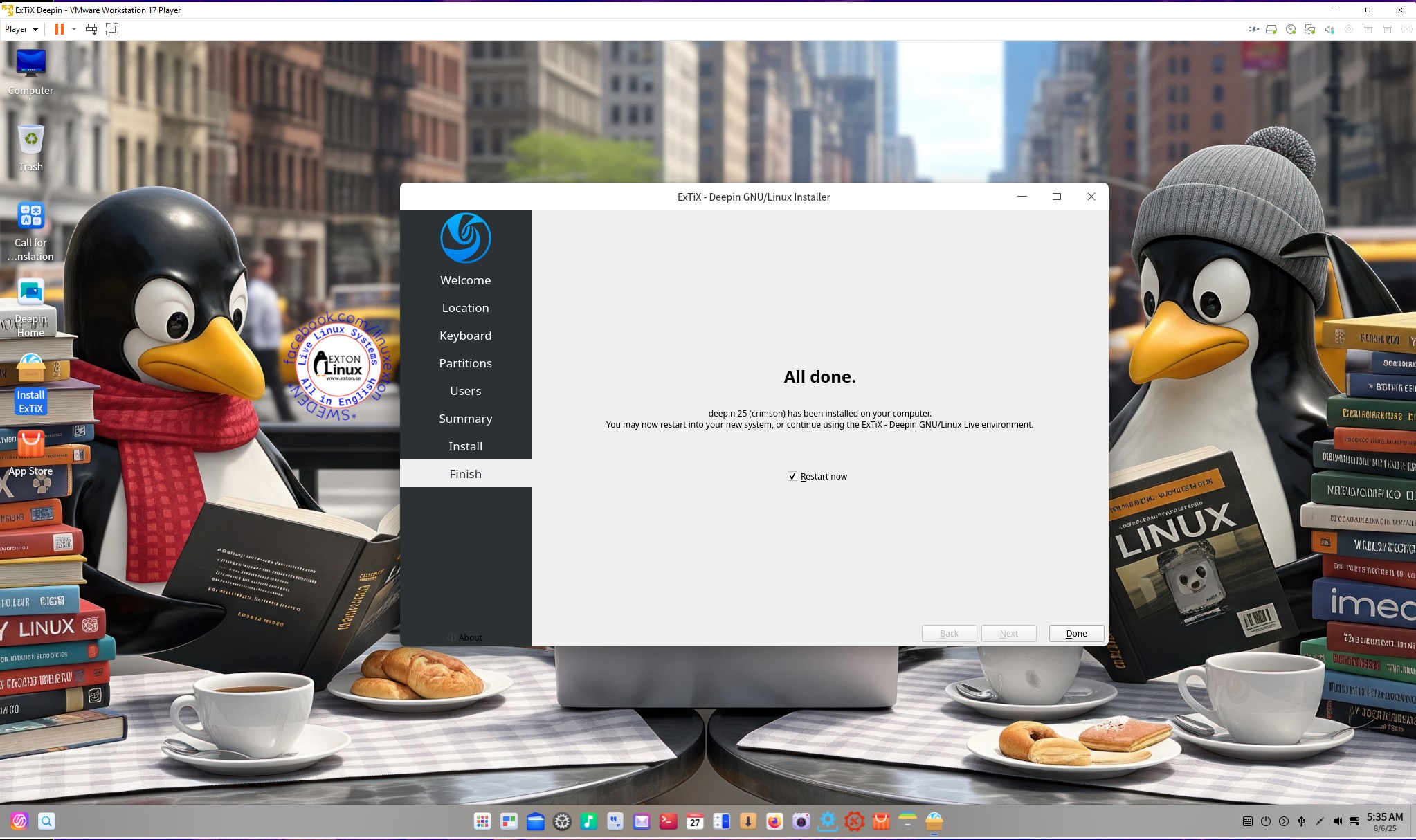
2. Running Calamares (ExTiX) Installer
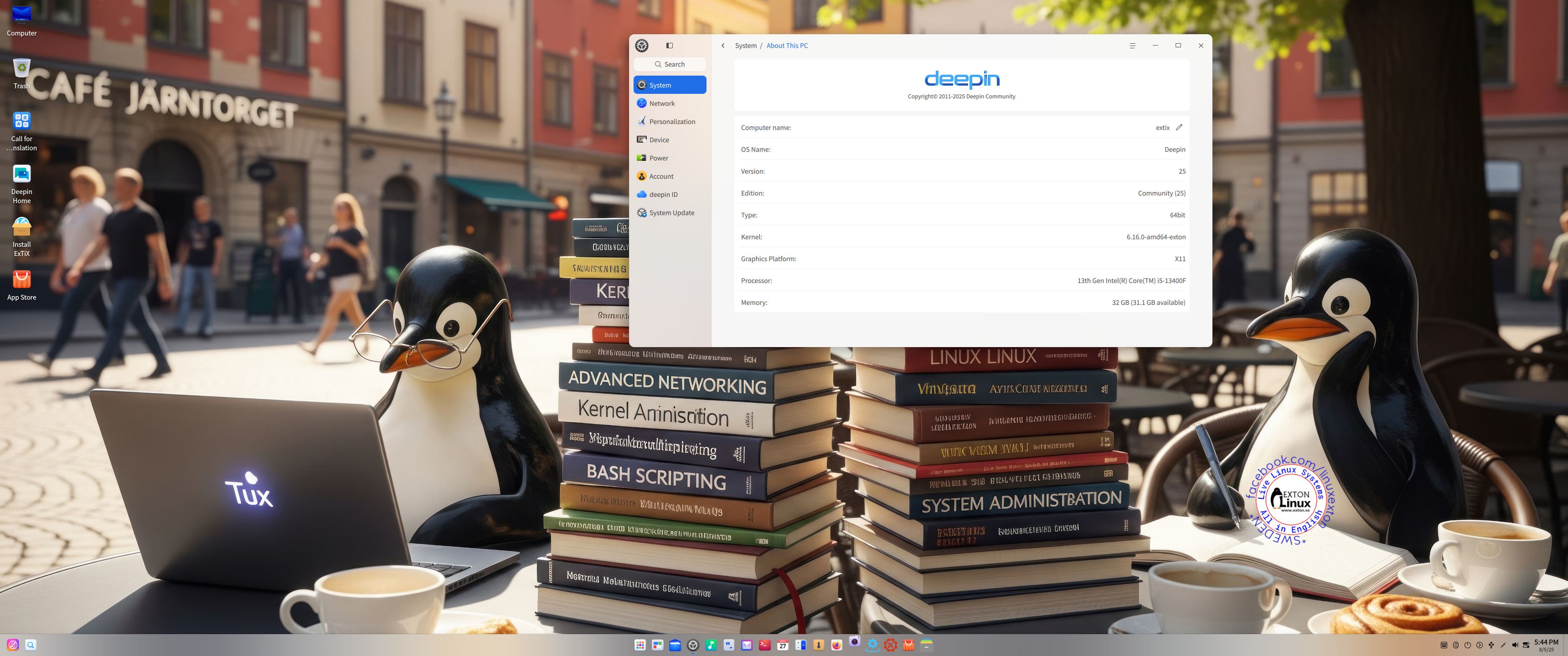
3. Showing the Desktop for user
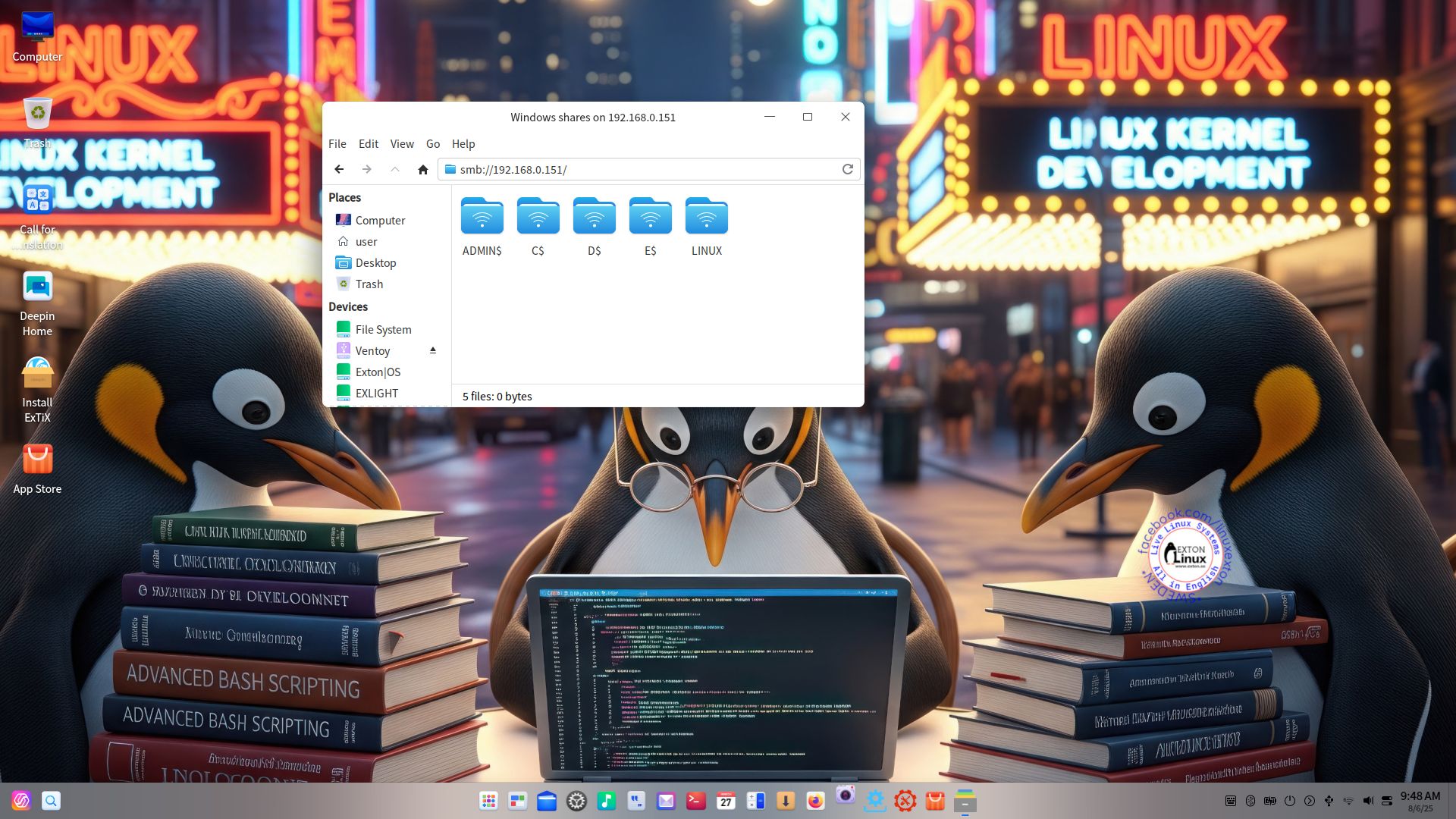
4. Showing a Samba connection
5. Showing the live boot screen
6. Refracta Snapshot is running
7. Calamares Installer have started
NOTE: All wallpapers are (of course) AI-generated.

READ MORE…

Read about my Android-x86 Systems – 11, 10, Pie, Oreo, Nougat, Marshmallow, Lollipop and KitKat at andex.exton.net – latest is AndEX 11 (with GAPPS), AndEX 10 (with GAPPS) and AndEX Pie 9.0 (also with GAPPS)!
and
about my Android 16, 15, 14, 13, 12, 11, 10, Pie, Oreo, Nougat, Marshmallow and Lollipop versions for Raspberry Pi 5, Pi 4 and  Pi 3/2 at raspex.exton.se – latest is RaspAnd 16 (with GAPPS), RaspAnd 15 (also with GAPPS), RaspAnd 14 (also with GAPPS), 13 and 12 (without GAPPS), RaspAnd 11 (with GAPPS) and RaspAnd Oreo 8.1 (also with GAPPS)!


Follow me on Facebook…

No Comments extonExton Linux Systems

DebEX Gnome – based on Debian “trixie” (upcoming Debian 13) – with GNOME 48, Calamares Installer and Refracta Snapshot :: Build 250709

NEWS 250709 about DebEX Gnome – a Refracta efi Build
I have made a new extra version of DebEX, which I call DebEX Gnome Live System. It’s a pure Debian system using the testing (trixie – upcoming Debian 13) repositories. GNOME 48 is used as Desktop Environment. I have removed the Mate Desktop, since Gnome now can be used on all kind of computers. Also when running DebEX Gnome in VirtualBox and VMware. No need for Nvidia’s proprietary graphics drivers when running this new version of DebEX. You can of course install such drivers if you want to. Furthermore I have replaced Google Chrome with Firefox ESR. It is now possible to watch Netflix movies using Firefox ESR in Linux. I have also replaced Refracta Installer with Calamares Installer, which makes it possible to install DebEX Gnome in any language. You can even use Calamares in VirtualBox and VMware – i.e. non-efi computers. All installed packages have been updated to the latest version as of 250709. DebEX Gnome uses kernel 6.15.5-amd64-exton.
NOTE: Refracta Installer is not really “replaced” by Calamares. You can/should use Refracta Installer in VirtualBox/VMware.

Important about Refracta Snapshot
You can use Refracta Snapshot (pre-installed in three versions of DebEX) to create your own installable Debian Live System once you have installed DebEX to hard drive. I mean change everything and then create a new ISO. Your own.

THE REAL McCoy
DebEX is a pure Debian system. I.e. no traces of Ubuntu, Kubuntu etc. New releases of Ubuntu are always based on Debian Sid. So is DebEX.

SCREENSHOTS
1. The Desktop for the ordinary user user
2. The Desktop for root – Calamares is running
3. Running in full screen in VirtualBox

READ MORE…

Read about my Android-x86 Systems – 11, 10, Pie, Oreo, Nougat, Marshmallow, Lollipop and KitKat at andex.exton.net – latest is AndEX 11 (with GAPPS), AndEX 10 (with GAPPS) and AndEX Pie 9.0 (also with GAPPS)!
and
about my Android 15, 14, 13, 12, 11, 10, Pie, Oreo, Nougat, Marshmallow and Lollipop versions for Raspberry Pi 5, Pi 4 and  Pi 3/2 at raspex.exton.se – latest is RaspAnd 15 (with GAPPS), RaspAnd 14 (also with GAPPS), 13 and 12 (without GAPPS), RaspAnd 11 (with GAPPS) and RaspAnd Oreo 8.1 (also with GAPPS)!


Follow me on Facebook…

No Comments Exton Linux Systems

DebEX KDE Plasma based on Debian Trixie (upcoming Debian 13) with Refracta Snapshot and Calamares Installer :: Build 250707

NEWS 250707 about DebEX KDE Plasma – a Refracta Build
I have made a new extra version of DebEX KDE Plasma Live System – efi. It’s a pure Debian Sid/Trixie (upcoming Debian 13) System. There are no Ubuntu or Kubuntu elements involved in DebEX. DebEX KDE Plasma Sid uses the KDE Plasma Desktop 6.3.5 – latest version, released 250506 – as Desktop environment. Kernel 6.15.3-amd64-exton is used. All included packages have been updated to the latest version as of 250707.

VirtualBox Guest Additions and VMware Tools are pre-installed, which mean that you can run DebEX KDE in full screen – see the screenshots below.

MOST IMPORTANT CHANGES in DebEX KDE
A) I’ve installed the full KDE Plasma Desktop using the command sudo apt install task-kde-desktop. In order to save space I have removed LibreOffice with the command sudo apt remove libreoffice* B) I have added Calamares 3.3.14-1 Installer Framework. Now you can choose language when the installation starts. When it’s ready everything will be in your chosen language! You can even use Calamares in VirtualBox and VMware – i.e. non-efi computers without problems. It works very well!
NOTE: You can also use Refracta Installer. Preferably in VirtualBox/VMware. NOTE ALSO: When running DebEX KDE in VirtualBox you can do it in full screen since VirtualBox Guest Additions are pre-installed. Watch this screenshot.

THE REAL McCoy
DebEX is a pure Debian system. I.e. no traces of Ubuntu, Kubuntu etc. New releases of Ubuntu are always based on Debian Sid. So is DebEX.

SCREENSHOTS
1. The Desktop for the ordinary user user
2. Running in full screen in VirtualBox
3. Calamares Installer is running
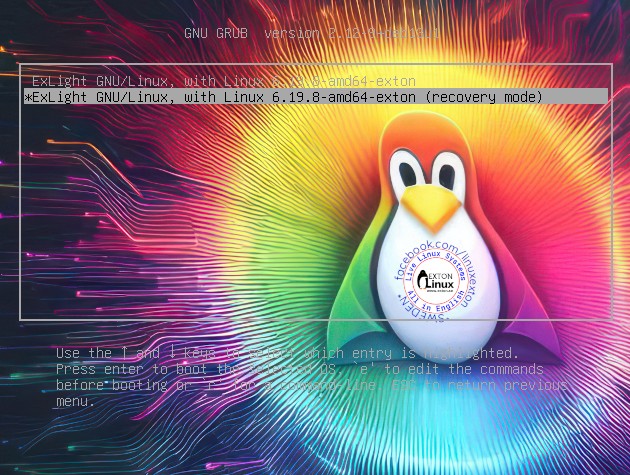
4. The live boot screen

READ MORE…

Read about my Android-x86 Systems – 11, 10, Pie, Oreo, Nougat, Marshmallow, Lollipop and KitKat at andex.exton.net – latest is AndEX 11 (with GAPPS), AndEX 10 (with GAPPS) and AndEX Pie 9.0 (also with GAPPS)!
and
about my Android 15, 14, 13, 12, 11, 10, Pie, Oreo, Nougat, Marshmallow and Lollipop versions for Raspberry Pi 5, Pi 4 and  Pi 3/2 at raspex.exton.se – latest is RaspAnd 15 (with GAPPS), RaspAnd 14 (also with GAPPS), 13 and 12 (without GAPPS), RaspAnd 11 (with GAPPS) and RaspAnd Oreo 8.1 (also with GAPPS)!


Follow me on Facebook…

No Comments extonExton Linux Systems

LFA (Linux For All) 64bit Live System – Build 250417 – with Budgie DE 10.9.1, kernel 6.14.2-amd64-exton and Refracta Snapshot :: Create your own LFA/Ubuntu installable 24.04.2 LTS system!

Linux For All (LFA) Build 250417 with the Budgie 10.9.1 Desktop Environment is a simple remaster of Ubuntu 24.04.2 LTS, code-named Noble Numbat. It’s a total rebuild. I.e. nothing is left of the old LFA system. NOTE: Ubuntu 24.04 will be supported until August 2029.

NEWS ABOUT LFA Build 250417
1. All packages the ordinary Linux user can wish for are pre-installed. Study the full packages list…
2. Kernel 6.14.2-amd64-exton is used. You can of course switch to Ubuntu’s original kernel if you prefer that.
3. The Desktop environment is Budgie 10.9.1. (Budgie is a desktop environment, formerly a project within Solus, becoming independent under the newly formed Buddies of Budgie organization in January 2022. It uses GTK for widgets, and is written in C and Vala. As of Budgie 10, the only available session is on Xorg).
4. The main Web Browser is Firefox. So you can watch Netflix!
5. I have included Refracta tools (Refracta Snapshot) to make it possible for you to create your own installable Ubuntu 24.04.2 LTS Live System once you have installed LFA to hard drive.
6. You can run LFA super fast in RAM. Use boot alternative 2 Load to RAM – see below.
7. Nvidia’s proprietary driver 570.133.07 is pre-installed. It will be used if your computer supports it.
8. I have removed snapd altogether.

SCREENSHOTS
Screenshot 1 – The Desktop for user
Screenshot 2 – The Desktop for root
Screenshot 3 – Showing NVIDIA Settings
Screenshot 4 – Showing showing a Samba connection in VMware

READ MORE…

Read about my Android-x86 Systems – 11, 10, Pie, Oreo, Nougat, Marshmallow, Lollipop and KitKat at andex.exton.net – latest is AndEX 11 (with GAPPS), AndEX 10 (with GAPPS) and AndEX Pie 9.0 (also with GAPPS)!
and
about my Android 15, 14, 13, 12, 11, 10, Pie, Oreo, Nougat, Marshmallow and Lollipop versions for Raspberry Pi 5, Pi 4 and  Pi 3/2 at raspex.exton.se – latest is RaspAnd 15 (with GAPPS), RaspAnd 14 (also with GAPPS), 13 and 12 (without GAPPS), RaspAnd 11 (with GAPPS) and RaspAnd Oreo 8.1 (also with GAPPS)!


Follow me on Facebook…

No Comments extonExton Linux Systems

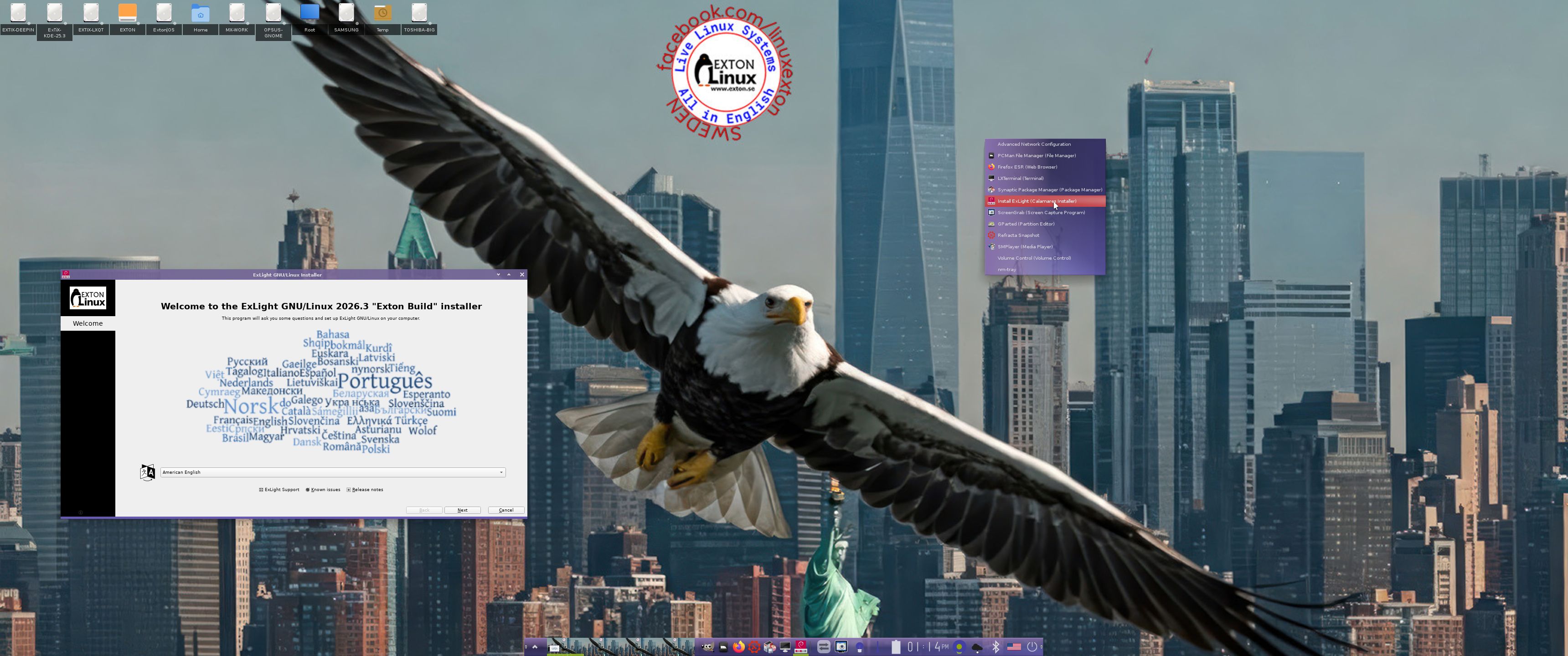
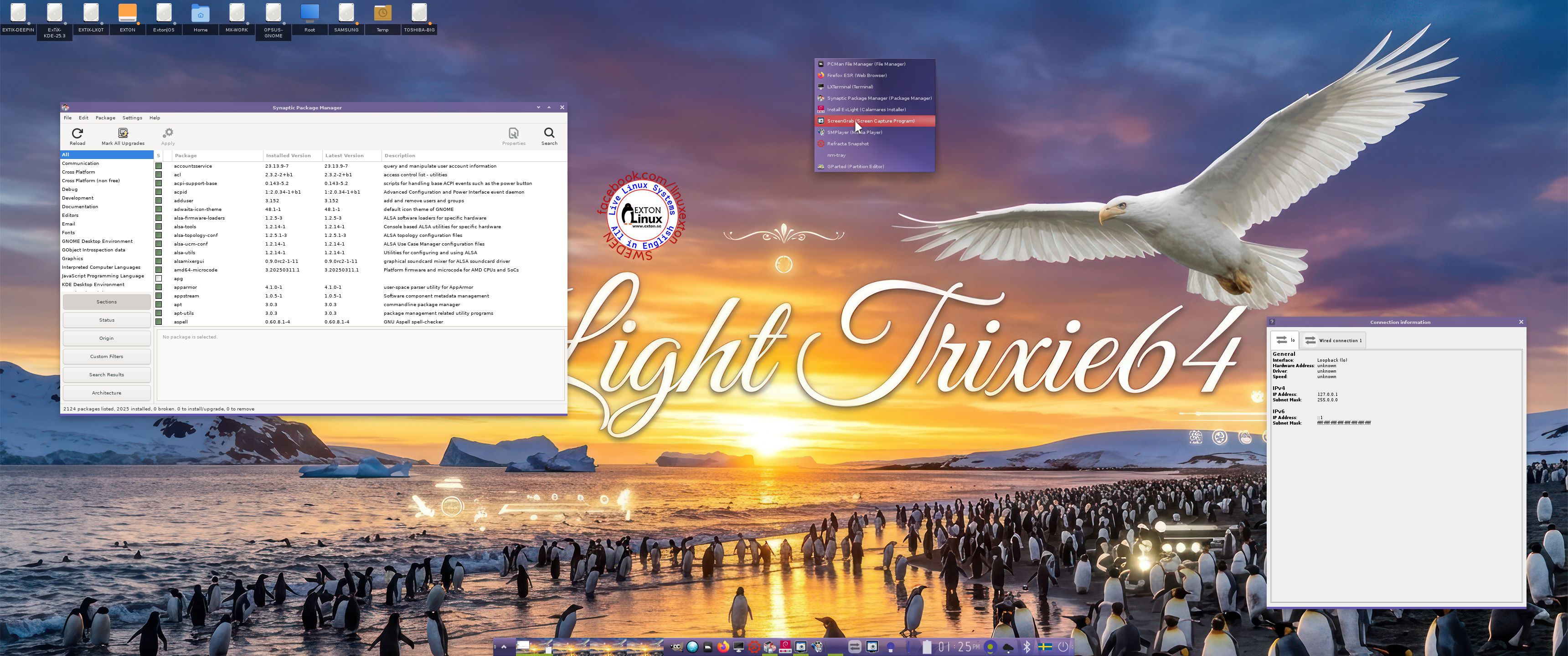
ExLight 64bit UEFI, Build 250405, based on Debian “Trixie” (upcoming Debian 13) with Enlightenment 0.27.1 (stable) as DE, Refracta Snapshot and Calamares Installer

NEWS 250405 ABOUT ExLight
I’ve made a new version of ExLight with the Enlightenment 0.27.1 Desktop environment, Refracta Snapshot (create your own Debian Sid/Trixie System) and Calamares 3.3.14-1 Installer Framework.

KERNEL
ExLight Build 250405 uses kernel 6.14.0-amd64-exton built from Debian kernel sources with Debian patches.

What’s new in Linux kernel 6.14?

Installed packages
Study all installed packages in ExLight Build 250405.

Important about Refracta

You can use Refracta Snapshot (pre-installed in ExLight) to create your own installable Debian Trixie Live System once you have installed ExLight to hard drive. I mean change everything and then create a whole new Debian live system. When you start Refracta Snapshot it will look like this. You don’t even have to install ExLight to hard drive before you can use the Refracta Snapshot. If you have plenty of RAM you can create a new (your own!) Debian system while running ExLight from DVD or a USB stick. Please note that the whole Refracta process (creating your new ISO) only will take 10 – 50 min! You’ll find the ISO in /home/snapshot. Or change that by editing /etc/refractasnapshot.conf. NOTE: You may have to run Refracta Snapshot in three steps (1 – 3) before your new ISO is ready.

THE REAL McCoy
ExLight is a pure Debian system. I.e. no traces of Ubuntu, Kubuntu etc. New releases of Ubuntu are always based on Debian Sid. So is ExLight.

SCREENSHOTS
1. The Enlightenment 0.27.1 Desktop for user user
2. The Enlightenment 0.27.1 Desktop for root
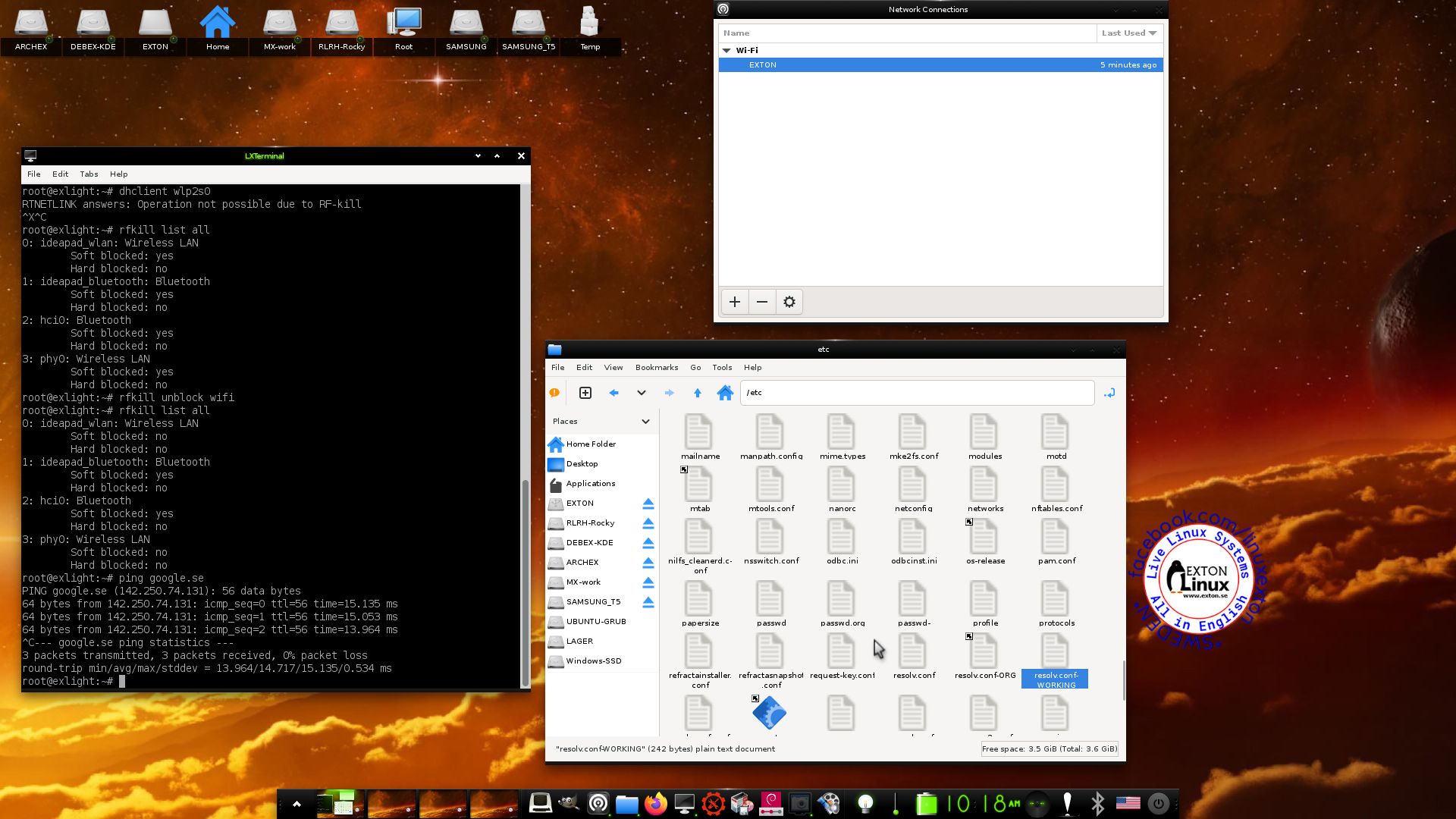
3. Using NetworkManager for WiFi connections
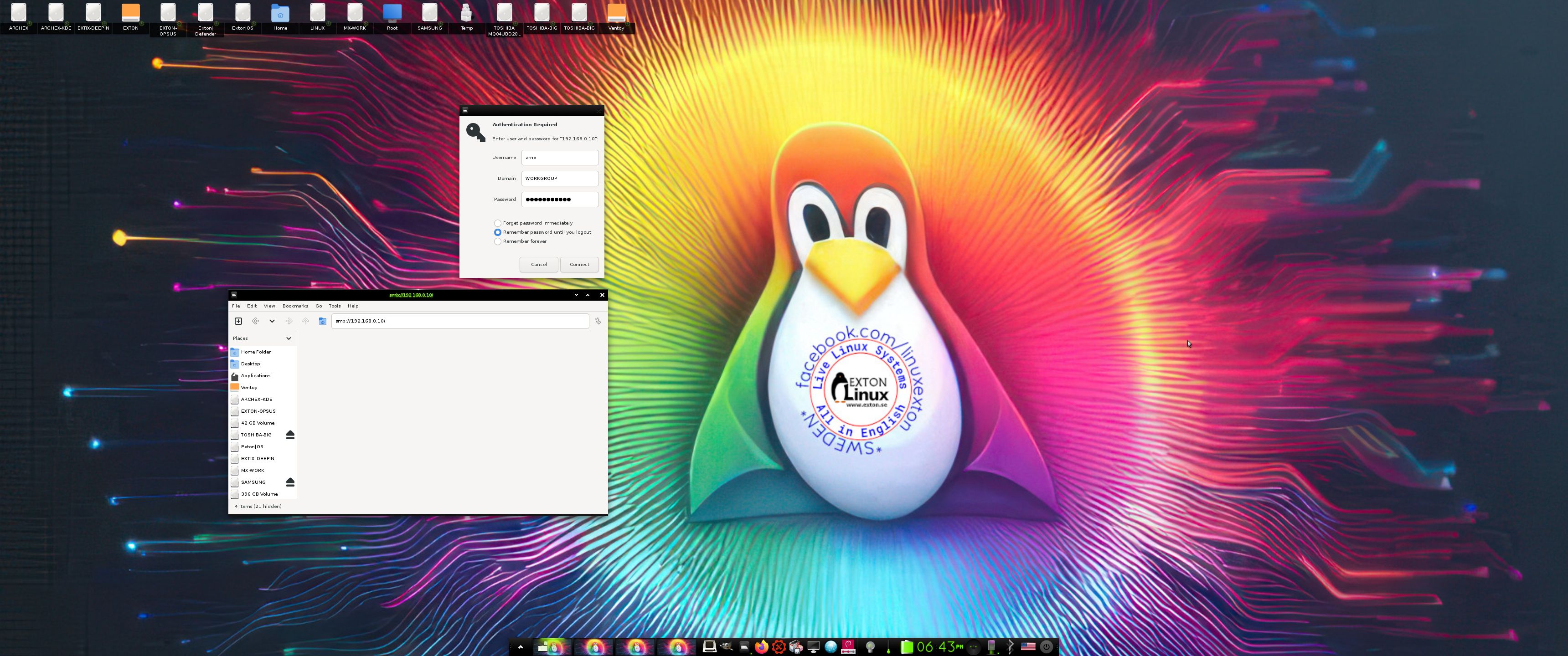
4. Showing a Samba connection
5. ExLight running in VirtualBox
6. ExLight running in Qemu -2-user
7. Showing the LightDM Login Screen

READ MORE…

Read about my Android-x86 Systems – 11, 10, Pie, Oreo, Nougat, Marshmallow, Lollipop and KitKat at andex.exton.net – latest is AndEX 11 (with GAPPS), AndEX 10 (with GAPPS) and AndEX Pie 9.0 (also with GAPPS)!
and
about my Android 15, 14, 13, 12, 11, 10, Pie, Oreo, Nougat, Marshmallow and Lollipop versions for Raspberry Pi 5, Pi 4 and  Pi 3/2 at raspex.exton.se – latest is RaspAnd 15 (with GAPPS), RaspAnd 14 (also with GAPPS), 13 and 12 (without GAPPS), RaspAnd 11 (with GAPPS) and RaspAnd Oreo 8.1 (also with GAPPS)!


Follow me on Facebook…

No Comments extonExton Linux Systems

DebEX Gnome – based on Debian trixie/sid – with GNOME 47, Calamares Installer and Refracta Snapshot :: Build 250116

NEWS 250116 about DebEX Gnome – a Refracta efi Build
I have made a new extra version of DebEX, which I call DebEX Gnome Live System. It’s a pure Debian system using the testing (Trixie – upcoming Debian 13) and unstable (Sid) repositories. GNOME 47 is used as Desktop Environment. I have removed the Mate Desktop, since Gnome now can be used on all kind of computers. Also when running DebEX Gnome in VirtualBox and VMware. No need for Nvidia’s proprietary graphics drivers when running this new version of DebEX. You can of course install such drivers if you want to. Furthermore I have replaced Google Chrome with Firefox ESR. It is now possible to watch Netflix movies using Firefox ESR in Linux. I have also replaced Refracta Installer with Calamares Installer, which makes it possible to install DebEX Gnome in any language. You can even use Calamares in VirtualBox and VMware – i.e. non-efi computers. All installed packages have been updated to the latest version as of 250116. DebEX Gnome uses kernel 6.12.9-amd64-exton.
NOTE1: Refracta Installer is not really “replaced” by Calamares. You can/should use Refracta Installer in VirtualBox/VMware.
NOTE2: VirtualBox Guest Additions are pre-installed, which means that you can run DebEX Gnome in full screen in VirtualBox. Watch this screenshot…

SCREENSHOTS
1. The Desktop for the ordinary user user
2. The Desktop for root
3.  LightDM login screen
4. Calamares running in VMware
5. Refracta Snapshot running

READ MORE…

Read about my Android-x86 Systems – 11, 10, Pie, Oreo, Nougat, Marshmallow, Lollipop and KitKat at andex.exton.net – latest is AndEX 11 (with GAPPS), AndEX 10 (with GAPPS) and AndEX Pie 9.0 (also with GAPPS)!
and
about my Android 15, 14, 13, 12, 11, 10, Pie, Oreo, Nougat, Marshmallow and Lollipop versions for Raspberry Pi 5, Pi 4 and  Pi 3/2 at raspex.exton.se – latest is RaspAnd 15 (with GAPPS), RaspAnd 14 (also with GAPPS), 13 and 12 (without GAPPS), RaspAnd 11 (with GAPPS) and RaspAnd Oreo 8.1 (also with GAPPS)!


Follow me on Facebook…

No Comments extonExton Linux Systems