Tag: Ubuntu 26.04 LTS

ExTiX 26.4 with GNOME 50 Desktop together with Waydroid (“Waydroid lets you launch a complete Android system on Linux with Google Play”) :: Build 260407

ABOUT ExTiX 26.4 – Build 260407
I have made a new version of ExTiX – The Ultimate Linux System. I call it ExTiX 26.4 GNOME Waydroid Live System. I have made it possible for you to configure Waydroid in ExTiX. (Waydroid lets you launch a complete Android system on Linux with Google Play Services so you can install your favorite apps). So now you can run Android apps in ExTiX. GAPPS (Google Play Services and Google Play) are however NOT pre-installed in ExTiX 26.4. That’s because you’ll have to install/initialize GAPPS using your own Gmail account. I.e. to be able to run Google Play. The second best thing with ExTiX 26.4 is that while running the system live (from DVD/USB) or from hard drive you can use Refracta Snapshot (pre-installed) to create your own live installable Ubuntu/Waydroid system. So easy that a ten year child can do it!

ExTiX 26.4 GNOME 50 System 64 bit is based on Debian and upcoming Ubuntu 26.04 LTS Resolute Raccoon. I have installed GNOME 50 Tokyo as DE.
NOTE about Ubuntu 26.04 LTS: It will be released in a stable version 260423 and supported until April, 2031.

The system language is ENGLISH.

Used KERNELS
Ubuntu’s latest original kernel 7.0.0-10-generic with the binder kernel module (needed by Waydroid) and my own compiled kernel 7.0.0-rc6-amd64-exton. While running ExTiX live “my” kernel will be used. To be able to run Waydroid you’ll have to use (boot with) kernel 7.0.0-10-generic.

SCREENSHOTS
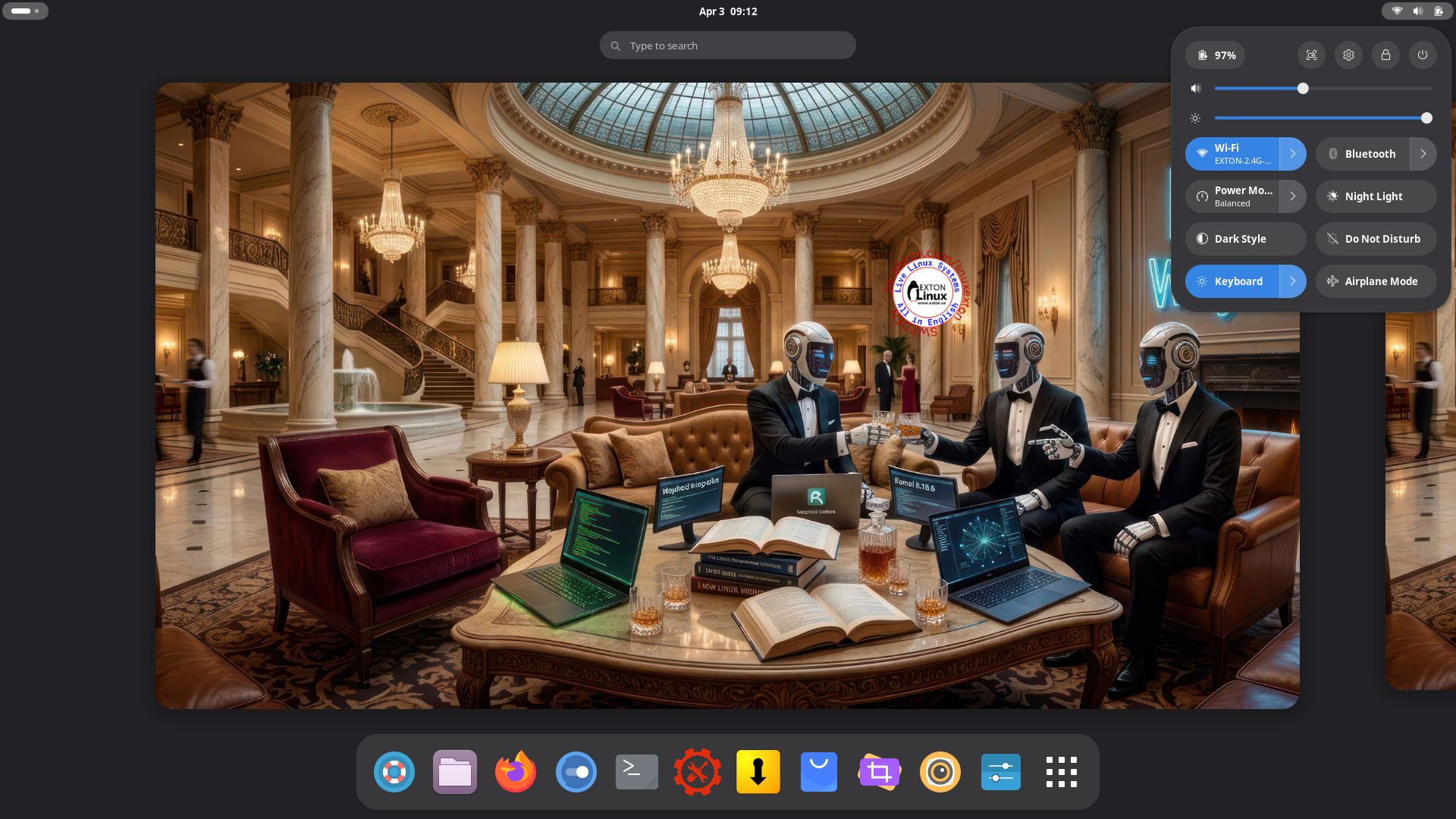
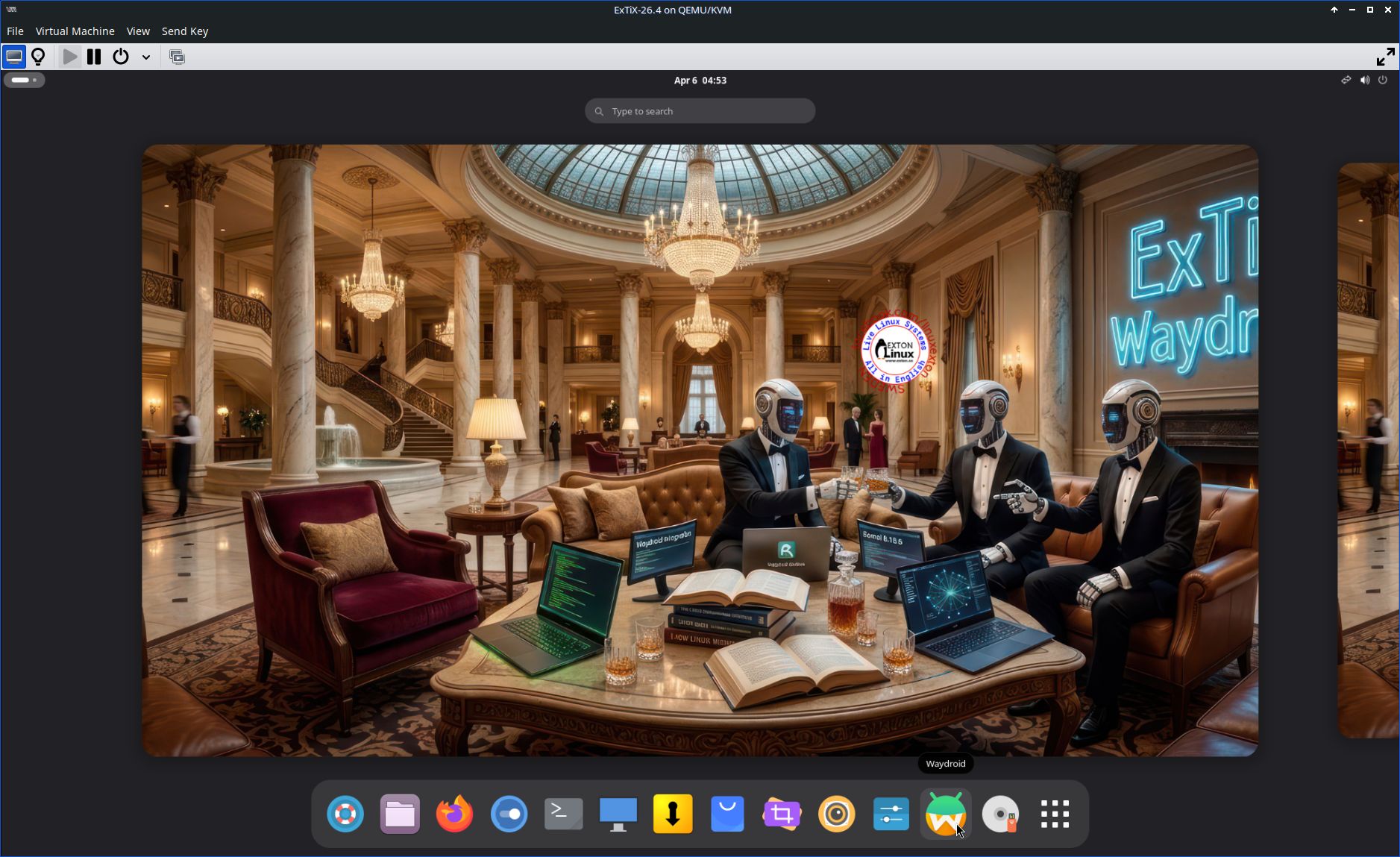
1. ExTiX GNOME user Desktop running 260407
2. The GNOME Desktop for root
3. ExTiX 26.4 running in Qemu (the best way to run any Linux System virtually)
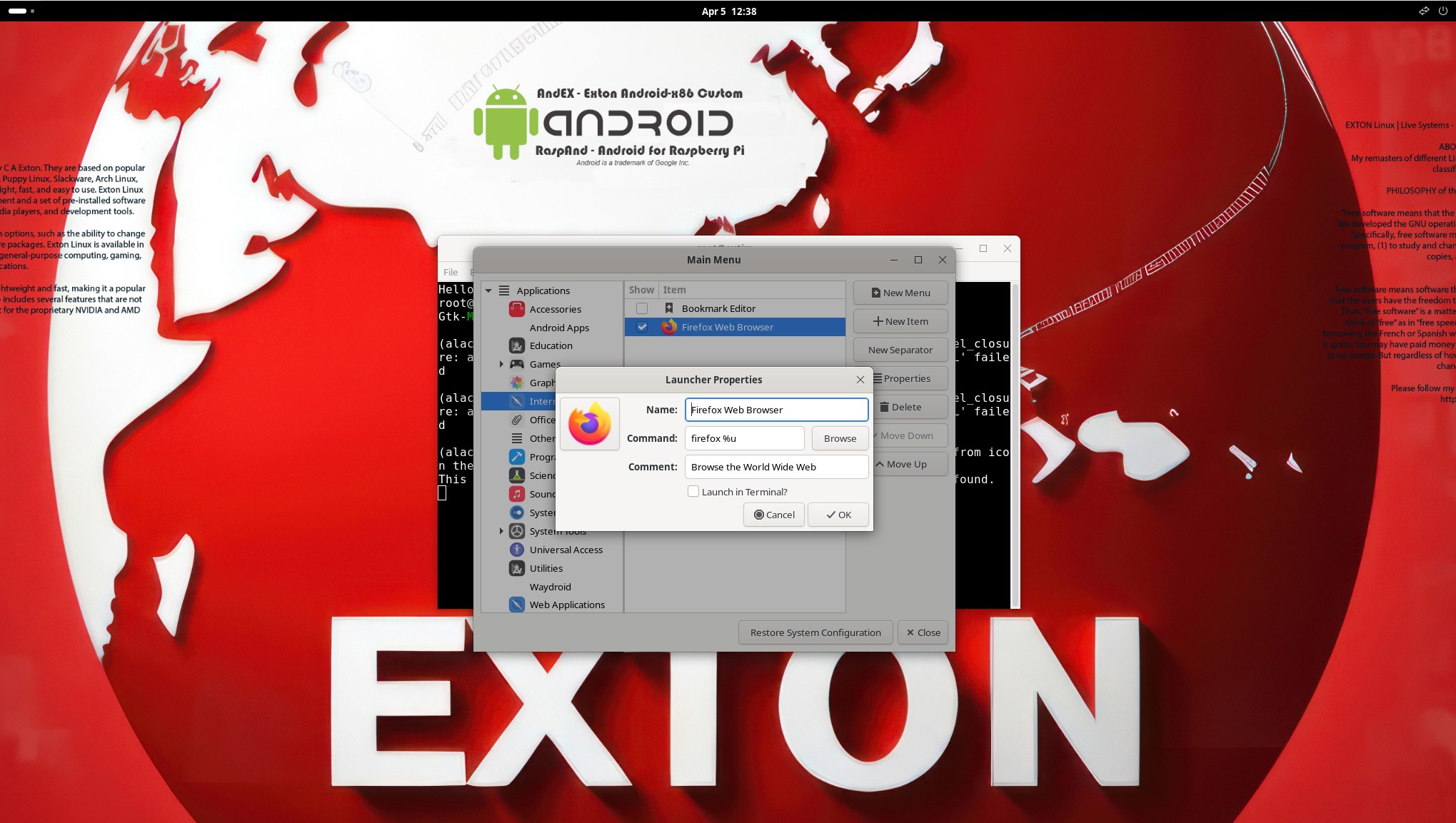
4. Using Alacarte
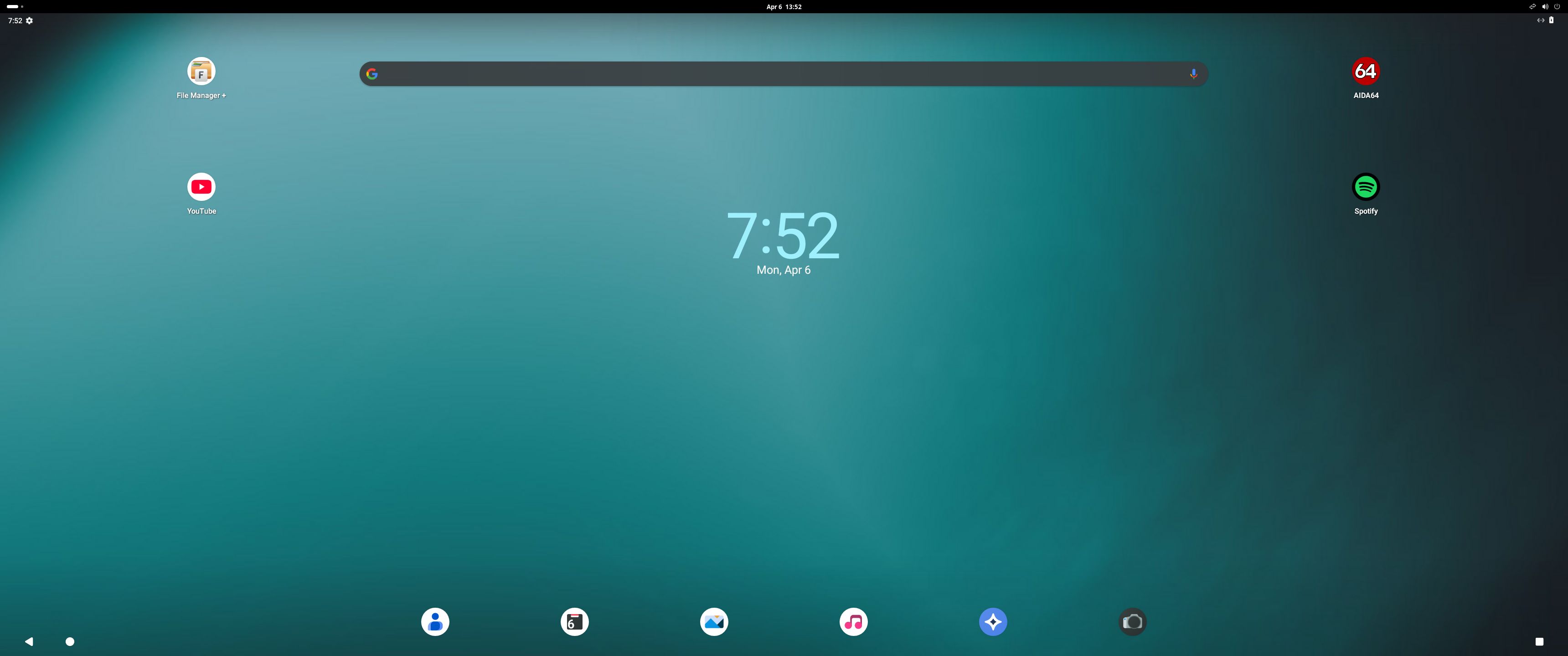
5. Running Waydroid with Google Play
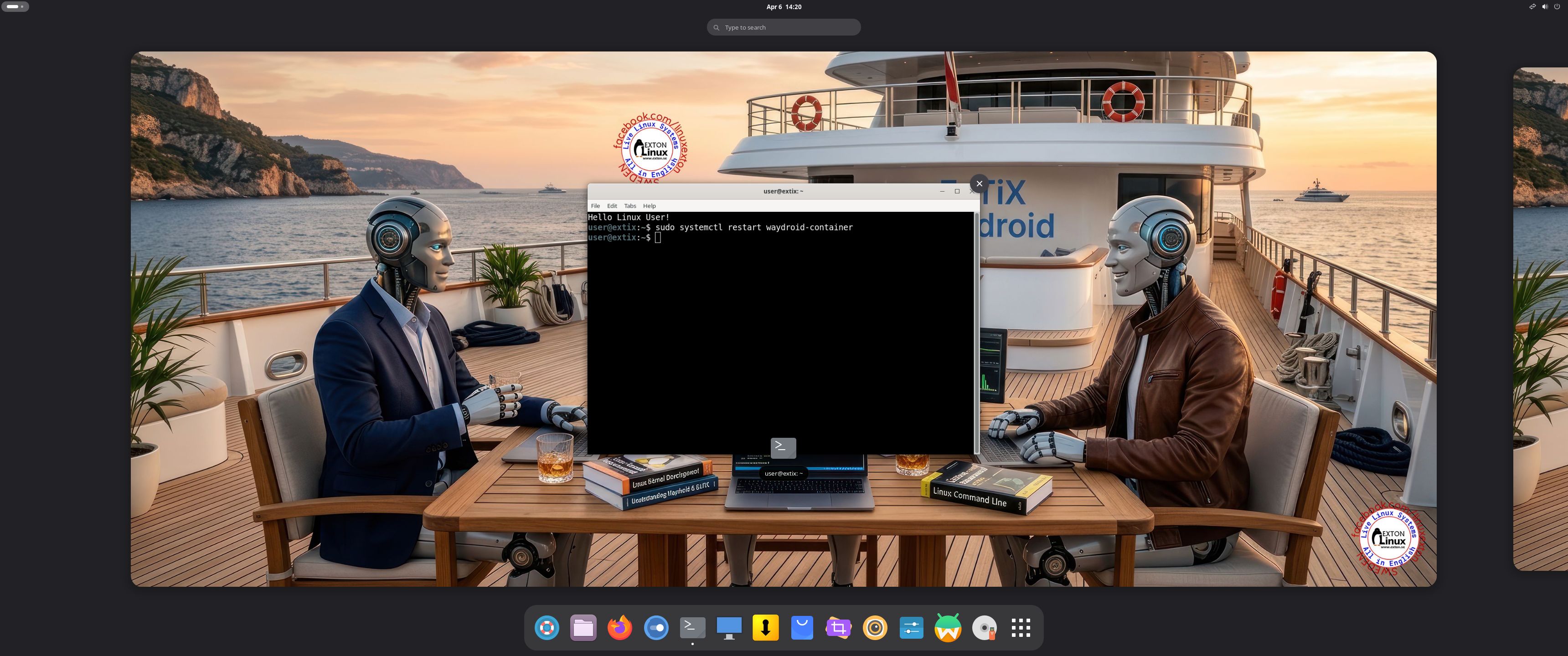
6. Showing how to  re- initialize Waydroid after a reboot

READ MORE…

Read about my Android-x86 Systems – 11, 10, Pie, Oreo, Nougat, Marshmallow, Lollipop and KitKat at andex.exton.net – latest is AndEX 11 (with GAPPS), AndEX 10 (with GAPPS) and AndEX Pie 9.0 (also with GAPPS)!
and
about my Android 16, 15, 14, 13, 12, 11, 10, Pie, Oreo, Nougat, Marshmallow and Lollipop versions for Raspberry Pi 5, Pi 4 and  Pi 3/2 at raspex.exton.se – latest is RaspAnd 16 (with GAPPS), RaspAnd 15 (also with GAPPS), RaspAnd 14 (also with GAPPS), 13 and 12 (without GAPPS), RaspAnd 11 (with GAPPS) and RaspAnd Oreo 8.1 (also with GAPPS)

Follow me on Facebook…

No Comments extonExton Linux Systems

MeX 64 bit Linux based on upcoming Ubuntu 26.04 LTS with GNOME 50 and Kodi 21.1 Omega :: Build 260331

ABOUT MeX Linux 260331
I’ve uploaded a new version of MeX, in which I’ve included Kodi Omega 21.1. Kodi is an award-winning free and open source (GPL) software media player and entertainment hub that can be installed on Linux, OSX, Windows, iOS, tvOS and Android. It is designed around a “10-foot user interface” for use with televisions and remote controls. NOTE about Kodi: I have installed Kodi 21.1 using Flatpak. Kodi from the Ubuntu repositories does not work in Ubuntu 26.04. Kodi 21.1 runs very well in MeX. On a web site called FireStickTricks you can find instructions how to install 30 (?!) extra Kodi Builds with their own repositories and skins. The article is called Best Kodi Builds for 2026. I’ve tried Scrubs today. Works very well. Read about how to install Scrubs V2. Otherwise MeX version 260331 works in the same way as previous versions.
NOTE about Ubuntu 26.04 LTS: 
It will be released in a stable version 260423 and supported until April, 2031.
Extra Desktop Environments
Besides GNOME 50 (with Wayland) you can use the GNOME Flashback (Compiz) Desktop and the GNOME Flashback (Metacity) Desktop. Those DE’s are using X11 (Xorg) instead of Wayland.

NEWS/CHANGES 260331
Mex Linux is no longer based on Linux Mint. MeX Build 260331 is based only on Debian Sid and upcoming Ubuntu 26.04 LTS Resolute Raccoon. I have replaced the original kernel (7.0) with “my” special kernel 7.0.0-rc5-amd64-exton. All installed packages in MeX Linux have been upgraded to the latest version by 260331. This version of MeX uses the GNOME Desktop. I.e. GNOME 50 Tokyo and Kodi 21.1. You can run Kodi “windowed” while logged in to Gnome. The very nice icon theme Papirus is installed and used. Everything works inside Kodi. Even YouTube. (It can be a bit tricky to create an API key and OAuth credentials). Many (most) Kodi addons can’t run without YouTube.

Program content etc
To make it possible to run MeX from RAM I have kept down the number of installed packages. The MeX ISO file is of 3490 MB. All packages have been updated to the latest available stable version as of March 31, 2026. See a complete list of all installed packages.

Used KERNEL 
Kernel 7.0.0-rc5-amd64-exton

SCREENSHOTS
Screenshot 1 – Calamares Installer running
Screenshot 2 – The user Desktop using GNOME 50
Screenshot 3 – The user Desktop using the GNOME Flashback (Compiz) Desktop
Screenshot 4 – Showing a WiFi connection
Screenshot 5 – Showing some Kodi addons
Screenshot 6 – Showing some other Kodi pre-installed addons
Screenshot 7 – MeX GDM3 login Screen

READ MORE…

Read about my Android-x86 Systems – 11, 10, Pie, Oreo, Nougat, Marshmallow, Lollipop and KitKat at andex.exton.net – latest is AndEX 11 (with GAPPS), AndEX 10 (with GAPPS) and AndEX Pie 9.0 (also with GAPPS)!
and
about my Android 16, 15, 14, 13, 12, 11, 10, Pie, Oreo, Nougat, Marshmallow and Lollipop versions for Raspberry Pi 5, Pi 4 and  Pi 3/2 at raspex.exton.se – latest is RaspAnd 16 (with GAPPS), RaspAnd 15 (also with GAPPS), RaspAnd 14 (also with GAPPS), 13 and 12 (without GAPPS), RaspAnd 11 (with GAPPS) and RaspAnd Oreo 8.1 (also with GAPPS)
No Comments extonExton Linux Systems

Exton|OS 64 bit – based on upcoming Ubuntu 26.04 LTS – with KDE Plasma 4:6.6.2, Android Studio with an excellent Android Emulator and Refracta Snapshot :: Build 260319

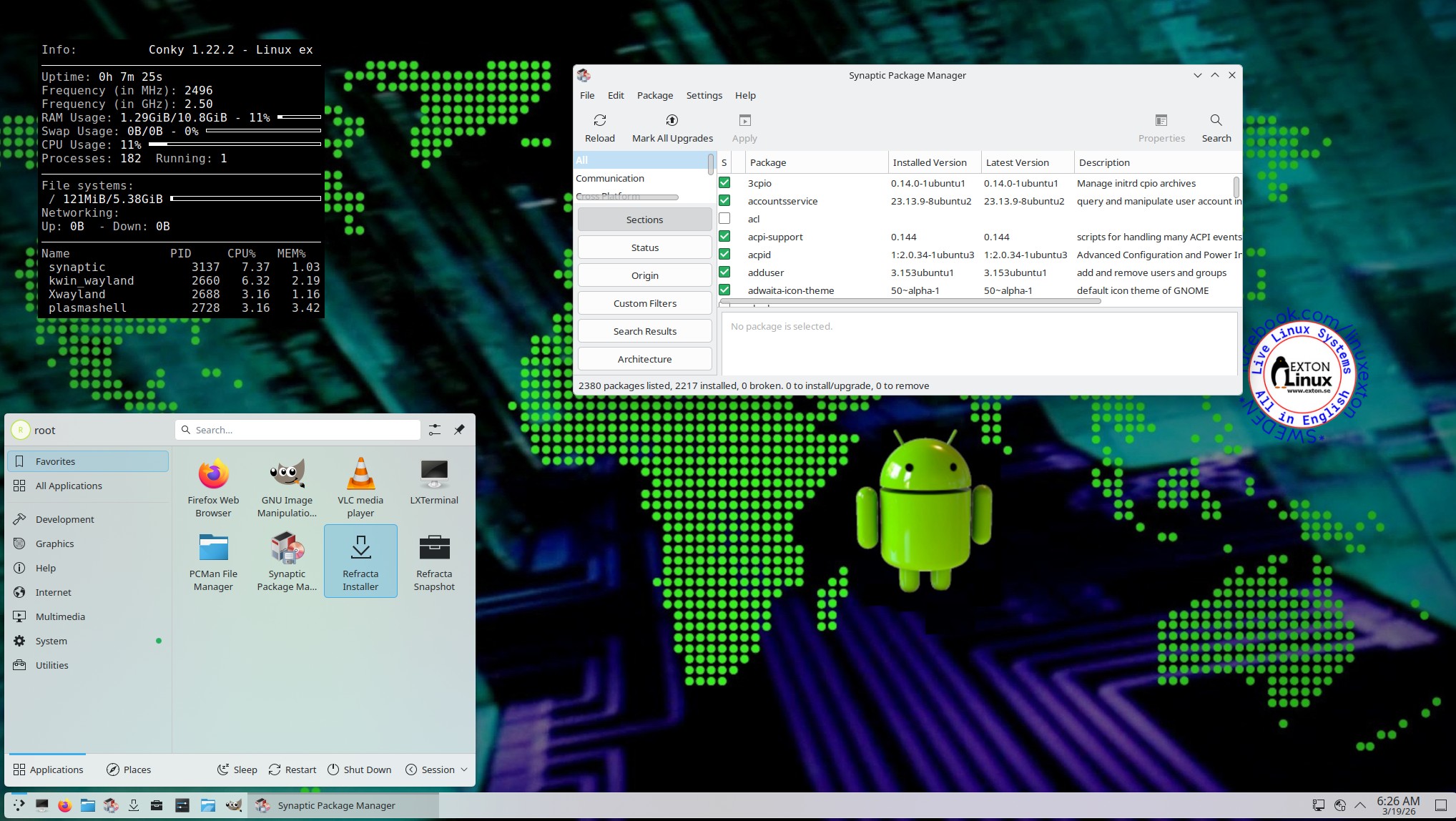
NEWS 260319 ABOUT Exton|OS with KDE Plasma Desktop, Android Studio and Refracta Snapshot
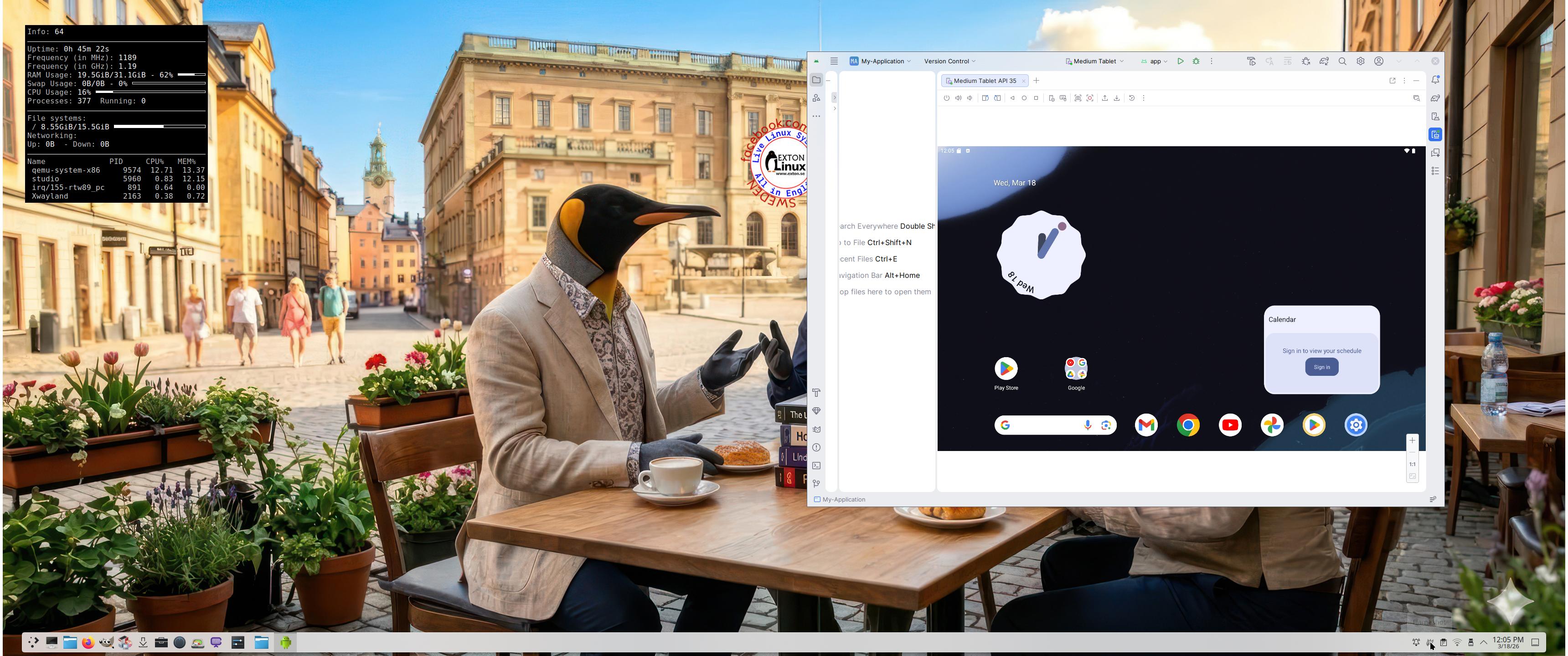
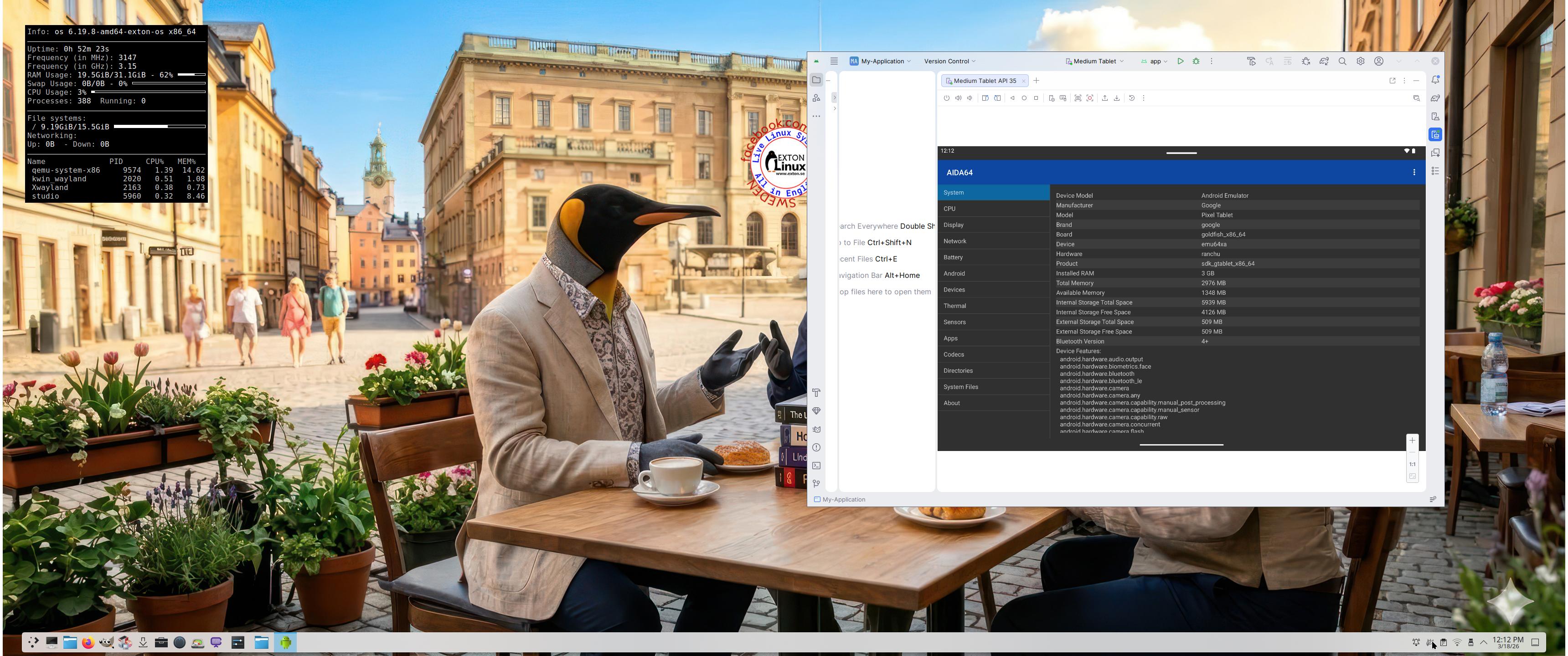
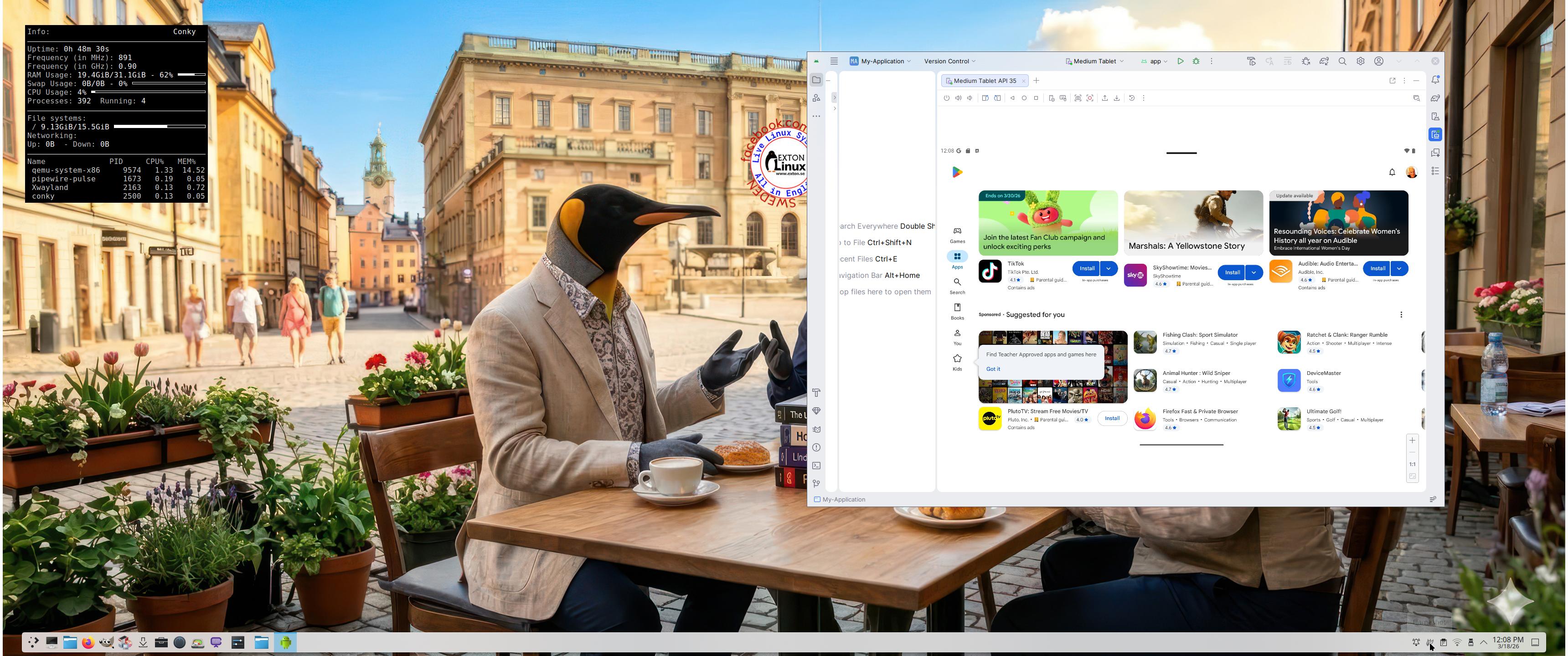
The Desktop Environment in this Exton|OS build is KDE Plasma 4:6.6.2. Plasma is made to stay out of the way as it helps you get things done. But under its light and intuitive surface, it’s a powerhouse. So you’re free to choose ways of usage right as you need them and when you need them. Program content in build 260319: Most important are Refracta Snapshot and Android Studio Panda 2 with an excellent Android Emulator. You can run several Android systems directly in Exton|OS. Also with GAPPS (Google Play Services and Google Play Store) pre-installed. Watch a screenshot when Android 15 is running with Google Play Store enabled. Other pre-installed programs are Firefox, VLC, Gimp and GParted. Also all necessary additions in order to install programs from source. Kernel 6.19.8-amd64-exton-os is used. All packages have been updated to the latest available version as at March 19, 2026. Study the NEW PACKAGE list. Google Chrome has been removed since it’s now possible to use Netflix in Firefox. Using Refracta Snapshot you can change everything to your liking and then create your own live installable Ubuntu 26.04 LTS Resolute Raccon system with Android Studio included. I mean create your own installable Ubuntu 26.04 LTS Live System once you have installed Exton|OS to hard drive. Ubuntu 26.04 LTS will be released in a stable version 260423. Ubuntu 26.04 LTS will be supported until June, 2031…

IMPORTANT ABOUT Refracta Snapshot
Refracta Snapshot is pre-installed in Exton|OS Build 260319. Use it to create your own live installable Ubuntu system. I mean create your own installable Ubuntu 26.04 LTS Live DVD once you have installed Exton|OS to hard drive. I mean change everything and then create a whole new Ubuntu live system.

Runs from RAM
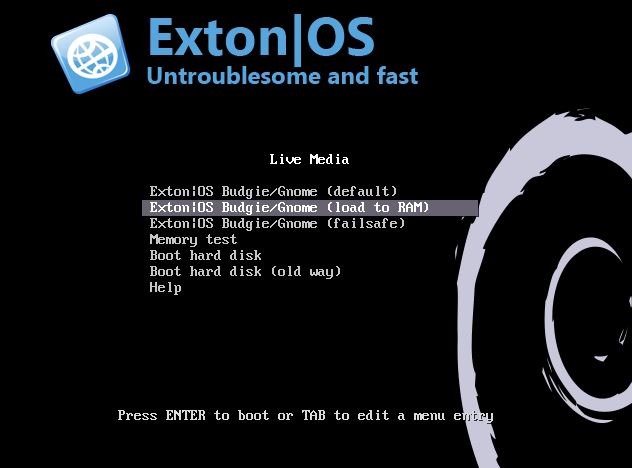
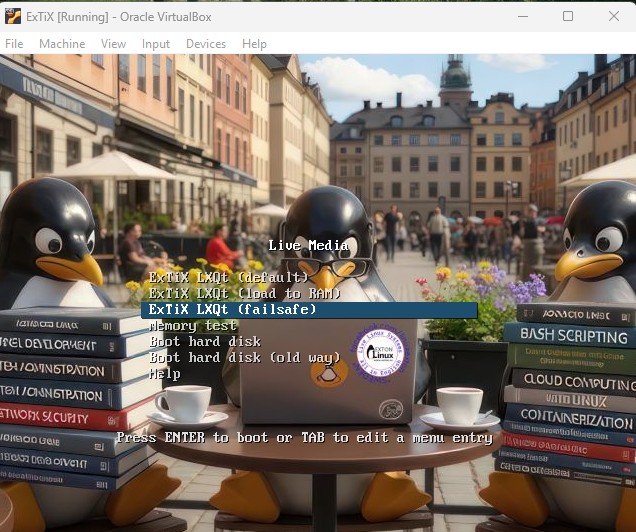
Another great thing is that Exton|OS can run from RAM. Use Boot alternative 2 (load to RAM). When the system has booted up you can remove the disc (DVD) or USB stick.

SCREENSHOTS
Screenshot 1 – Exton|OS’s KDE Plasma Desktop with Android Studio running
Screenshot 2 – Running an AVD with Google Play Store included
Screenshot 3 – Running AIDA64 in an AVD
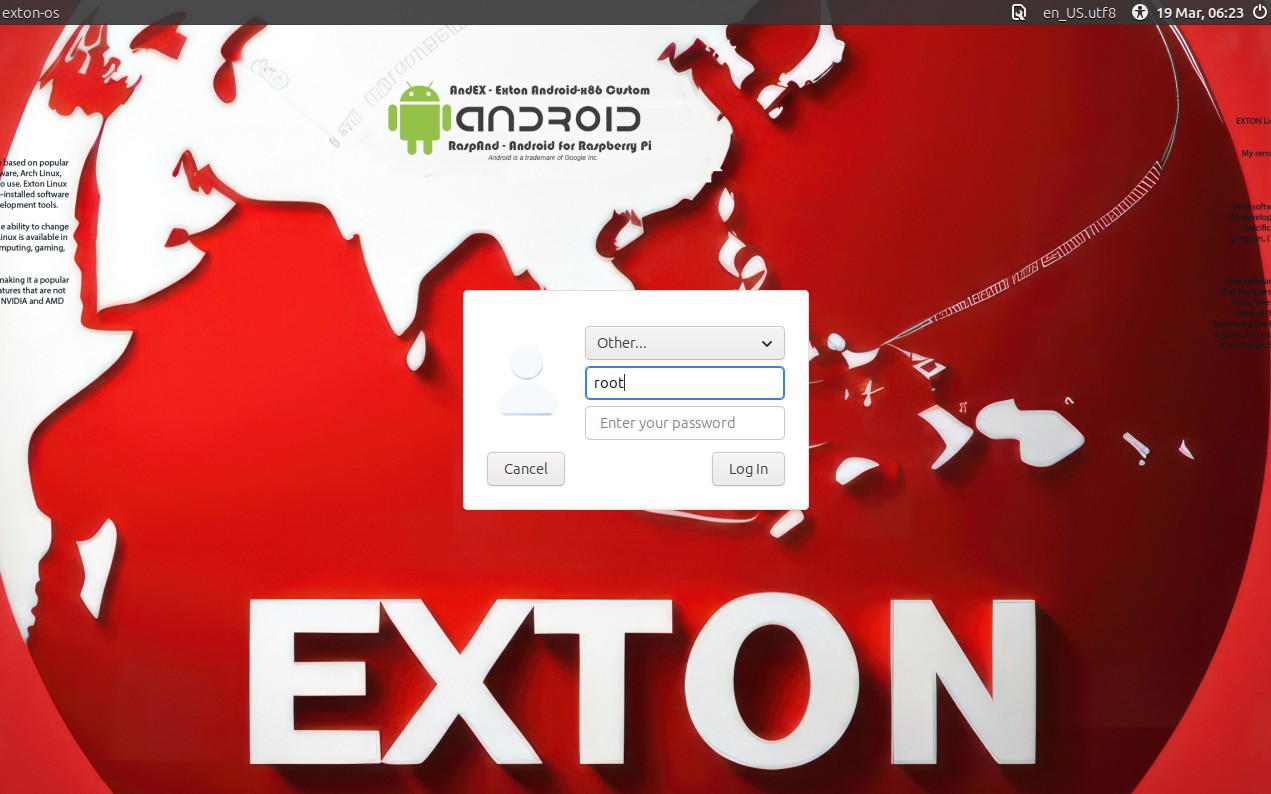
Screenshot 4 – LightDM login screen
Screenshot 5 – The Desktop for root 260319

READ MORE…

Read about my Android-x86 Systems – 11, 10, Pie, Oreo, Nougat, Marshmallow, Lollipop and KitKat at andex.exton.net – latest is AndEX 11 (with GAPPS), AndEX 10 (with GAPPS) and AndEX Pie 9.0 (also with GAPPS)!
and
about my Android 16, 15, 14, 13, 12, 11, 10, Pie, Oreo, Nougat, Marshmallow and Lollipop versions for Raspberry Pi 5, Pi 4 and  Pi 3/2 at raspex.exton.se – latest is RaspAnd 16 (with GAPPS), RaspAnd 15 (also with GAPPS), RaspAnd 14 (also with GAPPS), 13 and 12 (without GAPPS), RaspAnd 11 (with GAPPS) and RaspAnd Oreo 8.1 (also with GAPPS)
Follow me on Facebook…
No Comments AndroidextonExton Linux Systems

RaspEX Rpi5/Rpi4 64 bit based on Ubuntu 26.04 LTS “Resolute Raccoon” with LXQt 2.2, kernel 6.17.0-1003-raspi and Firefox with DRM support :: Build 260114

NEWS 260114 about RaspEX with LXQt based on upcoming Ubuntu 26.04 LTS Resolute Raccoon 
RaspEX Build 260114 is a Linux ARM (64 bit) system for Raspberry Pi 5 with 4GB/8GB and Raspberry Pi 4 with 2GB/4GB/8GB RAM It is based on Debian and Ubuntu 26.04 LTS. Firefox Browser with DRM (Digital Rights Management) support is pre-installed.

Study all installed packages in RaspEX Build 260114.

RASPBERRY Pi 5 and 4
RaspEX is made especially for the “new” Raspberry Pi 5 released October 23, 2023 (4GB and 8GB), but can also be used on a Raspberry Pi 4.
NOTE: A Raspberry Pi 5 is about twice as fast as the Raspberry Pi 4.

SCREENSHOTS
Screenshot 1 – raspex’s Desktop 260114
Screenshot 2 – Running raspi-config
Screenshot 3 – Running Synaptic
Screenshot 4 – Showing that OpenGL is used

READ MORE…

Read about my Android-x86 Systems – 11, 10, Pie, Oreo, Nougat, Marshmallow, Lollipop and KitKat at andex.exton.net – latest is AndEX 11 (with GAPPS), AndEX 10 (with GAPPS) and AndEX Pie 9.0 (also with GAPPS)!
and
about my Android 16, 15, 14, 13, 12, 11, 10, Pie, Oreo, Nougat, Marshmallow and Lollipop versions for Raspberry Pi 5, Pi 4 and  Pi 3/2 at raspex.exton.se – latest is RaspAnd 16 (with GAPPS), RaspAnd 15 (also with GAPPS), RaspAnd 14 (also with GAPPS), 13 and 12 (without GAPPS), RaspAnd 11 (with GAPPS) and RaspAnd Oreo 8.1 (also with GAPPS)!
Follow me on Facebook…
No Comments extonRaspberry Pi

ExTiX 25.12-2 Mini – a live remix of upcoming Ubuntu 26.04 LTS – with LXDE, Refracta Snapshot and kernel 6.17.8-amd64-exton ::: Build 251205

NEWS 251205 ABOUT ExTiX 25.12-2 Mini with LXDE and Refracta Snapshot ::: Build 251205
I have made a new version of ExTiX (The Ultimate Linux System). I call it ExTiX 25.12-2 LXDE Mini Live System. (The previous ExTiX Mini version was 23.5 from 230510). ExTiX 25.12-2 is a VERY PREMATURE remix of Ubuntu 26.04 LTS (Resolute Raccoon). Ubuntu 26.04 LTS will be supported until July 2031.

ABOUT Build 25.12-2
I was aiming to build a really light version of ExTiX (as a remix of upcoming Ubuntu 26.04). I therefore started “from scratch” using the Debootstrap method. Debootstrap is a low-level tool that installs a basic Ubuntu system into a directory, giving you complete control over every package from the ground up. This method is often used to create a custom installation in a virtual machine (using QEMU, VirtualBox, etc.) or onto a specific disk partition. No matter how hard I tried I could not make a smaller ISO than the current one of 1870 MB. Many big packages are necessary to make the system usable. As an example I can mention the linux-firmware package. It is of 650 MB. Without it the System is useless. A small ISO is of importance if you want to run the system from RAM on older computers with low RAM. To run from RAM is the best way to run any Linux system. Super fast! I decided to use LXDE (Lightweight X11 Desktop Environment) as DE instead of LXQt in the hope that it would hold down the size of the System. It did not help much though.

FEATURES
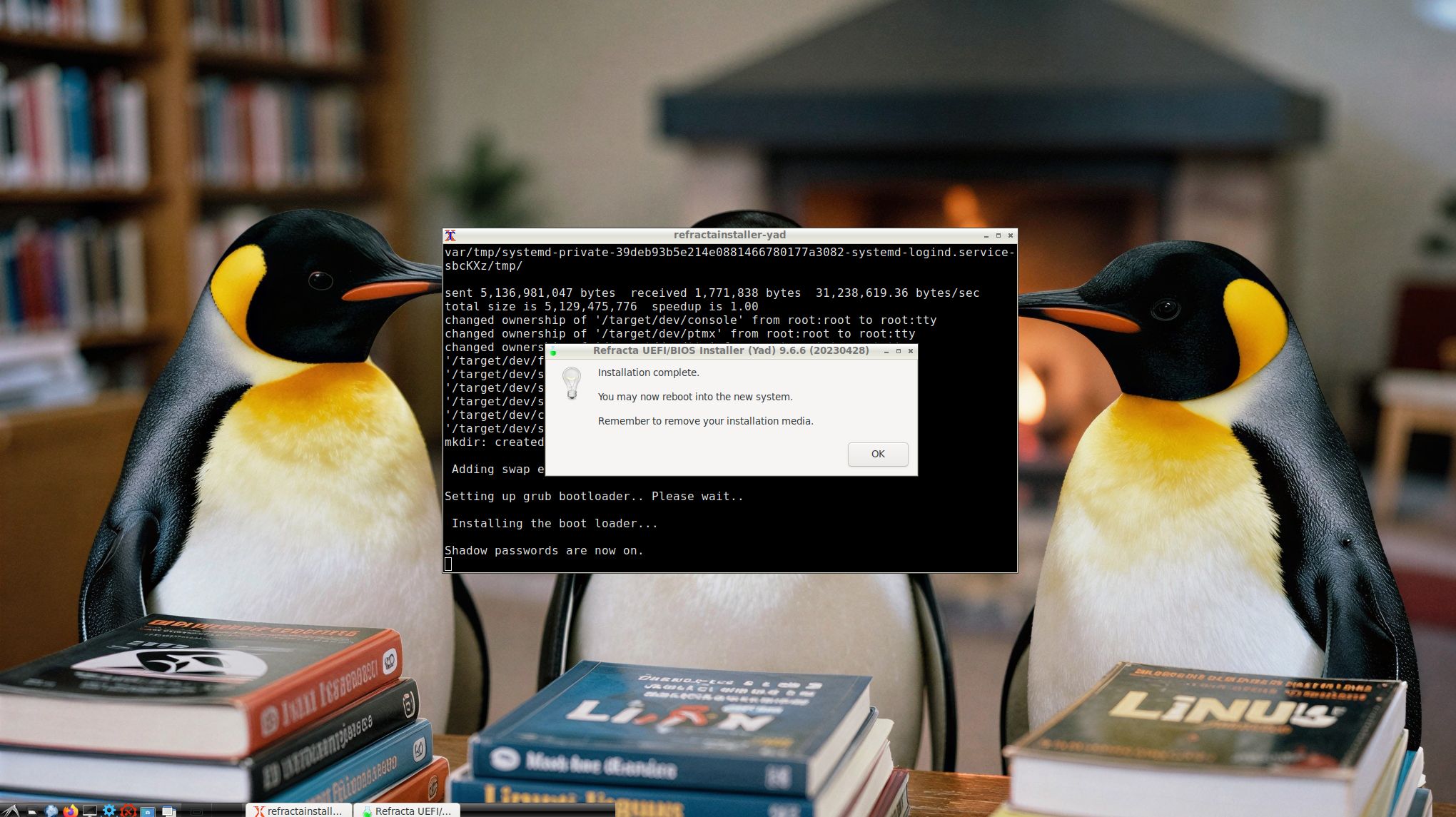
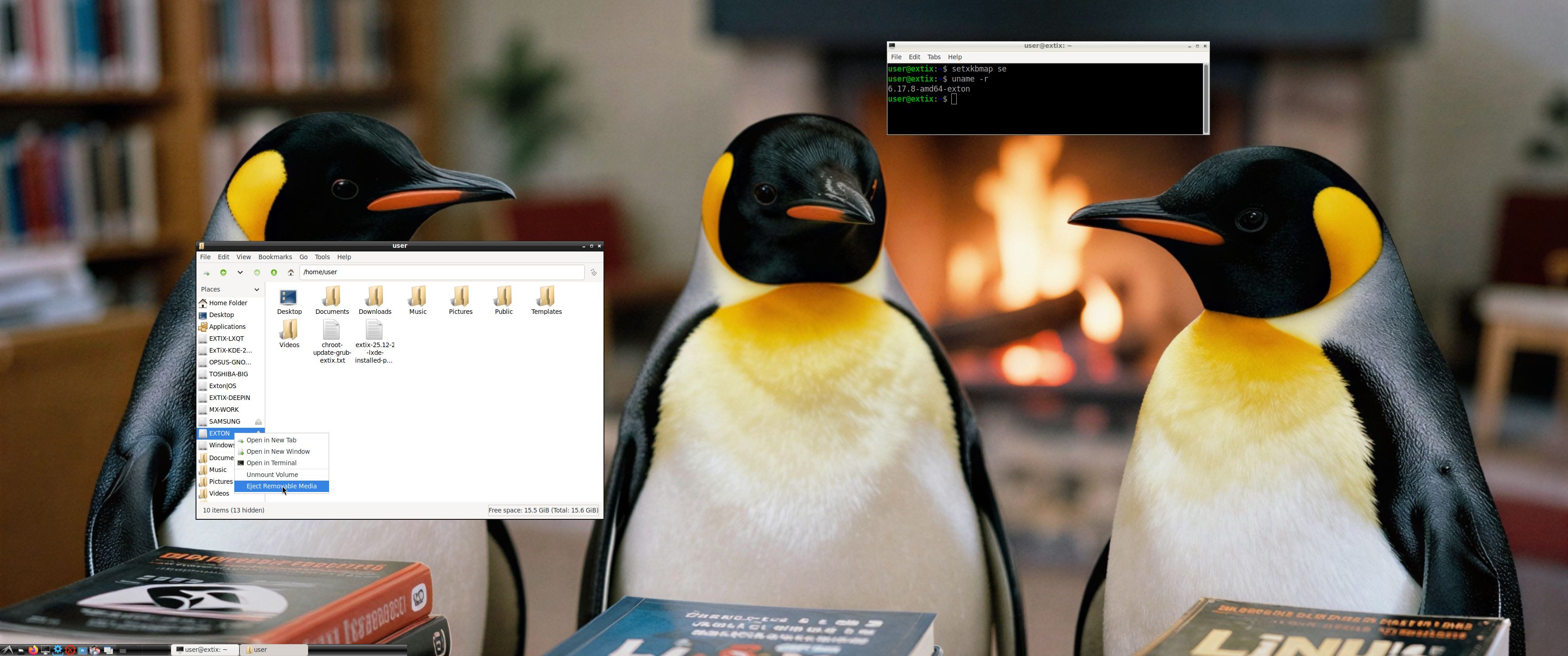
The best thing with ExTiX 25.12-2 is that while running the system live (from a DVD/USB) or from hard drive you can use Refracta Snapshot (pre-installed) to create your own live installable Ubuntu 26.04 LTS system. So easy that a ten year child can do it! One other very good thing with this version of ExTiX is that it is quite light. The ISO file is of only 1870 MB, which means that you can run the system super fast from RAM. When the boot process is ready you can eject the DVD or USB stick. Watch this screenshot. Use Boot alternative 2 or Advanced options >> load to RAM. LXDE is used as Desktop Environment (DE). Kernel 6.17.8-amd64-exton is used (as in ExTiX 25.12). You can use Refracta Installer to install ExTiX 25.12-2 to hard drive. It works very well. Read more about Refracta Installer…

STUDY all pre-installed packages in ExTiX 25.12-2…
And this list showing the size of installed packages in KB…
(Not much to gain from uninstalling some packages).

THE IMPORTANCE OF ExTiX 25.12-2 Build 251205 being based on UPCOMING Ubuntu 26.04 LTS
Programs won’t “crash” or anything like that. And I haven’t noticed any important “bugs”. That said you should of course be a bit careful. Version 251205 of ExTiX is for people who like to use “cutting-edge” software and the latest kernels etc. You will always have the latest Ubuntu software installed if you regularly run the command sudo apt update && sudo apt upgrade. If you do that for example every week you can be among the first to have Ubuntu 26.04 STABLE installed.

SCREENSHOTS
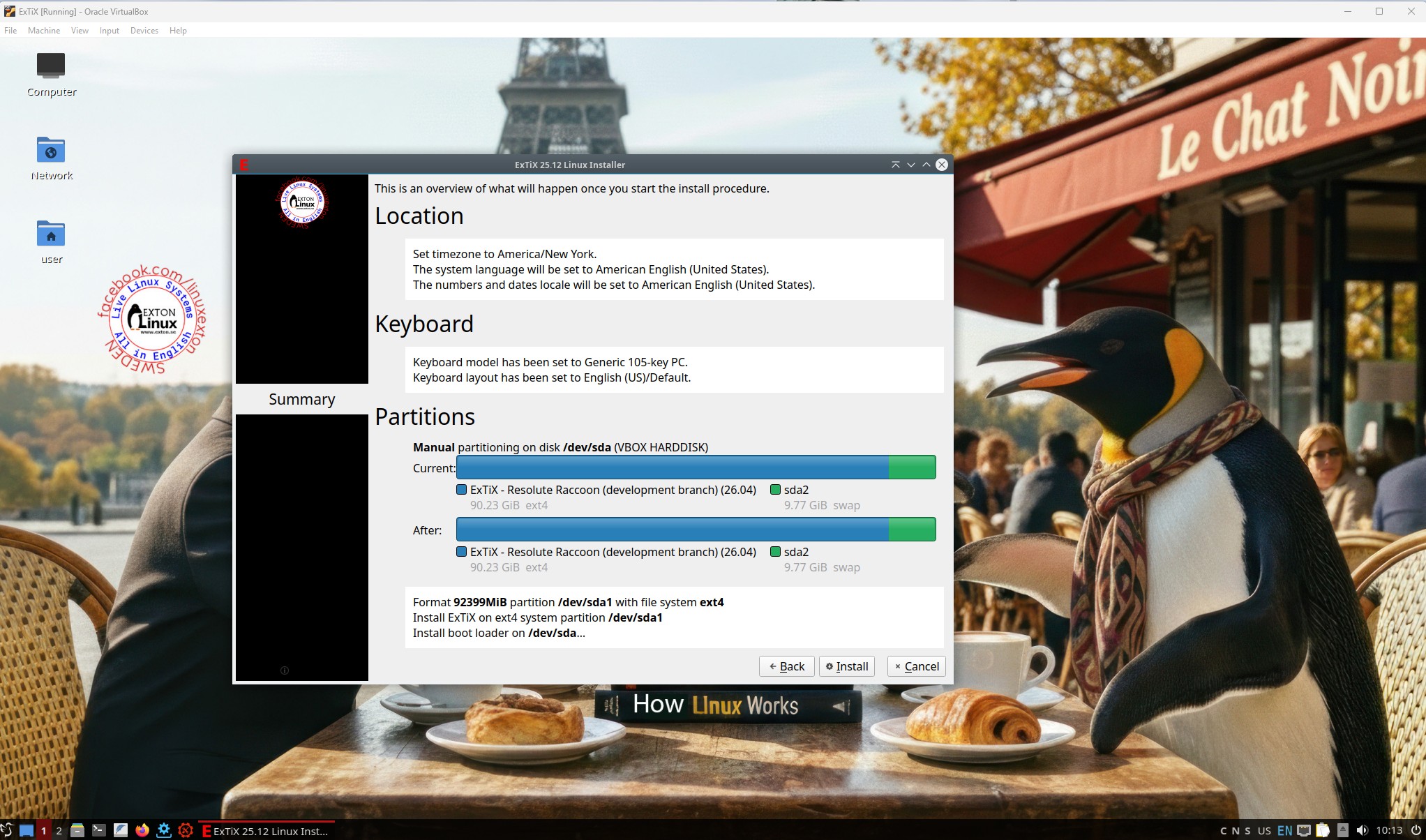
1. Refracta Installer is ready
2. Showing that you can eject the USB stick when running ExTiX from RAM

READ MORE…

Read about my Android-x86 Systems – 11, 10, Pie, Oreo, Nougat, Marshmallow, Lollipop and KitKat at andex.exton.net – latest is AndEX 11 (with GAPPS), AndEX 10 (with GAPPS) and AndEX Pie 9.0 (also with GAPPS)!
and
about my Android 16, 15, 14, 13, 12, 11, 10, Pie, Oreo, Nougat, Marshmallow and Lollipop versions for Raspberry Pi 5, Pi 4 and  Pi 3/2 at raspex.exton.se – latest is RaspAnd 16 (with GAPPS), RaspAnd 15 (also with GAPPS), RaspAnd 14 (also with GAPPS), 13 and 12 (without GAPPS), RaspAnd 11 (with GAPPS) and RaspAnd Oreo 8.1 (also with GAPPS)!


Follow me on Facebook…

No Comments extonExton Linux Systems

ExTiX 25.12 – a live remix of upcoming Ubuntu 26.04 LTS – with LXQt 2.2, Refracta Snapshot, Calamares and kernel 6.17.8-amd64-exton ::: Build 251201

ExTiX 25.12 LXQt – Build 251201
I have made a new version of ExTiX – The Ultimate Linux System. I call it ExTiX 25.12 LXQt Live System. (The previous LXQt version was 24.12 from 241223). ExTiX 25.12 is a very premature remix of Ubuntu 26.04 LTS (Resolute Raccoon). Ubuntu 26.04 LTS will be supported until July 2031.

FEATURES
The best thing with ExTiX 25.12 is that while running the system live (from DVD/USB) or from hard drive you can use Refracta Snapshot (pre-installed) to create your own live installable Ubuntu system. So easy that a ten year child can do it! One other very good thing with this version of ExTiX is that it is quite light. The ISO file is of only 2440 MB, which means that you can run the system super fast from RAM. When the boot process is ready you can eject the DVD or USB stick. Use Boot alternative 2 or Advanced options… >> load to RAM.

Study all pre-installed packages in ExTiX 25.12…

ABOUT BUILD 251201
ExTiX 25.12
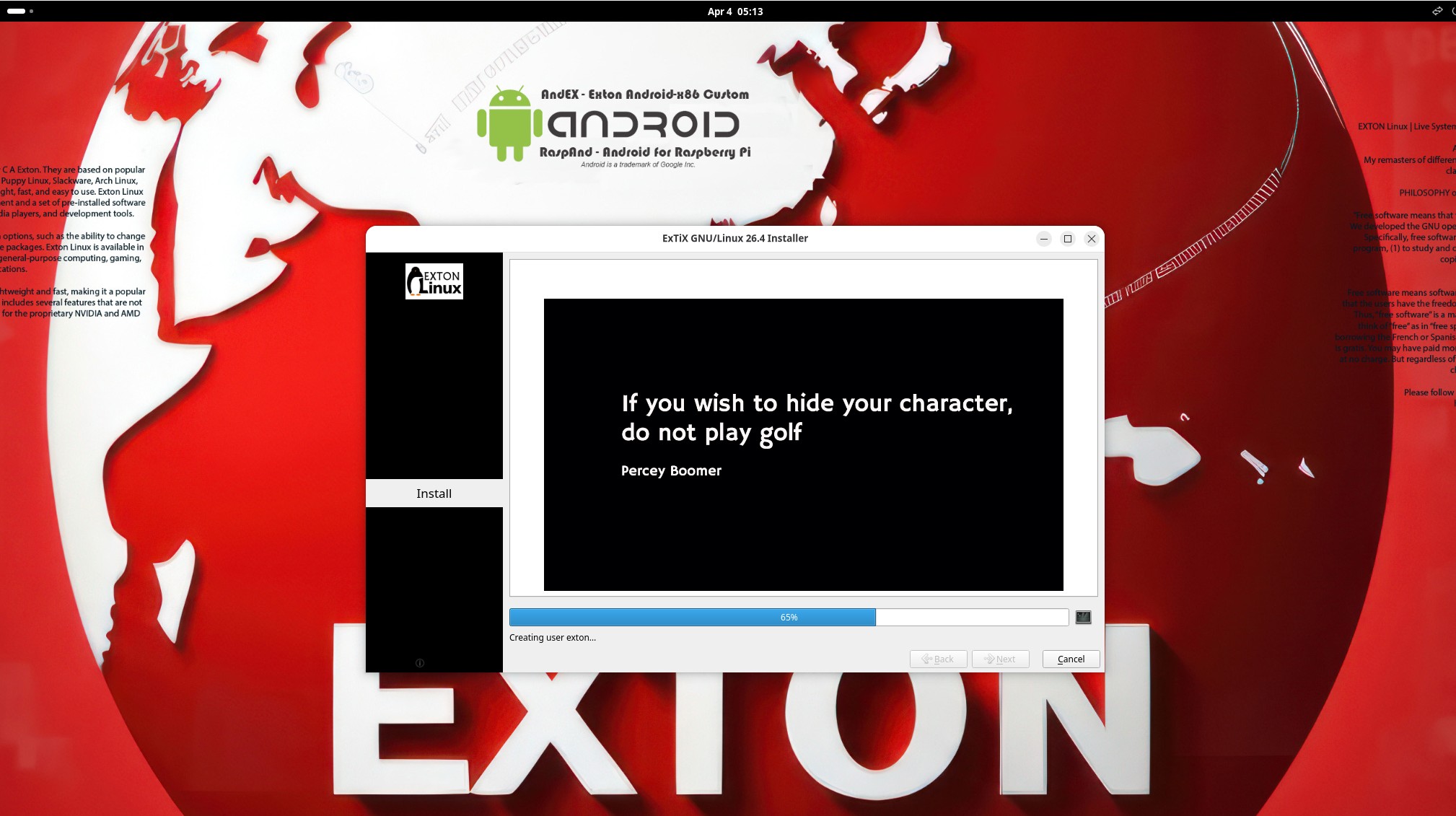
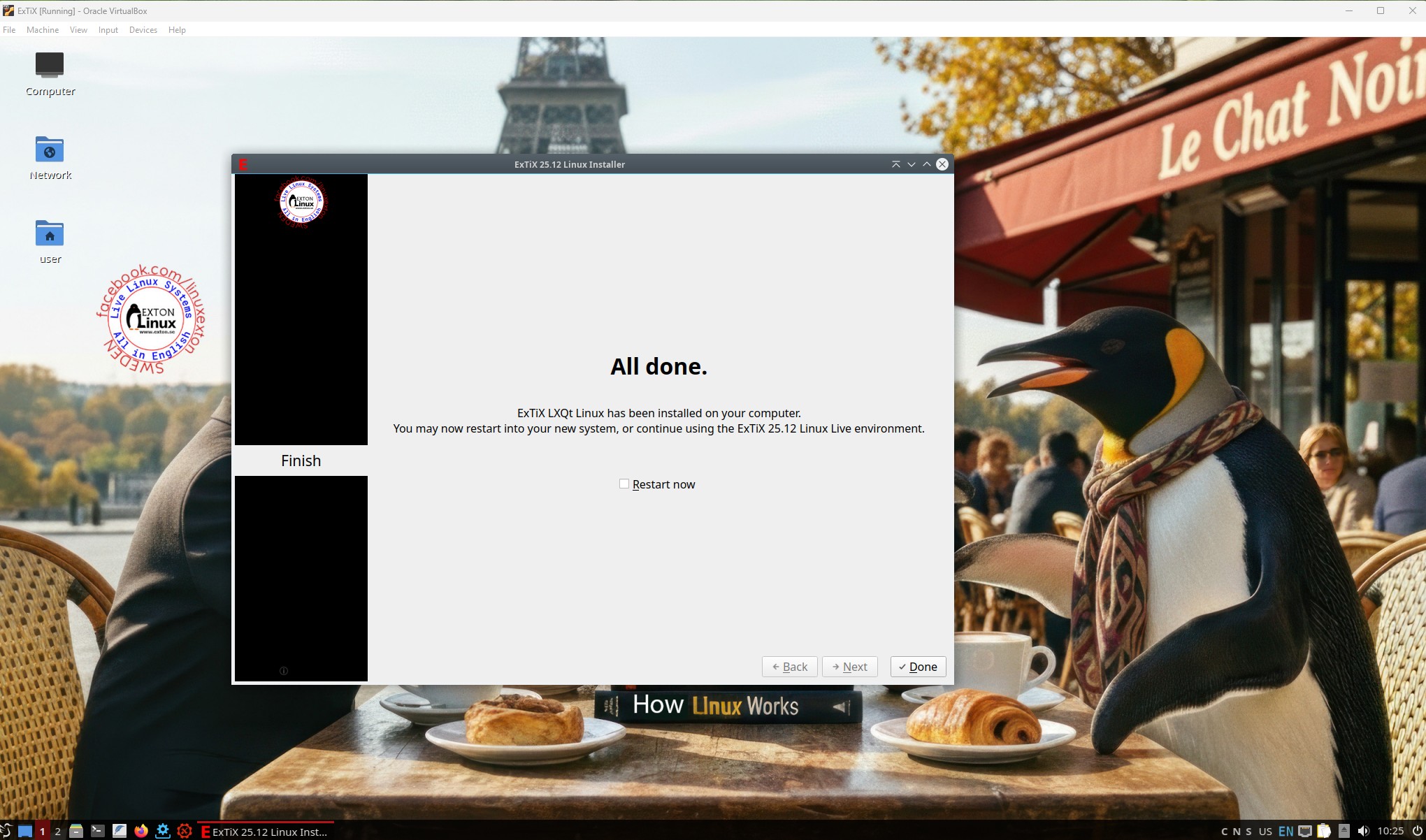
LXQt, 64 bit, is based on Debian Sid and upcoming Ubuntu 26.04. The original system includes the Desktop Environment Gnome. After removing Gnome I have installed LXQt 2.2. LXQt is the Qt port and the upcoming version of LXDE, the Lightweight Desktop Environment. It is the product of the merge between the LXDE-Qt and the Razor-qt projects: A lightweight, modular, blazing-fast and user-friendly desktop environment. NOTE: This ExTiX LXQt Build is for installation to UEFI-enabled or non-UEFI computers. You shall use Calamares Installer or Refracta Installer for that. Watch a screenshot when Calamares is running and this one when the install process is ready.

ABOUT Snaps
I have removed all snaps and snapd (The snap daemon) altogether from ExTiX 25.12 following the advice’s here. The main reason for that was that the ExTiX ISO became too big with snaps installed.

THE IMPORTANCE OF ExTiX 25.12 Build 251201 being based on UPCOMING Ubuntu 26.04 LTS
Programs won’t “crash” or anything like that. And I haven’t noticed any important “bugs”. That said you should of course be a bit careful. Version 251201 of ExTiX is for people who like to use “cutting-edge” software and the latest kernels etc. You will always have the latest Ubuntu software installed if you regularly run the command sudo apt update && sudo apt upgrade. If you do that for example every week you can be among the first to have Ubuntu 26.04 STABLE installed.

SCREENSHOTS
1. root’s Desktop
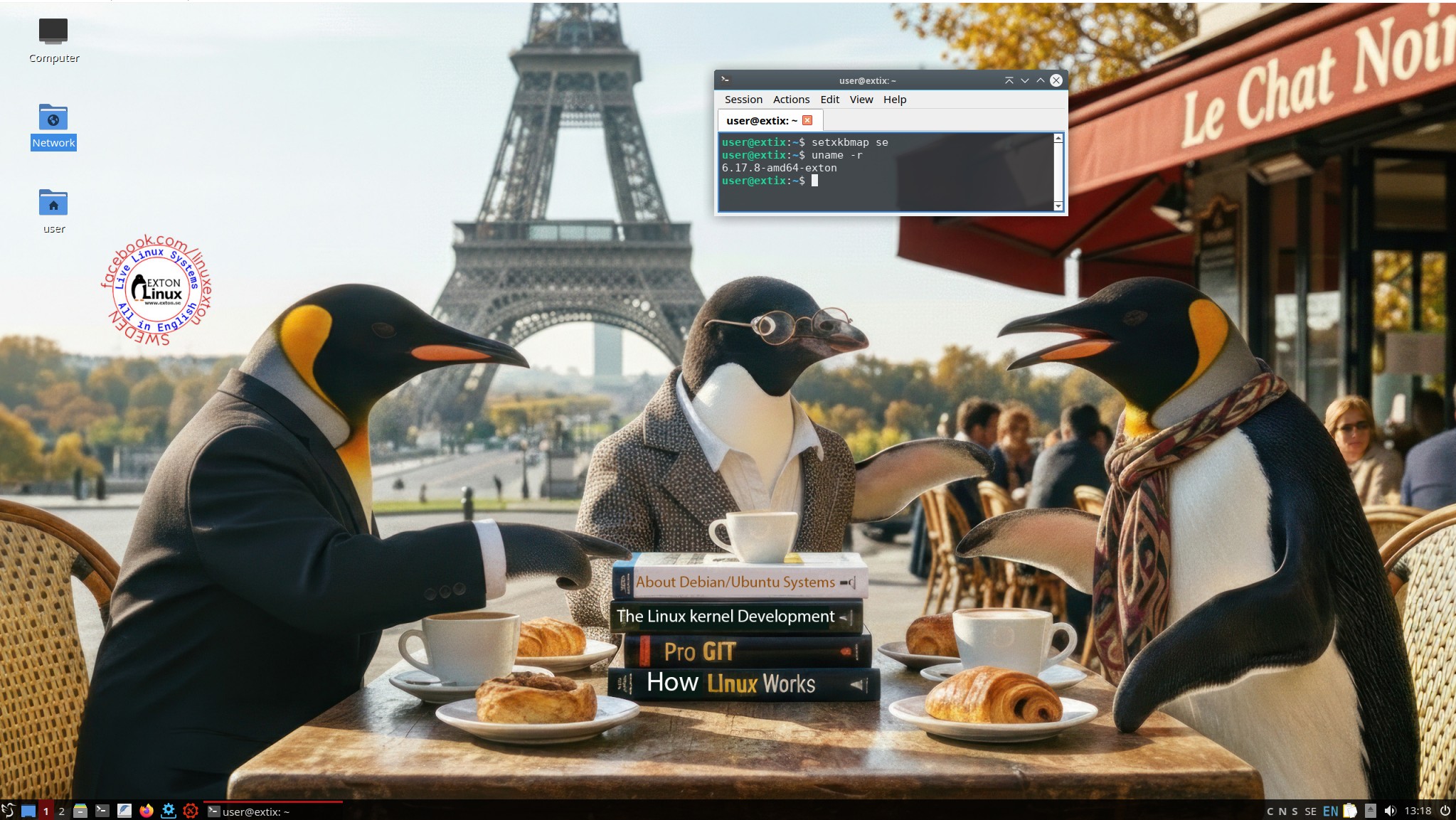
2. user’s Desktop
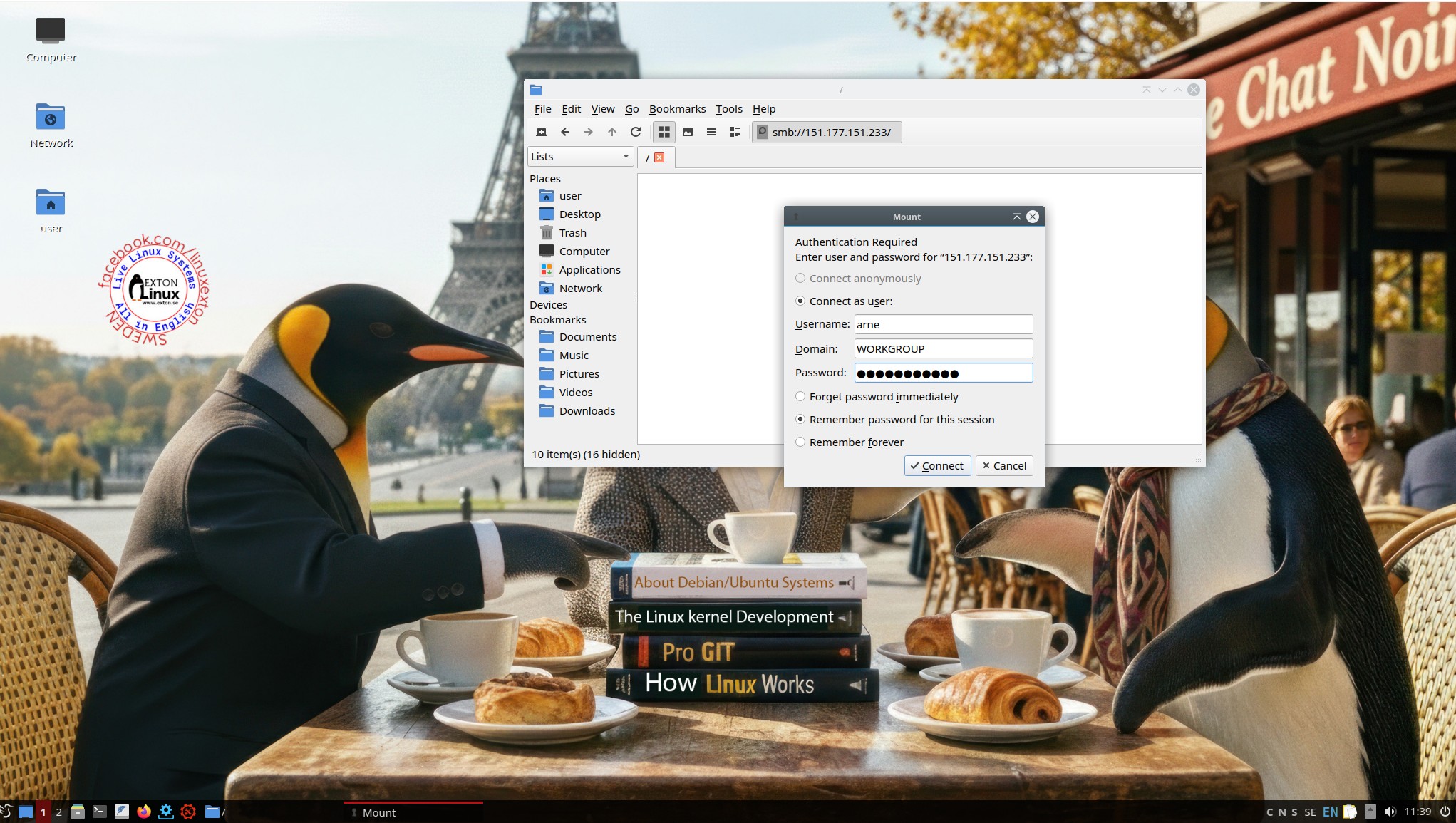
3. Showing a Samba connection
4. Running in VMware
5. Using Calamares Installer in VirtualBox

READ MORE…

Read about my Android-x86 Systems – 11, 10, Pie, Oreo, Nougat, Marshmallow, Lollipop and KitKat at andex.exton.net – latest is AndEX 11 (with GAPPS), AndEX 10 (with GAPPS) and AndEX Pie 9.0 (also with GAPPS)!
and
about my Android 16, 15, 14, 13, 12, 11, 10, Pie, Oreo, Nougat, Marshmallow and Lollipop versions for Raspberry Pi 5, Pi 4 and  Pi 3/2 at raspex.exton.se – latest is RaspAnd 16 (with GAPPS), RaspAnd 15 (also with GAPPS), RaspAnd 14 (also with GAPPS), 13 and 12 (without GAPPS), RaspAnd 11 (with GAPPS) and RaspAnd Oreo 8.1 (also with GAPPS)!


Follow me on Facebook…

No Comments extonExton Linux Systems