Tag: Create you own installable Ubuntu system with Refracta Snapshot

LFA (Linux For All) 64bit Live System – Build 260420 – with Budgie DE 10.10, kernel 7.0.0-amd64-lfa and Refracta Snapshot :: Create your own LFA/Ubuntu installable 26.04 LTS system!

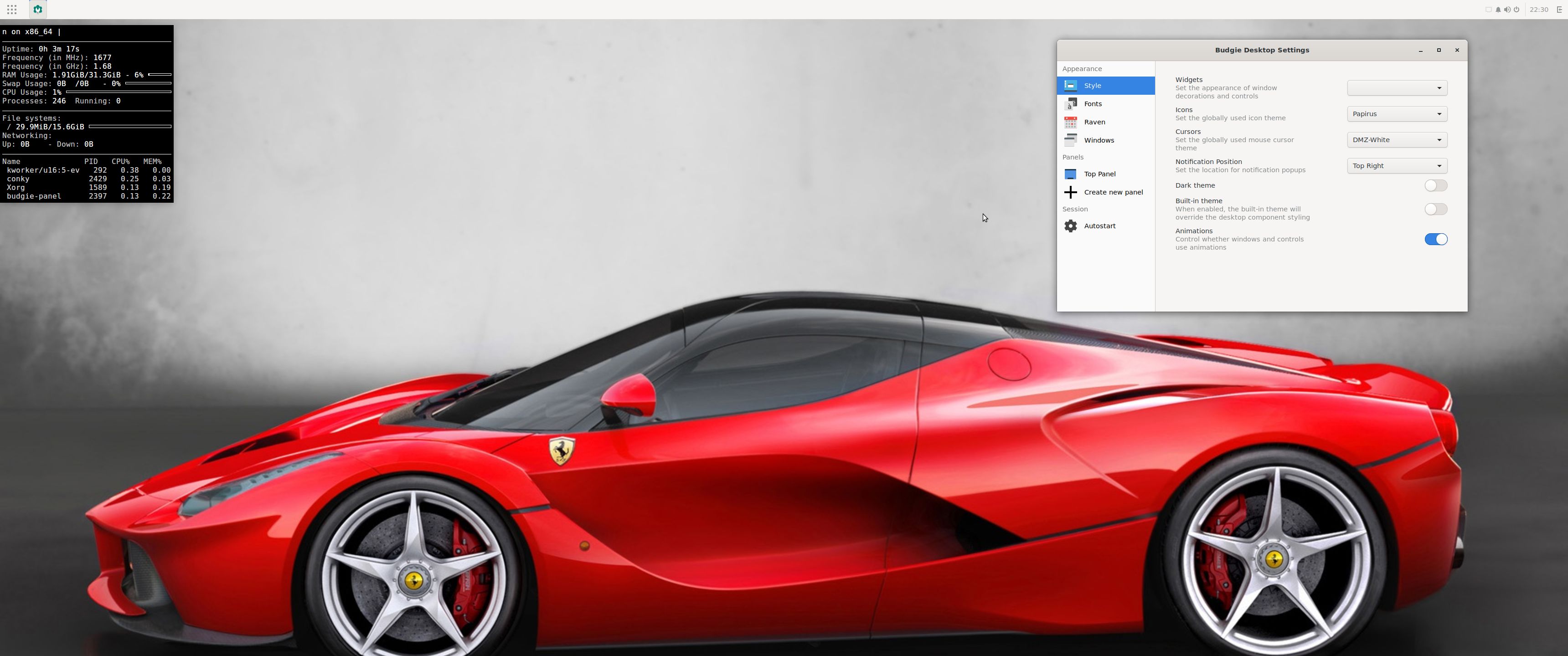
Linux For All (LFA) Build 260420 with the Budgie 10.10 Desktop Environment is a simple remaster of upcoming Ubuntu 26.04 LTS Resolute Raccoon. It’s a total rebuild. I.e. nothing is left of the old LFA system. NOTE: Ubuntu 26.04 will be supported until April 2031.

NEWS ABOUT LFA Build 260420
1. All packages the ordinary Linux user can wish for are pre-installed. Study the full packages list…
2. Kernel 7.0.0-amd64-lfa is used. You can of course switch to Ubuntu’s original kernel if you prefer that.

3. The Desktop environment is Budgie 10.10. (Budgie is a desktop environment, formerly a project within Solus, becoming independent under the newly formed Buddies of Budgie organization in January 2022. It uses GTK for widgets, and is written in C and Vala. As of Budgie 10,10, the only available session is on Wayland).
4. The main Web Browser is Firefox. So you can watch Netflix!
5. I have included Refracta tools (Refracta Snapshot) to make it possible for you to create your own installable LFA/Ubuntu 26.04 LTS Live System once you have installed LFA to hard drive.
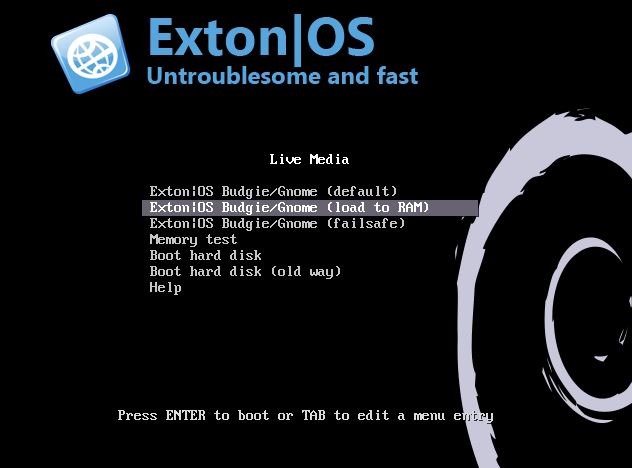
6. You can run LFA super fast in RAM. Use boot alternative 2 Load to RAM – see below.
7. I have removed snapd altogether. With snapd the ISO file will be way too big.

What’s new in kernel 7.0?

SCREENSHOTS
Screenshot 1 – The Desktop for user
Screenshot 2 – The Desktop for root
Screenshot 3 – Running Pavucontrol
Screenshot 4 – Running Calamares Installer in Qemu
Screenshot 5 – How to auto login as root

Watch a YouTube Video about LFA…

READ MORE…

Read about my Android-x86 Systems – 11, 10, Pie, Oreo, Nougat, Marshmallow, Lollipop and KitKat at andex.exton.net – latest is AndEX 11 (with GAPPS), AndEX 10 (with GAPPS) and AndEX Pie 9.0 (also with GAPPS)!
and
about my Android 16, 15, 14, 13, 12, 11, 10, Pie, Oreo, Nougat, Marshmallow and Lollipop versions for Raspberry Pi 5, Pi 4 and  Pi 3/2 at raspex.exton.se – latest is RaspAnd 16 (with GAPPS), RaspAnd 15 (also with GAPPS), RaspAnd 14 (also with GAPPS), 13 and 12 (without GAPPS), RaspAnd 11 (with GAPPS) and RaspAnd Oreo 8.1 (also with GAPPS)
No Comments extonExton Linux Systems

MeX 64 bit Linux based on upcoming Ubuntu 26.04 LTS with GNOME 50 and Kodi 21.1 Omega :: Build 260331

ABOUT MeX Linux 260331
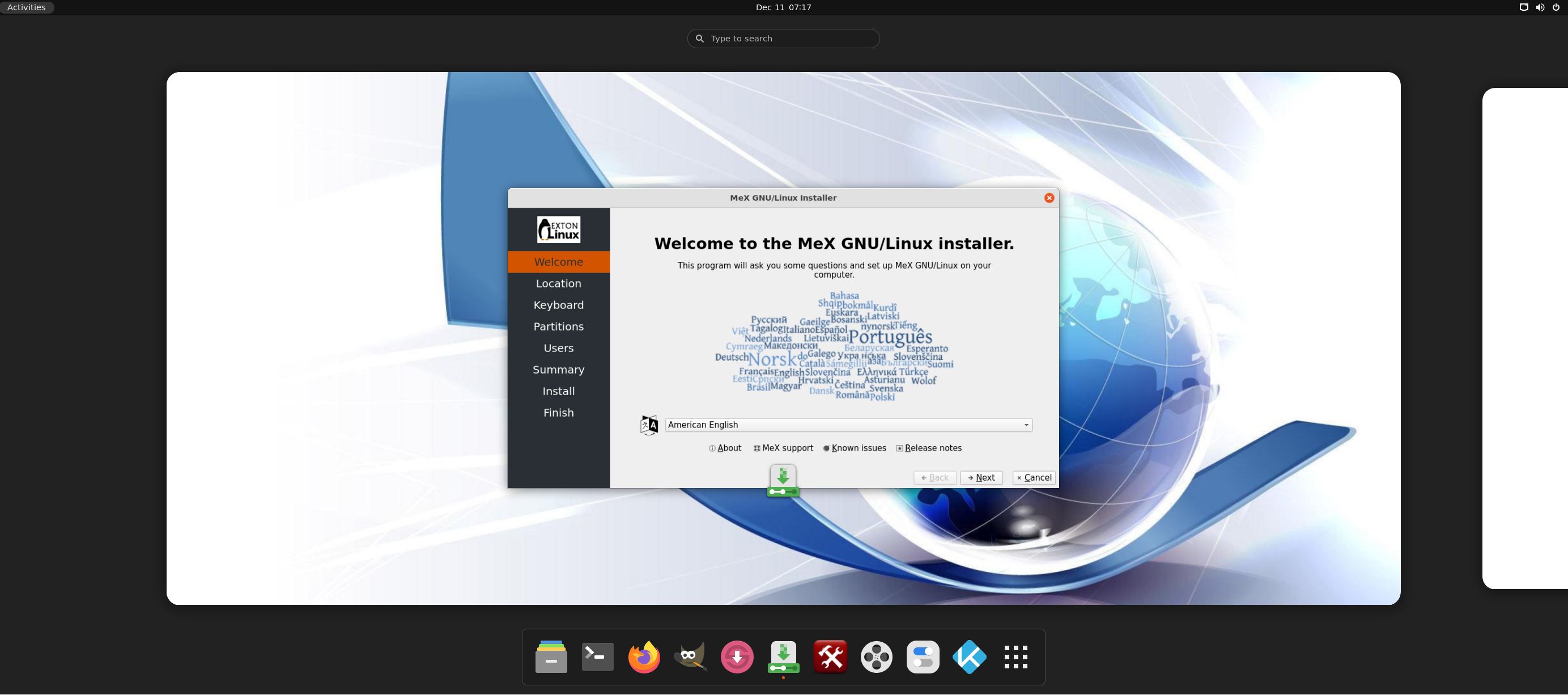
I’ve uploaded a new version of MeX, in which I’ve included Kodi Omega 21.1. Kodi is an award-winning free and open source (GPL) software media player and entertainment hub that can be installed on Linux, OSX, Windows, iOS, tvOS and Android. It is designed around a “10-foot user interface” for use with televisions and remote controls. NOTE about Kodi: I have installed Kodi 21.1 using Flatpak. Kodi from the Ubuntu repositories does not work in Ubuntu 26.04. Kodi 21.1 runs very well in MeX. On a web site called FireStickTricks you can find instructions how to install 30 (?!) extra Kodi Builds with their own repositories and skins. The article is called Best Kodi Builds for 2026. I’ve tried Scrubs today. Works very well. Read about how to install Scrubs V2. Otherwise MeX version 260331 works in the same way as previous versions.
NOTE about Ubuntu 26.04 LTS: 
It will be released in a stable version 260423 and supported until April, 2031.
Extra Desktop Environments
Besides GNOME 50 (with Wayland) you can use the GNOME Flashback (Compiz) Desktop and the GNOME Flashback (Metacity) Desktop. Those DE’s are using X11 (Xorg) instead of Wayland.

NEWS/CHANGES 260331
Mex Linux is no longer based on Linux Mint. MeX Build 260331 is based only on Debian Sid and upcoming Ubuntu 26.04 LTS Resolute Raccoon. I have replaced the original kernel (7.0) with “my” special kernel 7.0.0-rc5-amd64-exton. All installed packages in MeX Linux have been upgraded to the latest version by 260331. This version of MeX uses the GNOME Desktop. I.e. GNOME 50 Tokyo and Kodi 21.1. You can run Kodi “windowed” while logged in to Gnome. The very nice icon theme Papirus is installed and used. Everything works inside Kodi. Even YouTube. (It can be a bit tricky to create an API key and OAuth credentials). Many (most) Kodi addons can’t run without YouTube.

Program content etc
To make it possible to run MeX from RAM I have kept down the number of installed packages. The MeX ISO file is of 3490 MB. All packages have been updated to the latest available stable version as of March 31, 2026. See a complete list of all installed packages.

Used KERNEL 
Kernel 7.0.0-rc5-amd64-exton

SCREENSHOTS
Screenshot 1 – Calamares Installer running
Screenshot 2 – The user Desktop using GNOME 50
Screenshot 3 – The user Desktop using the GNOME Flashback (Compiz) Desktop
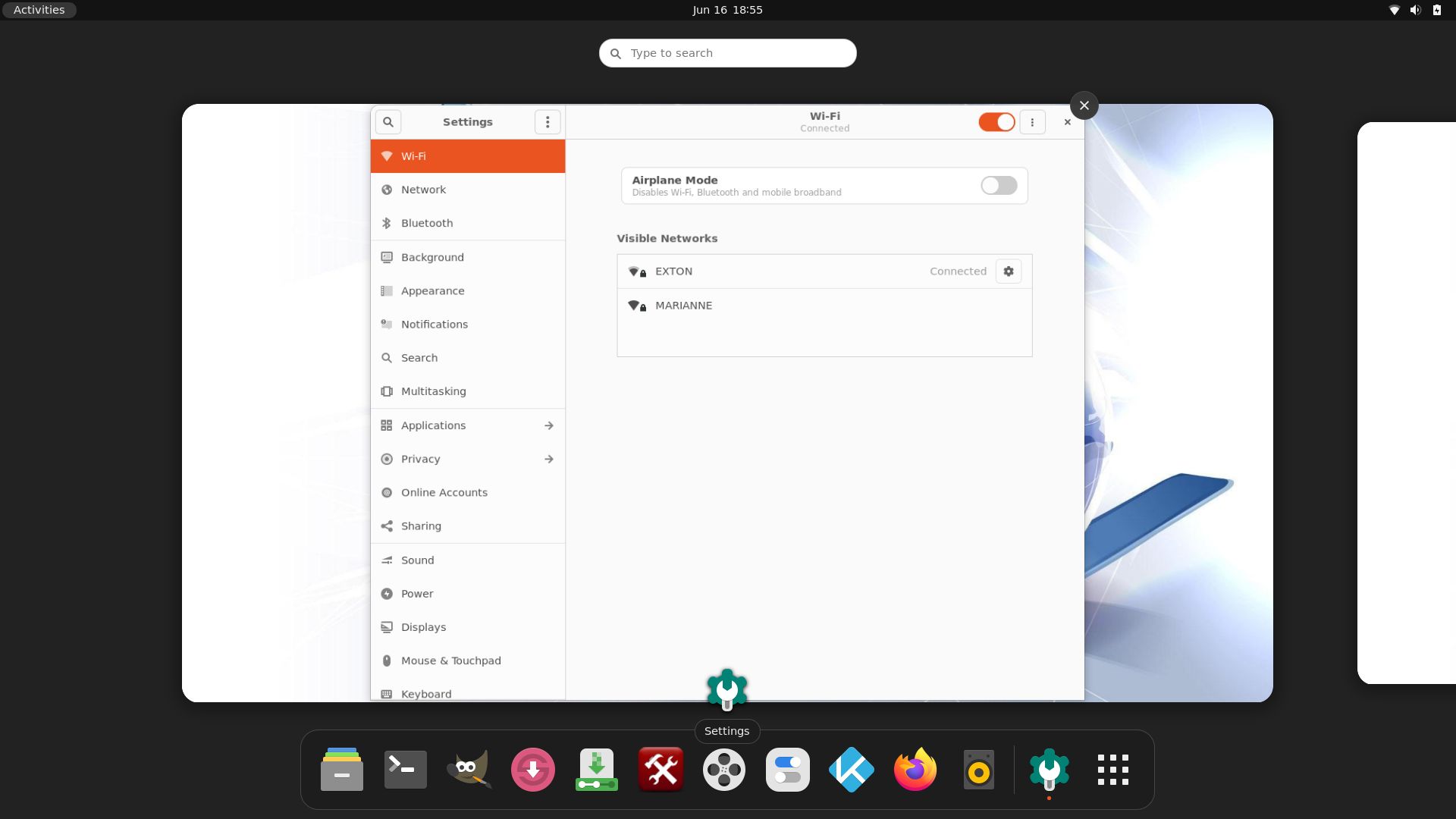
Screenshot 4 – Showing a WiFi connection
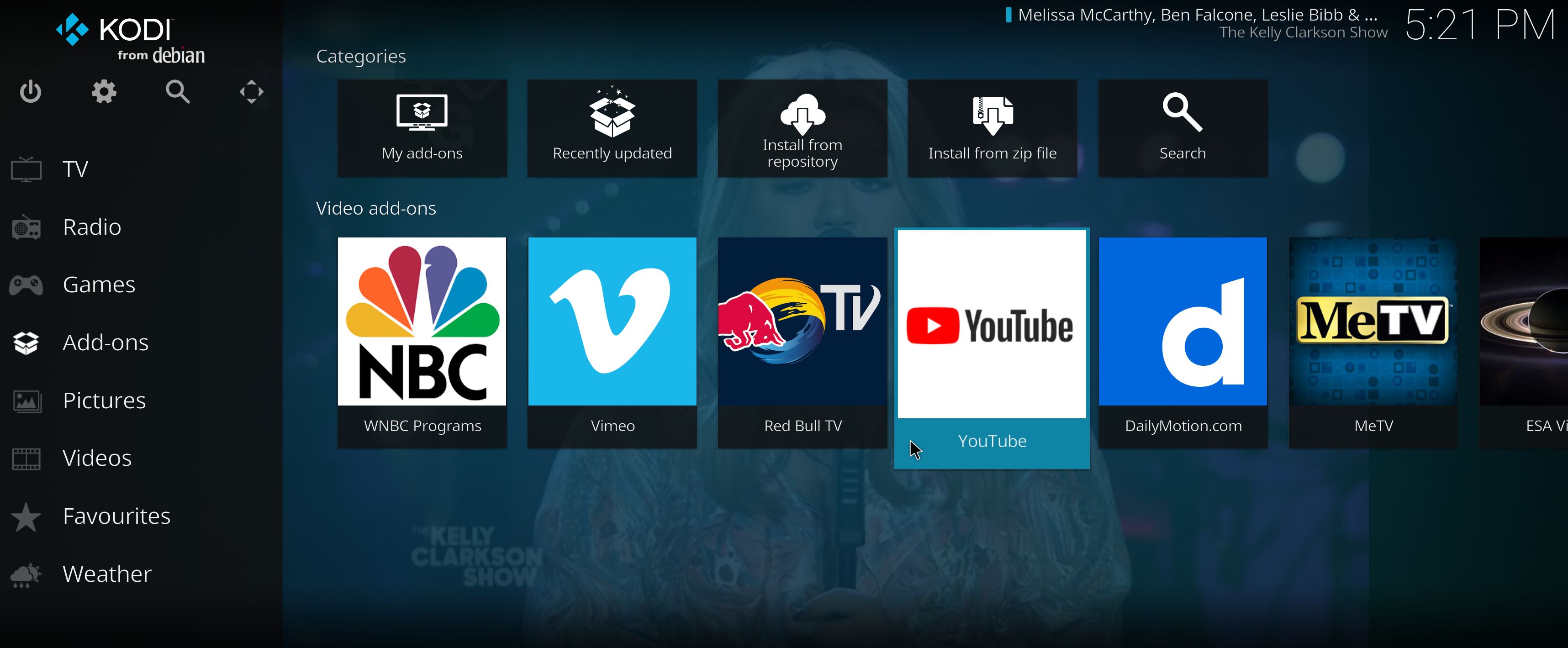
Screenshot 5 – Showing some Kodi addons
Screenshot 6 – Showing some other Kodi pre-installed addons
Screenshot 7 – MeX GDM3 login Screen

READ MORE…

Read about my Android-x86 Systems – 11, 10, Pie, Oreo, Nougat, Marshmallow, Lollipop and KitKat at andex.exton.net – latest is AndEX 11 (with GAPPS), AndEX 10 (with GAPPS) and AndEX Pie 9.0 (also with GAPPS)!
and
about my Android 16, 15, 14, 13, 12, 11, 10, Pie, Oreo, Nougat, Marshmallow and Lollipop versions for Raspberry Pi 5, Pi 4 and  Pi 3/2 at raspex.exton.se – latest is RaspAnd 16 (with GAPPS), RaspAnd 15 (also with GAPPS), RaspAnd 14 (also with GAPPS), 13 and 12 (without GAPPS), RaspAnd 11 (with GAPPS) and RaspAnd Oreo 8.1 (also with GAPPS)
No Comments extonExton Linux Systems

Exton|OS 64 bit – based on upcoming Ubuntu 26.04 LTS – with KDE Plasma 4:6.6.2, Android Studio with an excellent Android Emulator and Refracta Snapshot :: Build 260319

NEWS 260319 ABOUT Exton|OS with KDE Plasma Desktop, Android Studio and Refracta Snapshot
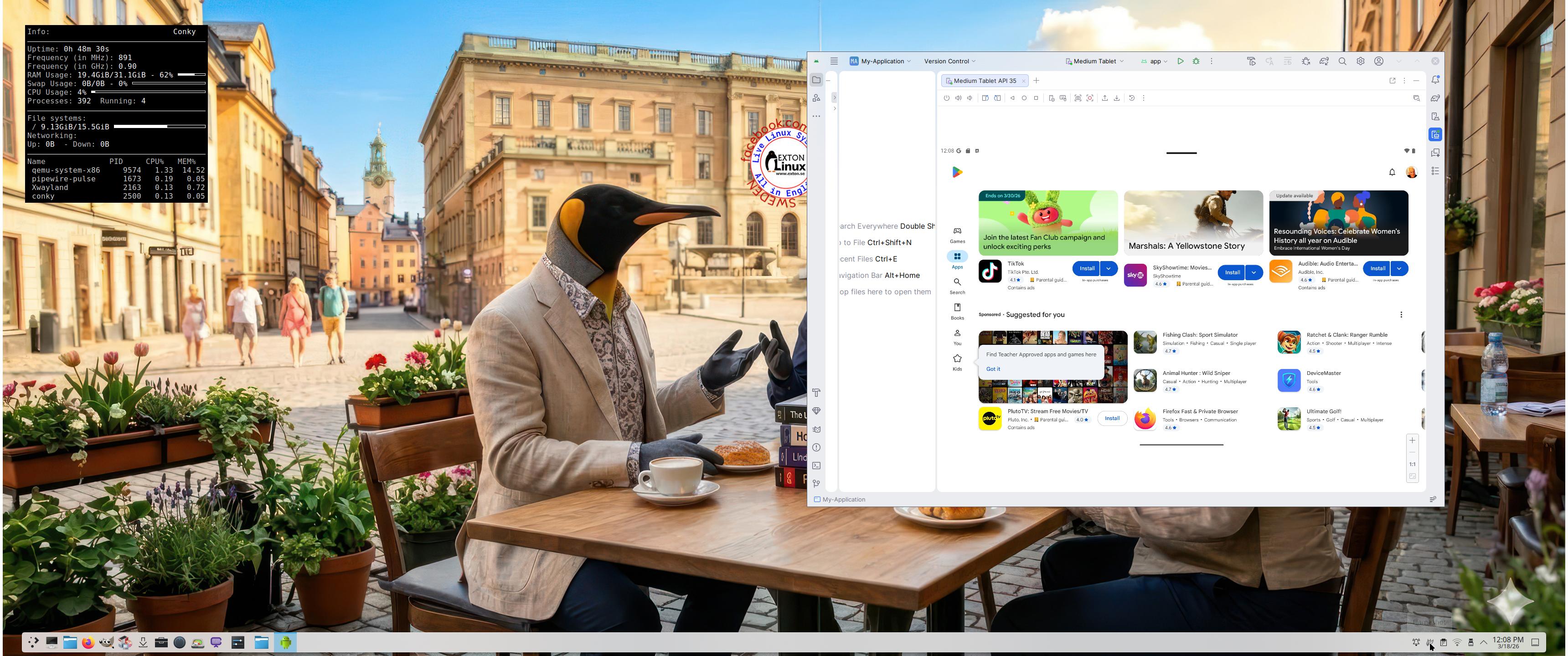
The Desktop Environment in this Exton|OS build is KDE Plasma 4:6.6.2. Plasma is made to stay out of the way as it helps you get things done. But under its light and intuitive surface, it’s a powerhouse. So you’re free to choose ways of usage right as you need them and when you need them. Program content in build 260319: Most important are Refracta Snapshot and Android Studio Panda 2 with an excellent Android Emulator. You can run several Android systems directly in Exton|OS. Also with GAPPS (Google Play Services and Google Play Store) pre-installed. Watch a screenshot when Android 15 is running with Google Play Store enabled. Other pre-installed programs are Firefox, VLC, Gimp and GParted. Also all necessary additions in order to install programs from source. Kernel 6.19.8-amd64-exton-os is used. All packages have been updated to the latest available version as at March 19, 2026. Study the NEW PACKAGE list. Google Chrome has been removed since it’s now possible to use Netflix in Firefox. Using Refracta Snapshot you can change everything to your liking and then create your own live installable Ubuntu 26.04 LTS Resolute Raccon system with Android Studio included. I mean create your own installable Ubuntu 26.04 LTS Live System once you have installed Exton|OS to hard drive. Ubuntu 26.04 LTS will be released in a stable version 260423. Ubuntu 26.04 LTS will be supported until June, 2031…

IMPORTANT ABOUT Refracta Snapshot
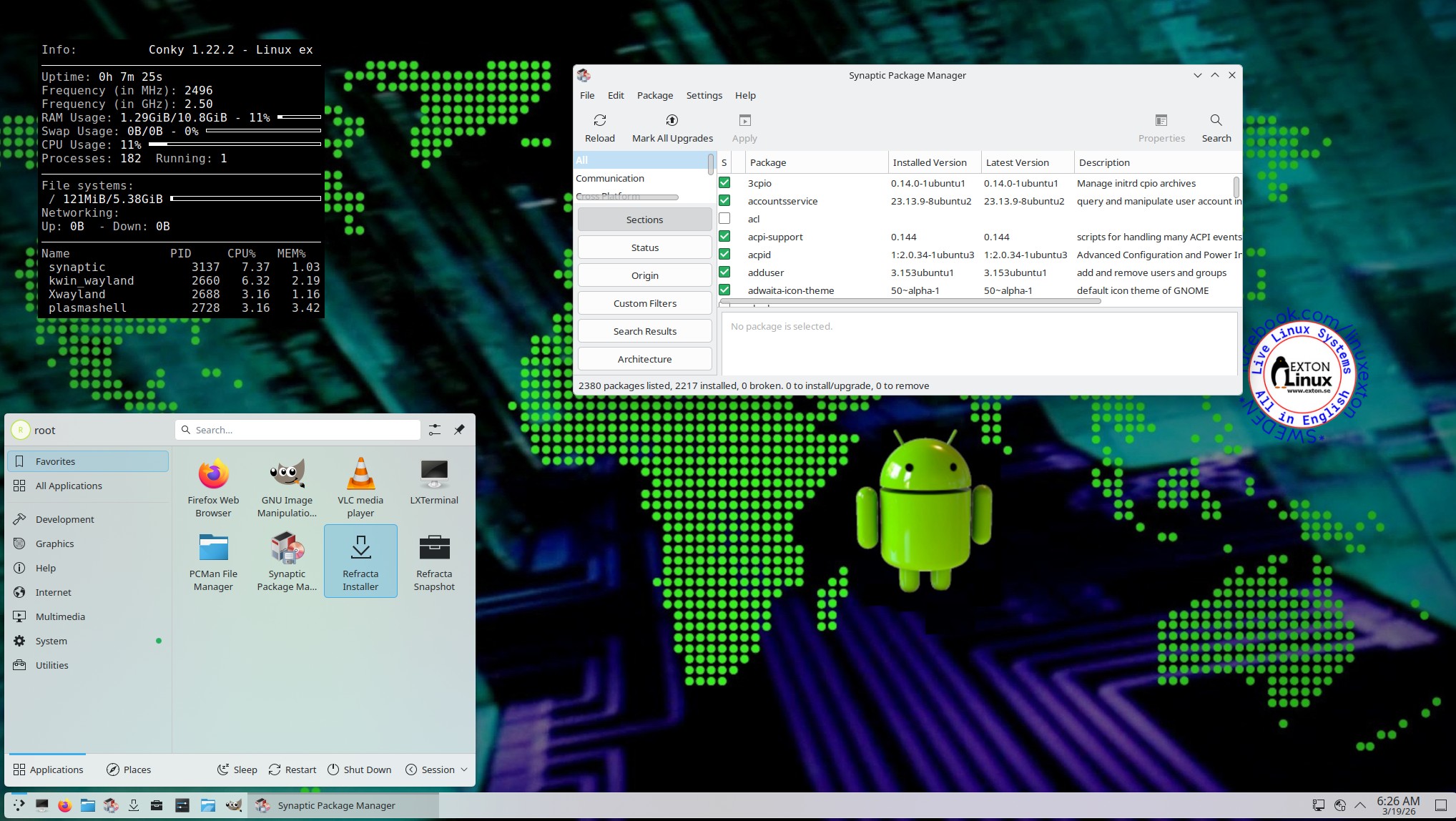
Refracta Snapshot is pre-installed in Exton|OS Build 260319. Use it to create your own live installable Ubuntu system. I mean create your own installable Ubuntu 26.04 LTS Live DVD once you have installed Exton|OS to hard drive. I mean change everything and then create a whole new Ubuntu live system.

Runs from RAM
Another great thing is that Exton|OS can run from RAM. Use Boot alternative 2 (load to RAM). When the system has booted up you can remove the disc (DVD) or USB stick.

SCREENSHOTS
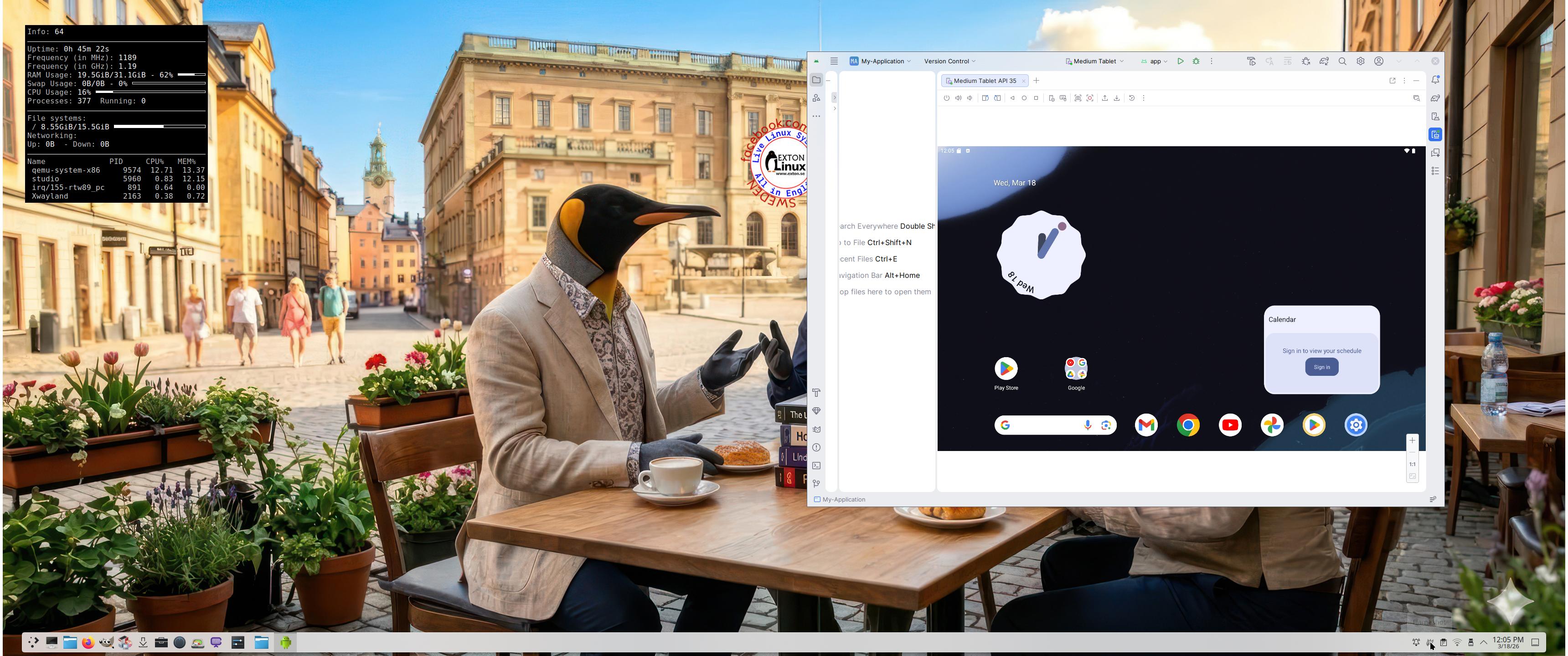
Screenshot 1 – Exton|OS’s KDE Plasma Desktop with Android Studio running
Screenshot 2 – Running an AVD with Google Play Store included
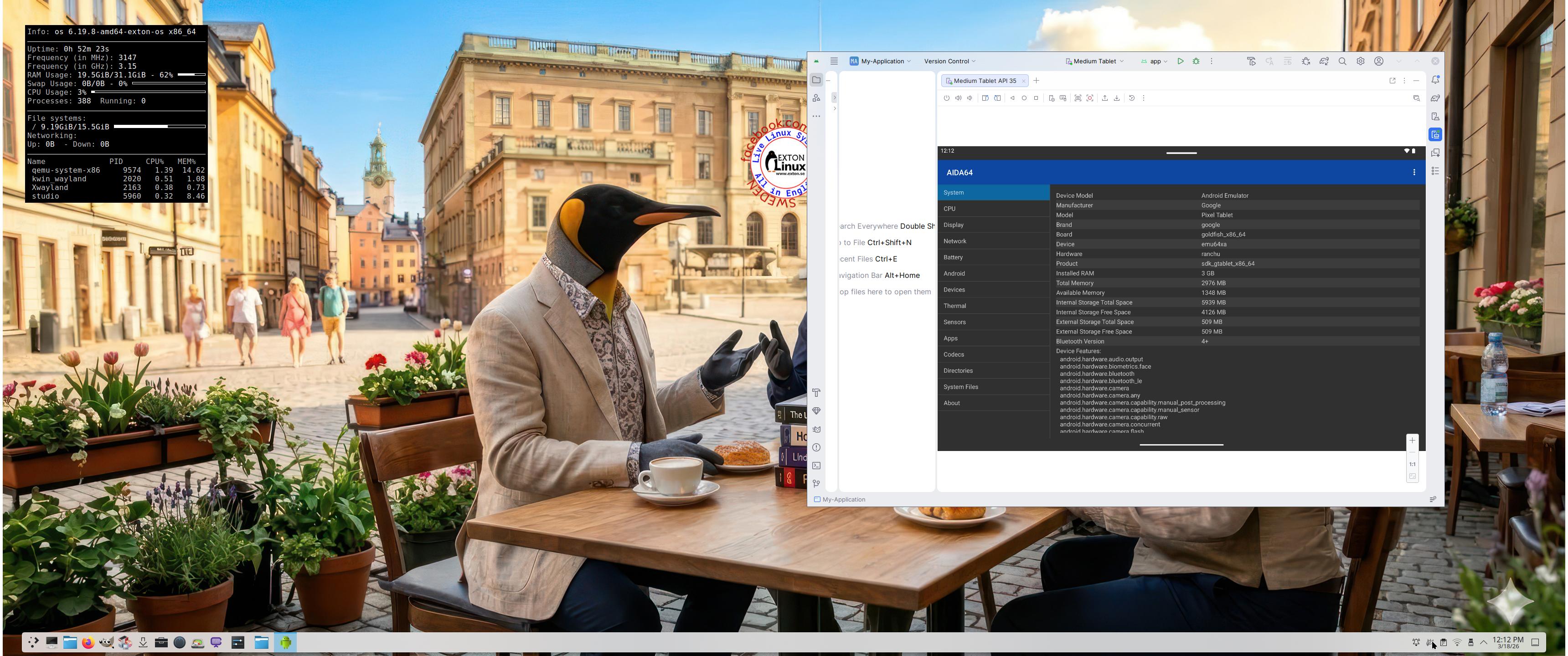
Screenshot 3 – Running AIDA64 in an AVD
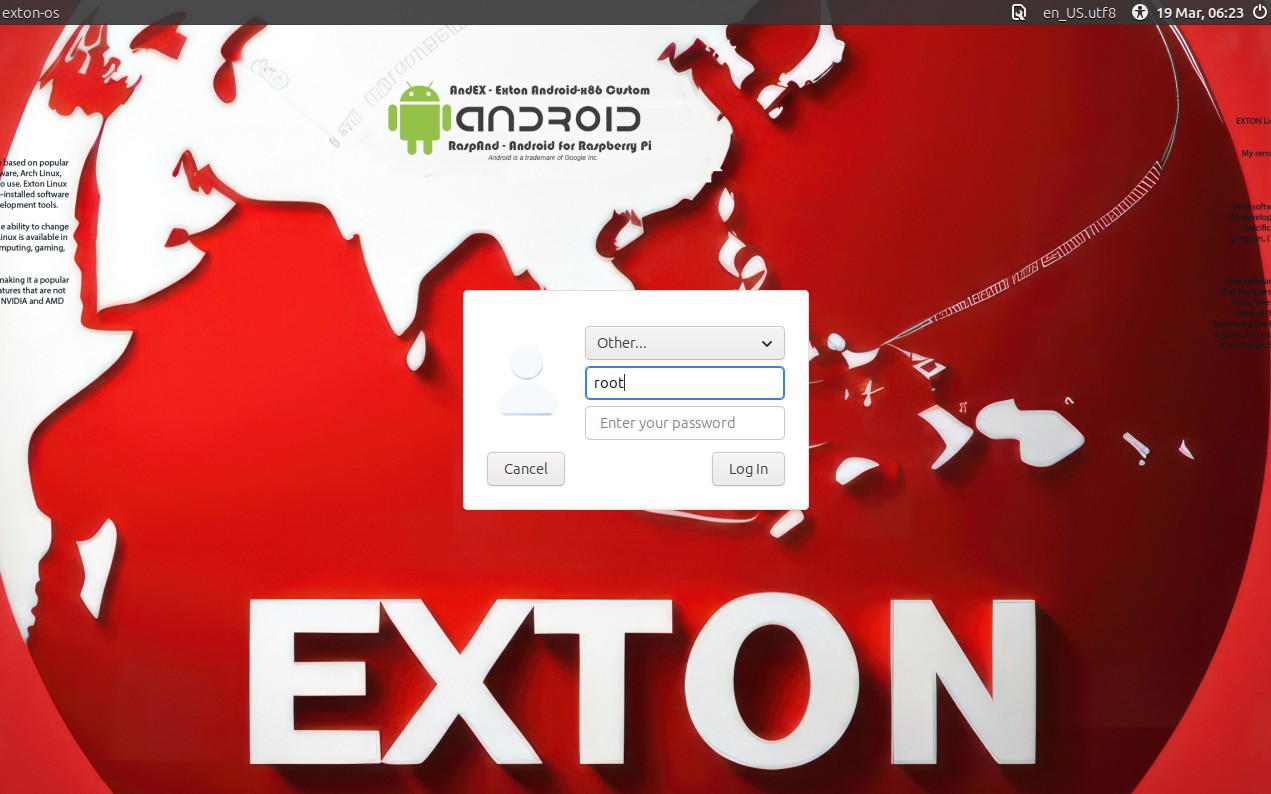
Screenshot 4 – LightDM login screen
Screenshot 5 – The Desktop for root 260319

READ MORE…

Read about my Android-x86 Systems – 11, 10, Pie, Oreo, Nougat, Marshmallow, Lollipop and KitKat at andex.exton.net – latest is AndEX 11 (with GAPPS), AndEX 10 (with GAPPS) and AndEX Pie 9.0 (also with GAPPS)!
and
about my Android 16, 15, 14, 13, 12, 11, 10, Pie, Oreo, Nougat, Marshmallow and Lollipop versions for Raspberry Pi 5, Pi 4 and  Pi 3/2 at raspex.exton.se – latest is RaspAnd 16 (with GAPPS), RaspAnd 15 (also with GAPPS), RaspAnd 14 (also with GAPPS), 13 and 12 (without GAPPS), RaspAnd 11 (with GAPPS) and RaspAnd Oreo 8.1 (also with GAPPS)
Follow me on Facebook…
No Comments AndroidextonExton Linux Systems

MeX 64 bit Linux based on Debian “Sid” and Ubuntu 24.04 LTS with Ubuntu Desktop (Gnome 46) and Kodi 21.0 “Omega” :: Build 240707

ABOUT MeX Linux 240707
I’ve uploaded a new version of MeX, in which I’ve included Kodi Omega 21.0 – latest version, released 240406. Kodi is an award-winning free and open source (GPL) software media player and entertainment hub that can be installed on Linux, OSX, Windows, iOS, tvOS and Android. It is designed around a “10-foot user interface” for use with televisions and remote controls. NOTE about Kodi: I have installed Kodi 21.0 using Flatpak. Kodi from the Ubuntu repositories does not work in Ubuntu 24.04. Kodi 21.0 runs very well in MeX. On a web site called FireStickTricks you can find instructions how to install 30 (?!) extra Kodi Builds with their own repositories and skins. The article is called Best Kodi Builds July 2024. I’ve tried Doomzday today. Works very well. Otherwise MeX version 240707 works in the same way as previous versions.

NEWS/CHANGES 240707

Mex Linux is no longer based on Linux Mint. MeX Build 240707 is based only on Debian Sid and Ubuntu 24.04 LTS Noble Numbat. I have replaced the original kernel (6.8) with “my” special kernel 6.9.8-amd64-exton. All installed packages in MeX Linux have been upgraded to the latest version by 240707. This version of MeX uses the Ubuntu Desktop Minimal. I.e. Gnome 46 Kathmandu and Kodi 21.0. You can run Kodi “windowed” while logged in to Gnome. The very nice icon theme Papirus is installed and used.

MORE MeX NEWS 240707
1. The MeX ISO is now a ISO-hybrid, which means that it can very easily be transferred (copied) to a USB pen drive.
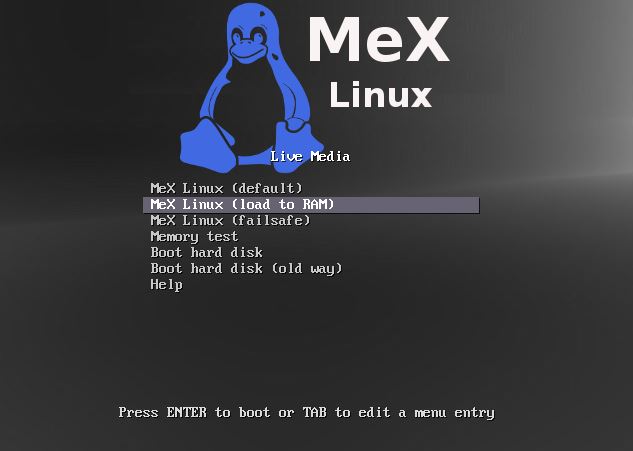
2. Another big improvement is that MeX now can run from RAM. Use Boot alternative 2 (load to RAM). When the system has booted up you can eject the disc (DVD)/USB stick. You’ll need at least 4 GB RAM to run MeX that way. The ISO file is of only 2750 MB so MeX will run super fast from RAM!
3. I have replaced Google Chrome with Firefox. Google Chrome is no longer needed to be able to run Netflix in Linux.
4. The best thing with this new MeX build – Create your own installable Ubuntu 24.04 LTS Live System with Refracta Snapshot (pre-installed)! The whole “remaster process” is so simple that a 10 year old child can do it.
5. I have installed Calamares Installer as in many of my other Linux builds. Calamares is an installer framework. By design it is very customizable, in order to satisfy a wide variety of needs and use cases. Very easy to use. You can use Calamares to install MeX on both UEFI computers and non UEFI computers (for example VirtualBox and VMware).
6. VirtualBox Guest Additions are pre-installed so you can run MeX in full screen in VirtualBox. That can be done also in VMware Workstation Player. Btw: Sound works better in VMware (compared to VirtualBox). The system works very well in Qemu in Linux too. Using Qemu is the best way to run any Linux system virtually.

COMPATIBILITY
Differences: Ubuntu 24.04 and MeX Linux is different only in principle to the terms of program content. A general truth: If an original system can run on a particular computer an “Exton remaster” of the same original system can run on the same computer. I never change a Linux system for the worse in terms of auto configuration and hardware detection, etc. It happens that I replace the original kernel (which I have done in this case), but always to a “better” one with even more native support for various hardware etc.

Who can benefit from MeX?
All who like Debian/Ubuntu and want a system that is easy to use and maintain. And of course those who want to create their own Ubuntu 24.04 LTS system in a very simple way with Refracta Snapshot. Regarding MeX also those who want to run a Linux system super fast from RAM and/or like to run Linux from a USB flash drive. And those who want a new kernel – 6.9.8 – and the latest Kodi version – 21.0.

SCREENSHOTS
Screenshot 1 – Calamares Installer running
Screenshot 2 – The user Desktop
Screenshot 3 – Boot screen live
Screenshot 4 – System Info
Screenshot 5 – Showing some Kodi pre-installed add-ons
Screenshot 6 – MeX running in VMware

READ MORE…

Read about my Android-x86 Systems – 11, 10, Pie, Oreo, Nougat, Marshmallow, Lollipop and KitKat at
andex.exton.net – latest is AndEX 11 (with GAPPS), AndEX 10 (with GAPPS) and AndEX Pie 9.0 (also with GAPPS)!
and
about my Android 14, 13, 12, 11, 10, Pie, Oreo, Nougat, Marshmallow and Lollipop versions for Raspberry Pi 5, Pi 4 and  Pi 3/2 at
raspex.exton.se
– latest is RaspAnd 14 (with GAPPS), 13 and 12 (without GAPPS), RaspAnd 11 (with GAPPS) and RaspAnd Oreo 8.1
(also with GAPPS)!

No Comments extonExton Linux Systems

LFA (Linux For All) 64bit Live System – Build 230608 – with Gnome 44 and kernel 6.4.0-rc4-amd64-exton :: Create you own LFA/Ubuntu installable 23.04 system!

Linux For All (LFA) Build 230608 with Gnome 44
is a simple remaster of Ubuntu 23.04, code-named Lunar Lobster. It’s a total rebuild. I.e. nothing is left of the old LFA system. NOTE: Ubuntu 23.04 will be supported (only) until January 2024. To be able to upgrade Gnome from version 42.4 to 44 I first had to upgrade Ubuntu from version 22.04 (supported until April 2027) to 23.04.

NEWS ABOUT LFA Build 230608

1. All packages the ordinary Linux user can wish for are pre-installed. Study the full packages list.
2. Kernel 6.4.0-rc4-amd64-exton is used. You can of course switch to Ubuntu’s original kernel if you prefer that.
3. The Desktop environment is Gnome 44. (Ubuntu’s original DE).
4. The main Web Browser is Firefox. So you can watch Netflix!
5. I have included Refracta tools (Refracta Snapshot) to make it possible for you to create your own installable Ubuntu 23.04 Live System once you have installed LFA to hard drive.
6. You can run LFA fast in RAM. Use boot alternative 2 Load to RAM – see below.
7. VirtualBox Guest Additions are pre-installed , which means (among other things) that you can run LFA in VirtualBox in full screen. Watch this screenshot.

What’s new in kernel 6.4?

SCREENSHOTS

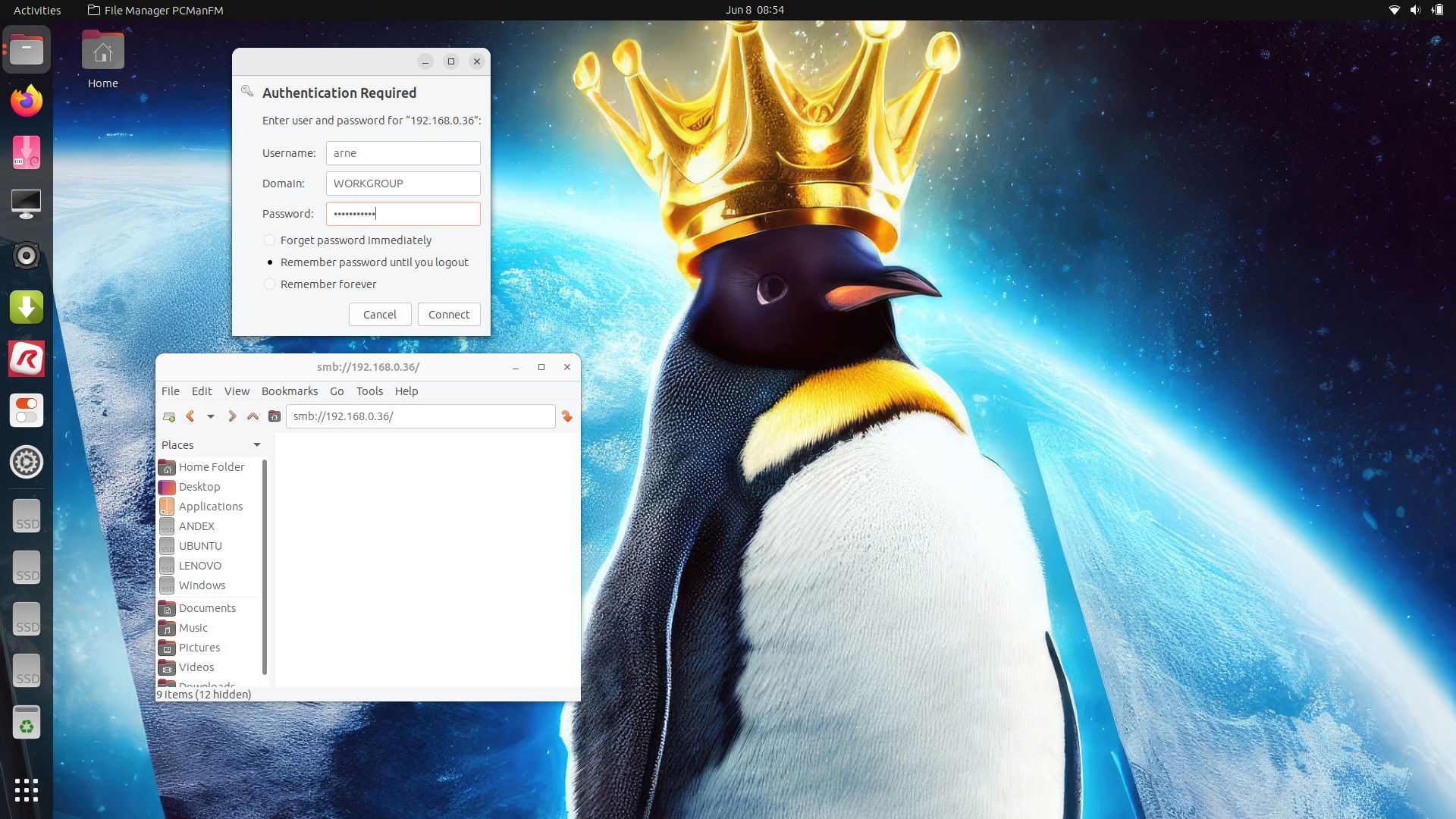
Screenshot 1 – Running Samba to reach Windows computers
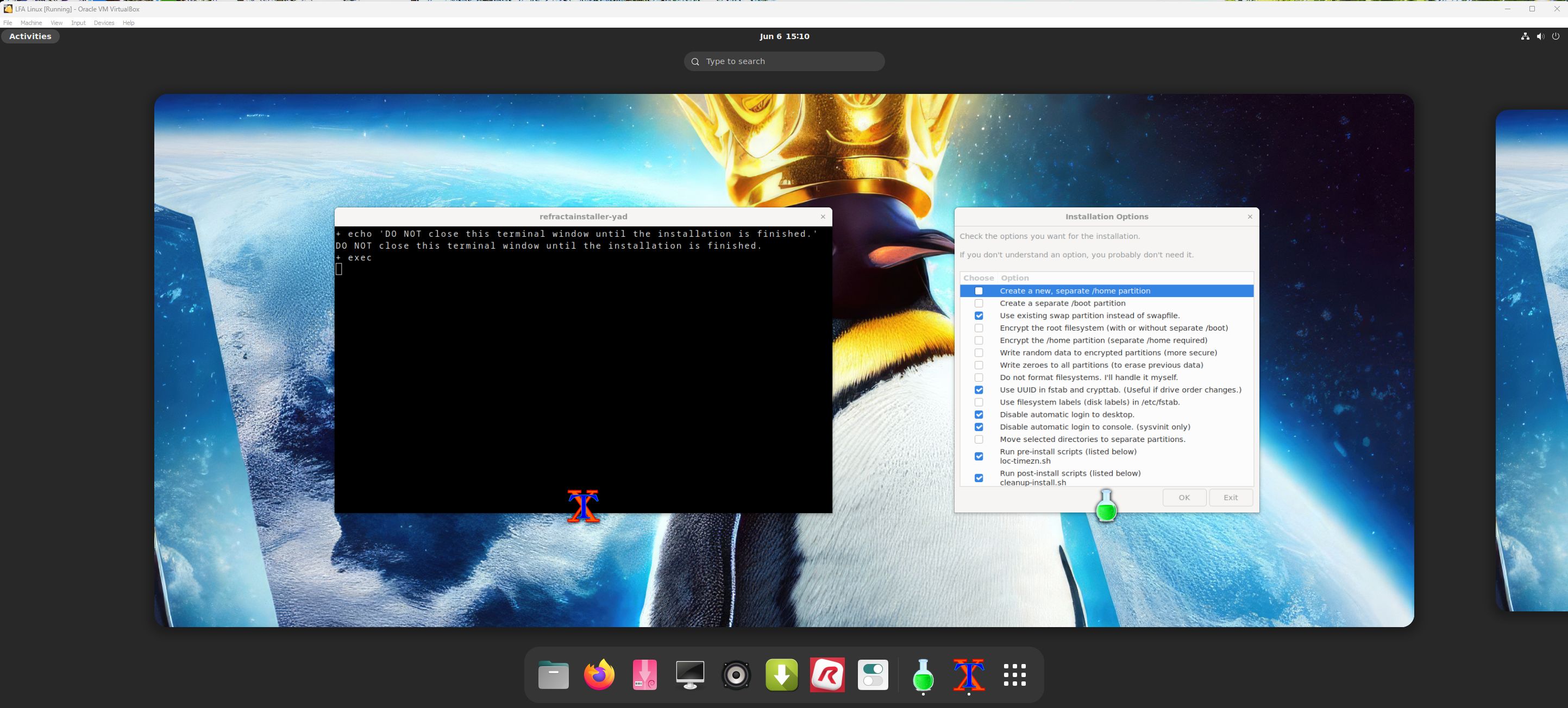
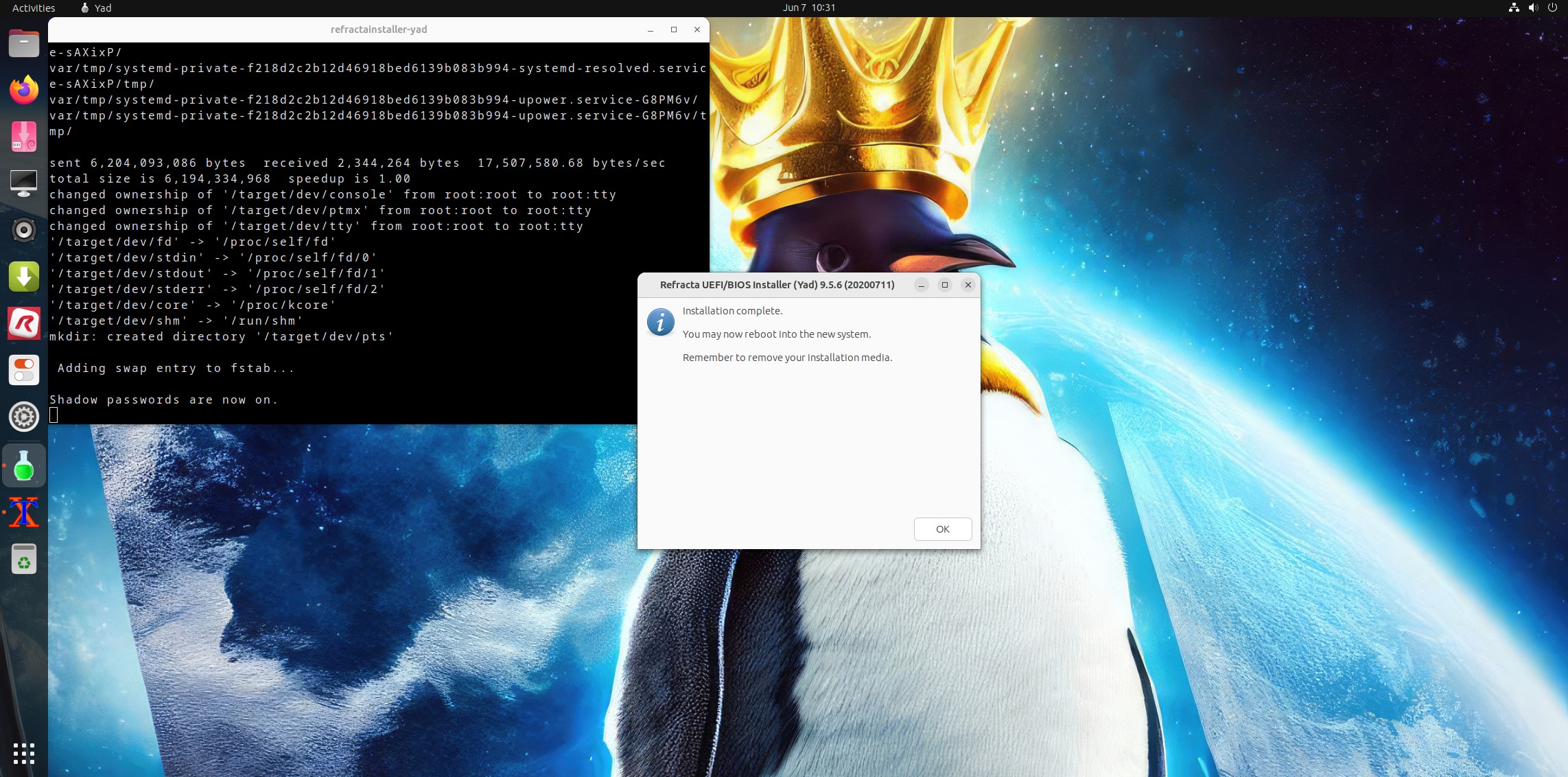
Screenshot 2 – Refracta Installer has ended
Screenshot 3 – Running LFA in VMware
Screenshot 4 – Running in full screen in VirtualBox

READ MORE…

Read about my Android-x86 Systems – 11, 10, Pie, Oreo, Nougat, Marshmallow, Lollipop and KitKat at
andex.exton.net – latest is AndEX 11 (with GAPPS), AndEX 10 (with GAPPS) and AndEX Pie 9.0 (also with GAPPS)!
and
about my Android 12, 11, 10, Pie, Oreo, Nougat, Marshmallow and Lollipop versions for Raspberry Pi 4 and 3/2 at
raspex.exton.se
– latest is RaspAnd 12 (without GAPPS), RaspAnd 11 (with GAPPS) and RaspAnd Oreo 8.1 (also with GAPPS)!
No Comments extonExton Linux Systems

ExTiX 23.5-2 – “The Ultimate Linux System” – based on Ubuntu 23.04 with LXQt 1.3, Refracta Snapshot and kernel 6.3.1-amd64-exton :: Build 230530

ExTiX 23.5-2 LXQt – Build 230530
I have made a new version of ExTiX – The Ultimate Linux System. I call it ExTiX 23.5-2 LXQt Live System. (The previous LXQt version was 22.8 from 220814). ExTiX 23.5-2 is based on Ubuntu 23.04 (Lunar Lobster)! Ubuntu 23.04 will be supported (only) until January 2024. To be able to upgrade LXQt from version 0.17 to 1.3 I first had to upgrade Ubuntu from version 22.04 (supported until April 2027) to 23.04. The best thing with ExTiX 23.5-2 is that while running the system live (from DVD/USB) or from hard drive you can use Refracta Snapshot (pre-installed) to create your own live installable Ubuntu system. So easy that a ten year child can do it! One other very good thing with this version of ExTiX is that it is quite light. The ISO file is of only 2050 MB, which means that you can run the system super fast from RAM. When the boot process is ready you can eject the DVD or USB stick. Use Boot alternative 3 or Advanced options… >> load to RAM.

ABOUT
ExTiX 23.5-2
LXQt System 64 bit is based on Debian Sid and Ubuntu 23.04. The original system includes the Desktop Environment Gnome. After removing Gnome I have installed LXQt 1.3 (latest version, released 230415). LXQt is the Qt port and the upcoming version of LXDE, the Lightweight Desktop Environment. It is the product of the merge between the LXDE-Qt and the Razor-qt projects: A lightweight, modular, blazing-fast and user-friendly desktop environment. NOTE: This ExTiX LXQt Build is for installation to UEFI-enabled computers. You shall use Refracta Installer for that.

SCREENSHOTS
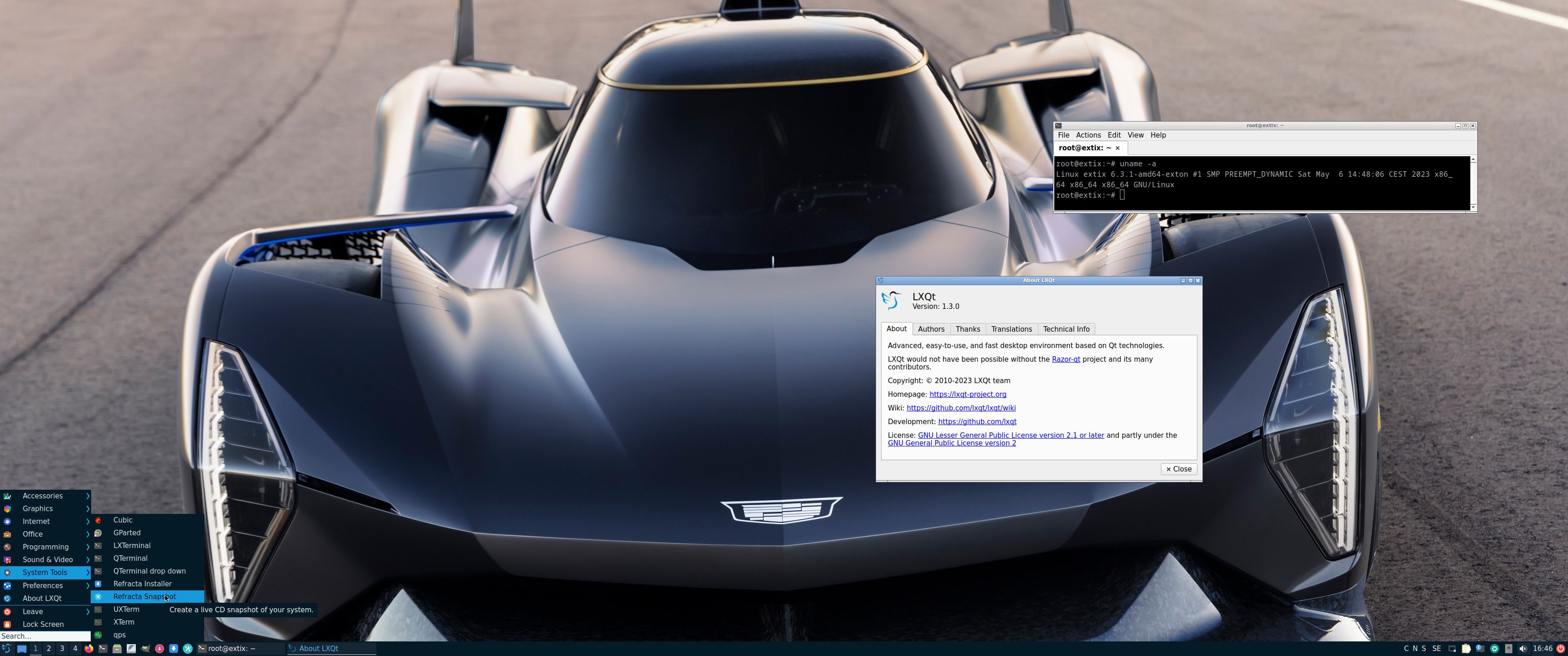
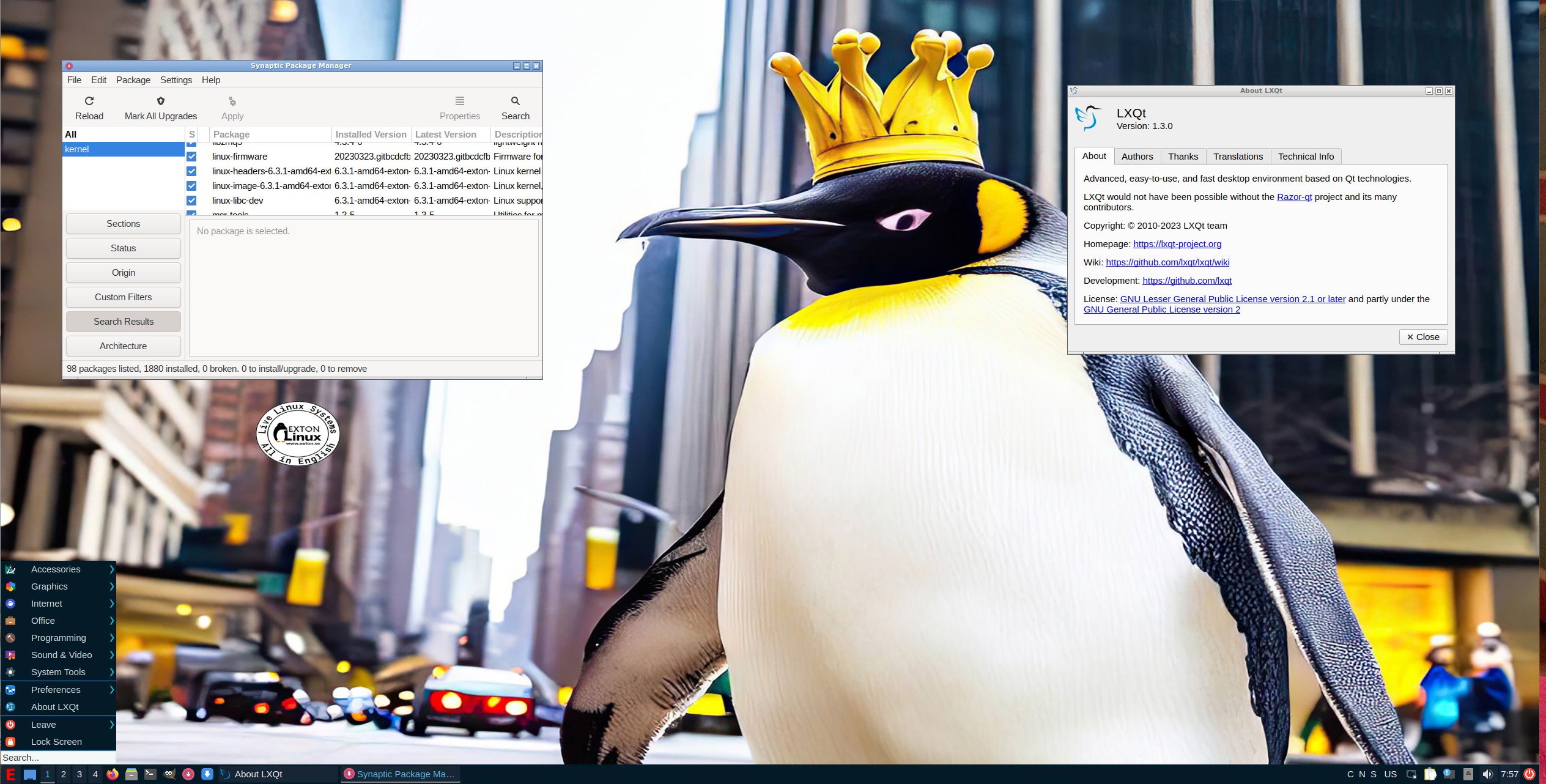
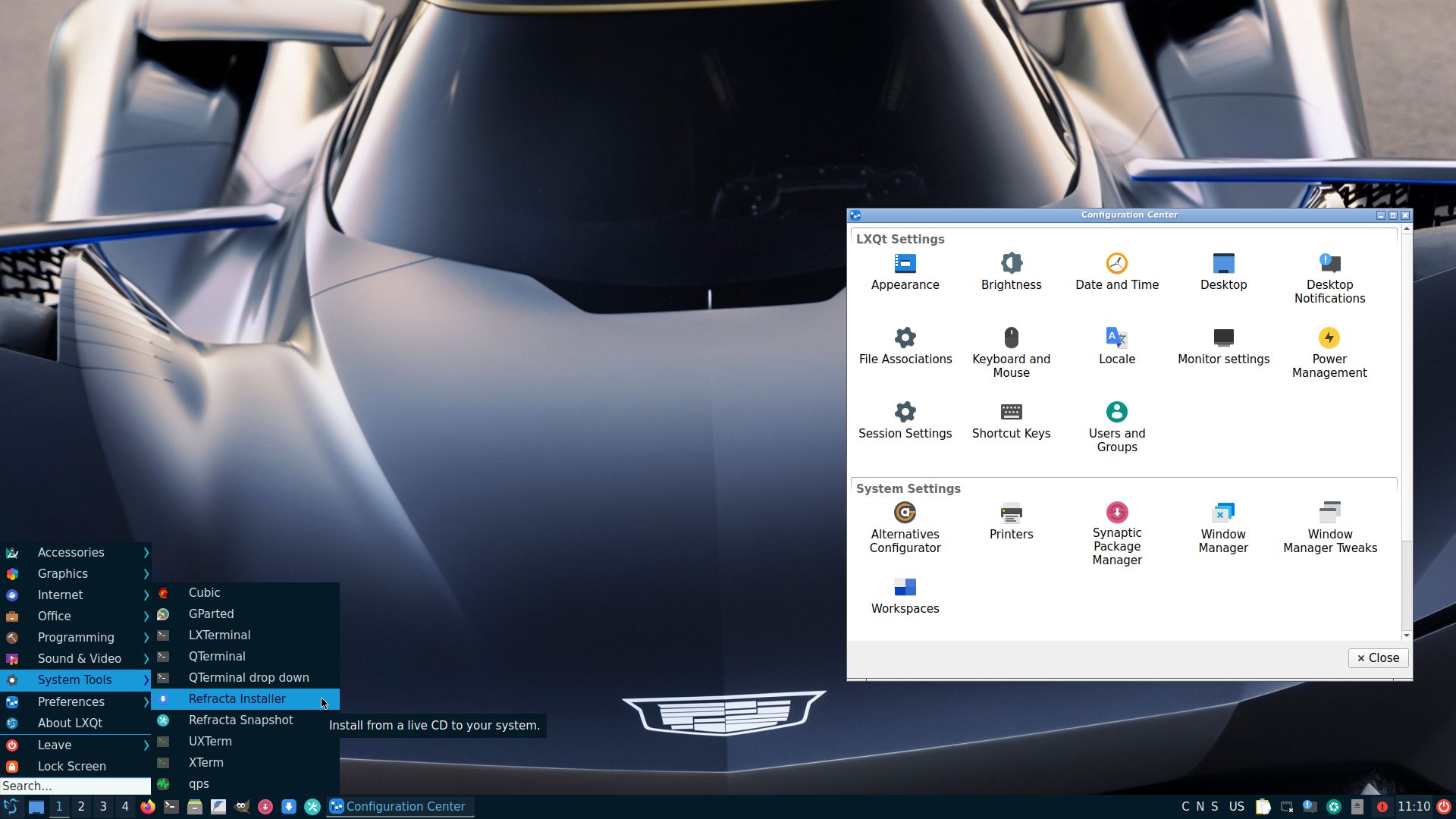
1. ExTiX LXQt – root’s Desktop
2. ExTiX LXQt – user’s Desktop
3. ExTiX 23.5-2 running in full screen in VirtualBox
4. ExTiX LXQt running in VMware

READ MORE…

Read about my Android-x86 Systems – 11, 10, Pie, Oreo, Nougat, Marshmallow, Lollipop and KitKat at
andex.exton.net – latest is AndEX 11 (with GAPPS), AndEX 10 (with GAPPS) and AndEX Pie 9.0 (also with GAPPS)!
and
about my Android 12, 11, 10, Pie, Oreo, Nougat, Marshmallow and Lollipop versions for Raspberry Pi 4 and 3/2 at
raspex.exton.se
– latest is RaspAnd 12 (without GAPPS), RaspAnd 11 (with GAPPS) and RaspAnd Oreo 8.1 (also with GAPPS)!
No Comments extonExton Linux Systems

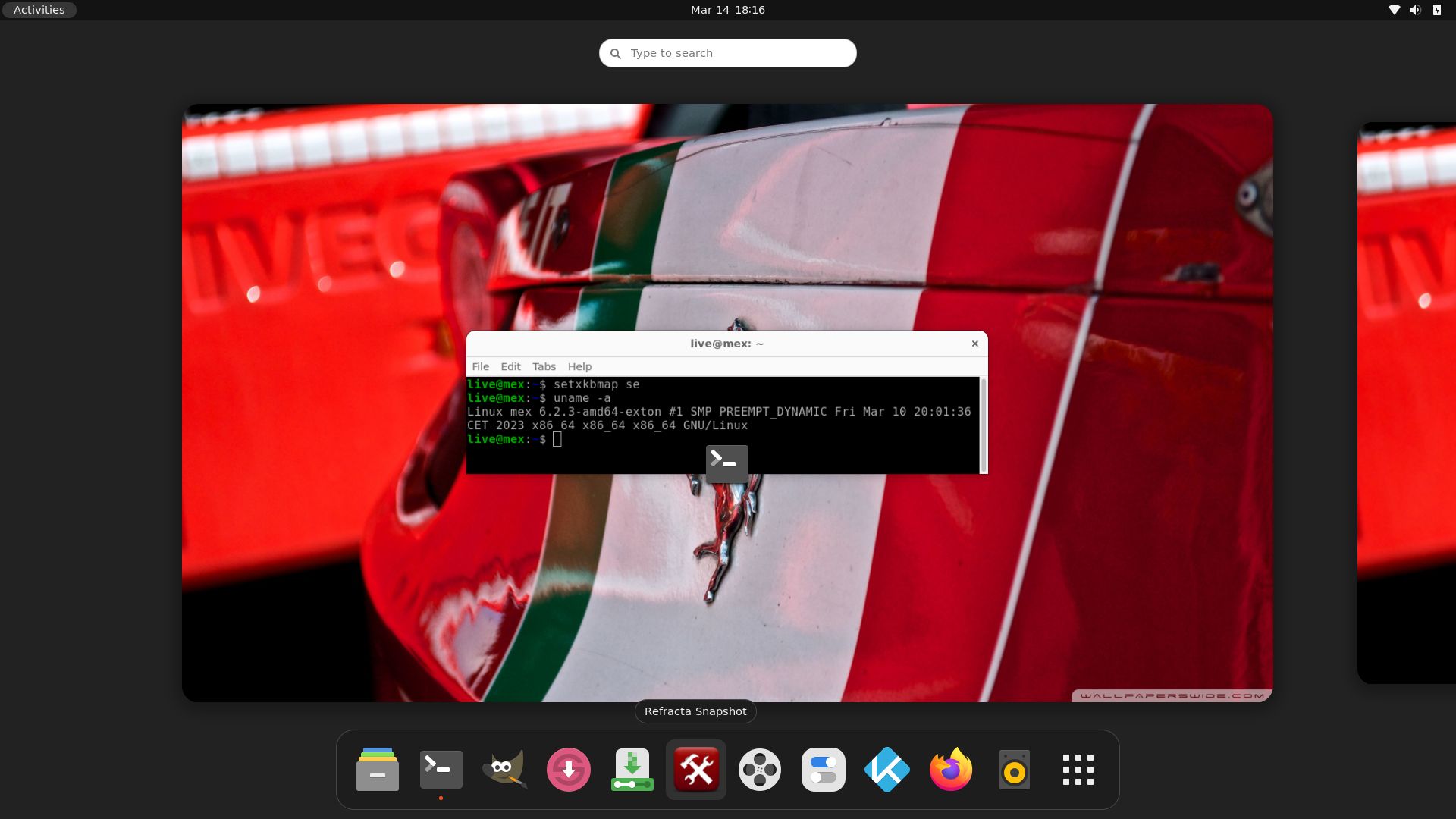
MeX 64 bit Linux based on Debian Sid and Ubuntu 22.04 LTS with Ubuntu Desktop (Gnome 42.5), Kodi 19.4 and kernel 6.2.3-amd64-exton :: Build 230314

NEWS/CHANGES 230314
I’ve uploaded a new version of MeX, in which I’ve included Kodi Matrix 19.4 – latest version. Kodi is an award-winning free and open source (GPL) software media player and entertainment hub that can be installed on Linux, OSX, Windows, iOS, tvOS and Android. It is designed around a “10-foot user interface” for use with televisions and remote controls. Kodi runs very well in MeX. On a web site called FireStickTricks you can find instructions how to install 27 (?!) extra Kodi Builds with their own repositories and skins. The article is called Best Kodi Builds March 2023. I’ve tried Grindhouse today. Works very well. Otherwise MeX version 230314 works in the same way as previous versions.

MORE MeX NEWS 230314
1. The MeX ISO is now a ISO-hybrid, which means that it can very easily be transferred (copied) to a USB pen drive.
2. Another big improvement is that MeX now can run from RAM. Use Boot alternative 2 (load to RAM). When the system has booted up you can eject the disc (DVD)/USB stick. You’ll need at least 4 GB RAM to run MeX that way. The ISO file is of only 2050 MB so MeX will run super fast from RAM!
3. I have replaced Google Chrome with Firefox. Google Chrome is no longer needed to be able to run Netflix in Linux.
4. The best thing with this new MeX build – Create your own installable Ubuntu 22.04 LTS Live DVD with Refracta Snapshot (pre-installed)! The whole “remaster process” is so simple that a 10 year old child can do it.
5. I have installed Calamares Installer as in many of my other Linux builds. Calamares is an installer framework. By design it is very customizable, in order to satisfy a wide variety of needs and use cases. Very easy to use. You can use Calamares to install MeX on both UEFI computers and non UEFI computers (for example VirtualBox and VMware).
6. VirtualBox Guest Additions are pre-installed so you can run MeX in full screen in VirtualBox.

Used KERNEL
Kernel 6.2.3-amd64-exton

What’s new in kernel 6.2?

Who can benefit from MeX?
All who like Debian/Ubuntu and want a system that is easy to use and maintain. And of course those who want to create their own Ubuntu 22.04 LTS system in a very simple way with Refracta Snapshot. Regarding MeX also those who want to run a Linux system super fast from RAM and/or like to run Linux from a USB flash drive. And those who want a new kernel – 6.2.3.

SCREENSHOTS
The Desktop for user live
Kodi Matrix running

READ MORE…

Read about my Android-x86 Systems – 11, 10, Pie, Oreo, Nougat, Marshmallow, Lollipop and KitKat at
andex.exton.net – latest is AndEX 11 (with GAPPS), AndEX 10 (with GAPPS) and AndEX Pie 9.0 (also with GAPPS)!
and
about my Android 12, 11, 10, Pie, Oreo, Nougat, Marshmallow and Lollipop versions for Raspberry Pi 4 and 3/2 at
raspex.exton.se
– latest is RaspAnd 12 (without GAPPS), RaspAnd 11 (with GAPPS) and RaspAnd Oreo 8.1 (also with GAPPS)!
No Comments extonExton Linux Systems

ExTiX 22.9 KDE Plasma together with Anbox (“Android in a Box” with Google Play Store pre-installed) :: Build 220922

ABOUT ExTiX 22.9 – Build 220922
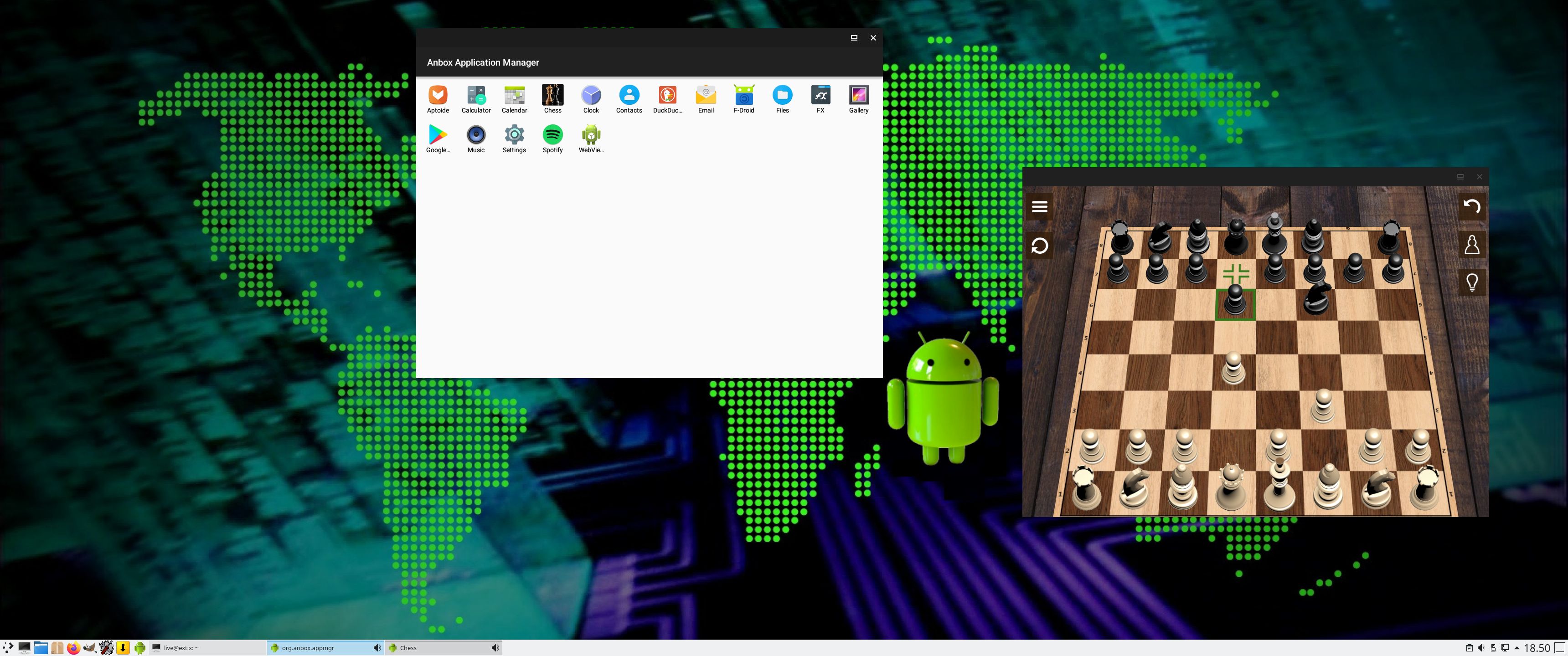
I have made a new version of ExTiX – The Ultimate Linux System. I call it ExTiX 22.9 KDE Anbox Live DVD. (The previous KDE/Anbox version was 21.10 from 211007). I have now included Anbox (Android in a Box – Anbox puts the Android operating system into a container, abstracts hardware access and integrates core system services into a GNU/Linux system. Every Android application will be integrated with your operating system like any other native application). So now you can run Android apps in ExTiX. GAPPS (Google Play Services and Google Play Store) are pre-installed in ExTiX 22.9. The second best thing with ExTiX 22.9 is that while running the system live (from DVD/USB) or from hard drive you can use Refracta Snapshot (pre-installed) to create your own live installable Ubuntu/Anbox system. So easy that a ten year child can do it!

ExTiX 22.9 KDE Plasma DVD 64 bit is based on Debian and Ubuntu 22.04.1 LTS. The original system includes the Desktop Environment Gnome. After removing Gnome I have installed KDE Frameworks 5.92.0 with KDE Plasma 5.24.6. KDE Frameworks are 60 addon libraries to Qt which provide a wide variety of commonly needed functionality in mature, peer reviewed and well tested libraries with friendly licensing terms.

The system language is ENGLISH.

Used KERNEL
Ubuntu’s latest original kernel 5.15.0-47 with binder and ashmem kernel modules needed by Anbox.

NEWS ABOUT ExTiX 22.9 Build 220922 with the KDE Plasma Desktop environment together with Anbox (Android in a Box), Refracta Installer and Refracta Snapshot
1. ExTiX KDE Plasma is based on Ubuntu 22.04.1 LTS Jammy Jellyfish. KDE Plasma is used as Desktop environment together with Anbox (Android in a Box). All packages have been updated to the latest version by 220922.
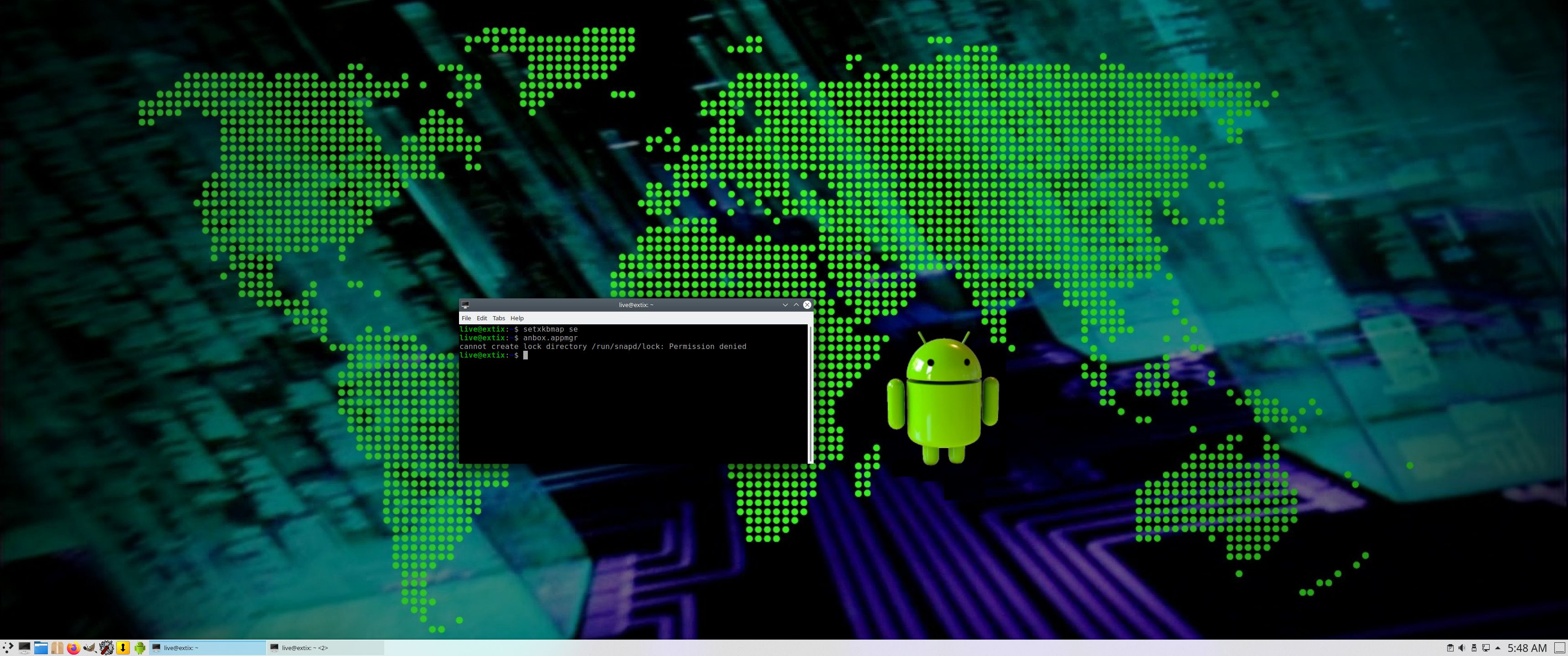
2. I have pre-installed Anbox (Android in a Box) with Google Play Store. So GAPPS (Google Play Services and Google Play Store) are pre-installed in this version of ExTiX. Anbox won’t run live (from a DVD or a USB stick) or in VirtualBox. You will get this error message. That’s because VirtualBox as of yet does NOT support nested virtualization. In this version of ExTiX KDE/Anbox you can run the YouTube app with good video and sound quality. Not with the very best quality, but…
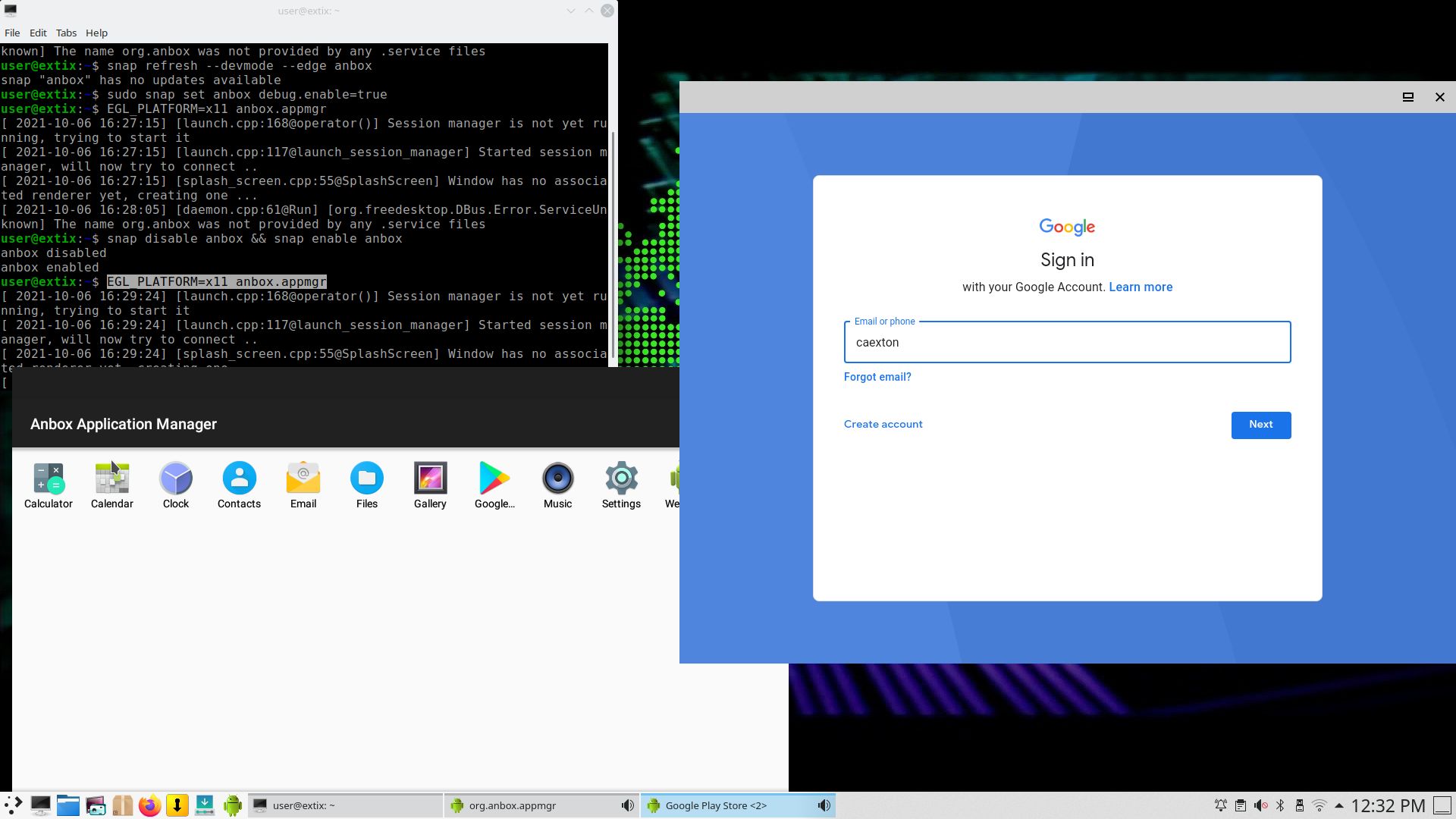
IMPORTANT NOTE: On some computers you may not be able to start Anbox from the menu. If that is the case you shall open up a terminal and run the following two commands:
snap disable anbox && snap enable anbox FOLLOWED by:
EGL_PLATFORM=x11 anbox.appmgr
Or maybe this command on certain computers: DRI_PRIME=1 anbox.appmgr
3. Other included important/useful packages are: GParted GCC and other compilation tools so that you can install packages from source. Furthermore “all” multimedia codecs. Everything the average Linux user could wish for I would say.
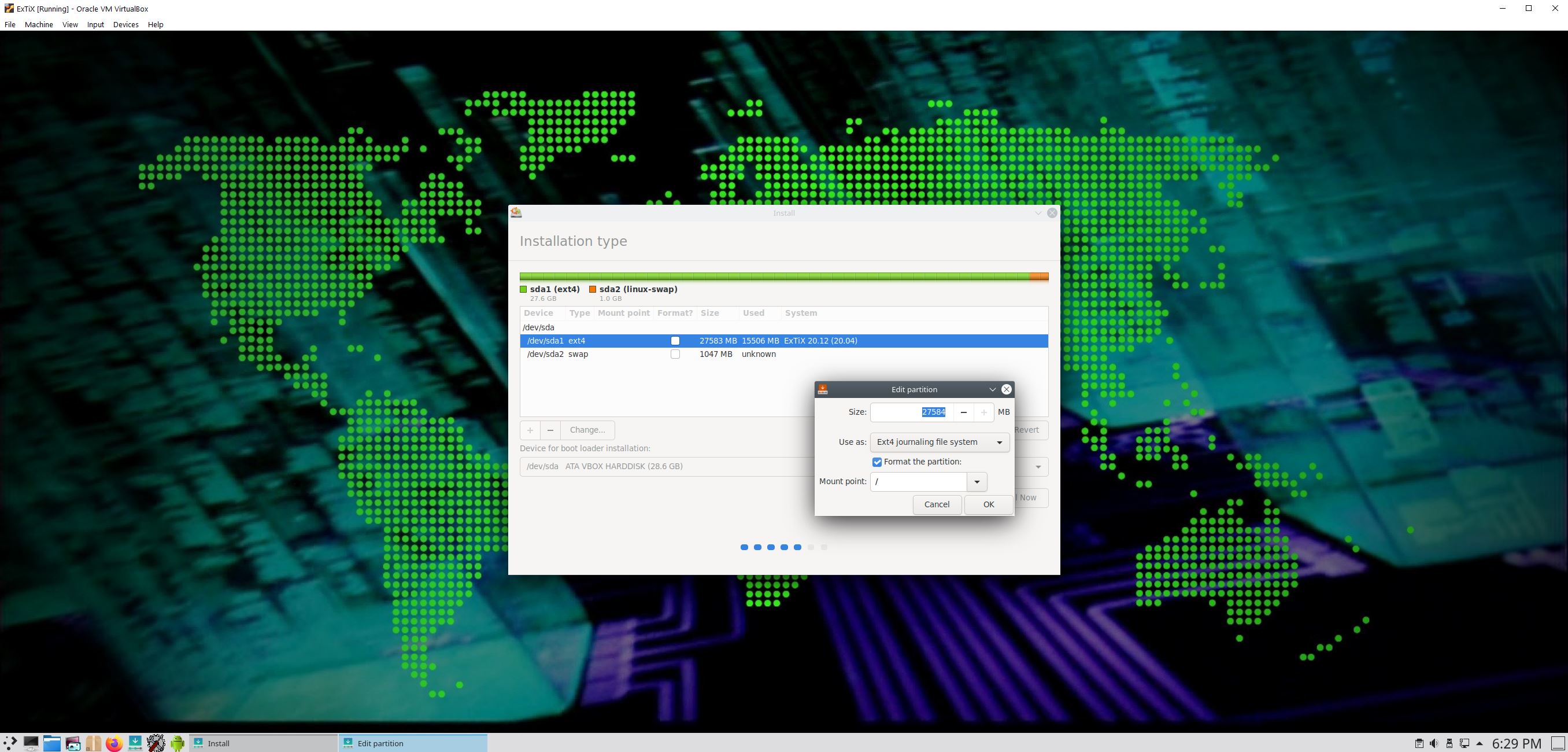
4. VirtualBox Guest Additions are pre-installed, which means (among other things) that you can run ExTiX 22.9 in full screen in VirtualBox. Watch this screenshot.
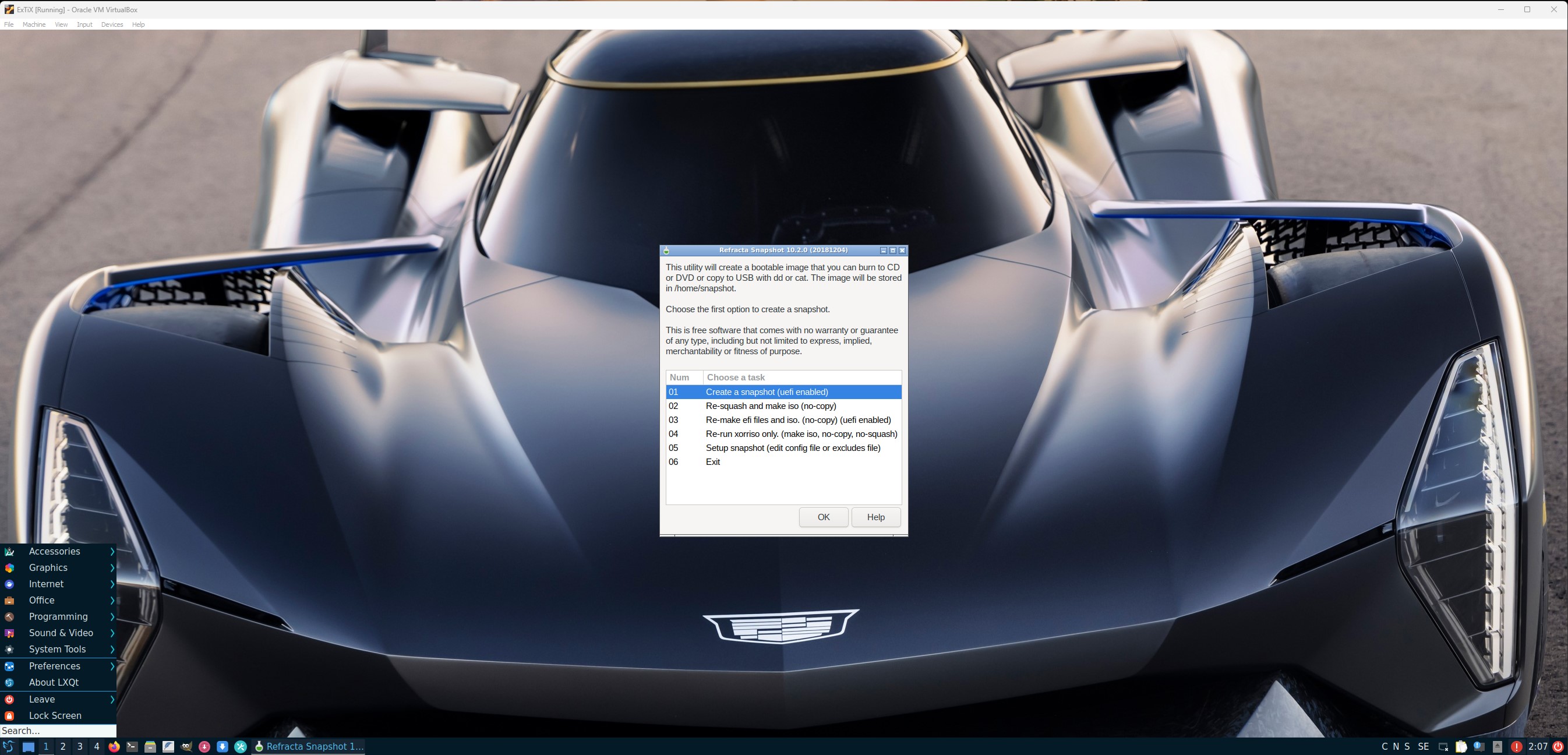
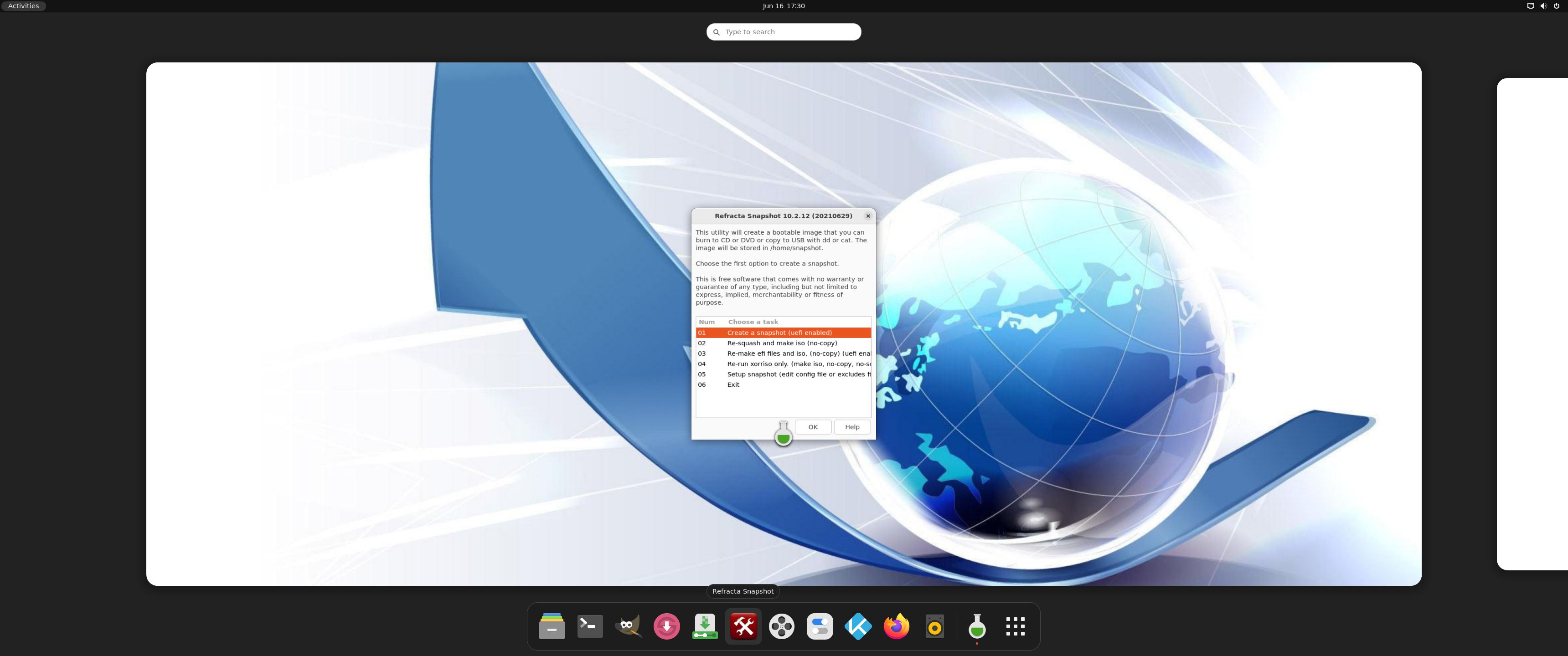
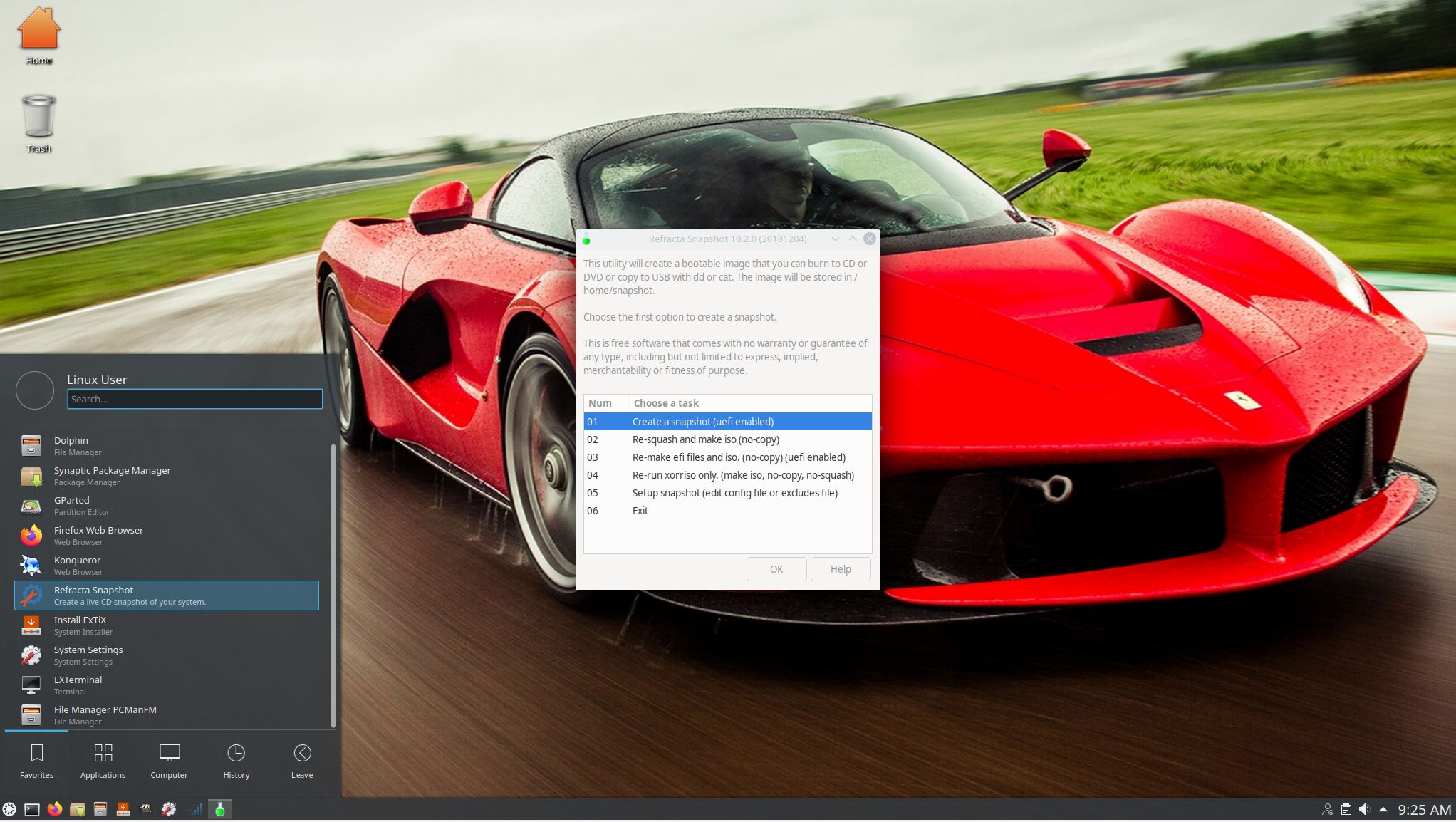
5. The second best thing with ExTiX 22.9 is that while running the system live (from DVD/USB) or from hard drive you can use Refracta Snapshot (pre-installed) to create your own live installable Ubuntu system. Very easy to do. When starting Refracta Snapshot you will see this.

SCREENSHOTS
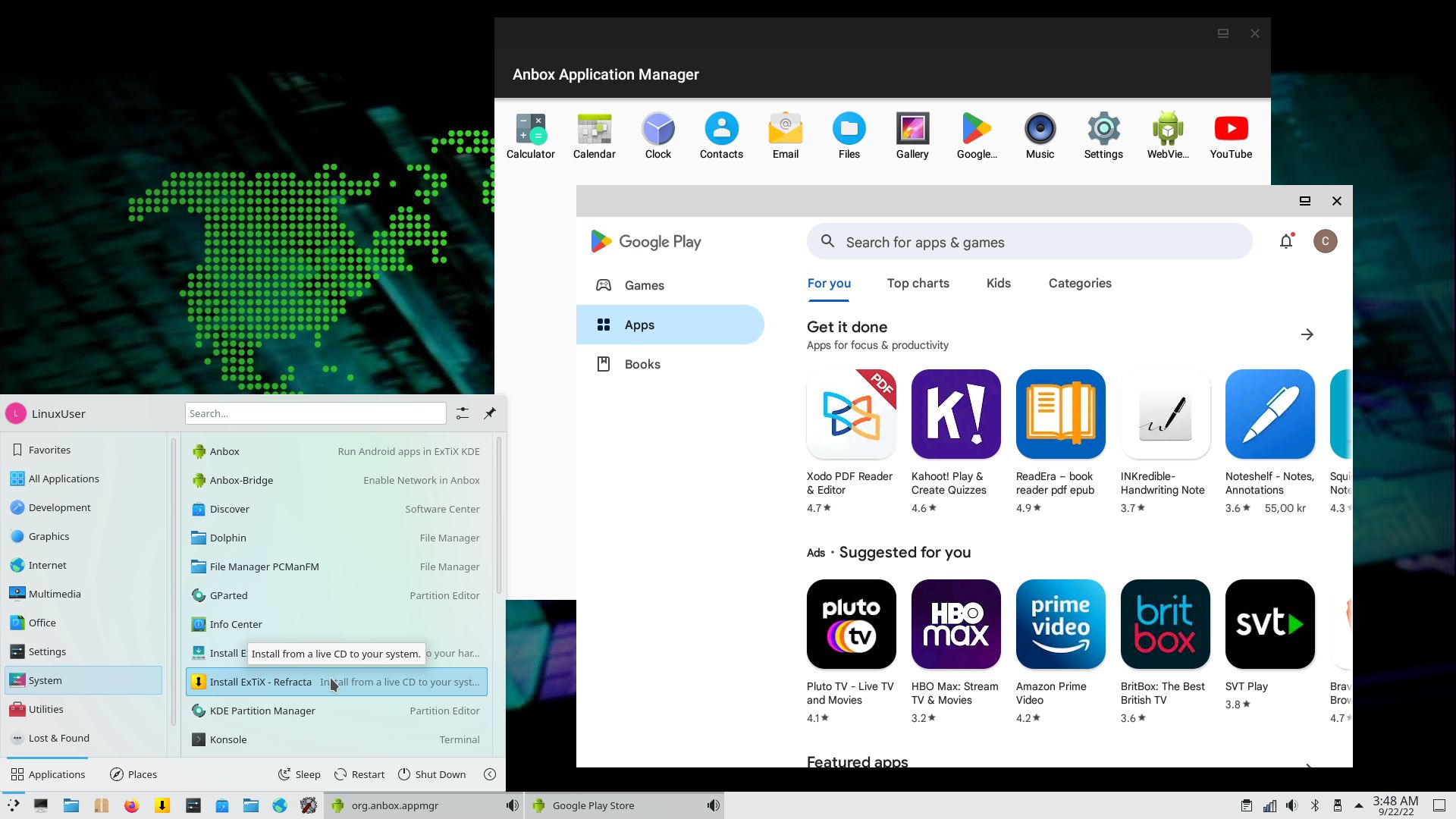
1. ExTiX Desktop with Anbox running 220922
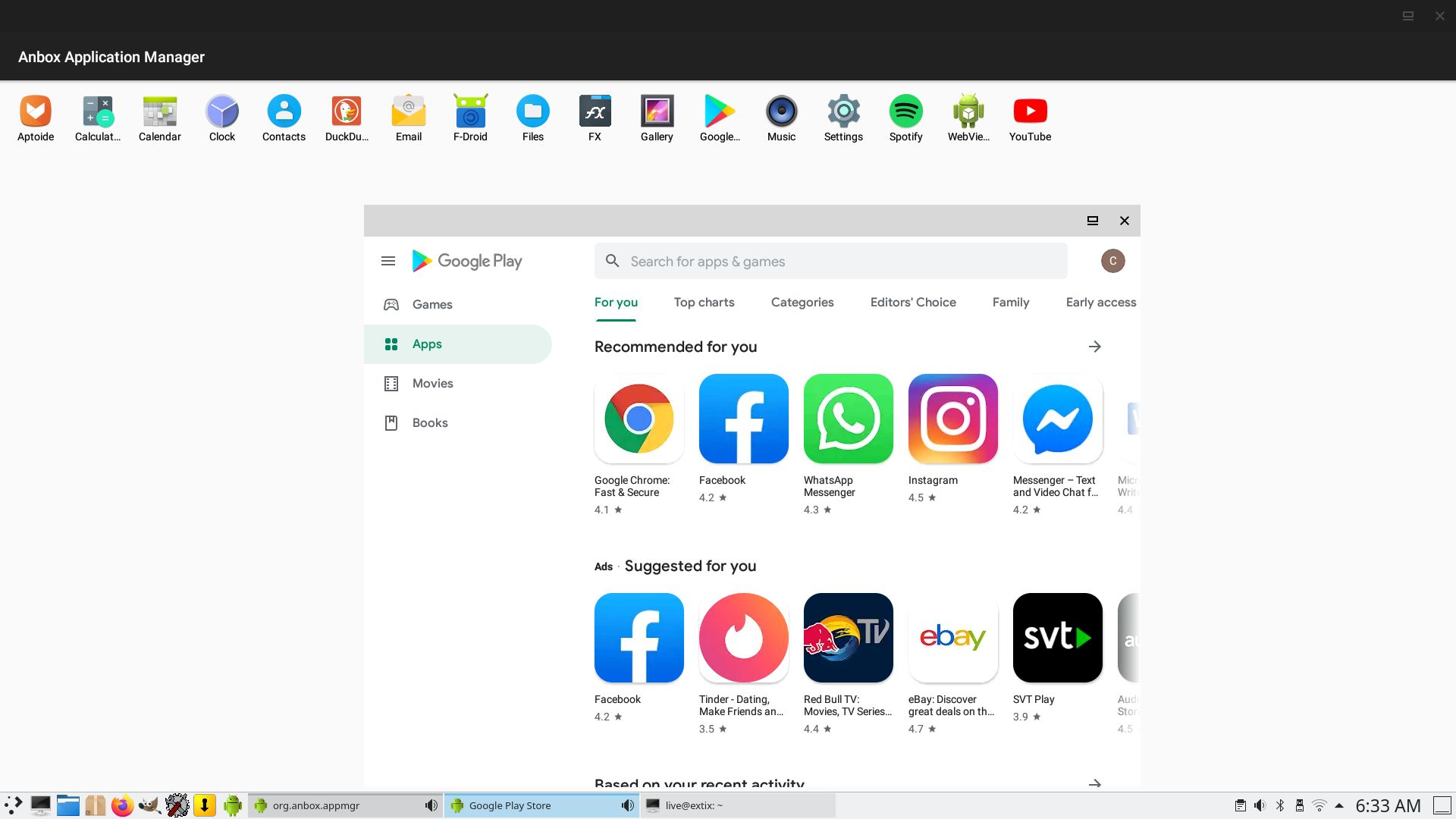
2. Login to Google Play Store
3. Anbox with Google Play Store running
4. A chess game running in Anbox
5. Anbox running in full screen
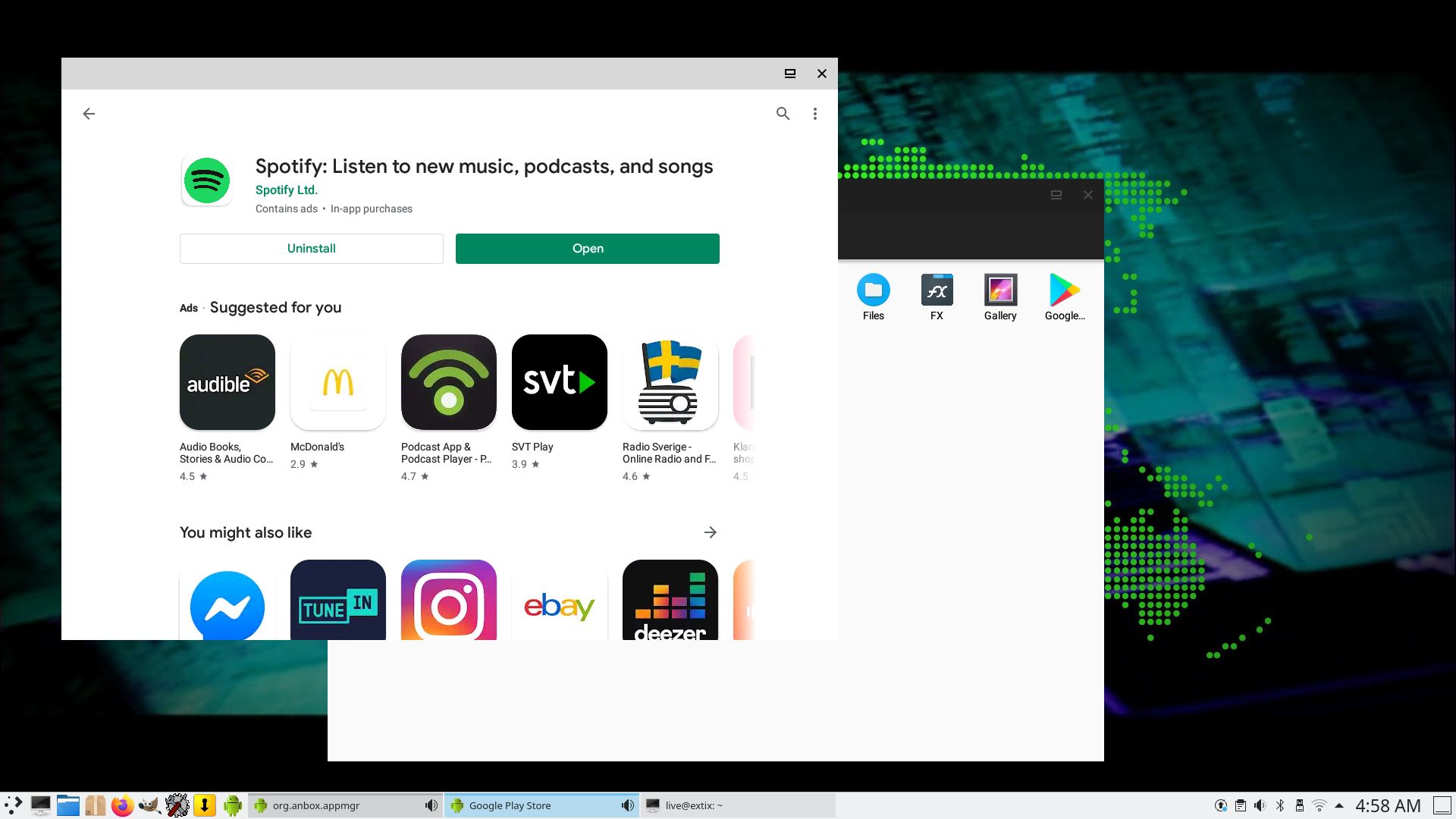
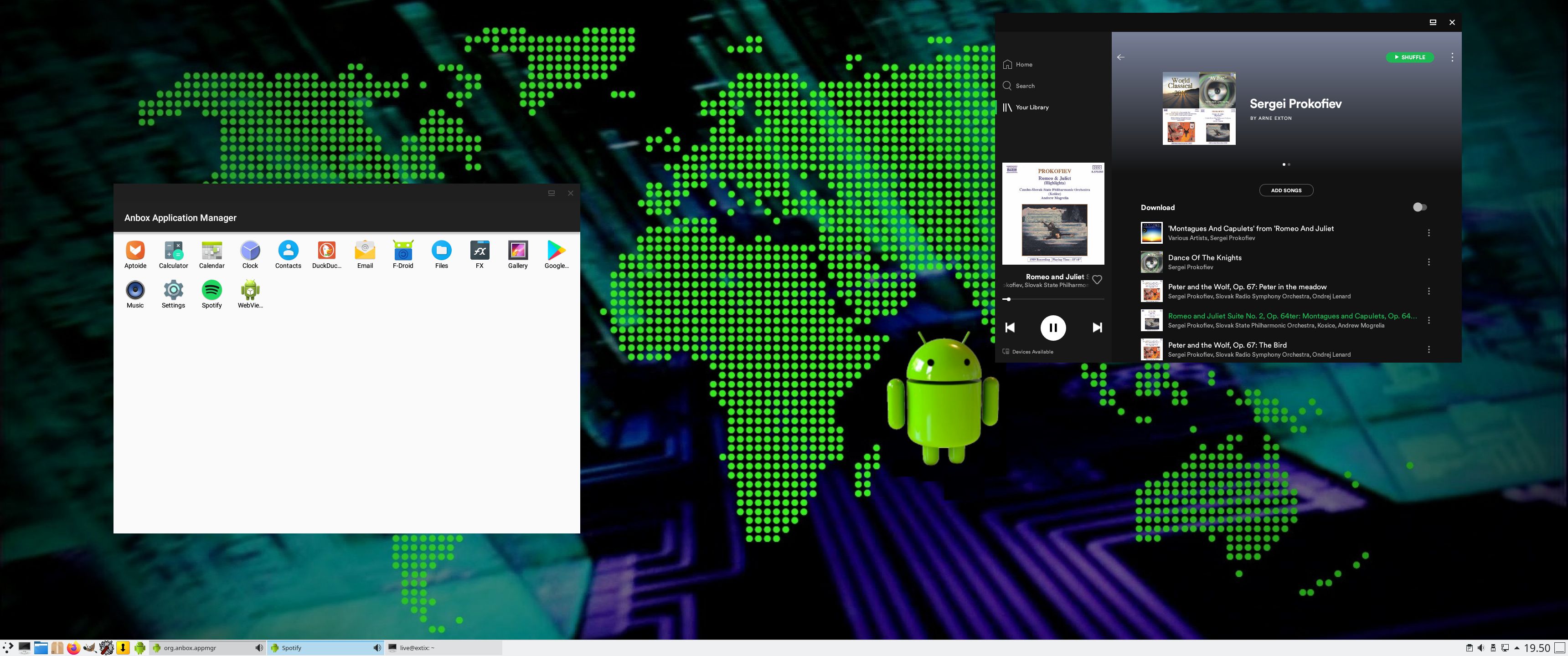
6. Spotify is running in Anbox
7. ExTiX 22.9 running in full screen in VirtualBox

READ MORE…

Read about my Android-x86 Systems – 11; 10, Pie, Oreo, Nougat, Marshmallow, Lollipop and KitKat at
andex.exton.net – latest is AndEX 11 (with GAPPS), AndEX 10 (with GAPPS) and AndEX Pie 9.0 (also with GAPPS)!
and
about my Android 12, 11, 10, Pie, Oreo, Nougat, Marshmallow and Lollipop versions for Raspberry Pi 4 and 3/2 at
raspex.exton.se
– latest is RaspAnd 12 (without GAPPS), RaspAnd 11 (with GAPPS) and RaspAnd Oreo 8.1 (also with GAPPS)!


3 Comments extonExton Linux Systems

MeX 64 bit Linux based on Debian Sid and Ubuntu 22.04 LTS with Ubuntu Desktop (Gnome 40), Kodi 19.4 and kernel 5.18.3-amd64-exton :: Build 220617

NEWS/CHANGES 220617
I’ve uploaded a new version of MeX, in which I’ve included Kodi Matrix 19.4 – latest version. Kodi is an award-winning free and open source (GPL) software media player and entertainment hub that can be installed on Linux, OSX, Windows, iOS, tvOS and Android. It is designed around a “10-foot user interface” for use with televisions and remote controls. Kodi runs very well in MeX. On a web site called FireStickTricks you can find instructions how to install 27 (?!) extra Kodi Builds with their own repositories and skins. The article is called Best Kodi Builds December 2022. I’ve tried Grindhouse today. Works very well. Otherwise MeX version 220617 works in the same way as previous versions.

NEWS/CHANGES 220617
Mex Linux is no longer based on Linux Mint. MeX Build 220617 is based only on Debian Sid and Ubuntu 22.04 Jammy Jellyfish. I have replaced the original kernel (5.15) with “my” special kernel 5.18.3-amd64-exton. All installed packages in MeX Linux have been upgraded to the latest version by 220617. This version of MeX uses the Ubuntu Desktop Minimal. I.e. Gnome 40. The very nice icon theme Papirus is installed and used.

Important about Refracta
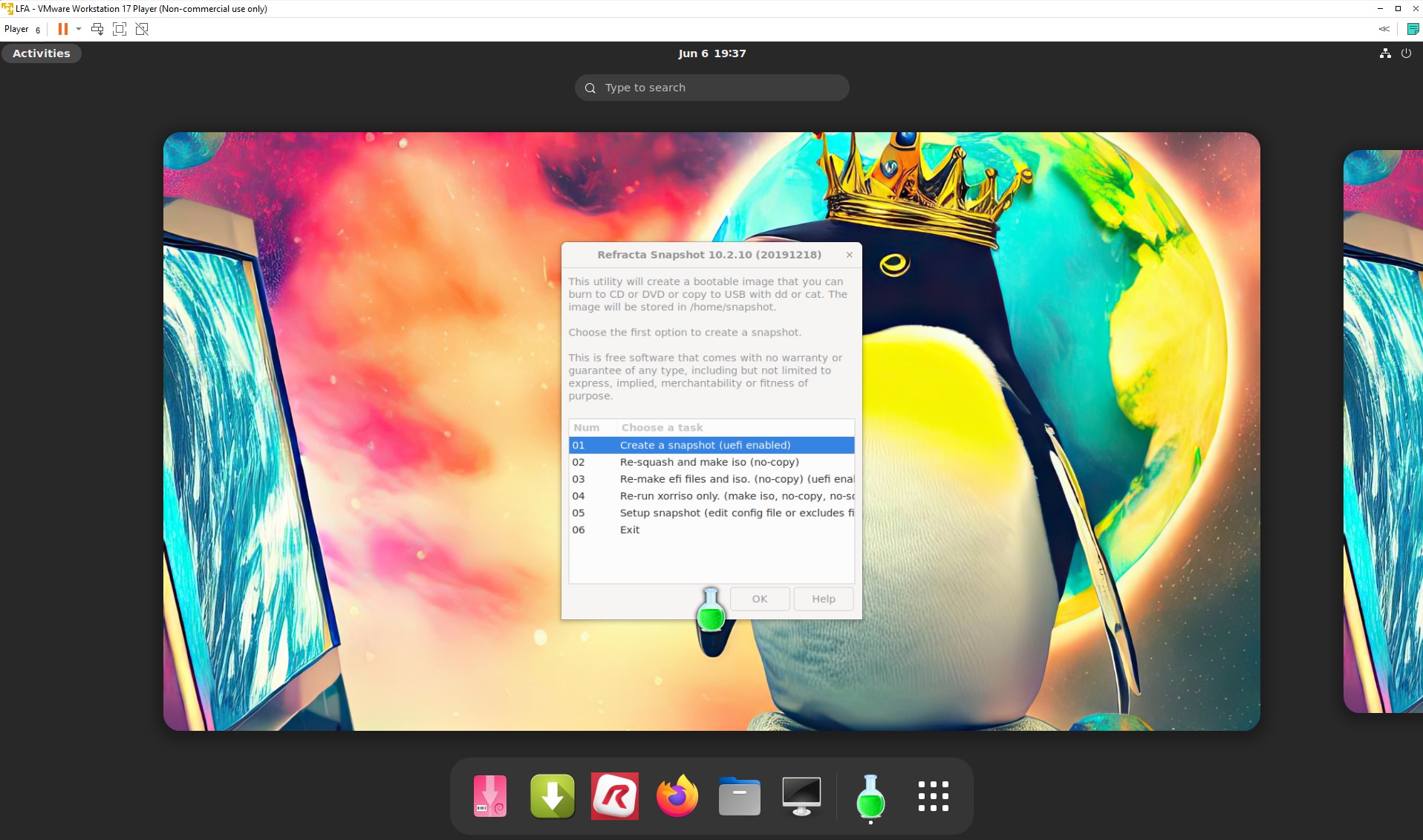
You can use the Refracta Snapshot (pre-installed in MeX Build 220617) to create your own installable Ubuntu Live DVD once you have installed MeX to hard drive. I mean change everything and then create a whole new Ubuntu 22.04 LTS live system. When you start Refracta Snapshot it will look like this. You don’t even have to install MeX to hard drive before you can use the Refracta Snapshot. If you have plenty of RAM you can create a new (your own!) Ubuntu system while running MeX from DVD or a USB stick. Please note that the whole Refracta process (creating your new ISO) will only take 10 – 30 min!

SCREENSHOTS
Screenshot 1 – Refracta Snapshot running
Screenshot 2 – Ubuntu Desktop with Calamares Installer running
Screenshot 3 – Kodi 19.4 running
Screenshot 4 – showing a WiFi connection

READ MORE…

Read about my Android-x86 Systems – 11; 10, Pie, Oreo, Nougat, Marshmallow, Lollipop and KitKat at
andex.exton.net – latest is AndEX 11 (with GAPPS), AndEX 10 (with GAPPS) and AndEX Pie 9.0 (also with GAPPS)!
and

about my Android 12, 11, 10, Pie, Oreo, Nougat, Marshmallow and Lollipop versions for Raspberry Pi 4 and 3/2 at
raspex.exton.se
– latest is RaspAnd 12 (without GAPPS), RaspAnd 11 (with GAPPS) and RaspAnd Oreo 8.1 (also with GAPPS)!
No Comments extonExton Linux Systems

LFA (Linux For All) 64bit Live DVD Build 220412 with kernel 5.17.2-amd64-exton :: Create you own LFA/Ubuntu installable 22.04 LTS system!

Linux For All (LFA) Build 220412 with Gnome 42
is a simple remaster of upcoming Ubuntu 22.04, code-named Jammy Jellyfish. It’s a total rebuild. I.e. nothing is left of the old LFA system. NOTE: Ubuntu 22.04 LTS will be supported until April 2027.

NEWS ABOUT LFA Build 220412

1. All packages the ordinary Linux user can wish for are pre-installed. Study the full packages list.
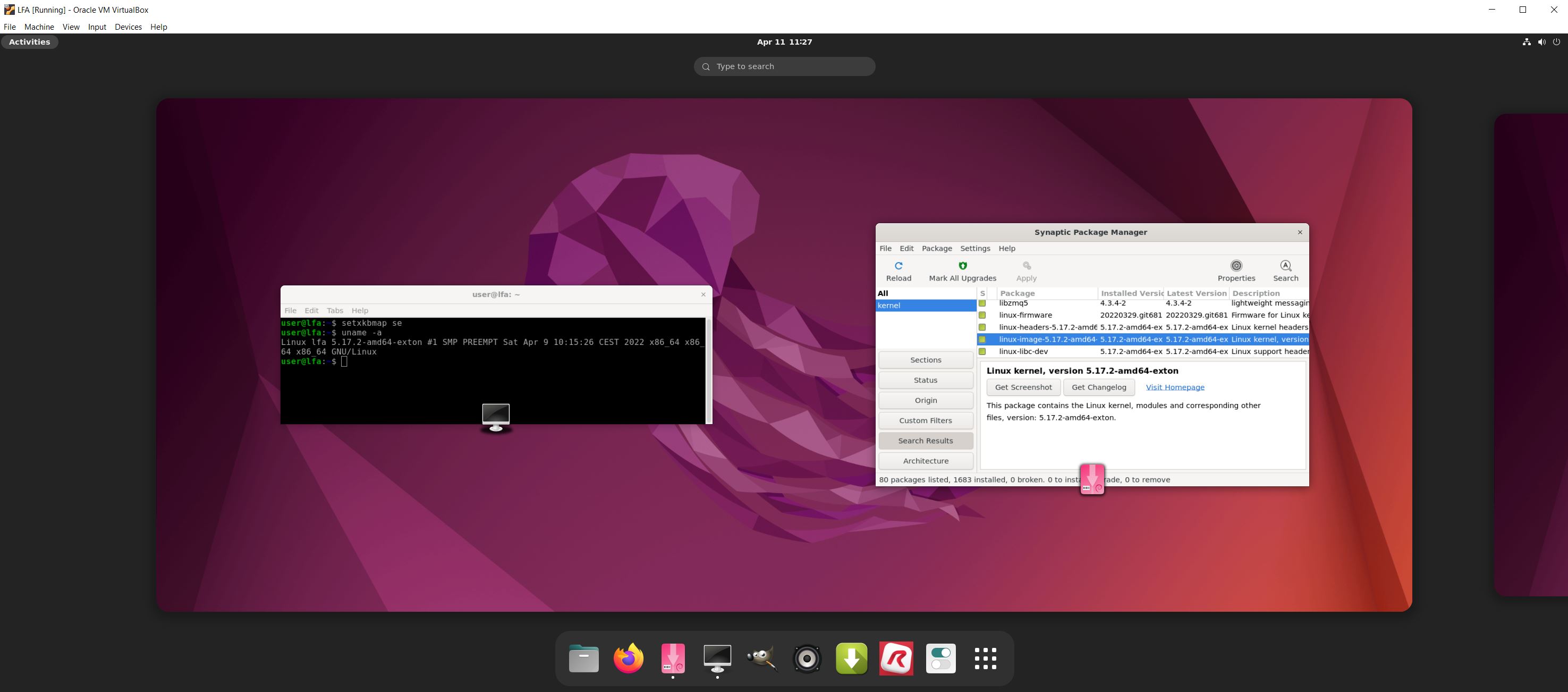
2. Kernel 5.17.2-amd64-exton (with Debian patches) is used. You can of course switch to Ubuntu’s original kernel if you prefer.
3. The Desktop environment is Gnome 42. (Ubuntu’s original DE).
4. The main Web Browser is Firefox. So you can watch Netflix!
5. I have included Refracta tools (Refracta Snapshot) to make it possible for you to create your own installable Ubuntu 22.04 Live DVD once you have installed LFA to hard drive.
6. You can run LFA fast in RAM. Use boot alternative 2 Load to RAM. The LFA ISO file is of only 1470 MB to be compared with Ubuntu’s original ISO of 2900 MB.
7. VirtualBox Guest Additions are pre-installed , which means (among other things) that you can run LFA in VirtualBox in full screen. Watch this screenshot.

SCREENSHOTS
Screenshot 1 – LFA Gnome running in VirtualBox
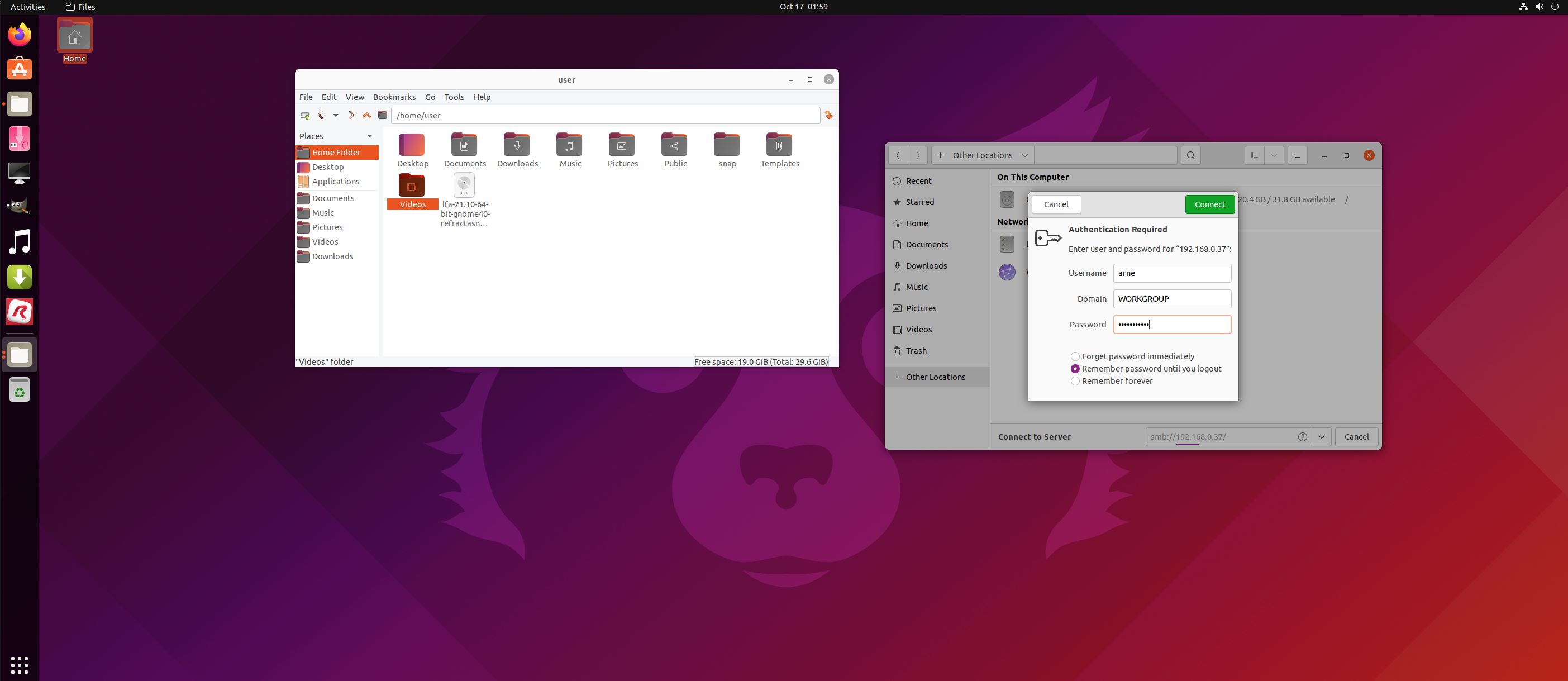
Screenshot 2 – Running Samba to reach Windows computers
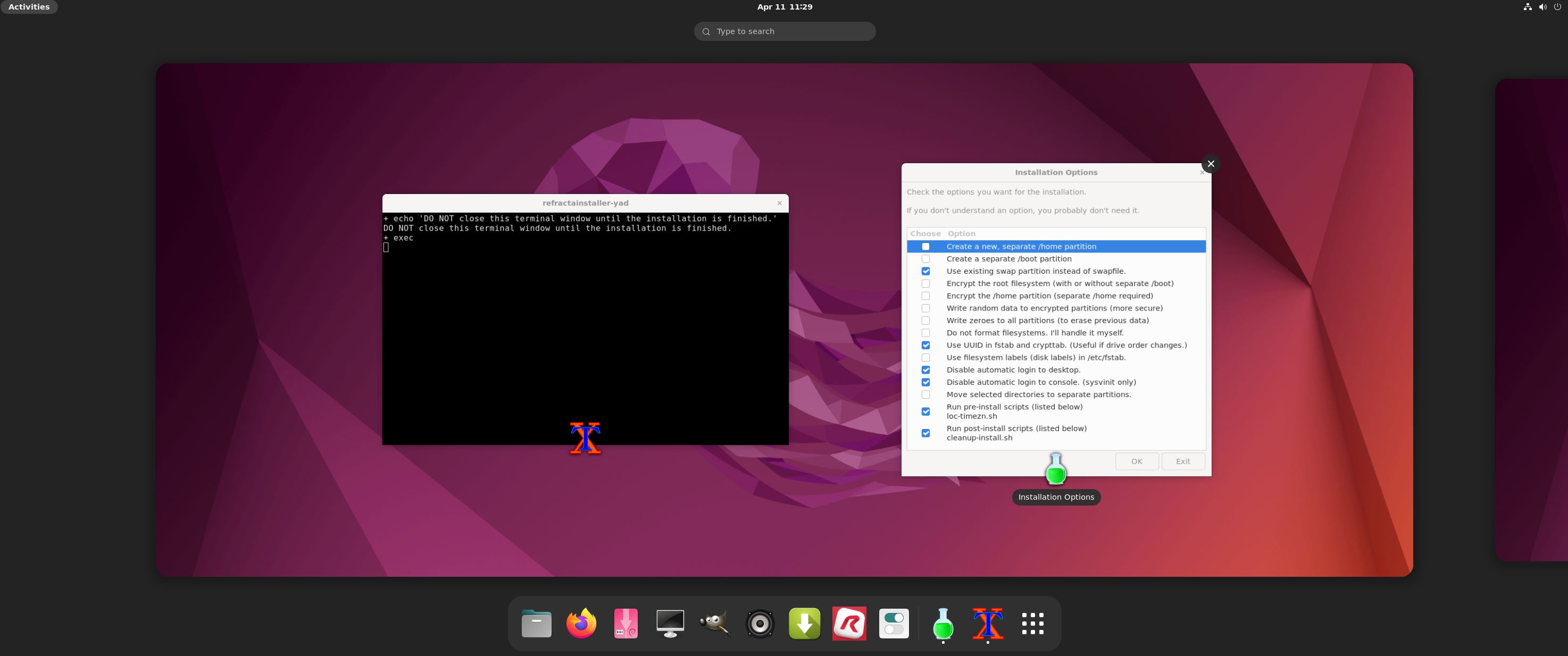
Screenshot 3 – Refracta Installer has started
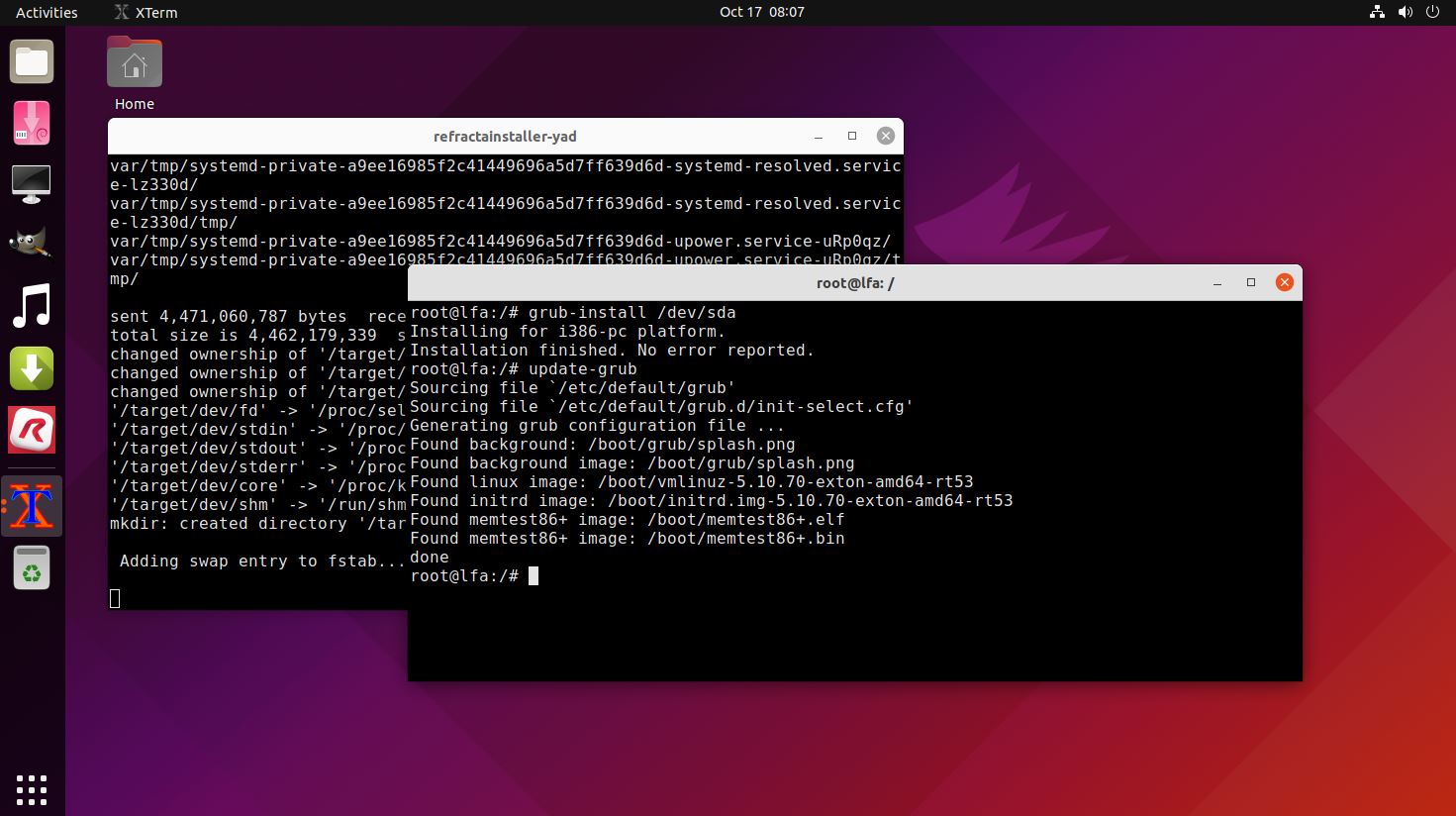
Screenshot 4 – Running Refracta Installer and installing Grub
Screenshot 5 – Running LFA Gnome from a USB stick after I’ve made some persistent changes
Screenshot 6 – root’s Desktop in Gnome

READ MORE…

Read about my Android-x86 Systems – 10, Pie, Oreo, Nougat, Marshmallow, Lollipop and KitKat at
andex.exton.net – latest is AndEX 10 (with GAPPS) and AndEX Pie 9.0 (also with GAPPS)!
and

about my Android 11, 10, Pie, Oreo, Nougat, Marshmallow and Lollipop versions for Raspberry Pi 4 and 3/2 at
raspex.exton.se
– latest is RaspAnd 11 (with GAPPS) and RaspAnd Oreo 8.1 (also with GAPPS)!
No Comments extonExton Linux Systems