Category: exton

ArchEX 2026 (Arch Linux) Live with KDE Plasma 6.5.4-1, Wayland, kernel 6.18.2-arch2-1 and Calamares Installer 3.4.0 :: Build 260106

ABOUT ArchEX 2026 Build 260106
I’ve made a new extra version of ArchEX with KDE Plasma 6.5.4-1 – latest version released 251209. Plasma is made to stay out of the way as it helps you get things done. But under its light and intuitive surface, it’s a powerhouse. So you’re free to choose ways of usage right as you need them and when you need them. This ArchEX version uses kernel 6.18.2-arch2-1. ArchEX can very easy be installed to hard drive (if you want) with Calamares Installer version 3.4.0 (latest). Installed (by me) from source.

Replacement
This ArchEX version replaces version 250507, 241124, 240509 and 240106.

Study all installed packages in ArchEX 2026 with KDE Plasma 6.5.4-1.

How To dual boot, triple boot or multi boot Linux with Windows in a simple way and be happy
Before installing ArchEX or any other Linux system my general installation instructions may be of interest.

Wayland
Some people think that using Wayland in a Linux System is very important. Wayland is said to be the modern, simpler, more secure replacement for the aging X11 display server, offering better performance. ArchEX KDE uses Wayland instead of the X11 display server.

Rolling distribution

Arch Linux/ArchEX are rolling distributions, which implies that once you have installed the system on the hard drive there is no need for re-installations (which otherwise is common in the Linux world).

WHO should run Arch Linux?
My answer: The system fits the “advanced” Linux user/enthusiast, who would be willing to run an occasional command from time to time.

BENEFITS of ArchEX/Arch Linux
“Cutting Edge”-software and speed. You will for example always run the latest kernel if you upgrade ArchEX/Arch (for example) every month.

SCREENSHOTS
ArchEX Plasma Desktop for user
ArchEX running in VirtualBox with Guest Additions installed
ArchEX running Calamares Installer as root
Showing SDDM Login Screen

READ MORE…

Read about my Android-x86 Systems – 11, 10, Pie, Oreo, Nougat, Marshmallow, Lollipop and KitKat at andex.exton.net – latest is AndEX 11 (with GAPPS), AndEX 10 (with GAPPS) and AndEX Pie 9.0 (also with GAPPS)!
and
about my Android 16, 15, 14, 13, 12, 11, 10, Pie, Oreo, Nougat, Marshmallow and Lollipop versions for Raspberry Pi 5, Pi 4 and  Pi 3/2 at raspex.exton.se – latest is RaspAnd 16 (with GAPPS), RaspAnd 15 (also with GAPPS), RaspAnd 14 (also with GAPPS), 13 and 12 (without GAPPS), RaspAnd 11 (with GAPPS) and RaspAnd Oreo 8.1 (also with GAPPS)!


Follow me on Facebook…

No Comments extonExton Linux Systems

ArchEX (Arch Linux) Live System with MATE 1.28.2-2 DE, Calamares 3.4.0 and kernel 6.18.2-arch-2-1 :: Build 260104

ABOUT ArchEX Build 260104
I’ve made a new extra version of ArchEX with the MATE Desktop environment. This ArchEX version replaces version 240101, which had Pantheon as DE. At the moment (260104) Pantheon doesn’t work in Arch Linux. After a full system upgrade the Pantheon menu is gone and you can’t get it back.

Calamares Installer
This ArchEX version has Calamares Installer installed. Using Calamares means that you can install ArchEX MATE in any language. Everything will then be in your chosen language when the installation has completed.

ABOUT MATE: The MATE Desktop Environment is the continuation of GNOME 2. It provides an intuitive and attractive desktop environment using traditional metaphors for Linux and other Unix-like operating systems. MATE is under active development to add support for new technologies while preserving a traditional desktop experience

Study all installed packages in Build 260104…

SCREENSHOTS

1. The MATE Desktop for the ordinary user user
2. The Desktop for root
3. Using Calamares in VirtualBox
4. Calamares is ready

READ MORE…

Read about my Android-x86 Systems – 11, 10, Pie, Oreo, Nougat, Marshmallow, Lollipop and KitKat at andex.exton.net – latest is AndEX 11 (with GAPPS), AndEX 10 (with GAPPS) and AndEX Pie 9.0 (also with GAPPS)!
and
about my Android 16, 15, 14, 13, 12, 11, 10, Pie, Oreo, Nougat, Marshmallow and Lollipop versions for Raspberry Pi 5, Pi 4 and  Pi 3/2 at raspex.exton.se – latest is RaspAnd 16 (with GAPPS), RaspAnd 15 (also with GAPPS), RaspAnd 14 (also with GAPPS), 13 and 12 (without GAPPS), RaspAnd 11 (with GAPPS) and RaspAnd Oreo 8.1 (also with GAPPS)!


Follow me on Facebook…

No Comments extonExton Linux Systems

exGENT (Gentoo) Rpi5 for Raspberry Pi 5 with LXDE, NetworkManager, Firefox and kernel 6.12.62-v8-16k+ :: An unique Build 251228

ABOUT exGENT Rpi5
I’ve built a Gentoo system for Raspberry Pi 5. Just for fun, but it took me four days to compile everything from “scratch”. exGENT Rpi5 is a full Gentoo/Linux Desktop system with LXDE (an extremely fast-performing and energy-saving desktop environment). Study all other included packages in exGENT Rpi5. The most important apps are NetworkManager and Firefox.

REPLACEMENT

exGENT Rpi5 is a replacement for exGENT Rpi4 from 200410 (!?). The performance is much better on a Rpi5. You can also run exGENT Rpi5 Build 251228 on a Rpi4. Just replace /boot/config.txt (on the boot partition) with this file.
NOTE: A Raspberry Pi 5 is about twice as fast as the Raspberry Pi 4.

KERNEL
Kernel 6.12.62-v8-16k+ is used when running on a Rpi5.
Kernel 6.12.64-v8+ is used when running on a Rpi4.

PERFORMANCE

The system is quite fast and responsive. All included applications work very well.

WHO should run Gentoo Linux/exGENT Rpi5?

My answer: The system fits the “advanced” Linux user/enthusiast, who would be willing to run an occasional command from time to time.

Is exGENT Rpi5 UNIQUE?
I believe so. In any case you can’t find another Gentoo System for Raspberry Pi 5 for downloading.

SCREENSHOTS
1. The Desktop for root
2. The Desktop for pi
3. Resizing the rootfs
4. YouTube is running 
5. Running on a Rpi4

READ MORE…

Read about my Android-x86 Systems – 11, 10, Pie, Oreo, Nougat, Marshmallow, Lollipop and KitKat at andex.exton.net – latest is AndEX 11 (with GAPPS), AndEX 10 (with GAPPS) and AndEX Pie 9.0 (also with GAPPS)!
and
about my Android 16, 15, 14, 13, 12, 11, 10, Pie, Oreo, Nougat, Marshmallow and Lollipop versions for Raspberry Pi 5, Pi 4 and  Pi 3/2 at raspex.exton.se – latest is RaspAnd 16 (with GAPPS), RaspAnd 15 (also with GAPPS), RaspAnd 14 (also with GAPPS), 13 and 12 (without GAPPS), RaspAnd 11 (with GAPPS) and RaspAnd Oreo 8.1 (also with GAPPS)!


Follow me on Facebook…

No Comments extonExton Linux SystemsRaspberry Pi

PuppEX (Puppy Linux) KDE Trixie64 with Wayland ::: Build 251222

ABOUT
Some people think that using Wayland in a Linux System is very important. Wayland is said to be the modern, simpler, more secure replacement for the aging X11 display server, offering better performance. I have therefore made a PuppEX System which uses Wayland instead of the X11 display server. I call it PuppEX Trixie64 KDE Wayland Build 251222. My new Puppy Linux derivative is built using the Trixie Build Script (mklive-trixie). The new System is compatible with Debian Trixie – Debian 13. It is for UEFI computers and non-UEFI computers. Build 251222 uses KDE Plasma 5:162 as Desktop environment (DE). “Compatible with Debian 13” means that you can use the Apt command (apt update, apt upgrade, apt install MyUsefulPackage etc.) and Synaptic for installing thousands of new Debian packages in PuppEX Trixie64. Study all pre-installed packages in PuppEx Trixie64 KDE.

Install to hard drive
PuppEX Trixie64 can easily be installed manually (frugal install) to hard drive if you have at least one Linux system installed. You must also use Grub as boot loader.

READ ABOUT Wayland…

READ ABOUT How to make a frugal installation of PuppEX – Instruction…

SCREENSHOTS
1. The Desktop for the ordinary user puppy
2. The Desktop for root
3. Showing SDDM’s login screen

READ MORE…

Read about my Android-x86 Systems – 11, 10, Pie, Oreo, Nougat, Marshmallow, Lollipop and KitKat at andex.exton.net – latest is AndEX 11 (with GAPPS), AndEX 10 (with GAPPS) and AndEX Pie 9.0 (also with GAPPS)!
and
about my Android 16, 15, 14, 13, 12, 11, 10, Pie, Oreo, Nougat, Marshmallow and Lollipop versions for Raspberry Pi 5, Pi 4 and  Pi 3/2 at raspex.exton.se – latest is RaspAnd 16 (with GAPPS), RaspAnd 15 (also with GAPPS), RaspAnd 14 (also with GAPPS), 13 and 12 (without GAPPS), RaspAnd 11 (with GAPPS) and RaspAnd Oreo 8.1 (also with GAPPS)!


Follow me on Facebook…

No Comments extonExton Linux Systems

FedEX Rpi5 (Fedora 43 ARM64) for Raspberry Pi5 and Pi4 with GNOME 49 :: Build 251215

FedEX Rpi5 for Raspberry Pi5 and 4 is a “remaster” of the Fedora Project’s Fedora 43 Workstation build for ARM64 (aarch64).

REPLACEMENT
My previous version of FedEX from 250105 was also made for Raspberry Pi5.

ABOUT

FedEX Rpi5 uses the GNOME 49 Desktop. (As the original system does). The original Fedora 43 ARM64 system can only run a Raspberry Pi4 computer. You may be able to start it on a Rpi5, but you can’t make the keyboard and mouse work. My Build works very well on a Raspberry Pi5 computer though. You can also run FedEX Rpi5 on a Rpi4 computer. Your Raspberry Pi computer will automatically choose the correct kernel at boot.

Study all installed packages…

USED KERNEL
6.12.56-1.rpi5-fc43.aarch64

PERFORMANCE
The system is quite fast and responsive. All included applications work very well.

WHO SHOULD RUN FedEX Rpi5 for Raspberry Pi5 and 4?
My answer: The system fits the “advanced” Linux user/enthusiast, who would be willing to run an occasional command from time to time.

SCREENSHOTS
1. The Desktop for the ordinary user pi
2. The Desktop for root
3. Running YouTube showing very good video quality
4. Running dnf upgrade 251215

READ MORE…

Read about my Android-x86 Systems – 11, 10, Pie, Oreo, Nougat, Marshmallow, Lollipop and KitKat at andex.exton.net – latest is AndEX 11 (with GAPPS), AndEX 10 (with GAPPS) and AndEX Pie 9.0 (also with GAPPS)!
and
about my Android 16, 15, 14, 13, 12, 11, 10, Pie, Oreo, Nougat, Marshmallow and Lollipop versions for Raspberry Pi 5, Pi 4 and  Pi 3/2 at raspex.exton.se – latest is RaspAnd 16 (with GAPPS), RaspAnd 15 (also with GAPPS), RaspAnd 14 (also with GAPPS), 13 and 12 (without GAPPS), RaspAnd 11 (with GAPPS) and RaspAnd Oreo 8.1 (also with GAPPS)!


Follow me on Facebook…

No Comments extonExton Linux SystemsRaspberry Pi

ExTiX 25.12-2 Mini – a live remix of upcoming Ubuntu 26.04 LTS – with LXDE, Refracta Snapshot and kernel 6.17.8-amd64-exton ::: Build 251205

NEWS 251205 ABOUT ExTiX 25.12-2 Mini with LXDE and Refracta Snapshot ::: Build 251205
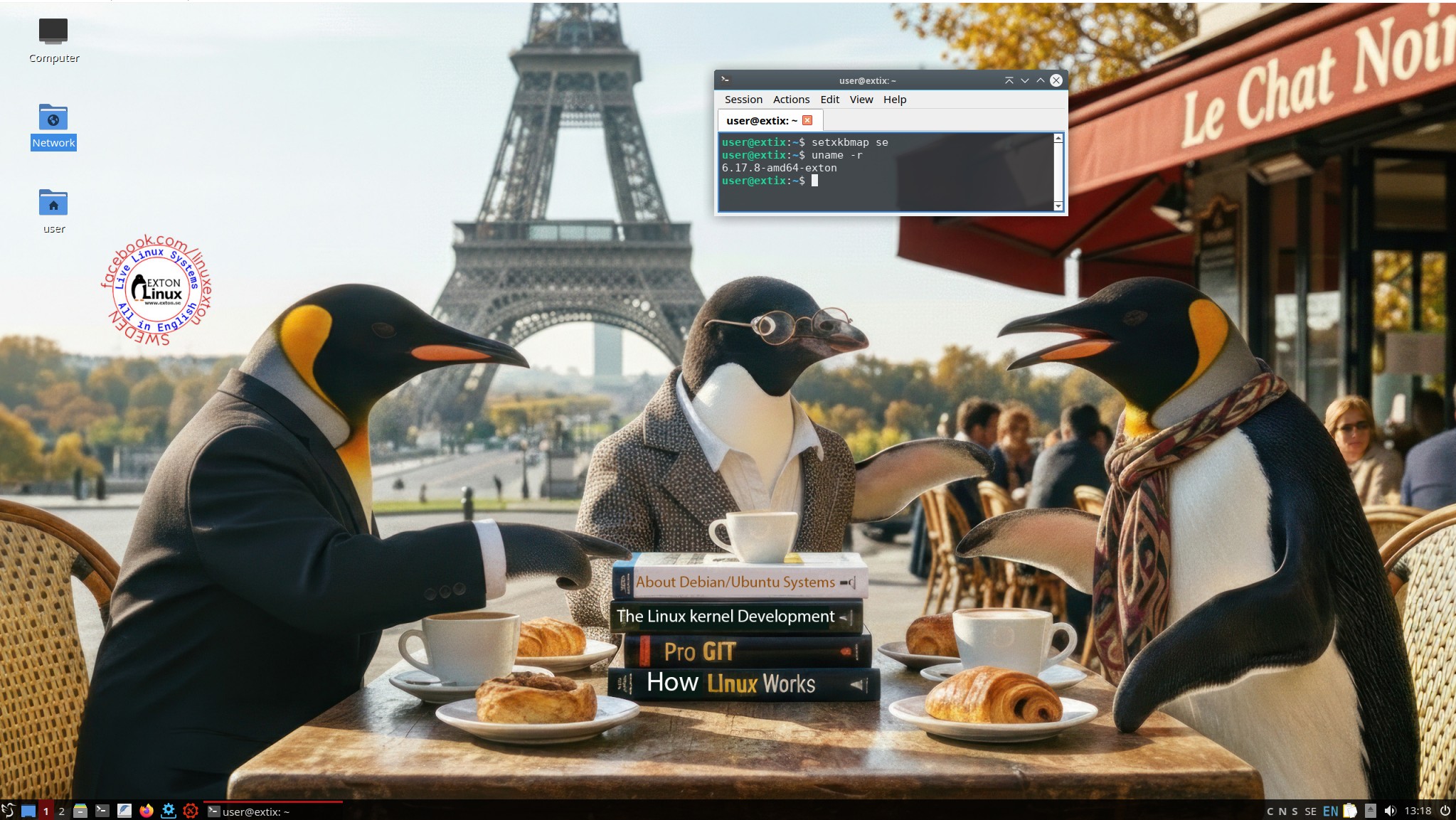
I have made a new version of ExTiX (The Ultimate Linux System). I call it ExTiX 25.12-2 LXDE Mini Live System. (The previous ExTiX Mini version was 23.5 from 230510). ExTiX 25.12-2 is a VERY PREMATURE remix of Ubuntu 26.04 LTS (Resolute Raccoon). Ubuntu 26.04 LTS will be supported until July 2031.

ABOUT Build 25.12-2
I was aiming to build a really light version of ExTiX (as a remix of upcoming Ubuntu 26.04). I therefore started “from scratch” using the Debootstrap method. Debootstrap is a low-level tool that installs a basic Ubuntu system into a directory, giving you complete control over every package from the ground up. This method is often used to create a custom installation in a virtual machine (using QEMU, VirtualBox, etc.) or onto a specific disk partition. No matter how hard I tried I could not make a smaller ISO than the current one of 1870 MB. Many big packages are necessary to make the system usable. As an example I can mention the linux-firmware package. It is of 650 MB. Without it the System is useless. A small ISO is of importance if you want to run the system from RAM on older computers with low RAM. To run from RAM is the best way to run any Linux system. Super fast! I decided to use LXDE (Lightweight X11 Desktop Environment) as DE instead of LXQt in the hope that it would hold down the size of the System. It did not help much though.

FEATURES
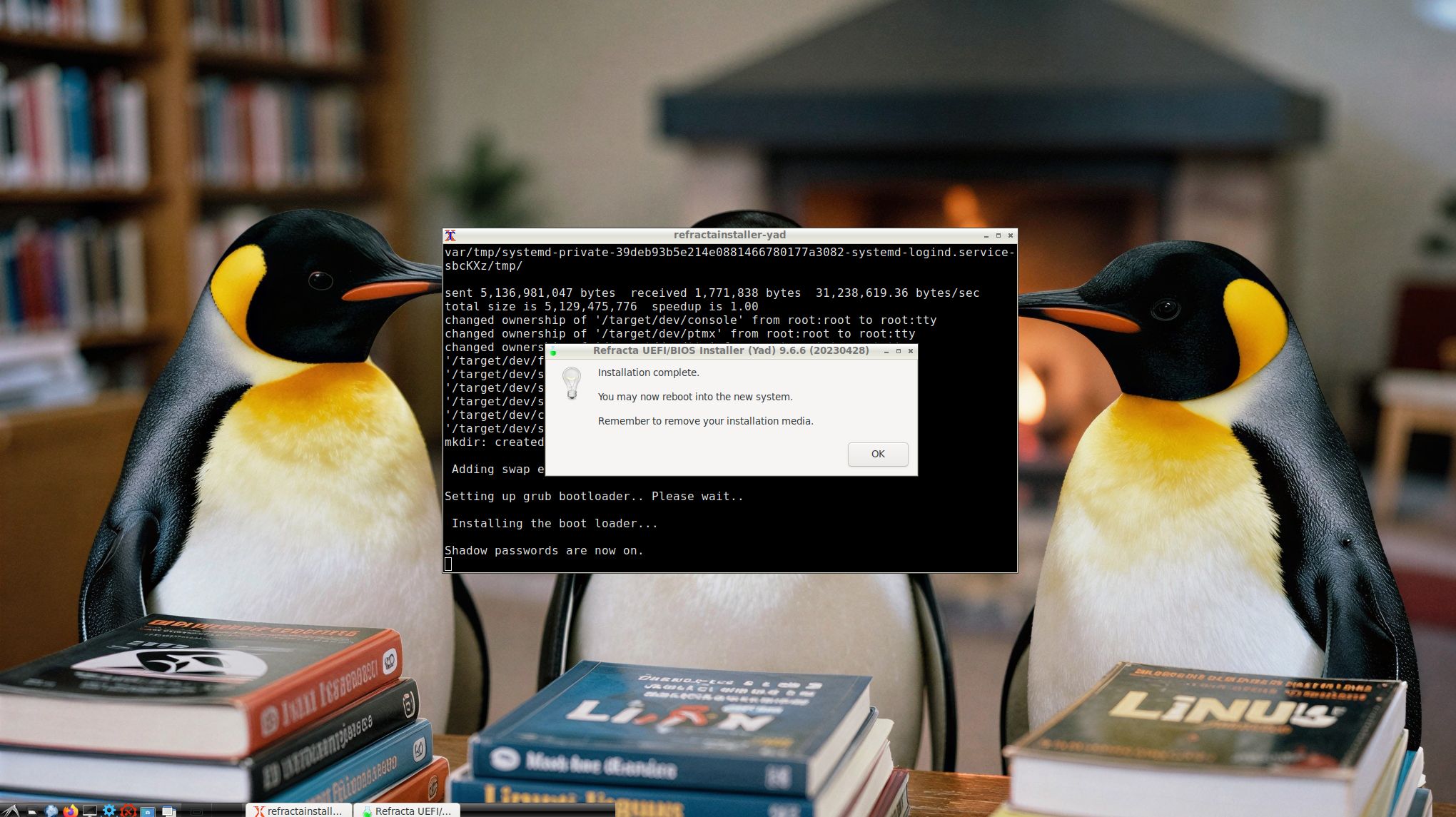
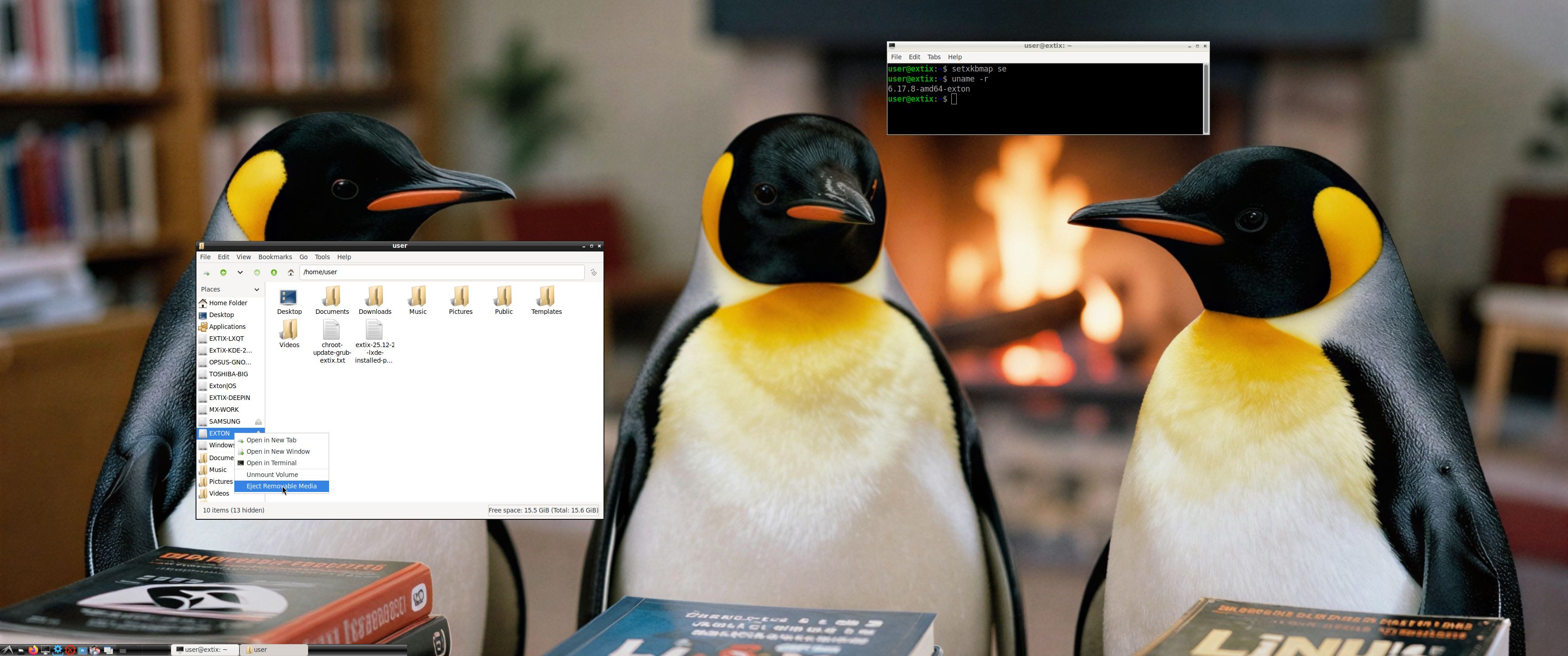
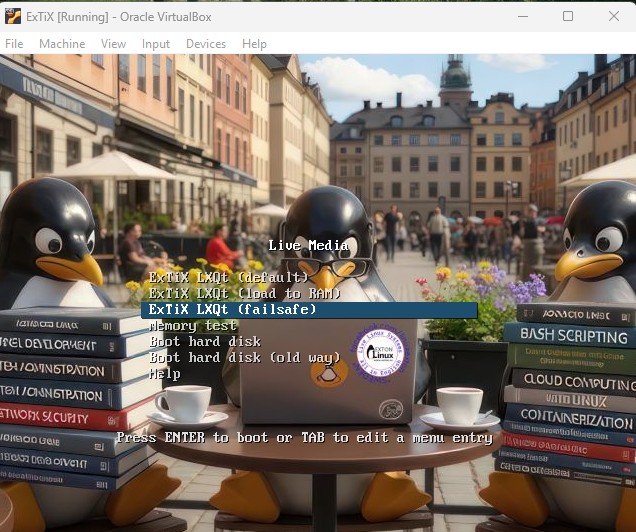
The best thing with ExTiX 25.12-2 is that while running the system live (from a DVD/USB) or from hard drive you can use Refracta Snapshot (pre-installed) to create your own live installable Ubuntu 26.04 LTS system. So easy that a ten year child can do it! One other very good thing with this version of ExTiX is that it is quite light. The ISO file is of only 1870 MB, which means that you can run the system super fast from RAM. When the boot process is ready you can eject the DVD or USB stick. Watch this screenshot. Use Boot alternative 2 or Advanced options >> load to RAM. LXDE is used as Desktop Environment (DE). Kernel 6.17.8-amd64-exton is used (as in ExTiX 25.12). You can use Refracta Installer to install ExTiX 25.12-2 to hard drive. It works very well. Read more about Refracta Installer…

STUDY all pre-installed packages in ExTiX 25.12-2…
And this list showing the size of installed packages in KB…
(Not much to gain from uninstalling some packages).

THE IMPORTANCE OF ExTiX 25.12-2 Build 251205 being based on UPCOMING Ubuntu 26.04 LTS
Programs won’t “crash” or anything like that. And I haven’t noticed any important “bugs”. That said you should of course be a bit careful. Version 251205 of ExTiX is for people who like to use “cutting-edge” software and the latest kernels etc. You will always have the latest Ubuntu software installed if you regularly run the command sudo apt update && sudo apt upgrade. If you do that for example every week you can be among the first to have Ubuntu 26.04 STABLE installed.

SCREENSHOTS
1. Refracta Installer is ready
2. Showing that you can eject the USB stick when running ExTiX from RAM

READ MORE…

Read about my Android-x86 Systems – 11, 10, Pie, Oreo, Nougat, Marshmallow, Lollipop and KitKat at andex.exton.net – latest is AndEX 11 (with GAPPS), AndEX 10 (with GAPPS) and AndEX Pie 9.0 (also with GAPPS)!
and
about my Android 16, 15, 14, 13, 12, 11, 10, Pie, Oreo, Nougat, Marshmallow and Lollipop versions for Raspberry Pi 5, Pi 4 and  Pi 3/2 at raspex.exton.se – latest is RaspAnd 16 (with GAPPS), RaspAnd 15 (also with GAPPS), RaspAnd 14 (also with GAPPS), 13 and 12 (without GAPPS), RaspAnd 11 (with GAPPS) and RaspAnd Oreo 8.1 (also with GAPPS)!


Follow me on Facebook…

No Comments extonExton Linux Systems

ExTiX 25.12 – a live remix of upcoming Ubuntu 26.04 LTS – with LXQt 2.2, Refracta Snapshot, Calamares and kernel 6.17.8-amd64-exton ::: Build 251201

ExTiX 25.12 LXQt – Build 251201
I have made a new version of ExTiX – The Ultimate Linux System. I call it ExTiX 25.12 LXQt Live System. (The previous LXQt version was 24.12 from 241223). ExTiX 25.12 is a very premature remix of Ubuntu 26.04 LTS (Resolute Raccoon). Ubuntu 26.04 LTS will be supported until July 2031.

FEATURES
The best thing with ExTiX 25.12 is that while running the system live (from DVD/USB) or from hard drive you can use Refracta Snapshot (pre-installed) to create your own live installable Ubuntu system. So easy that a ten year child can do it! One other very good thing with this version of ExTiX is that it is quite light. The ISO file is of only 2440 MB, which means that you can run the system super fast from RAM. When the boot process is ready you can eject the DVD or USB stick. Use Boot alternative 2 or Advanced options… >> load to RAM.

Study all pre-installed packages in ExTiX 25.12…

ABOUT BUILD 251201
ExTiX 25.12
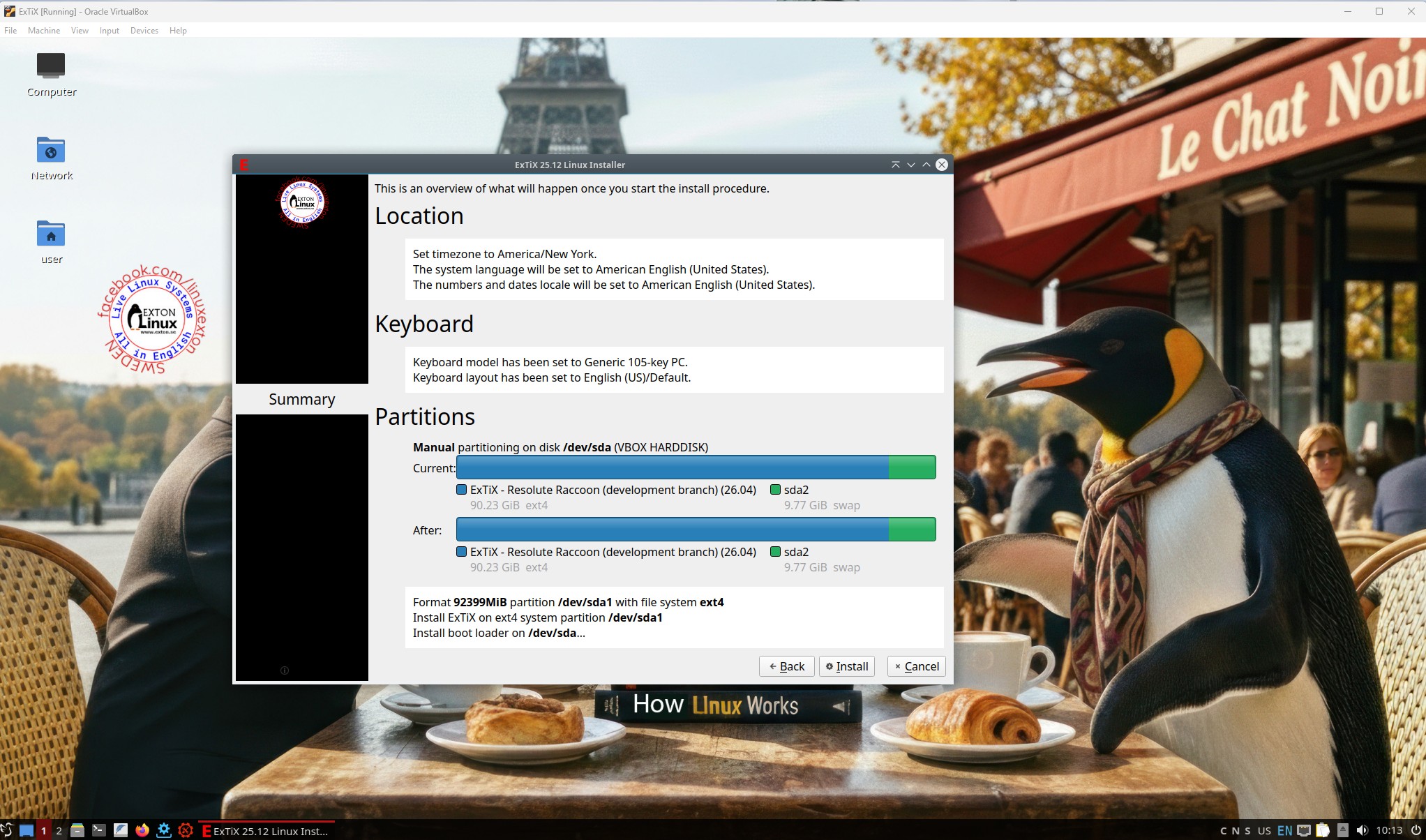
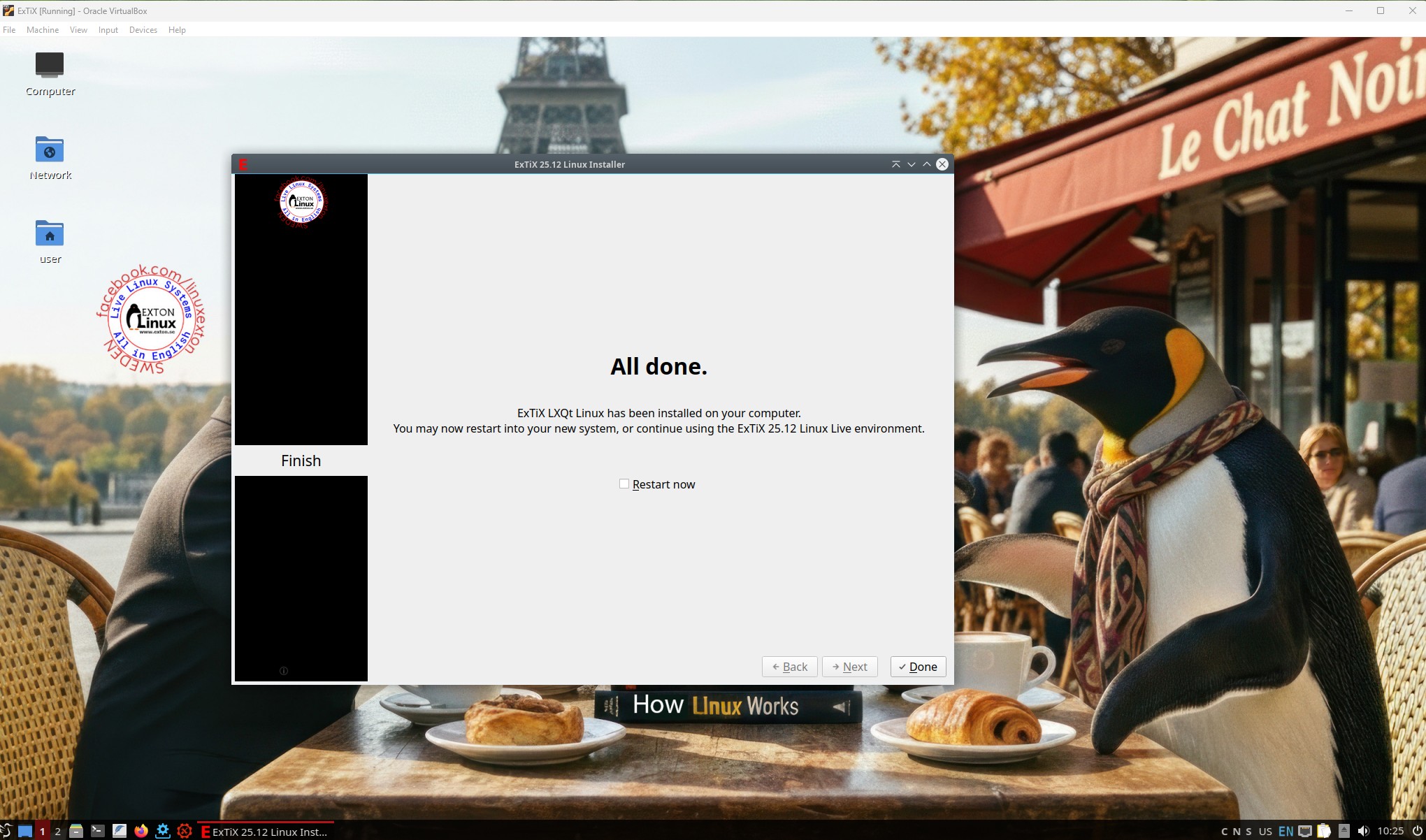
LXQt, 64 bit, is based on Debian Sid and upcoming Ubuntu 26.04. The original system includes the Desktop Environment Gnome. After removing Gnome I have installed LXQt 2.2. LXQt is the Qt port and the upcoming version of LXDE, the Lightweight Desktop Environment. It is the product of the merge between the LXDE-Qt and the Razor-qt projects: A lightweight, modular, blazing-fast and user-friendly desktop environment. NOTE: This ExTiX LXQt Build is for installation to UEFI-enabled or non-UEFI computers. You shall use Calamares Installer or Refracta Installer for that. Watch a screenshot when Calamares is running and this one when the install process is ready.

ABOUT Snaps
I have removed all snaps and snapd (The snap daemon) altogether from ExTiX 25.12 following the advice’s here. The main reason for that was that the ExTiX ISO became too big with snaps installed.

THE IMPORTANCE OF ExTiX 25.12 Build 251201 being based on UPCOMING Ubuntu 26.04 LTS
Programs won’t “crash” or anything like that. And I haven’t noticed any important “bugs”. That said you should of course be a bit careful. Version 251201 of ExTiX is for people who like to use “cutting-edge” software and the latest kernels etc. You will always have the latest Ubuntu software installed if you regularly run the command sudo apt update && sudo apt upgrade. If you do that for example every week you can be among the first to have Ubuntu 26.04 STABLE installed.

SCREENSHOTS
1. root’s Desktop
2. user’s Desktop
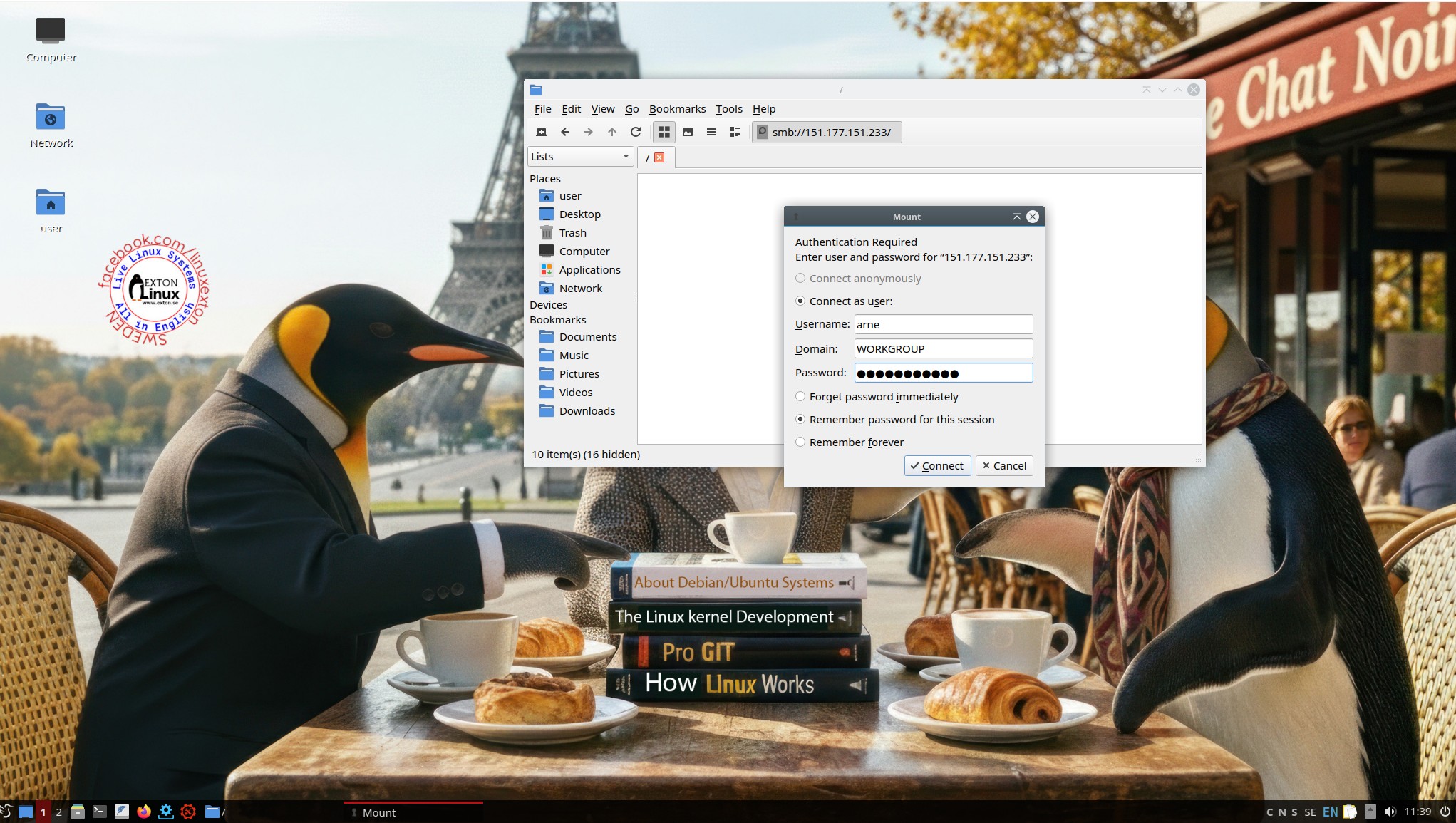
3. Showing a Samba connection
4. Running in VMware
5. Using Calamares Installer in VirtualBox

READ MORE…

Read about my Android-x86 Systems – 11, 10, Pie, Oreo, Nougat, Marshmallow, Lollipop and KitKat at andex.exton.net – latest is AndEX 11 (with GAPPS), AndEX 10 (with GAPPS) and AndEX Pie 9.0 (also with GAPPS)!
and
about my Android 16, 15, 14, 13, 12, 11, 10, Pie, Oreo, Nougat, Marshmallow and Lollipop versions for Raspberry Pi 5, Pi 4 and  Pi 3/2 at raspex.exton.se – latest is RaspAnd 16 (with GAPPS), RaspAnd 15 (also with GAPPS), RaspAnd 14 (also with GAPPS), 13 and 12 (without GAPPS), RaspAnd 11 (with GAPPS) and RaspAnd Oreo 8.1 (also with GAPPS)!


Follow me on Facebook…

No Comments extonExton Linux Systems

EXTON OpSuS (openSUSE) Tumbleweed with KDE Plasma 6.5.2, Refracta Snapshot and kernel 6.17.4-amd64-exton :: Build 251122

EXTON OpSuS Tumbleweed is based on openSUSE Tumbleweed, which is a rolling distribution. I.e. no need for new installations. Just run the command sudo zypper dup and you will always get the latest stable packages/kernels. The ISO files are of 2640MB (GNOME version) respectively 3030 MB (KDE version). Both versions will thus run very fast from a DVD or a USB stick. Even in VirtualBox/VMware directly from the ISO file.

ABOUT Tumbleweed
With Tumbleweed you don’t have to take difficult decisions about things you value, either freedom or safety, either control or security, technology or stability — Tumbleweed lets you have your cake and eat it too.
READ MORE…

EXTON OpSuS Tumbleweed with KDE Plasma 6.5.2 Desktop Environment Build 251122
This OpSuS version uses kernel 6.17.4-amd64-exton. Installed programs: Among many other programs, Firefox, NetworkManager, GParted and a lot of special KDE packages. You’ll run the system as the normal user user or as root. The password for user is live. Root’s password is root. EXTON OpSuS KDE can easily be installed to hard drive (of those who so desire). For that you shall use Refracta Installer. All packages have been updated to the latest available version as of November 22, 2025.
NOTE1
:  When the boot process is ready you will end up at LightDM’s login screen. You can log in to the KDE Plasma Desktop as user with password live or as root with password root. You will see this first screen when logged in to KDE as the normal user user.
NOTE2: When logged in as root you won’t have sound. Watch a screenshot of the KDE Desktop for root.
NOTE3: Version 251122 of EXTON OpSuS can run on really old computers. As an example I could run it on my 19 years old laptop Acer Aspire 5102 WLMi.
NOTE4: Use Refracta Snapshot to build your very own version of EXTON OpSuS/openSUSE. I.e. you can change everything to you liking and quickly create a new ISO file. Your own.
NOTE5:
Kernel 6.17.4-amd64-exton is used when running EXTON OpSuS LIVE. When running the System from hard drive you can use openSUSE’s kernel. Right now version 6.17.8.
NOTE6: To be able to use Refracta Snapshot you’ll have to keep “my” kernel 6.17.4-amd64-exton in /boot and also the links to said kernel in /. (/vmlinuz and /initrd.img).
NOTE7: The KDE version 251122 works very well in VirtualBox and VMware. Version 251120 did not work so well in VirtualBox. That is the main reason for the new Build of 251122.
NOTE8: The KDE version works very well on all “normal” computers. I could run the system on my six different computers. If you have at least 6GB RAM (maybe just 4GB) you can choose boot alternative 2 – “Load to RAM”. (The best way to run any Linux system). Watch this screenshot.
NOTE9: EXTON OpSuS is a LIVE system, which means that you can try it before you install it. The official openSUSE distribution must be installed immediately.
NOTE 10: When logging in to the KDE Plasma Desktop you can choose between the X11 server and Wayland – screenshot. Wayland is the modern, more secure, and efficient replacement for the older X11 display server.

SCREENSHOTS
1. The Desktop for the normal user user
2. The Desktop for root
3. Refracta Installer has started
4. Refracta Installer has completed
5. Setting screen resolution in VirtualBox
6. Using Samba

READ MORE…

Read about my Android-x86 Systems – 11, 10, Pie, Oreo, Nougat, Marshmallow, Lollipop and KitKat at andex.exton.net – latest is AndEX 11 (with GAPPS), AndEX 10 (with GAPPS) and AndEX Pie 9.0 (also with GAPPS)!
and
about my Android 16, 15, 14, 13, 12, 11, 10, Pie, Oreo, Nougat, Marshmallow and Lollipop versions for Raspberry Pi 5, Pi 4 and  Pi 3/2 at raspex.exton.se – latest is RaspAnd 16 (with GAPPS), RaspAnd 15 (also with GAPPS), RaspAnd 14 (also with GAPPS), 13 and 12 (without GAPPS), RaspAnd 11 (with GAPPS) and RaspAnd Oreo 8.1 (also with GAPPS)!


Follow me on Facebook…

No Comments extonExton Linux Systems

EXTON OpSuS (openSUSE) Tumbleweed with GNOME 49, Refracta Snapshot and kernel 6.17.4-amd64-exton :: Build 251115

EXTON OpSuS GNOME  is based on openSUSE Tumbleweed, which is a rolling distribution. I.e. no need for new installations. Just run the command sudo zypper dup and you will always get the latest stable packages/kernels. The ISO file is of 2640MB. This GNOME 49 version will thus run very fast from a DVD or a USB stick. Even in VirtualBox/VMware directly from the ISO file.

ABOUT Tumbleweed
With Tumbleweed you don’t have to take difficult decisions about things you value, either freedom or safety, either control or security, technology or stability — Tumbleweed lets you have your cake and eat it too. READ MORE…

NOTE ABOUT EXTON OpSuS Deepin from 240807
The Deepin DE is no longer maintained by openSUSE due to packaging policy violations and various security issues. I have therefore deleted the ISO file from 240807, which used Deepin 20.6 as Desktop Environment.

ABOUT EXTON OpSuS for PC’s – Build 251115
I’ve made a new version of EXTON OpSuS with GNOME 49 as the only DE. The ISO is therefore rather small (2640MB), which means that you can run the system from RAM really fast even if you have for example only 8GB RAM. This new EXTON OpSuS build is made from “scratch” following the Wiki “openSUSE:Expert Installation“. If you want to do the same you can study my packages LIST first. Be sure to install all necessary kernel-firmware. For example kernel-firmware-nvidia. If you “forget” to do that and try to run the system on a computer with an Nvidia graphics card it won’t work. To be on the safe side you might want to run the command sudo zypper in kernel-firmware*.

Study all installed packages in EXTON OpSuS GNOME…

NOTES
NOTE1
: Kernel 6.17.4-amd64-exton is used when running EXTON OpSuS LIVE. When running the System from hard drive you can use openSUSE’s original kernel. Right now version 6.17.7.
NOTE2: When the boot process is ready you will end up at GDM’s login screen. You can log in to the GNOME Desktop as user with password live or as root with password root.
NOTE3: Use Refracta Snapshot to build your very own version of EXTON OpSuS/openSUSE. I.e. you can change everything and quickly create a new ISO file. Your own. The new is ISO found in /home/snapshot.
NOTE4: You be able to use Refracta Snapshot you’ll have to keep “my” kernel 6.17.4-amd64-exton in /boot and also the links to said kernel in /. (/vmlinuz and /initrd.img).
NOTE5: Version 251115 of EXTON OpSuS can run on really old computers. As an example I could run it on my 19 years old laptop Acer Aspire 5102 WLMi.

SCREENSHOTS
1. Showing a Samba connection
2. The Desktop for root
3. The Desktop for the ordinary user user
4. Installing Grub while running in VirtualBox
5. Showing how to set the screen resolution

READ MORE…

Read about my Android-x86 Systems – 11, 10, Pie, Oreo, Nougat, Marshmallow, Lollipop and KitKat at andex.exton.net – latest is AndEX 11 (with GAPPS), AndEX 10 (with GAPPS) and AndEX Pie 9.0 (also with GAPPS)!
and
about my Android 16, 15, 14, 13, 12, 11, 10, Pie, Oreo, Nougat, Marshmallow and Lollipop versions for Raspberry Pi 5, Pi 4 and  Pi 3/2 at raspex.exton.se – latest is RaspAnd 16 (with GAPPS), RaspAnd 15 (also with GAPPS), RaspAnd 14 (also with GAPPS), 13 and 12 (without GAPPS), RaspAnd 11 (with GAPPS) and RaspAnd Oreo 8.1 (also with GAPPS)!


Follow me on Facebook…

No Comments extonExton Linux Systems

Exton|Defender Rawhide (upcoming fc44) with GNOME 49 as DE, Calamares Installer, Refracta Snapshot and kernel 6.17.4-amd64-exton :: Build 251029

ABOUT Exton|Defender Build 251029
Exton|Defender, based on Fedora Rawhide (upcoming Fedora 44), 64 bit, is an extra version built mainly because I finally found a way to install Calamares Installer in Fedora and make it work. This build is not really a “Defender SRS” system. You can, however, install all the rescue tools you may need also when running this version live. (I.e. from a USB stick or a DVD). GNOME 49 is used as DE. Fedora 43 was released in a stable version on October 28, 2025 (yesterday). So Exton|Defender fc44 (being based on upcoming Fedora 44) should be very “unstable”. I have, however, not noticed anything special. I.e. programs won’t crash or anything like that. One “bug” though: You can’t change wallpaper the “normal” way. I.e. by clicking on the Desktop. You can, however, open your desired image with gThumb and set your image as wallpaper.

REFRACTA SNAPSHOT
You can create your own Fedora Rawhide system using Refracta Snapshot, which is pre-installed. I.e. change everything to your liking and then create a new ISO. That can be done after a hard drive installation. If you have plenty of RAM it is also possible to create a new ISO while running Exton|Defender fc44 live. NOTE: For Refracta Snapshot to work you will need to run “my” kernel 6.17.4-amd64-exton. It won’t work with Fedora’s original kernel. Actually you can run another kernel when starting Refracta Snapshot, but you must keep the links /vmlinuz and /initrd.img pointing to my kernel.
NOTE: When you start up Refracta Snapshot you will get a message saying that your ISO won’t boot on UEFI computers. Don’t worry. I’ve arranged so that it will.

Study all installed packages in Exton|Defender Build 251029…

Runs from RAM
Exton|Defender can run live from RAM. Running any Linux system in RAM means that it runs very fast.

KERNELS
While running live “my” kernel 6.17.4-amd64-exton will be used. After a hard drive installation you can use Fedora’s original kernel, which right now is 6.18.0.rc3.30.fc44.x86_64.

CALAMARES INSTALLER

Calamares is very simple to use. Just start it from the menu and follow the instructions. If you are installing Exton|Defender on a UEFI computer you should read my general install instructions in advance. If you want to make your own Fedora distribution (with Refracta Snapshot) you should install Exton|Defender on a partition of about 40 GB and use a SWAP space of about 2 GB. Do not create special home or boot partitions. When Calamares runs in VirtualBox it can look like this. If you want to use Calamares in your own distribution you’ll have to reinstall it. That is done with the command sudo dnf install calamares

LOGIN
Log in to the GNOME 49 Desktop as the normal user liveuser with password live or as Super User (root) with password root

DNF – Fedora Package Management
DNF is a software package manager that installs, updates, and removes packages on RPM-based Linux distributions. Used by Fedora. Basically you’ll only need two commands: dnf upgrade and dnf install MyGreatProgram. Read more about DNF. You can also use the Package Manager DnfDragora, which isn’t pre-installed. It can be compared with Debian’s Synaptic. However, right now DnfDragora doesn’t work so well in Fedora Rawhide (and also in Fedora 43). I have therefore excluded DnfDragora. You can later on install it with sudo dnf install dnfdragora.

THE IMPORTANCE OF Exton|Defender Build 251029 being based on UPCOMING fc44
Programs won’t “crash” or anything like that. And I haven’t noticed any important “bugs”. That said you should of course be a bit careful. Version 251029 of Exton|Defender is for people who like to use “cutting-edge” software and the latest kernels etc. You will always have the latest Linux/Fedora software installed if you regularly run the command sudo dnf upgrade.

IMPORTANT NOTE
After a hard drive installation you should boot up Exton|Defender using my kernel 6.17.4-amd64-exton. After a full upgrade of the system (sudo dnf upgrade) you can switch to Fedora’s kernel 6.18.0-rc3.30.fc44.x86_64.

SCREENSHOTS
1. Calamares is running
2. Calamares is ready
3. The liveuser Desktop
4. Showing a Samba connection
5. First screen after boot logged in as root

DOWNLOAD

Exton|Defender can be downloaded from SourceForge.netFast, secure and free downloads from the largest Open Source applications and software directory

md5sum for exton-defender-fc44-gnome-calamares-refractasnapshot-3080mb-251029.iso

Read about my Android-x86 Systems – 11, 10, Pie, Oreo, Nougat, Marshmallow, Lollipop and KitKat at andex.exton.net – latest is AndEX 11 (with GAPPS), AndEX 10 (with GAPPS) and AndEX Pie 9.0 (also with GAPPS)!
and
about my Android 16, 15, 14, 13, 12, 11, 10, Pie, Oreo, Nougat, Marshmallow and Lollipop versions for Raspberry Pi 5, Pi 4 and  Pi 3/2 at raspex.exton.se – latest is RaspAnd 16 (with GAPPS), RaspAnd 15 (also with GAPPS), RaspAnd 14 (also with GAPPS), 13 and 12 (without GAPPS), RaspAnd 11 (with GAPPS) and RaspAnd Oreo 8.1 (also with GAPPS)!



Follow me on Facebook…

No Comments extonExton Linux Systems